
The 2026 Guide to Buying an AI PC: NPUs, TOPS, and What Actually Matters
As artificial intelligence moves from the cloud to local devices, specialized NPU chips have made AI PCs a hardware reality. Here is how to navigate TOPS ratings, RAM requirements, and processor options to find the right machine for your workflow.
By Kavya Nair

In short
- AI PCs utilize a Neural Processing Unit (NPU) to run artificial intelligence tasks locally rather than in the cloud.
- Microsoft's Copilot+ certification requires a laptop to have an NPU capable of at least 40 Trillion Operations Per Second (TOPS).
- Because local AI models are incredibly memory-intensive, 16GB of RAM is now the absolute minimum requirement.
In 2026, the term "AI PC" has officially transitioned from a vague marketing buzzword into a concrete, highly capable hardware standard. For the past few years, artificial intelligence was almost exclusively something that happened in the cloud—you typed a prompt, it traveled to a massive server farm, and the result was beamed back to your screen seconds later. Today, that immense processing power has moved directly onto your desk, fundamentally changing how consumers, students, and professionals evaluate and purchase their laptops.[5]
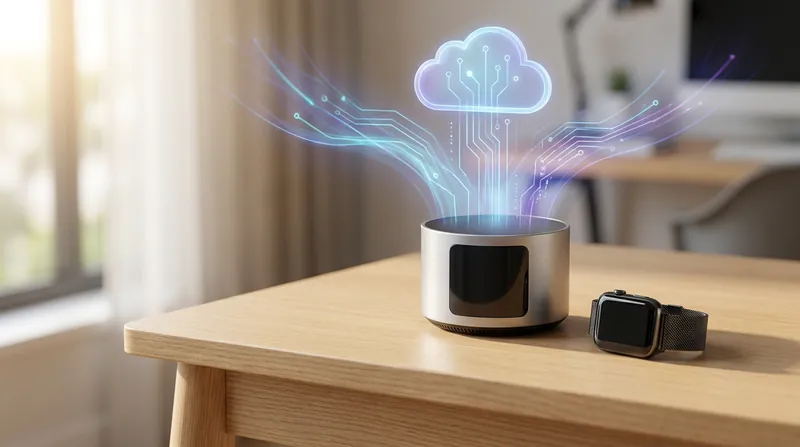
This structural shift from cloud-based AI to what the industry calls "local inference" is the defining feature of the modern laptop market. By processing complex data on the device itself rather than relying on external servers, users gain immediate, tangible benefits that improve daily workflows. Responses to queries are practically instantaneous, sensitive personal or corporate data never has to leave the physical machine, and advanced software features work seamlessly even when you are completely disconnected from the internet on a long flight or in a remote location.[1]
The dedicated engine driving this hardware revolution is the Neural Processing Unit, commonly referred to as the NPU. While traditional computers have long relied on a Central Processing Unit (CPU) for general computing tasks and a Graphics Processing Unit (GPU) for rendering visuals and gaming, the NPU serves a completely different purpose.
It is a specialized piece of silicon designed exclusively to handle the complex matrix math required by modern machine learning algorithms. By isolating these specific, repetitive calculations, the NPU prevents the rest of the computer from bogging down under heavy AI workloads.[4]
Because the NPU is purpose-built from the ground up for these specific mathematical tasks, it can handle heavy AI workloads while consuming a mere fraction of the electrical power that a traditional CPU or GPU would require to do the exact same job.
This dedicated "AI brain" effectively frees up the rest of the system to focus on standard applications like web browsing and word processing. The end result is faster overall system performance, significantly cooler operating temperatures on your lap, and dramatically improved battery life that fundamentally changes how people work on the go.[4]
The universal industry metric for measuring this new hardware capability is TOPS, an acronym that stands for Trillion Operations Per Second. In the current computing landscape, a machine's TOPS rating has become just as important to consumers as gigahertz or megabytes were in previous decades. To qualify for Microsoft's stringent "Copilot+ PC" certification—which has quickly become the gold standard for modern Windows machines—a laptop's NPU must be capable of sustaining a strict minimum of 40 TOPS to ensure a smooth, lag-free experience.[1][3]
Reaching that critical 40 TOPS threshold unlocks a powerful suite of advanced, system-level AI features that are built directly into the Windows 11 operating system. These capabilities include real-time live captions and instantaneous translation for any audio or video playing on the device, regardless of the source app. It also enables intelligent search capabilities that can instantly locate buried files, emails, or past activities based on conversational natural language queries, alongside AI-assisted image generation tools that render artwork entirely on the local hardware without cloud delays.[3]
The global processor market has fractured into a highly competitive, high-stakes three-way race to deliver the best NPU performance to everyday consumers. Qualcomm completely disrupted the traditional laptop industry with its ARM-based Snapdragon X Elite and X Plus chips. These processors deliver an impressive 45 TOPS of AI performance alongside astonishing battery efficiency that rivals modern mobile phones. This breakthrough architecture allows users to comfortably leave their heavy chargers at home, knowing their machine can easily survive a full day of intensive work and media consumption.[3]
Not to be outdone by new challengers, the traditional silicon giants have released their own AI heavyweights to reclaim their dominant market share. Intel's Core Ultra 200V series, internally codenamed Lunar Lake, pushes up to 48 TOPS while offering deep, flawless compatibility with decades of legacy Windows applications. Meanwhile, AMD's Ryzen AI 300 series, known as Strix Point, currently leads the raw numbers game across the industry, boasting massive NPUs capable of hitting an impressive 50 TOPS for the most demanding power users and creative professionals.[3]
Apple, meanwhile, continues to quietly refine its tightly integrated hardware and software ecosystem entirely outside of the Windows Copilot+ standard. The company's latest M4 and M5 series silicon chips feature a highly optimized, custom-built Neural Engine.
While Apple's architecture is measured slightly differently than its Windows counterparts, independent testing shows it delivers exceptional effective AI performance across a variety of local workloads. Because Apple maintains absolute control over both the physical silicon and the macOS operating system, their laptops remain the undisputed gold standard for many creative professionals who require seamless, crash-free performance.
While the NPU gets all the flashy marketing headlines and keynote presentations, system RAM is the silent kingmaker of the modern AI PC era. Running artificial intelligence models locally requires massive amounts of fast system memory to hold the neural network weights ready for immediate processing. Because of this unavoidable architectural reality, 16GB of RAM is now the absolute non-negotiable floor for any modern machine. In fact, Microsoft has made 16GB a strict, hard-coded baseline requirement for any laptop seeking the official Copilot+ hardware certification.[1][2]
For power users, software developers, or anyone looking to genuinely future-proof their expensive hardware investment for the next five years, 32GB of RAM is rapidly becoming the recommended sweet spot.
The math is simple: when a local Large Language Model, an active AI coding assistant, a heavy integrated development environment, and a modern web browser with two dozen tabs are all running simultaneously, 16GB can quickly become a frustrating bottleneck. Once the system runs out of physical RAM, it is forced to swap data to the storage drive, slowing the entire computer to an agonizing crawl.[2]
When shopping for an AI PC in 2026, buyers must fundamentally choose between two distinct hardware categories: ultra-portable thin-and-light models versus heavy-duty discrete GPU powerhouses. Thin-and-light laptops rely entirely on the integrated NPU to handle all of their AI tasks. These sleek machines are absolutely perfect for business professionals, writers, and students who primarily want smart productivity features, real-time live transcription, and an incredible 20-plus hours of battery life, all packaged in a premium aluminum chassis that weighs comfortably under three pounds.[2]
Conversely, high-end creative professionals and dedicated AI developers need significantly more hardware than just a standard NPU. Intensive tasks like local high-resolution image generation, complex 3D video rendering, and running massive 120-billion-parameter open-source language models still absolutely require the brute mathematical force of a dedicated graphics card, such as an Nvidia RTX 4070 or the flagship RTX 5090. These workstation-class machines are significantly thicker, heavier, and suffer from much shorter battery lives, but they offer unmatched local compute power that rivals traditional desktop towers.[2]
Ultimately, buying an AI PC in today's market is no longer about blindly chasing a flashy marketing sticker on a retail box; it is entirely about matching the specific internal hardware to your actual daily workflow. Whether you prioritize the multi-day battery life of a highly efficient Snapdragon-powered ultraportable for endless back-to-back meetings, or you require the raw creative muscle of a discrete GPU workstation for rendering complex 3D environments, the 2026 laptop market offers a highly specialized, purpose-built tool for every conceivable professional task.[5]
As software ecosystems continue to rapidly evolve and more everyday applications learn to natively tap into the NPU's unique parallel architecture, these devices will only become more capable, intelligent, and indispensable over time. Investing in a properly specced AI PC today—paying close attention to adequate TOPS ratings and ensuring sufficient system RAM—guarantees that your primary computer will remain incredibly fast, highly private, and remarkably energy efficient well into the next decade of personal and professional computing.[5]
Key terms
- NPU (Neural Processing Unit)
- A specialized computer chip designed specifically to handle the complex matrix math required by artificial intelligence algorithms.
- TOPS (Trillion Operations Per Second)
- The standard metric used to measure the performance and speed of an NPU.
- Copilot+ PC
- A certification standard created by Microsoft for Windows laptops that feature at least 16GB of RAM and an NPU capable of 40 TOPS.
- Local Inference
- The process of running an artificial intelligence model directly on your own device's hardware rather than sending data to a cloud server.
- LLM (Large Language Model)
- A type of artificial intelligence program that can recognize and generate text, such as the technology powering chatbots and coding assistants.
Frequently asked
Do I need an internet connection to use AI on these PCs?
No. The primary benefit of an NPU is that it allows AI models to run locally on your device, meaning features like live transcription and image generation work perfectly offline.
Can I run ChatGPT locally on an AI PC?
While you cannot run OpenAI's proprietary ChatGPT locally, you can download and run highly capable open-source models like Llama 3 or GPT-oss directly on your machine without cloud access.
What happens if I buy an AI PC with only 8GB of RAM?
The system will severely struggle to run local AI tasks, as the models require significant memory to load. Microsoft requires a minimum of 16GB of RAM for a laptop to even qualify as a Copilot+ PC.
Does Apple make AI PCs?
Yes. While Apple does not use the Windows 'Copilot+' branding, MacBooks equipped with M-series chips feature a highly optimized Neural Engine that functions exactly like an NPU for local AI tasks.
Viewpoints in depth
Productivity Users
For students, writers, and business professionals, the AI PC revolution is primarily about efficiency and endurance.
This camp values the NPU not for running complex code, but for offloading everyday tasks—like background blurring on Zoom calls or real-time audio transcription—so the main processor can rest. The result is a thin, silent machine that can easily survive a 15-hour workday away from a charger without sacrificing performance.
Creative Professionals & Developers
This group views the NPU as a helpful secondary tool, but still relies heavily on raw GPU power and massive memory pools.
For developers running local coding assistants or artists generating high-resolution images via Stable Diffusion, a 40 TOPS NPU is insufficient. They advocate for thicker workstation laptops equipped with discrete Nvidia RTX graphics cards and 32GB to 64GB of RAM, accepting the trade-off of shorter battery life for desktop-class local compute.
Hardware Skeptics
Tech reviewers and consumer advocates warn buyers to look past the aggressive "AI" marketing plastered on every new laptop box.
This camp emphasizes that many laptops labeled "AI-ready" feature older, weaker NPUs that cannot meet the 40 TOPS requirement for next-generation features. They urge shoppers to verify specific processor models and refuse any machine with less than 16GB of RAM, ensuring they don't pay a premium for obsolete hardware.
- Productivity Users
- Prioritize battery life, portability, and built-in OS features like live transcription and intelligent search.
- Creative Professionals & Developers
- Require discrete GPUs and massive RAM for heavy local rendering, image generation, and running large models.
- Hardware Skeptics
- Warn against buying into marketing hype, advising users to focus on actual TOPS metrics and minimum RAM requirements.
Perspectives this story doesn't cover
- Budget Consumers
- Enterprise IT Managers
Sources
Source coverage
5 outlets
3 viewpoints surfaced





- [1]MicrosoftProductivity Users
Best AI PC features to look for in 2026: A beginner's guide
Read on Microsoft → - [2]NeweggCreative Professionals & Developers
AI PC Buying Guide: What to Look for in 2026
Read on Newegg → - [3]MashableHardware Skeptics
What is a Copilot+ PC, anyway?
Read on Mashable → - [4]HPProductivity Users
What is an AI PC and How Does It Work?
Read on HP → - [5]Factlen Editorial TeamHardware Skeptics
Synthesis by Factlen editorial team
Read on Factlen Editorial Team →

More in Shopping & Reviews
See all →Import Safety
The Border Checkpoint: How the CPSC's Mandatory eFiling Rule Reshapes Imported Consumer Products
3 sources

Retail Waste
The End of Retail Waste: How the EU's Ban on Destroying Unsold Goods Will Reshape Clearance Sales and Inventory
3 sources

Packaging Standards
The 2026 Packaging Trade-Off: Comparing Products Under the EU's New Heavy Metal Limits and Mandatory Recyclability Markings
3 sources

Data Portability
The 2026 Smart Device Trade-Off: Comparing Connected Products With Mandatory 'Access-by-Design' Data Portability vs. Legacy Models
2 sources
Comments
Every angle. Every day.
Get Shopping & Reviews stories with full source coverage and perspective breakdowns, free every day.