
The Rise of Local AI: How to Run Powerful Language Models on Your Own Laptop
Advances in open-weight models and consumer hardware have made it possible to run state-of-the-art AI entirely offline, offering zero-cost inference and total data privacy.
By Factlen Editorial Team
- Privacy & Security Advocates
- Argue that local AI is essential for protecting sensitive personal and corporate data from third-party cloud providers.
- Open-Source Developers
- Value the ability to tinker, customize, and build applications without being locked into proprietary API ecosystems.
- Enterprise IT & Compliance
- Focus on the predictable cost structures and the ability to meet strict regulatory frameworks like GDPR by keeping data in-house.
- Cloud AI Proponents
- Maintain that while local AI is useful, the absolute frontier of reasoning and multimodal capabilities still requires massive cloud infrastructure.
What's not represented
- · Hardware manufacturers profiting from the local AI boom
- · Everyday consumers who find local setup too technical
Why this matters
Running AI locally frees you from expensive monthly subscriptions and ensures your private data—whether personal journals, corporate code, or sensitive medical records—never leaves your computer.
Key points
- Open-weight models like Llama 3.3 and Qwen3 can now run entirely offline on consumer laptops.
- Local AI ensures absolute privacy, as your prompts and data never leave your machine.
- Tools like Ollama and LM Studio have eliminated complex setups, offering one-click installations.
- Apple Silicon's unified memory allows Macs to run massive models that usually require expensive server GPUs.
- Quantization compresses model sizes, allowing powerful AI to fit into standard 16GB or 36GB RAM configurations.
For the first few years of the generative AI boom, the technology felt inextricably tied to massive, multi-billion-dollar data centers. Accessing state-of-the-art intelligence meant sending your prompts over the internet to a cloud provider and paying a monthly subscription or a per-token fee. But in 2026, a quiet revolution has matured: the most empowering AI developments are now happening directly on consumer laptops.[6]
The shift is driven by the rapid improvement of "open-weight" large language models (LLMs). Unlike proprietary cloud models, open-weight models allow anyone to download the underlying neural network architecture and run it on their own silicon. Today, models like Meta's Llama 3.3 and Llama 4 Scout, Alibaba's Qwen3, and DeepSeek's R1 series are routinely matching or exceeding the reasoning capabilities of early frontier cloud models.[1][4]
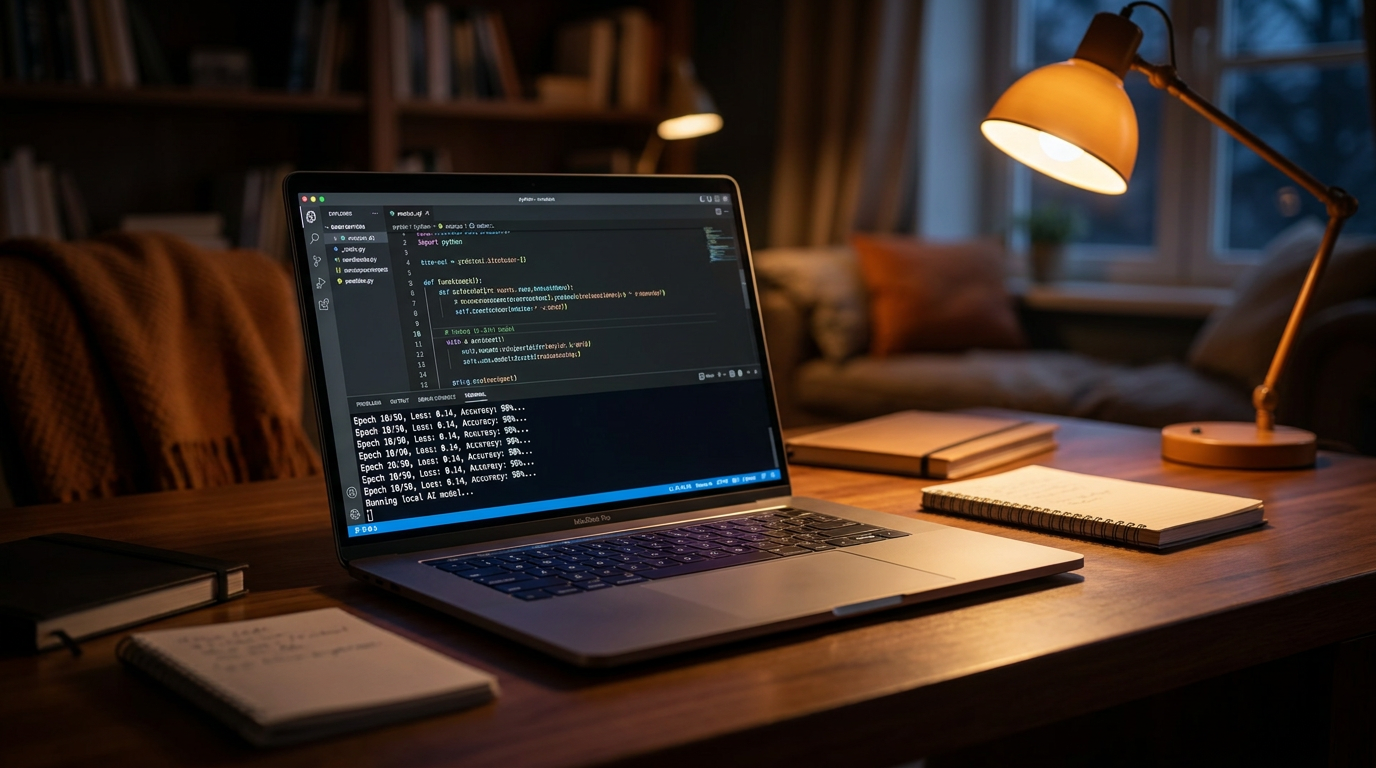
Running these models locally is no longer a niche hobby for systems engineers. It has crossed the threshold into a reliable, daily-driver production option for developers, writers, and enterprises. The mechanism is straightforward: instead of a web browser pinging a remote server, a local application loads the multi-gigabyte model file into your computer's memory and processes your text entirely offline.[1][3]
The primary catalyst driving users away from the cloud is absolute data privacy. When you use a cloud-based AI, your inputs—which might include proprietary software code, sensitive financial data, or intimate personal questions—are transmitted to a third party. Local AI ensures that your data never leaves your machine, creating a "zero-trust" environment that automatically complies with strict data regulations like GDPR and HIPAA.[3]
Cost is the second major factor. Heavy AI users often spend hundreds of dollars a month on API calls or premium chatbot subscriptions. With local AI, the marginal cost per token drops to zero. Once you own the hardware, generating a thousand words or a million words costs nothing more than the electricity required to power your machine.[1][3]

Furthermore, local AI guarantees permanent offline access. Whether you are a researcher in a secure, air-gapped laboratory, a digital nomad on a flight, or simply dealing with an internet outage, a local LLM remains fully functional. It also eliminates the latency of network round-trips, allowing for near-instantaneous first-token generation.[2][3]
Until recently, the barrier to entry was software complexity. Early adopters had to navigate dense Python environments, compile code from source, and manually manage dependencies. Today, the ecosystem has been democratized by user-friendly wrapper applications, most notably Ollama and LM Studio, which turn complex inference engines into one-click installations.[4][6]
Until recently, the barrier to entry was software complexity.
Ollama has emerged as the developer's tool of choice. It operates primarily through a simple command-line interface, allowing users to download and run models with a single command like `ollama run llama3`. Crucially, Ollama runs quietly in the background and exposes an OpenAI-compatible API at a local network port, meaning developers can easily plug local models into their existing codebases without rewriting their applications.[4]
For those who prefer a visual approach, LM Studio offers a comprehensive graphical user interface. It features a built-in model browser that lets users search for, download, and chat with AI models in a familiar, ChatGPT-style window. LM Studio handles the complex backend configurations automatically, making it the ideal entry point for non-technical users.[4]
While the software has become frictionless, the hardware reality dictates what you can actually run. The primary bottleneck for local AI is not processing speed, but Video RAM (VRAM). LLMs are massive files; a standard 8-billion parameter model requires roughly 8 gigabytes of memory just to load, before it even begins generating text.[1][4]
This VRAM requirement is where Apple Silicon has fundamentally changed the landscape. Traditional PCs separate system RAM from the graphics card's VRAM, and buying an NVIDIA GPU with 24GB of VRAM is highly expensive. Apple's M-series chips (M3, M4, etc.) use "Unified Memory," meaning the GPU can access the entire pool of system RAM. A Mac Studio with 192GB of unified memory can run massive, 70-billion parameter models that would otherwise require a server rack of dedicated graphics cards.[1][2]

To fit these massive models onto standard consumer laptops, the open-source community relies on a technique called "quantization." Quantization compresses the model's neural weights—typically from 16-bit precision down to 4-bit precision (Q4). This drastically shrinks the file size and memory footprint, allowing a powerful 30-billion parameter model to run comfortably on a laptop with 36GB of memory, with only a negligible drop in intelligence.[1][4]
The diversity of available models is another major draw. Meta's Llama series serves as the reliable all-rounder for general text and coding. Alibaba's Qwen3 models use an efficient "Mixture of Experts" architecture that delivers high performance with lower active memory usage. Meanwhile, DeepSeek's R1 models bring advanced "Chain of Thought" reasoning to local machines, allowing the AI to "think" through complex math and logic puzzles before answering.[1]
Enterprise teams are also migrating to local deployments, heavily favoring models like Mistral Small 3.1. While it may not top every raw benchmark, Mistral is released under the permissive Apache 2.0 license. For corporate IT and legal departments, this clean licensing removes the friction of procurement, allowing companies to build commercial products without worrying about restrictive community clauses or user caps.[5]

Cloud AI is not disappearing. The absolute frontier models—the massive systems trained on trillions of tokens—will always require data-center scale to run. If you need the bleeding edge of multimodal reasoning, cloud APIs remain the answer. But for 80% of daily tasks—drafting emails, summarizing PDFs, writing boilerplate code, and brainstorming—local models are now more than sufficient.[1][6]
Ultimately, the rise of local LLMs represents a profound democratization of technology. By moving the intelligence from a distant server farm to the laptop in your backpack, users reclaim ownership of their tools. You are no longer renting a service; you possess the capability, ensuring that your AI assistant works for you, on your terms, and entirely in private.[3][6]
How we got here
Early 2023
Meta leaks the original LLaMA weights, sparking the open-source local AI movement.
Mid 2023
Tools like llama.cpp are created, allowing models to run efficiently on standard laptop CPUs.
Late 2023
Ollama and LM Studio launch, providing user-friendly interfaces that abstract away command-line complexity.
2024–2025
Apple Silicon's unified memory architecture becomes the gold standard for running massive local models without enterprise GPUs.
2026
Models like Llama 3.3 and DeepSeek R1 bring frontier-level reasoning to local consumer hardware.
Viewpoints in depth
Privacy & Security Advocates
Argue that local AI is essential for protecting sensitive personal and corporate data.
For privacy advocates and compliance officers, the cloud is an inherent security risk. Sending proprietary code, unreleased financial data, or sensitive patient records to a third-party API violates zero-trust architecture principles. This camp views local AI not just as a cost-saving measure, but as a mandatory infrastructure choice for regulated industries. By keeping the model weights and the inference engine entirely on-premise or on-device, organizations can leverage generative AI without triggering GDPR or HIPAA compliance nightmares.
Open-Source Developers
Value the ability to tinker, customize, and build applications without vendor lock-in.
The developer community champions local AI for its flexibility and transparency. When relying on cloud APIs, developers are subject to sudden rate limits, unexpected model deprecations, or hidden system prompt changes that can break their applications overnight. Local AI provides immutable infrastructure: once a model is downloaded, it will behave exactly the same way forever. Furthermore, developers can fine-tune these models on their own specific datasets, creating highly specialized tools that outperform generic cloud offerings.
Cloud AI Proponents
Maintain that the absolute frontier of AI capabilities still requires massive cloud infrastructure.
Despite the rapid advancements in local models, proponents of cloud-based AI argue that the cutting edge will always live in the data center. Training and running the absolute largest models—those with trillions of parameters and advanced multimodal capabilities—requires compute clusters that no consumer can replicate. This camp argues that while local AI is excellent for routine tasks, solving the hardest problems in science, medicine, and complex reasoning will continue to rely on the massive scale provided by companies like OpenAI, Google, and Anthropic.
What we don't know
- Whether future frontier models will become too large to ever be quantized for consumer hardware.
- How cloud providers will adjust their pricing models as local AI becomes more capable and popular.
- The long-term impact of local AI on hardware upgrade cycles for everyday consumers.
Key terms
- Open-Weight Model
- An AI model where the underlying neural network weights are made publicly available, allowing anyone to download and run it on their own hardware.
- Quantization
- A compression technique that reduces the precision of an AI model's parameters (e.g., from 16-bit to 4-bit), drastically shrinking its file size and memory footprint so it can run on consumer devices.
- VRAM (Video RAM)
- The dedicated memory on a graphics card, which is the primary bottleneck for loading and running large AI models quickly.
- Unified Memory
- An architecture used in Apple Silicon where the CPU and GPU share the same massive pool of system memory, allowing Macs to run enormous AI models that would normally require specialized server hardware.
- Inference
- The process of a trained AI model actively generating text or analyzing data based on a user's prompt.
Frequently asked
Is running local AI free?
Yes. The software tools like Ollama and LM Studio, as well as the open-weight models themselves, are completely free to download and use. Your only cost is the hardware and electricity.
Do I need an internet connection?
You only need the internet to initially download the software and the model files. Once downloaded, the AI runs entirely offline.
Can my laptop run these models?
Most modern laptops with at least 8GB of RAM can run smaller 7-billion parameter models. For larger, more capable models, 16GB to 36GB of RAM or a dedicated GPU is recommended.
Are local models as smart as ChatGPT?
Top-tier local models like Llama 3.3 and DeepSeek R1 are highly competitive and can match or exceed the performance of early cloud models like GPT-4, though the absolute newest cloud models still hold an edge in complex reasoning.
Sources
Source coverage
6 outlets
4 viewpoints surfaced






[1]PromptZoneCloud AI Proponents
Local LLMs in 2026: Hardware, Models, and Performance
Read on PromptZone →[2]MediumOpen-Source Developers
The Architecture of Offline AI on Apple Silicon
Read on Medium →[3]Local AI MasterPrivacy & Security Advocates
Why Run AI Locally? (Top 5 Reasons)
Read on Local AI Master →[4]Prompt QuorumOpen-Source Developers
Ollama vs LM Studio: Which Local LLM Tool is Best?
Read on Prompt Quorum →[5]Hugging FaceEnterprise IT & Compliance
Why Teams Are Moving to Local LLMs in 2026
Read on Hugging Face →[6]Factlen Editorial Team
Synthesis by Factlen editorial team
Read on Factlen Editorial Team →

More in ai
See all 35 stories →Local AI
The Rise of Local AI: How to Run Powerful LLMs on Your Own Laptop
0 sources
Open Source AI
Open-Source AI Reaches Frontier Parity as MiniMax M3 and Local Agents Break the Cloud Monopoly
0 sources
Materials Science
How AI is Compressing Decades of Battery Research into Days
0 sources

AI in Medicine
UK Launches World's First AI Regulatory Sandbox to Transform Medicines Safety and Drug Development
0 sources

Every angle. Every day.
Get ai stories with full source coverage and perspective breakdowns delivered to your inbox.