
The Local AI Revolution: How to Run Powerful LLMs on Your Own Hardware
Running advanced AI models locally has shifted from a hobbyist niche to a mainstream productivity strategy in 2026, offering absolute privacy, offline capabilities, and zero subscription costs.
By Factlen Editorial Team

- Enterprise IT & Compliance
- Values local AI primarily for data sovereignty, regulatory compliance, and eliminating the risk of third-party data leaks.
- Open-Source Developers
- Values the freedom to tinker, API compatibility, and the rapid innovation of the open-weight model ecosystem.
- Everyday Consumers
- Values the elimination of subscription fees, offline accessibility, and user-friendly graphical interfaces.
What's not represented
- · Cloud AI Providers
- · Hardware Manufacturers
Why this matters
Relying entirely on cloud-based AI means surrendering your sensitive data and paying endless subscription fees. Learning to run AI locally gives you absolute privacy, offline access, and complete control over your digital intelligence.
Key points
- Local AI allows users to run powerful language models directly on their own hardware, entirely offline.
- Quantization techniques have compressed massive models so they can fit within the memory limits of consumer laptops.
- Apple Silicon's unified memory and modern PC NPUs have made local inference fast and accessible.
- Tools like Ollama and LM Studio make downloading and running models as easy as installing a standard app.
- Local execution guarantees absolute data privacy, making it ideal for enterprise, legal, and healthcare use cases.
- Once the hardware is purchased, running local AI incurs zero marginal costs or subscription fees.
For years, the artificial intelligence boom required a fundamental compromise: to access world-class intelligence, users had to send their most sensitive data—proprietary code, financial ledgers, and private meeting notes—to centralized cloud servers. But in 2026, that paradigm is fracturing. A quiet revolution in consumer hardware and open-source software has made it possible to run frontier-grade Large Language Models (LLMs) entirely on your own laptop or desktop.[6]
This shift from cloud-first to "local-first" AI is no longer just a hobbyist pursuit. Over 40% of enterprise AI workloads now include a local inference component, driven by a combination of privacy concerns, regulatory pressures, and the sheer capability of modern consumer silicon. For everyday users and professionals alike, local AI offers a tantalizing proposition: absolute data sovereignty, zero latency, offline functionality, and the end of monthly subscription fees.[2][5][6]
The ecosystem's growth has been explosive. Ollama, the leading software runtime for local models, hit 52 million monthly downloads in the first quarter of 2026—a 520-fold increase from just three years prior. Meanwhile, the Hugging Face repository now hosts over 135,000 models specifically optimized for local execution. To understand how this became possible, one must look at the underlying mechanism that democratized AI compute: quantization.[1]
Large language models are inherently massive, consisting of billions of mathematical weights that dictate how they predict text. Historically, running a 70-billion parameter model required enterprise-grade server racks with multiple high-end graphics cards. The breakthrough came with the open-source llama.cpp project and the GGUF file format, which introduced aggressive quantization techniques to the masses.[1][4]

Quantization compresses a model's weights from high-precision floating-point numbers down to 4-bit or even 1-bit integers. This mathematical compression reduces the model's memory footprint by up to 75% while preserving roughly 85% to 90% of its original reasoning capability. Thanks to this technique, a highly capable 7-billion parameter model can now fit comfortably inside just 4 to 6 gigabytes of RAM, making it accessible to standard consumer laptops.[1][4]
Hardware manufacturers have aggressively leaned into this trend. The traditional bottleneck for local AI has always been Video RAM (VRAM), as models need to be loaded entirely into memory to run at conversational speeds. Apple Silicon changed the economics of local AI by introducing a "unified memory" architecture, where the CPU and GPU share a single massive pool of high-speed RAM.[1][2][4]
In 2026, an Apple M4 Max or Ultra chip with 128GB of unified memory can run massive 100-billion parameter models that would otherwise require tens of thousands of dollars in dedicated NVIDIA server hardware. On the PC side, the rise of "AI-native PCs" equipped with Neural Processing Units (NPUs) and consumer graphics cards like the NVIDIA RTX 4090 and 5090 have brought similar capabilities to the Windows and Linux ecosystems.[1][2][6]

Getting these models running used to require complex Python environments and command-line wizardry. Today, the software stack is virtually frictionless, dominated by two primary applications: Ollama and LM Studio.[3]
Getting these models running used to require complex Python environments and command-line wizardry.
Ollama operates as the "Docker for LLMs," providing a lightweight, developer-friendly command-line interface. With a single command—such as `ollama run llama3`—the software automatically downloads the model, allocates the necessary GPU memory, and exposes an OpenAI-compatible API. This allows developers to seamlessly swap out cloud APIs for local models in their existing applications without rewriting a single line of code.[1][3]
For users who prefer a graphical interface, LM Studio has become the gold standard. Functioning much like the ChatGPT web interface, LM Studio allows users to search for models, download them with a click, and chat with them entirely offline. It also provides visual telemetry, showing exactly how much RAM and CPU power the model is consuming in real-time, making it highly accessible for non-technical users.[3]

The models themselves have reached a point of diminishing returns compared to their massive cloud counterparts. Open-weight releases in 2026, such as Meta's Llama 4 Scout, Google's Gemma 4, and Alibaba's Qwen 3.5, routinely match or beat the performance of early GPT-4 iterations on coding, summarization, and logical reasoning benchmarks.[3][4]
The privacy implications of this hardware and software parity are profound. For legal professionals drafting strategy memos, healthcare workers summarizing patient notes, or founders building stealth startups, sending data to a third-party cloud API constitutes a massive liability. Local models create a "closed-loop" system where the data never leaves the solid-state drive.[5][6]
This data sovereignty is increasingly mandated by law. With the European Union's AI Act entering full enforcement in 2026, organizations are required to maintain strict audit trails and demonstrate control over where AI-processed data flows. Running models locally on company hardware simplifies this compliance dramatically, effectively bypassing the complex data residency questions associated with cloud providers.[2]
Beyond privacy, the economic argument for local AI becomes overwhelming at scale. Cloud AI APIs operate on a linear pricing model, where every token generated costs money. Local inference, by contrast, is a step function: an organization pays for the hardware once, and the marginal cost of every subsequent query is exactly zero.[1][4]

Furthermore, local models eliminate "prompt drift"—the phenomenon where a cloud provider quietly updates their model, causing previously reliable prompts to suddenly break or behave differently. With a local model, the user controls the exact version, ensuring absolute consistency over time.[5]
Despite these advantages, local AI is not without its limitations. The absolute largest frontier models—those with over a trillion parameters—still require massive data centers to run and remain firmly in the cloud domain. Additionally, running heavy inference workloads on a laptop will rapidly drain its battery and generate significant heat, making it less ideal for continuous, heavy-duty processing while unplugged.[5][7]
Yet, for the vast majority of daily tasks—drafting emails, analyzing spreadsheets, writing code, and summarizing documents—the local AI stack has proven more than capable. By bringing intelligence to the edge, the tech industry is returning control to the user, proving that the future of AI doesn't have to live exclusively in the cloud.[5][6][7]
Viewpoints in depth
Enterprise IT & Compliance
Prioritizes local AI as a solution for data sovereignty and regulatory adherence.
For corporate IT departments and compliance officers, the appeal of local AI is entirely about risk mitigation. Sending proprietary code, financial data, or patient records to a third-party cloud provider introduces significant legal and security liabilities. By running models locally, enterprises can guarantee that their data never leaves their internal network, making it vastly easier to comply with stringent regulations like the EU AI Act and HIPAA. This "air-gapped" intelligence allows companies to leverage AI without compromising their intellectual property.
Open-Source Developers
Values the flexibility, API access, and rapid innovation of the local ecosystem.
The developer community views local AI as a sandbox for unrestricted innovation. Tools like Ollama provide OpenAI-compatible APIs, allowing engineers to build and test complex AI applications locally without racking up massive cloud computing bills. Furthermore, running open-weight models locally removes the "safety guardrails" and content filters imposed by commercial cloud providers, giving developers the freedom to fine-tune models for highly specific, uncensored tasks like cybersecurity analysis or custom agentic workflows.
Everyday Consumers
Focuses on the elimination of subscription fees and the convenience of offline access.
For the average user, the shift to local AI is driven by economics and reliability. With cloud AI subscriptions often costing $20 to $30 a month, the ability to run equivalent models for free is highly attractive. Graphical interfaces like LM Studio have removed the technical barriers to entry, allowing anyone to download an AI assistant that works perfectly on an airplane, in a remote cabin, or during an internet outage, completely free from "prompt drift" or sudden service deprecations.
What we don't know
- Whether future trillion-parameter models will ever be compressible enough to run on standard consumer hardware.
- How cloud providers will adjust their pricing models to compete with the zero-marginal-cost reality of local inference.
- The long-term impact of heavy local AI workloads on the lifespan and battery health of consumer laptops.
Key terms
- LLM (Large Language Model)
- An artificial intelligence system trained on vast amounts of text to understand, summarize, and generate human language.
- Quantization
- A mathematical compression technique that reduces the memory size of an AI model by lowering the precision of its internal weights, allowing it to run on consumer hardware.
- VRAM (Video RAM)
- The dedicated memory located on a graphics card, which is crucial for loading and running AI models quickly.
- NPU (Neural Processing Unit)
- A specialized hardware chip designed specifically to accelerate artificial intelligence and machine learning tasks efficiently.
- GGUF
- A highly optimized file format used for storing and running large language models locally on standard consumer processors.
Frequently asked
What exactly is a local LLM?
A local Large Language Model (LLM) is an AI system that runs entirely on your own computer's hardware—using its CPU, GPU, and RAM—rather than relying on a cloud server owned by a company like OpenAI or Google.
Do I need an internet connection to use local AI?
No. Once you have downloaded the model files and the runtime software (like Ollama or LM Studio), the AI functions 100% offline, making it ideal for travel or secure environments.
How much RAM do I need to run these models?
Thanks to compression techniques, a highly capable 7-billion parameter model requires only about 8GB of RAM. Larger, more advanced models (like 70-billion parameters) typically require 32GB to 64GB of RAM.
Is running local AI free?
Yes. The software tools and the open-weight models themselves are entirely free to download and use. Your only cost is the physical computer hardware required to run them.
Sources
Source coverage
7 outlets
3 viewpoints surfaced







[1]DEV CommunityOpen-Source Developers
The Local AI Stack in 2026: Hardware, Models, and Economics
Read on DEV Community →[2]AI MagicxEnterprise IT & Compliance
Running AI models on your own hardware in 2026
Read on AI Magicx →[3]PinggyOpen-Source Developers
Top 5 Local LLM Tools in 2026: Ollama, LM Studio, and More
Read on Pinggy →[4]Prompt QuorumEveryday Consumers
Best Local LLMs May 2026: Ollama, LM Studio, Hardware & VRAM Guide
Read on Prompt Quorum →[5]SubstackEveryday Consumers
The core benefits of local AI: Privacy, control, and cost
Read on Substack →[6]SilverScoopEnterprise IT & Compliance
The Rise of Privacy-First AI: Why 2026 is the Year of the Local-Only LLM
Read on SilverScoop →[7]Factlen Editorial Team
Synthesis by Factlen editorial team
Read on Factlen Editorial Team →

More in ai
See all 35 stories →Local AI
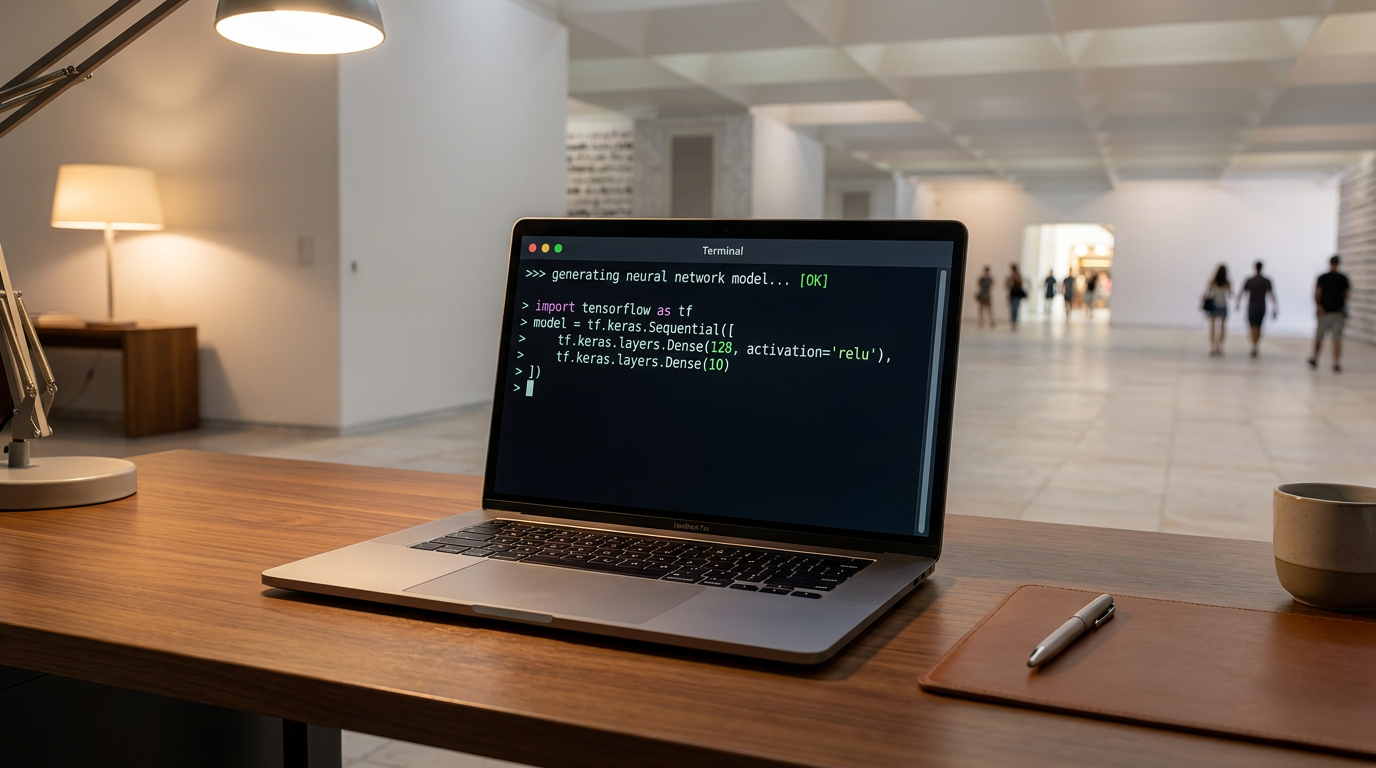
The Rise of Local AI: How to Run Powerful LLMs on Your Own Laptop
0 sources
Open Source AI
Open-Source AI Reaches Frontier Parity as MiniMax M3 and Local Agents Break the Cloud Monopoly
0 sources
Materials Science
How AI is Compressing Decades of Battery Research into Days
0 sources

AI in Medicine
UK Launches World's First AI Regulatory Sandbox to Transform Medicines Safety and Drug Development
0 sources

Every angle. Every day.
Get ai stories with full source coverage and perspective breakdowns delivered to your inbox.