
How to Transition to Passkeys: A Guide to Passwordless Security
Passkeys have officially moved from a security experiment to a mainstream standard in 2026. Here is how the cryptographic technology works, and how to set it up to permanently protect your accounts from phishing.
By Factlen Editorial Team
- Cybersecurity Experts
- Security professionals view passkeys as the ultimate solution to scalable cybercrime.
- Platform Ecosystems
- Major tech companies prioritize frictionless adoption and ecosystem integration.
- Open Web Advocates
- Standards organizations emphasize interoperability and avoiding vendor lock-in.
What's not represented
- · Legacy System Administrators
- · Users without Smart Devices
Why this matters
Passwords are the weakest link in digital security, responsible for the vast majority of account takeovers and identity theft. Transitioning to passkeys mathematically eliminates the risk of phishing and secures your most sensitive data without requiring you to memorize complex character strings.
Key points
- Passkeys replace traditional passwords with a pair of cryptographic keys, eliminating the need to memorize complex character strings.
- The private key never leaves your device and is protected by biometric authentication, making passkeys mathematically resistant to phishing.
- Over 15 billion online accounts across major platforms like Google, Apple, and Microsoft now natively support passkey authentication.
- Passkeys securely sync across your devices via cloud ecosystems, ensuring you don't lose access if you replace your smartphone.
The internet was built on a fundamentally flawed premise: that human beings can securely generate, remember, and manage dozens of complex, unique secrets for every service they use. The result has been a decades-long security nightmare, with billions of credentials currently circulating on dark web forums. According to 2025 consumer research conducted by the FIDO Alliance, a staggering 36% of people experienced an account compromise in a single year directly due to weak, reused, or stolen passwords. This reliance on human memory has made credential theft the most lucrative and scalable vector for modern cybercrime, prompting the tech industry to seek a permanent, structural solution.[1]
For years, the technology industry attempted to patch this glaring vulnerability with intermediary solutions like password managers and two-factor authentication (2FA). While these tools provided a necessary stopgap, they still fundamentally rely on shared secrets—whether that is a master password, an SMS code, or a time-based authenticator token. These shared secrets can still be intercepted by sophisticated phishing campaigns, SIM-swapping attacks, or social engineering tactics. As long as a user can be tricked into typing a code into a fake website, the underlying vulnerability remains intact. The industry realized that to truly secure digital identities, the concept of a shared secret had to be abandoned entirely.[4]
In 2026, the digital landscape has fundamentally shifted, marking the beginning of the end for traditional passwords. Passkeys have officially crossed the tipping point from a niche security experiment to a mainstream, widely adopted production standard. Today, over 15 billion online accounts are equipped to authenticate with passkeys, supported natively across major platforms including Apple, Google, Microsoft, Amazon, and GitHub. The real-world impact of this transition is already staggering; Google reported that passkey sign-ins surpassed one billion per month in late 2025, yielding a 99.9% lower account compromise rate compared to traditional passwords. The technology is no longer a future promise—it is the current baseline for digital security.[3]
But what exactly is a passkey, and how does it differ from the passwords we have used for decades? At its core, a passkey is a digital credential that replaces a password entirely, operating invisibly in the background. Instead of relying on a string of characters that you must memorize and type, passkeys utilize a robust web standard called Web Authentication, or WebAuthn. This standard is built on the principles of public-key cryptography—the same mathematical foundation that secures global banking networks, encrypted messaging apps, and the broader infrastructure of the internet. By leveraging this cryptography, passkeys remove the human element from the authentication process.[2][6]
The mechanism behind passkeys is elegant and highly secure. When you register for a passkey on a website or application, your device generates a unique, mathematically linked pair of cryptographic keys specifically for that account. One of these keys is designated as the "public key," while the other is known as the "private key." These two keys work in tandem, but they serve entirely different roles in the authentication process. This key-pair generation happens instantly and automatically, requiring no technical knowledge or input from the user beyond a simple biometric confirmation to authorize the creation of the credential.[1][6]

The public key is immediately handed over to the website's server during the registration process. As the name implies, this key is not a secret and does not need to be fiercely protected. It can be stored openly in a standard database alongside your username. If a hacker successfully breaches the company's servers and steals millions of public keys, the stolen data is completely useless on its own. A public key cannot be used to log into an account; it can only be used to verify a mathematical signature produced by its corresponding private key. This renders massive server breaches effectively harmless to the end user.[1][2]
The private key, however, is the crown jewel of the passkey system, and it never leaves your device. It is locked away in a highly secure, isolated hardware component, such as the Secure Enclave on an Apple iPhone or the Trusted Platform Module (TPM) on a Windows PC. The website you are logging into never sees your private key, and it is never transmitted over the internet. Because the private key remains physically bound to your hardware and isolated from the main operating system, it is virtually impossible for malware, keyloggers, or remote hackers to extract it.[2][6]
The actual login mechanism works through a sophisticated cryptographic challenge-and-response system that happens in milliseconds. When you attempt to sign in to a service, the website's server generates a unique, randomized data puzzle—known as a challenge—and sends it down to your device. The server is essentially asking your device to prove that it holds the private key associated with your account, without ever asking your device to reveal the private key itself. This challenge is unique to that specific login attempt, preventing attackers from intercepting and reusing old login data in what is known as a replay attack.[1]
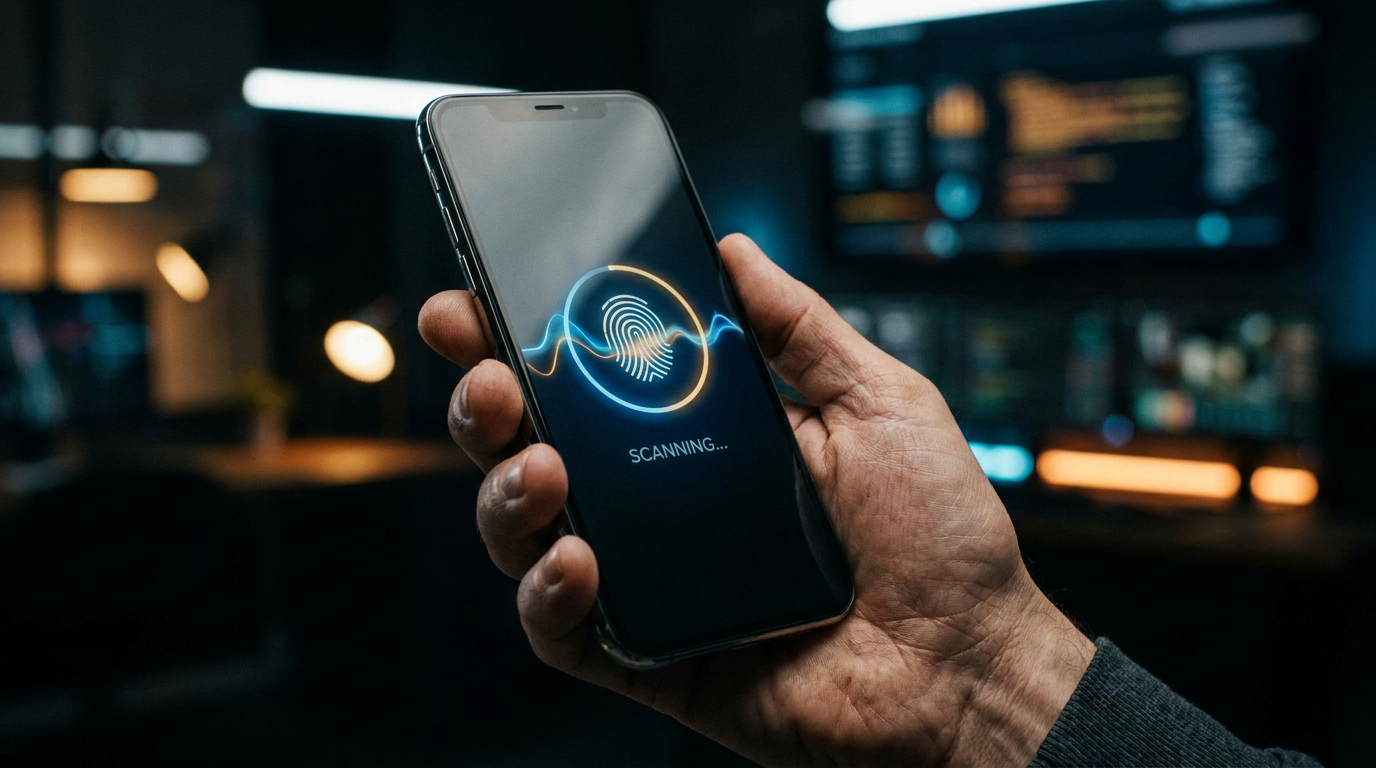
To solve this cryptographic challenge, your device needs your explicit permission to access the securely stored private key. It prompts you for a local unlock, typically utilizing the biometric authentication hardware already built into your device, such as Face ID, Touch ID, Windows Hello, or Android's fingerprint scanner. If biometrics are unavailable, your device PIN serves as the fallback. It is crucial to understand that your fingerprint or face scan is never sent to the website; the biometric check simply acts as the local key to unlock the cryptographic vault on your device, ensuring that only you can authorize the login.[3][5]
To solve this cryptographic challenge, your device needs your explicit permission to access the securely stored private key.
Once you authenticate locally with your biometrics, your device uses the private key to mathematically "sign" the challenge provided by the server. It then sends this digital signature back across the internet. The server receives the signature and uses its stored public key to verify it. Because of the mathematical relationship between the two keys, the server can confirm with absolute certainty that the signature was generated by the correct private key. If the math checks out, you are instantly granted access to your account. The entire process takes less time than typing a traditional password.[1][2]
This public-key architecture elegantly solves the internet's most pervasive and damaging security threat: phishing. Traditional passwordless methods, such as SMS verification codes, authenticator app numbers, or email magic links, can still be intercepted. If a sophisticated scammer tricks a user into entering an SMS code on a fake website designed to look like their bank, the scammer can capture that code and use it on the real website. Because these methods still rely on a secret being transmitted from the user to the server, they remain vulnerable to human error and deception.[4]
Passkeys, by contrast, are cryptographically bound to the specific web domain where they were originally created. When a server sends a challenge, the passkey protocol checks the exact URL of the requesting site. If a scammer directs you to a convincing replica of your bank's website, your device's operating system will instantly recognize the domain mismatch. It will simply refuse to provide the cryptographic signature, and the login will fail. The phishing attempt is mathematically defeated, protecting the user even if they were completely fooled by the fake website.[2][4]

Beyond the profound security benefits, passkeys dramatically improve the day-to-day user experience of navigating the web. There are no complex character requirements to meet, no frustrating password reset emails to wait for, and no need to cycle through variations of an old password trying to remember which one you used. Logging into a secure financial account or a work portal becomes as frictionless and intuitive as unlocking your smartphone to check a text message. This reduction in user friction is a primary reason why major tech companies are pushing so aggressively for universal passkey adoption.[5]
A common and understandable concern among users transitioning to this new technology is what happens if they lose the physical device holding their private keys. To address this critical issue, major technology ecosystems have implemented secure, cloud-based synchronization. Apple's iCloud Keychain, Google Password Manager, and dedicated third-party security tools like Dashlane, Bitwarden, and 1Password now sync your passkeys across all your authorized devices. This synchronization utilizes end-to-end encryption, ensuring that even the cloud providers themselves cannot access or read your private keys.[1][2][3]
Because of this secure synchronization, device loss is no longer a catastrophic event for your digital identity. If you drop your smartphone in a lake and purchase a new one, your entire library of passkeys will automatically populate on the new device as soon as you log into your cloud account. In the rare event that you lose all your devices simultaneously, ecosystem recovery protocols allow you to restore your keychain using your core account credentials and secure escrow systems, ensuring that you are never permanently locked out of your digital life.[2]
Setting up a passkey is a straightforward process designed to be accessible to users of all technical skill levels, requiring no specialized software. To begin the transition, you simply navigate to the security or account settings of a supported service—such as Google, Amazon, Microsoft, GitHub, or PayPal. Most major platforms now prominently feature a "Passkeys" or "Security Keys" section within their account management dashboards, actively encouraging users to make the switch. Clicking "Add a passkey" initiates the secure protocol between the website and your device's operating system.[3]
Once you initiate the setup, the service will trigger a system-level prompt from your operating system or your installed password manager. You will be asked to verify your identity using your device's biometric scanner—such as placing your finger on the sensor or looking at the camera—or by entering your device PIN. Once this local verification is confirmed, the cryptographic key pair is generated silently in the background. The public key is registered with the service, and the private key is tucked away in your device's secure enclave.[5]

The next time you return to that website or application to log in, the experience will be entirely transformed. Instead of presenting you with a blank password field, the site will automatically recognize that you have a passkey configured. It will immediately prompt your device for biometric authentication. With a quick glance or a touch, the cryptographic challenge is signed and verified, and you are logged in. The traditional password field is bypassed entirely, saving time and eliminating the risk of shoulder-surfing or keystroke logging.[1][5]
While the passkey ecosystem is incredibly robust within single platforms in 2026, cross-platform use requires a slightly different approach. For example, if you are trying to log into a Windows PC using a passkey securely stored on your Apple iPhone, the system relies on scanning a QR code. The PC displays a QR code, which you scan with your phone. The devices then use Bluetooth proximity checks to ensure they are physically close to each other, preventing remote attackers from tricking you into approving a login halfway across the world.[2][7]
The era of the password is not ending overnight; legacy systems, older enterprise software, and smaller websites will likely require traditional passwords as fallbacks for years to come. However, the trajectory of digital security is clear, and the tools to protect yourself are available today. By taking the time to transition your most critical accounts—email, banking, and primary cloud services—to passkeys, you can permanently close the door on the most common vectors of cybercrime, protect your identity from scalable phishing attacks, and reclaim a frictionless digital life.[3][7]
How we got here
2012
The FIDO Alliance is founded by tech industry leaders with the goal of reducing reliance on passwords.
2018
WebAuthn is officially recognized as a W3C standard, laying the groundwork for universal passwordless logins.
2023
Apple, Google, and Microsoft begin rolling out native passkey support across their operating systems.
2025
Major platforms like Microsoft 365 and Apple iCloud make passkeys the default sign-in method for new accounts.
2026
Over 15 billion accounts globally are equipped to authenticate using passkeys, marking mainstream adoption.
Viewpoints in depth
Cybersecurity Experts
Security professionals view passkeys as the ultimate solution to scalable cybercrime.
For decades, the cybersecurity industry has struggled with the 'human element'—the reality that people reuse weak passwords and fall for phishing scams. Experts argue that passkeys solve this by entirely removing the shared secret from the equation. Because the private key never leaves the device and is cryptographically bound to the legitimate domain, attackers cannot trick users into handing over their credentials. This shifts the security burden from human memory to hardware cryptography.
Platform Ecosystems
Major tech companies prioritize frictionless adoption and ecosystem integration.
Companies like Apple, Google, and Microsoft recognize that the best security features are the ones users don't have to think about. Their approach to passkeys heavily leverages existing biometric hardware—like Face ID and Windows Hello—to make logging in as simple as unlocking a device. By integrating passkeys directly into their native cloud syncing services (iCloud Keychain and Google Password Manager), they aim to make the transition invisible and seamless for the average consumer.
Open Web Advocates
Standards organizations emphasize interoperability and avoiding vendor lock-in.
While celebrating the death of the password, open web advocates and the FIDO Alliance stress the importance of the WebAuthn standard. They argue that users must not be permanently locked into a single ecosystem (like Apple or Google) just because their passkeys are stored there. They champion the development of secure import/export protocols and third-party password managers that allow consumers to maintain ownership and mobility of their cryptographic keys across different operating systems.
What we don't know
- How quickly legacy enterprise software and smaller websites will adopt the WebAuthn standard, as many still rely on outdated password infrastructure.
- Whether the industry will standardize a universal, seamless transfer protocol for moving passkeys in bulk between competing ecosystems (e.g., from Apple iCloud to Google Password Manager).
Key terms
- Passkey
- A digital credential based on public-key cryptography that replaces a traditional password, offering frictionless and highly secure logins.
- WebAuthn
- The official web standard developed by the W3C and FIDO Alliance that enables passwordless authentication across different browsers and devices.
- Public Key
- The half of the cryptographic key pair that is stored on the website's server. It is not a secret and cannot be used to log in on its own.
- Private Key
- The secret half of the key pair that remains securely locked on your device and is used to mathematically sign login requests.
- Phishing
- A cyber attack where scammers trick users into revealing sensitive information by pretending to be a legitimate entity, a tactic passkeys mathematically defeat.
- Secure Enclave
- A dedicated, isolated hardware subsystem in modern devices designed to protect sensitive data like private keys and biometric profiles from malware.
Frequently asked
What happens if I lose my phone?
Your passkeys are securely synced to your cloud account (like iCloud Keychain or Google Password Manager). When you sign into a new device, your passkeys will automatically be restored.
Does the website get my fingerprint or face scan?
No. Your biometric data never leaves your device. It is only used locally to unlock the private cryptographic key, which then signs the login request.
Can I use a passkey on a public computer?
Yes. You can use your smartphone to scan a temporary QR code displayed on the public computer's screen, allowing you to log in securely without leaving any credentials behind.
Are passkeys the same as a password manager?
No. Password managers store traditional passwords so you don't have to remember them. Passkeys replace passwords entirely with cryptographic keys, though many modern password managers can now store passkeys as well.
Sources
Source coverage
7 outlets
3 viewpoints surfaced







[1]DashlaneCybersecurity Experts
Passkeys Explained: What Is a Passkey and How Do Passkeys Work?
Read on Dashlane →[2]ApplePlatform Ecosystems
About the security of passkeys
Read on Apple →[3]AuthgearCybersecurity Experts
Passkey vs Password: Why Passkeys Are the Future of Security
Read on Authgear →[4]CorbadoCybersecurity Experts
Passkey Security Benefits Over Passwordless Authentication
Read on Corbado →[5]MicrosoftPlatform Ecosystems
Passkeys in Windows
Read on Microsoft →[6]Passkeys.comOpen Web Advocates
What is Passwordless Authentication?
Read on Passkeys.com →[7]Factlen Editorial TeamOpen Web Advocates
Synthesis by Factlen editorial team
Read on Factlen Editorial Team →

More in guides
See all 15 stories →Longevity Science
Why Longevity Scientists and Elite Athletes Are Obsessed With Zone 2 Cardio
0 sources

Medical Breakthrough
How Personalized mRNA Vaccines Are Training the Immune System to Cure Cancer
0 sources

E-Reader Market
The Best E-Readers of 2026: Comparing Kindle, Kobo, and Boox
0 sources

Local AI
How to Run AI Locally: The 2026 Guide to Private, Zero-Cost LLMs
0 sources

Every angle. Every day.
Get guides stories with full source coverage and perspective breakdowns delivered to your inbox.