
How to Run Local AI Models on Your Own Hardware
A complete guide to installing and running large language models directly on your computer for absolute privacy and zero subscription costs. Discover how tools like Ollama and LM Studio are democratizing artificial intelligence.
By Factlen Editorial Team
- Privacy Advocates
- Focus on data isolation and the elimination of third-party surveillance.
- Open-Source Developers
- Value the flexibility, API access, and open ecosystem of local tools.
- Everyday Users
- Prioritize ease of use, graphical interfaces, and hardware accessibility.
What's not represented
- · Cloud AI Providers
- · Hardware Manufacturers
Why this matters
Running AI locally allows you to harness powerful language models without paying subscription fees or surrendering your private data to cloud servers. It transforms your personal computer into a secure, self-contained intelligence hub.
Key points
- Local AI runs entirely on your own hardware, ensuring absolute data privacy.
- Tools like Ollama and LM Studio make installation a simple, one-click process.
- Quantization compresses massive models to fit on standard consumer laptops.
- Performance is heavily dependent on your computer's GPU and available VRAM.
- Running models locally eliminates cloud subscription fees and usage caps.
Millions of people rely on cloud-based artificial intelligence daily, feeding proprietary algorithms everything from sensitive medical questions to confidential corporate strategies. While these services offer immense convenience, they require a fundamental trade-off: every prompt, document, and keystroke must be transmitted to a remote corporate server. For privacy-conscious users and heavily regulated industries, this exposure is becoming an unacceptable risk.[1]
The solution is local AI. Instead of renting intelligence from a massive data center, users are downloading the "brain" directly to their own laptops and desktops. This shift represents a profound democratization of artificial intelligence, placing the power entirely in the hands of the individual rather than a handful of tech giants.[7]
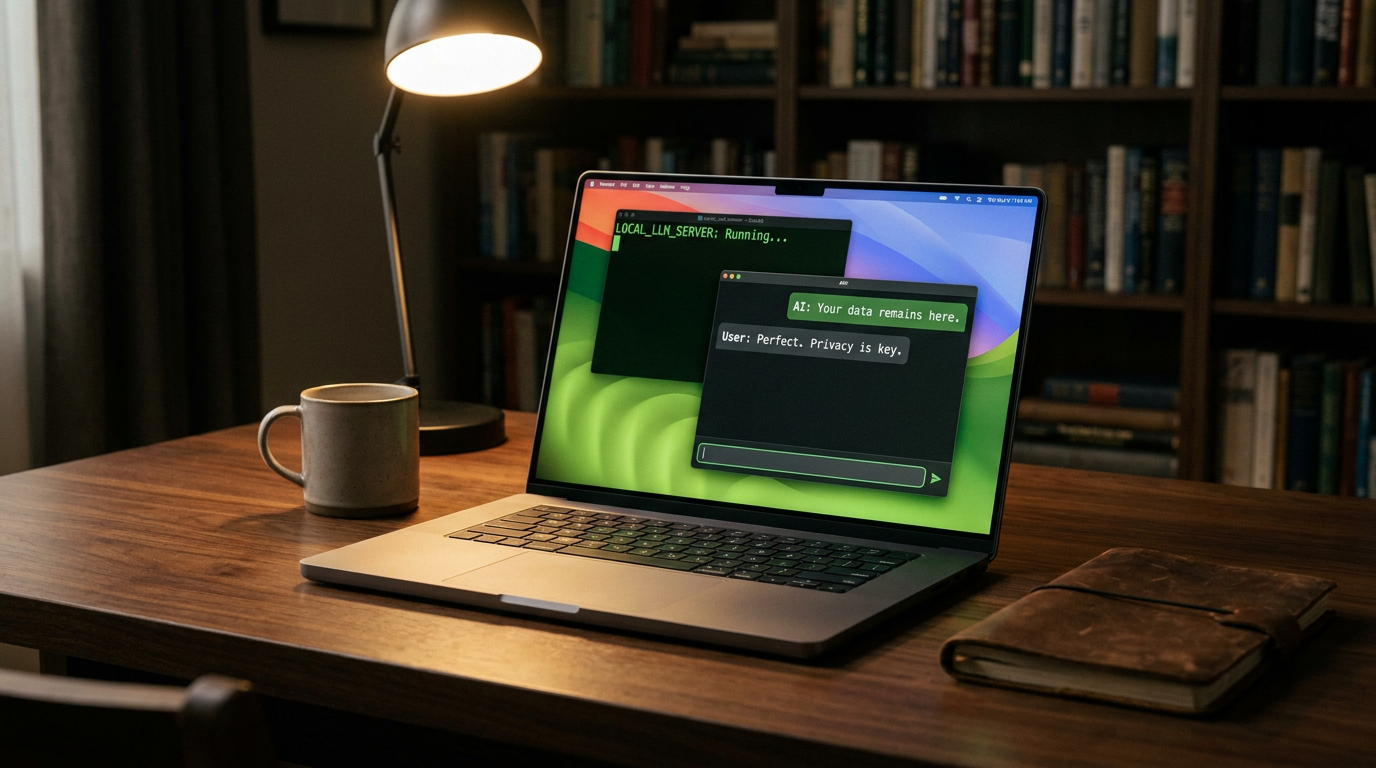
Running a large language model locally means the software executes entirely on your own hardware. Once the initial setup is complete and the model files are downloaded, you can physically disconnect your machine from the internet, and the AI will continue to function perfectly.[5]
The primary benefit of this architecture is absolute privacy. Because the data never leaves the machine, there is zero risk of third-party data collection, surveillance, or cloud security breaches. For professionals handling sensitive medical records, proprietary code, or confidential business strategies, this network isolation is a game-changer that ensures automatic compliance with strict data laws like GDPR.[1]

Beyond privacy, local AI eliminates the burden of subscription fees. Users can run unlimited queries without hitting usage caps, waiting in digital queues, or paying monthly costs. It also guarantees that the AI model you rely on cannot be suddenly altered, censored, or deprecated by the company that created it.[1]
So, how does a massive AI model—originally designed to run on millions of dollars of server equipment—fit onto a consumer laptop? The secret lies in a mathematical technique called quantization.[3]
Quantization is essentially a highly advanced form of compression. It reduces the precision of the model's internal numbers, shrinking a massive 40-gigabyte enterprise model down to a manageable 4-gigabyte file. Remarkably, this aggressive compression allows the model to run on standard hardware while retaining the vast majority of its reasoning capabilities.[3]
Even with quantization, hardware remains the ultimate bottleneck. Unlike cloud AI, where performance is handled remotely, local AI speed is dictated entirely by your machine's components. The most critical piece of hardware for this task is the Graphics Processing Unit, or GPU.[2]
Specifically, the AI relies on the GPU's Video RAM (VRAM). VRAM determines how large of a model your system can load into active memory. If a model requires 12GB of VRAM and your graphics card only has 8GB, the model simply will not load, or it will spill over into standard system RAM, causing generation speeds to plummet to a crawl.[2]

VRAM determines how large of a model your system can load into active memory.
For entry-level setups in 2026, an RTX 3060 graphics card with 12GB of VRAM is highly recommended, while power users and developers often aim for 24GB cards like the RTX 4090 to run larger, more capable models smoothly.[2][3]
If your hardware is ready, the next step is choosing the right software. The ecosystem has evolved rapidly over the last two years, and two dominant tools have emerged to make installation completely painless: Ollama and LM Studio.[4]
Ollama is widely considered the developer's darling. It is a lightweight, command-line tool that runs efficiently as a background service. With a single terminal command—such as `ollama run llama3.2`—the software automatically downloads the model weights and starts a chat interface right in the console.[4][6]
Because Ollama exposes an OpenAI-compatible API, developers can easily plug local models into their existing applications. This allows software engineers to replace paid cloud APIs with free, local alternatives without rewriting their entire codebase.[6]
For those who prefer a visual interface, LM Studio is the all-in-one powerhouse. It operates as a standard desktop application, complete with a built-in model browser that connects directly to Hugging Face, the internet's largest repository of open-source AI models.[4][5]

In LM Studio, users can search for a model, check if it will fit within their system's available RAM, click download, and immediately start chatting in a familiar, user-friendly window. It requires zero terminal experience and handles all the complex hardware configurations under the hood.[4][5]
The final piece of the puzzle is selecting the model itself. The open-source community has produced incredibly capable models that rival proprietary systems. Meta's Llama 3.2, Alibaba's Qwen 3, and DeepSeek are currently among the most popular choices for general reasoning, writing, and coding tasks.[6]
Smaller models, typically ranging from 3 billion to 8 billion parameters, are perfect for everyday laptops and quick text generation. Larger models, pushing 30 billion to 70 billion parameters, offer much deeper reasoning but require dedicated home servers or high-end gaming PCs to run without stuttering.[2][3]

Despite the massive leaps in accessibility, local AI is not without its friction points. Running these models pushes consumer hardware to its absolute limits, generating significant heat and consuming substantial electricity during active generation.[3]
Furthermore, while open-source models are exceptionally smart, the absolute cutting-edge frontier models housed in billion-dollar cloud data centers still hold an edge in highly complex, multi-step reasoning tasks.[7]
How we got here
2023
Cloud AI dominates the market, but data privacy concerns rise following early ChatGPT data leaks.
2024
Open-source models like Llama 3 are released, rivaling the capabilities of proprietary cloud models.
2025
Tools like LM Studio and Ollama mature, making local installation a simple one-click process.
2026
Local AI becomes a standard deployment method for privacy-conscious businesses and developers.
Viewpoints in depth
Privacy Advocates
Focus on data isolation and the elimination of third-party surveillance.
For privacy advocates, local AI is the only acceptable path forward for sensitive data. They argue that cloud-based AI inherently compromises user privacy by centralizing confidential documents, medical queries, and proprietary code on corporate servers. By running models locally, organizations achieve instant compliance with strict data laws like GDPR and HIPAA, ensuring that a data breach at a major tech company cannot expose their internal secrets.
Open-Source Developers
Value the flexibility, API access, and open ecosystem of local tools.
The developer community views local AI as a sandbox for innovation. Tools like Ollama allow them to build, test, and deploy AI-integrated applications without incurring massive API costs from cloud providers. They prioritize lightweight, command-line interfaces and value the ability to swap out different open-source models—like Llama or Mistral—to find the perfect fit for specific coding or automation tasks.
Everyday Users
Prioritize ease of use, graphical interfaces, and hardware accessibility.
For the general consumer, the appeal of local AI lies in having a free, uncensored assistant that doesn't require a subscription. This camp relies heavily on GUI-based tools like LM Studio, which abstract away the technical complexities of model weights and quantization. Their primary concern is hardware compatibility—finding the smartest model that can run smoothly on the laptop they already own without causing it to overheat.
What we don't know
- How quickly consumer hardware will evolve to comfortably run the massive 100B+ parameter models currently restricted to data centers.
- Whether future regulatory frameworks will attempt to restrict the distribution of highly capable open-source weights.
Key terms
- VRAM
- Video RAM, the dedicated memory on a graphics card where the AI model is loaded for fast processing.
- Quantization
- A compression technique that shrinks massive AI models so they can fit on consumer hardware without losing too much intelligence.
- Parameters
- The internal variables (often measured in billions, like 8B or 70B) that determine an AI model's overall size and capability.
- Inference
- The actual computational process of the AI model generating text or answering a prompt.
Frequently asked
Do I need an internet connection to use a local AI?
No. Once the model weights and software are downloaded, the AI runs entirely offline, ensuring complete privacy.
Will a local AI slow down my computer?
Yes, while actively generating text, the AI will heavily utilize your GPU or CPU. However, tools like Ollama unload the model from memory when idle to free up resources.
Can I run this on a standard laptop?
Yes, modern laptops with at least 8GB of RAM can run smaller models (like 3B parameters), though a dedicated GPU provides significantly faster performance.
Sources
Source coverage
7 outlets
3 viewpoints surfaced







[1]Local AI MasterPrivacy Advocates
Is Local AI Private? (Privacy Benefits)
Read on Local AI Master →[2]Sigma BrowserEveryday Users
What Local LLMs Really Are and How They Work
Read on Sigma Browser →[3]ZimaSpaceOpen-Source Developers
How to Run Local LLM on Home Server: Software Essentials
Read on ZimaSpace →[4]PromptQuorumEveryday Users
How Do You Set Up Ollama vs LM Studio?
Read on PromptQuorum →[5]TheRightGPTEveryday Users
How to Install and Run Local LLMs: Complete Setup Guide
Read on TheRightGPT →[6]DataTechNotesOpen-Source Developers
Ollama Installation and Setup Tutorial
Read on DataTechNotes →[7]Factlen Editorial Team
Synthesis by Factlen editorial team
Read on Factlen Editorial Team →
More in guides
See all 15 stories →Longevity Science
Why Longevity Scientists and Elite Athletes Are Obsessed With Zone 2 Cardio
0 sources

Medical Breakthrough
How Personalized mRNA Vaccines Are Training the Immune System to Cure Cancer
0 sources

E-Reader Market
The Best E-Readers of 2026: Comparing Kindle, Kobo, and Boox
0 sources

Local AI
How to Run AI Locally: The 2026 Guide to Private, Zero-Cost LLMs
0 sources
Every angle. Every day.
Get guides stories with full source coverage and perspective breakdowns delivered to your inbox.