
How to Run AI Locally: The Complete 2026 Guide to Private, Subscription-Free LLMs
Running large language models directly on personal hardware has become highly accessible, offering users complete data privacy and an alternative to costly cloud subscriptions. With tools like Ollama and LM Studio, consumer laptops can now run powerful AI entirely offline.
By Factlen Editorial Team
- Open-Source Developers
- Focus on the flexibility, API integration, and lack of rate limits for building custom applications.
- Privacy & Security Advocates
- Argue that local execution is the only way to guarantee data sovereignty and compliance with privacy laws.
- Everyday Consumers
- Value the cost savings of eliminating monthly subscriptions and the ease of use of modern graphical interfaces.
What's not represented
- · Cloud AI Providers
- · Hardware Manufacturers
Why this matters
By moving AI processing from the cloud to your own device, you eliminate monthly subscription fees, bypass rate limits, and guarantee that your sensitive personal or corporate data never touches a third-party server.
Key points
- Running AI locally allows users to bypass cloud subscriptions and maintain complete data privacy.
- Tools like Ollama and LM Studio have made local AI accessible to everyday users without complex setups.
- Local processing ensures that sensitive information never leaves the user's device, aiding in GDPR and HIPAA compliance.
- Quantization techniques allow massive models to be compressed and run efficiently on consumer laptops.
- Apple Silicon Macs and PCs with dedicated NVIDIA GPUs are currently the best hardware for local inference.
The era of paying $20 a month for a cloud-based artificial intelligence subscription is facing a formidable challenger: your own computer. Over the past two years, the barrier to entry for running Large Language Models (LLMs) locally has collapsed. What once required a Ph.D., a complex Linux environment, and thousands of dollars in specialized server hardware can now be accomplished in ten minutes on a standard consumer laptop.[4][8]
This shift is driven by a convergence of highly efficient open-weight models and breakthrough software tools that abstract away the underlying complexity. For everyday users and developers alike, the appeal is undeniable: running AI locally means zero subscription costs, no rate limits, and the ability to work entirely offline.[1][8]
But the most profound advantage of local AI is absolute data sovereignty. When you query a cloud-based model, your prompts, documents, and code are transmitted to external servers. With local inference, the data never leaves your device.[1][2]
"The safest data is the data that never leaves your hands," notes the AI Journal, highlighting that local processing inherently complies with strict privacy regulations like HIPAA and GDPR. For professionals handling sensitive corporate data, legal documents, or patient records, local AI provides an architectural guarantee of privacy that cloud providers simply cannot match.[2][5]

How is it possible to run massive neural networks on a laptop? The secret lies in a technique called quantization and a highly optimized C++ engine known as llama.cpp.[3][4]
In simple terms, quantization compresses the AI model. By reducing the mathematical precision of the model's "weights" (the parameters that dictate its behavior), developers can shrink a model that would normally require 30 gigabytes of memory down to just 4 or 5 gigabytes.[4][8]
These compressed models are typically packaged in a file format called GGUF. When paired with llama.cpp—the underlying engine powering almost all local AI tools today—these models can run efficiently on standard consumer hardware, dynamically splitting the workload between the computer's central processor (CPU) and graphics processor (GPU).[3][4]
Hardware remains the primary bottleneck, but the requirements are surprisingly accessible in 2026. The true "sweet spot" for running highly capable 7-billion to 14-billion parameter models is 16 gigabytes of RAM.[4]
Apple Silicon Macs (M1, M2, M3, and beyond) are particularly well-suited for local AI because of their "unified memory" architecture, which allows the GPU to access all available system RAM. On Windows and Linux machines, a dedicated NVIDIA graphics card with at least 8 gigabytes of Video RAM (VRAM) is recommended for fast, fluid generation speeds of 25 to 60 tokens per second.[4][8]

For users ready to take the plunge, the ecosystem is dominated by two primary tools, each catering to a distinct workflow. The first is Ollama, widely described as the "Docker of LLMs."[4]
For users ready to take the plunge, the ecosystem is dominated by two primary tools, each catering to a distinct workflow.
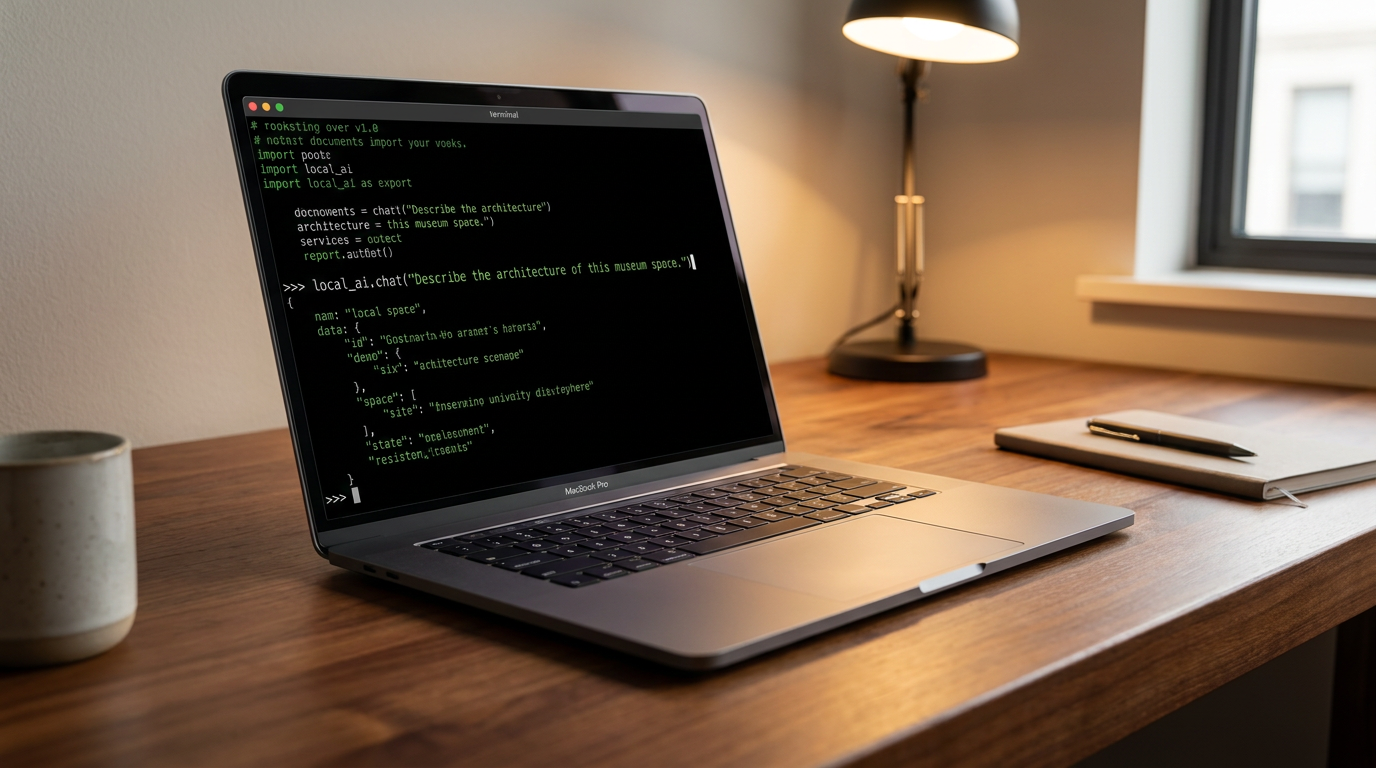
Ollama is a command-line-first tool designed for simplicity and integration. Users install it, open their terminal, and type a single command like `ollama run llama3`. The software automatically downloads the model and starts an interactive chat session.[3][4]
Because it runs as a lightweight background service, Ollama is highly favored by developers. It exposes a local API (Application Programming Interface) on the user's machine, allowing other applications—such as coding assistants like Claude Code or local web interfaces—to route their AI requests to the local model instead of a paid cloud service.[6][7]
For those who find the command line intimidating, LM Studio offers a radically different approach. LM Studio is a visual powerhouse, providing a sleek, dark-mode graphical user interface (GUI) that feels immediately familiar to anyone who has used ChatGPT.[3][8]

Within LM Studio, users can search the Hugging Face model repository, browse different quantization levels, and download models with a single click. It provides granular control over hardware settings, allowing users to manually adjust how much of the model is offloaded to their GPU.[3][4]
While both tools use the same underlying engine, their performance profiles differ slightly. Ollama's minimalist design makes it roughly 10 to 20 percent faster and less resource-intensive, whereas LM Studio requires additional memory—roughly 500 megabytes—to render its desktop application interface.[3][7]
Once the software is installed, the final step is choosing a model. The open-source community has produced a staggering array of highly capable models. Meta's Llama 3 series, Google's Gemma, and distilled versions of DeepSeek are currently the most popular choices for general-purpose chatting, coding, and summarization.[4][6]

Despite the massive leaps in accessibility, local AI is not without its trade-offs. Running complex matrix multiplications at maximum hardware capacity generates significant heat and will rapidly drain a laptop's battery.[8]
Furthermore, while an 8-billion parameter local model is astonishingly capable, it cannot match the encyclopedic knowledge or deep reasoning capabilities of a trillion-parameter cloud behemoth like GPT-4 or Claude 3.5 Sonnet.[8]
Yet, for the vast majority of daily tasks—drafting emails, summarizing PDFs, writing boilerplate code, or brainstorming ideas—local models are more than sufficient.[4][8]
As the technology continues to mature, the decentralization of artificial intelligence represents a fundamental shift in computing. By putting the power of LLMs directly into the hands of users, the open-source community is ensuring that the future of AI is not solely controlled by a handful of massive tech conglomerates, but distributed across millions of personal devices worldwide.[5][8]
How we got here
2023
The release of LLaMA and the creation of llama.cpp prove that large models can run on consumer CPUs.
2024
Tools like Ollama and LM Studio launch, abstracting away the complex command-line setups for everyday users.
2025
Open-weight models become highly capable at smaller sizes, making 7B and 8B parameter models the standard for local use.
2026
Local AI becomes a mainstream alternative to cloud subscriptions, deeply integrated into coding agents and local workflows.
Viewpoints in depth
Privacy & Security Advocates
Argue that local execution is the only way to guarantee data sovereignty and compliance with privacy laws.
Privacy advocates emphasize that cloud AI is fundamentally incompatible with strict data confidentiality. They argue that local execution is the only architectural guarantee that sensitive personal or corporate data won't be used for unauthorized model training or exposed in a breach. By keeping inference on-device, organizations can utilize powerful AI tools while remaining fully compliant with regulations like HIPAA and GDPR.
Open-Source Developers
Focus on the flexibility, API integration, and lack of rate limits for building custom applications.
The developer community values the flexibility and lack of restrictions provided by local models. They focus on the ability to integrate AI directly into local applications via APIs without worrying about rate limits, subscription costs, or sudden changes to a cloud provider's terms of service. For this group, tools like Ollama act as essential infrastructure, allowing them to build autonomous coding agents and custom workflows entirely offline.
Everyday Consumers
Value the cost savings of eliminating monthly subscriptions and the ease of use of modern graphical interfaces.
For everyday users, the primary draw of local AI is the democratization of the technology. Appreciating the elimination of $20 monthly subscription fees, this group relies on user-friendly interfaces like LM Studio to access powerful AI tools. The ability to use these models while traveling or working offline without needing technical expertise has made local AI an attractive alternative to mainstream cloud chatbots.
What we don't know
- How quickly consumer hardware will evolve to run massive 70B+ parameter models without requiring expensive, specialized workstation setups.
- Whether future data privacy regulations will explicitly mandate local AI processing for certain industries like healthcare and finance.
- How cloud AI providers will adjust their pricing models as local, subscription-free alternatives become increasingly capable and mainstream.
Key terms
- LLM (Large Language Model)
- An AI system trained on vast amounts of text to understand and generate human-like language.
- Quantization
- A compression technique that reduces the precision of an AI model's weights, allowing massive models to fit into consumer RAM without significant quality loss.
- GGUF
- A file format specifically designed for fast AI inference on CPUs and Apple Silicon, widely used for local models.
- Inference
- The process of running live data through a trained AI model to generate a response or prediction.
- VRAM (Video RAM)
- The dedicated memory on a graphics card, crucial for loading and running AI models quickly.
Frequently asked
Do I need an internet connection to use local AI?
No. Once you download the model files and the runtime software, the entire inference process happens offline on your device's hardware.
Can local models match the quality of ChatGPT or Claude?
While they may not beat the absolute largest cloud models on complex reasoning, distilled local models in the 7B to 14B parameter range are highly competitive for everyday writing, coding, and summarization tasks.
Will running AI locally damage my computer?
No, but it is computationally intensive. It will cause your fans to spin up, generate heat, and drain laptop batteries significantly faster during active generation.
Which is better: Ollama or LM Studio?
Ollama is best for developers who want a lightweight background service and API access, while LM Studio is ideal for users who prefer a visual interface and easy model browsing.
Sources
Source coverage
8 outlets
3 viewpoints surfaced








[1]Local AI MasterPrivacy & Security Advocates
Why Run AI Locally? (Top 5 Reasons)
Read on Local AI Master →[2]AI JournalPrivacy & Security Advocates
Benefits of Using Local AI Models for Data Privacy
Read on AI Journal →[3]Zen Van RielOpen-Source Developers
Ollama vs LM Studio guide
Read on Zen Van Riel →[4]Pasquale PillitteriOpen-Source Developers
Ollama 2026 - how to run local LLMs on macOS Windows Linux
Read on Pasquale Pillitteri →[5]MediumPrivacy & Security Advocates
Deploying open-source models as Private AI
Read on Medium →[6]Unsloth AIOpen-Source Developers
How to Run Local LLMs with Claude Code
Read on Unsloth AI →[7]CloudzyOpen-Source Developers
Ollama vs LM Studio: Which Local LLM Runner is Better?
Read on Cloudzy →[8]Factlen Editorial TeamEveryday Consumers
Synthesis by Factlen editorial team
Read on Factlen Editorial Team →
Every angle. Every day.
Get guides stories with full source coverage and perspective breakdowns delivered to your inbox.