
How to Run AI Models Locally: The 2026 Guide to Hardware, Tools, and Quantization
Running large language models directly on consumer hardware offers unparalleled privacy and zero subscription costs. Here is how to navigate VRAM limits, quantization, and the latest local AI tools.
By Factlen Editorial Team
- Privacy Advocates
- Value local AI primarily for data sovereignty, ensuring sensitive information never touches a corporate server.
- Hardware Enthusiasts
- Focus on maximizing the capabilities of consumer GPUs through advanced quantization and MoE architectures.
- Open-Source Developers
- Value the flexibility of local APIs and the ability to build applications without vendor lock-in or recurring costs.
What's not represented
- · Cloud API Providers
- · Enterprise IT Administrators
Why this matters
By running AI models on your own hardware, you eliminate monthly subscription fees, ensure your private data never leaves your machine, and gain access to uncensored, highly customizable tools.
Key points
- Running AI locally ensures absolute privacy and eliminates monthly API costs.
- Video RAM (VRAM) is the primary hardware bottleneck for local inference.
- Quantization compresses models by 70% with minimal quality loss, making them viable for consumer GPUs.
- Tools like Ollama and LM Studio make downloading and running models as simple as a single click or command.
The era of renting intelligence by the API call is giving way to a more sovereign alternative. In 2026, running powerful Large Language Models (LLMs) directly on consumer hardware is no longer a fringe hobby—it is a practical, everyday workflow for developers and professionals.[2][7]
The appeal of local AI comes down to three factors: absolute privacy, zero recurring costs, and offline availability. Every time a user types a prompt into a cloud-based tool, that data travels to a remote server. Running models locally ensures that sensitive code, financial documents, and personal queries never leave the machine.[5]
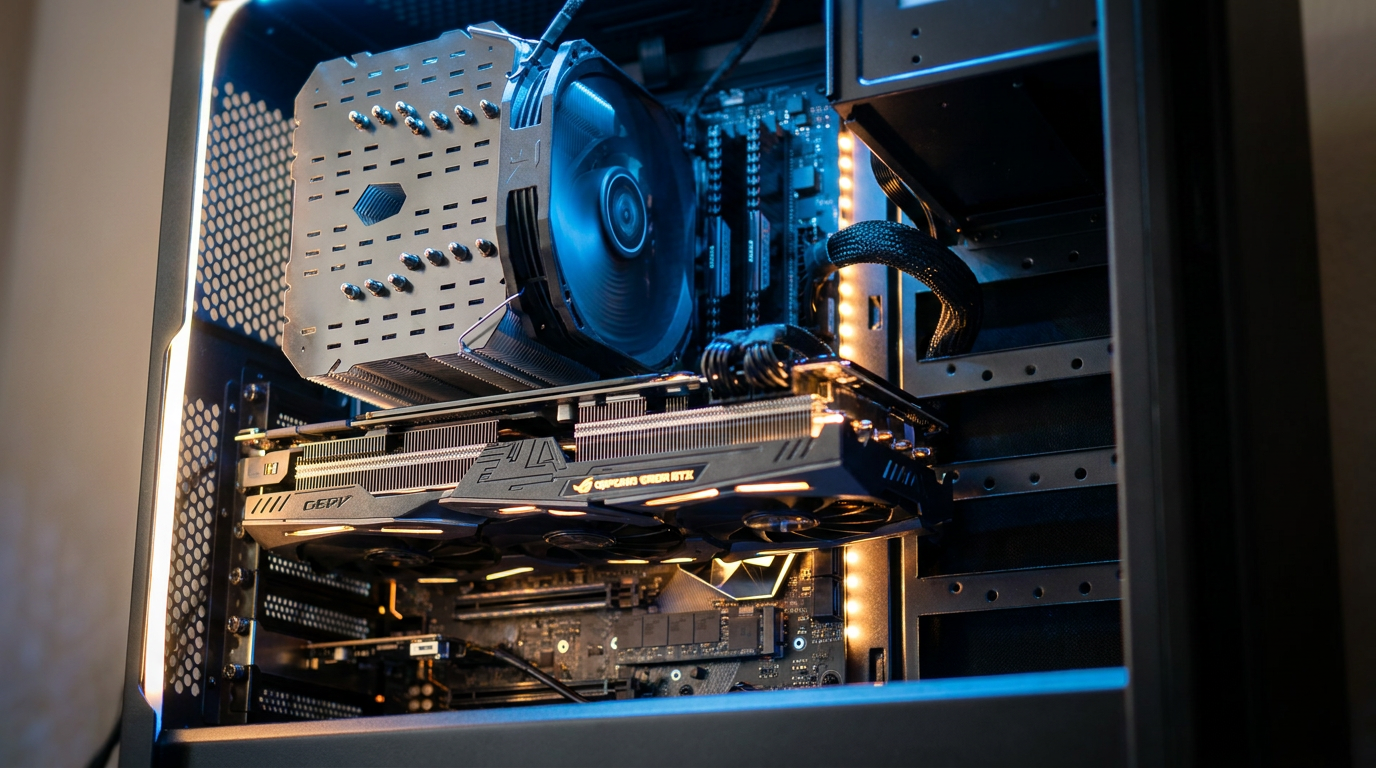
However, moving AI from the cloud to the desktop introduces a strict hardware bottleneck: Video RAM (VRAM). While standard applications rely on system RAM and CPU speed, local LLMs are heavily dependent on the memory built into the graphics card.[1][2]
VRAM acts as the absolute hard limit for local inference. If a model exceeds the available VRAM, the system must offload layers to the CPU and standard RAM, which severely cripples generation speeds—often dropping from a snappy 50 tokens per second to a sluggish 3 to 8 tokens per second.[2]

To calculate hardware needs, developers use a standard rule of thumb: a quantized model requires roughly 0.6 to 0.7 gigabytes of VRAM per billion parameters. This means a 7-billion parameter (7B) model needs about 4.5 to 5 gigabytes of VRAM, making it comfortable for entry-level 8GB graphics cards like the RTX 4060.[1][2]
Stepping up to 13B or 14B models requires an RTX 4070 or similar 12GB card, while the 24GB VRAM found in flagship consumer GPUs like the RTX 3090, 4090, or 5090 represents the "sweet spot" for running dense 30B to 35B models.[1]
Apple Silicon users enjoy a unique advantage in this ecosystem. Because Mac M-series chips use a unified memory architecture, the GPU can access the entire pool of system RAM as VRAM. A Mac with 16GB or 32GB of unified memory can run surprisingly large models without the need for a discrete graphics card.[2]
The technology that makes all of this possible on consumer hardware is called quantization. In their raw state, AI models use 16-bit floating-point numbers (FP16) for their weights, which requires massive amounts of memory. A raw 7B model would demand 14GB of VRAM just to load.[2]
The technology that makes all of this possible on consumer hardware is called quantization.
Quantization compresses these weights into lower-precision formats, such as 4-bit or 8-bit integers. The industry standard in 2026 is "Q4_K_M" (4-bit quantization), which shrinks the model's memory footprint by roughly 70% while sacrificing only 1% to 3% of its reasoning quality.[1][2]

These quantized models are distributed in the GGUF file format, which has become the universal standard for local inference. Once a user downloads a GGUF file, they need an inference engine to run it, and the ecosystem has consolidated around a few dominant tools.[1]
For beginners and those who prefer a visual interface, LM Studio is the most accessible entry point. It operates as a desktop application with a built-in model browser, allowing users to search for models, check their VRAM compatibility, and download them with a single click.[5]
Developers and power users typically prefer Ollama, a command-line tool that brings a Docker-like experience to local AI. With a simple command like `ollama run llama3.2`, the software automatically downloads the correct quantized model, sets up the environment, and launches an interactive chat interface.[3][5]
Ollama's true power lies in its API. It exposes a local server at `localhost:11434` that perfectly mirrors the OpenAI API structure. This allows developers to take existing applications built for ChatGPT—such as coding assistants or document analyzers—and redirect them to their local, private models without rewriting any code.[5]

Under the hood, both LM Studio and Ollama are powered by `llama.cpp`, a highly optimized C++ inference engine. Advanced users often interact with `llama.cpp` directly to fine-tune performance, utilizing techniques like KV cache quantization to squeeze larger context windows into limited VRAM.[4]
Context windows—the amount of text a model can "remember" in a single session—are a hidden VRAM killer. Expanding a model's context from 8K tokens to 32K or 64K can easily add 1 to 2 gigabytes to the VRAM requirement, causing unexpected crashes on 8GB cards if not managed carefully.[4]
Recent architectural breakthroughs have further stretched the limits of consumer hardware. Mixture of Experts (MoE) models, like Qwen3.6-35B, contain 35 billion parameters but only activate a small subset of them for any given word.[1][6]

By using advanced "expert pinning" techniques in `llama.cpp`, users can now run these massive 35B MoE models on a standard 12GB graphics card at 60 tokens per second—a feat that would have been impossible with dense models just a year ago.[1]
As the open-weight ecosystem matures, the gap between cloud APIs and local models continues to narrow. While massive 100B+ frontier models still require data centers, the 8B to 35B models running on desktop computers are now more than capable of handling daily coding, writing, and analytical tasks with total privacy.[2][6]
How we got here
Early 2023
The release of LLaMA weights sparks the open-source AI movement.
Mid 2023
llama.cpp is released, allowing models to run efficiently on consumer CPUs and GPUs.
Late 2023
Ollama launches, bringing a Docker-like, user-friendly CLI to local model management.
2025-2026
Mixture of Experts (MoE) architectures and advanced quantization make running 35B+ models viable on standard 12GB GPUs.
Viewpoints in depth
Privacy Advocates
Value local AI primarily for data sovereignty, ensuring sensitive information never touches a corporate server.
For privacy advocates and compliance officers, the cloud AI model is fundamentally broken. Sending proprietary code, patient data, or sensitive financial documents to a third-party API introduces unacceptable security risks. Local AI solves this by ensuring the data never leaves the physical machine. This camp views tools like Ollama not just as cost-saving measures, but as essential infrastructure for maintaining data sovereignty in an AI-driven world.
Hardware Enthusiasts
Focus on maximizing the capabilities of consumer GPUs through advanced quantization and MoE architectures.
Hardware enthusiasts approach local AI as a complex optimization puzzle. They are less concerned with the chat interface and more focused on the underlying math—tweaking KV cache quantization, adjusting context windows, and utilizing expert pinning to squeeze massive 35B models onto 12GB graphics cards. For this group, the goal is to achieve the highest possible tokens-per-second generation speed without triggering a system crash or falling back to slow CPU offloading.
Open-Source Developers
Value the flexibility of local APIs and the ability to build applications without vendor lock-in or recurring costs.
Developers view local AI as a way to build robust, independent applications. By utilizing the OpenAI-compatible endpoints provided by tools like Ollama, they can prototype, test, and deploy AI-integrated software without racking up massive API bills. This camp strongly advocates for open-weight models, arguing that relying on proprietary cloud models creates dangerous vendor lock-in and leaves developers vulnerable to sudden price hikes or API deprecations.
What we don't know
- How upcoming consumer GPU generations will scale VRAM capacity to meet the growing demands of larger models.
- Whether future architectural breakthroughs will further reduce the VRAM floor required to run dense 70B+ models locally.
Key terms
- VRAM
- Video RAM; the dedicated memory on a graphics card used to load and run AI models.
- Quantization
- A compression technique that reduces the precision of an AI model's weights (e.g., from 16-bit to 4-bit) to save memory.
- GGUF
- The standard file format used to store and distribute quantized local AI models.
- Mixture of Experts (MoE)
- An AI architecture that divides a model into specialized sub-networks, activating only a few 'experts' at a time to reduce memory usage.
- Context Window
- The maximum amount of text (measured in tokens) an AI model can process and remember in a single interaction.
Frequently asked
Do I need an internet connection to use local AI?
No. Once you download the model file and the inference software, the AI runs entirely offline on your machine.
Can I run local models on a Mac?
Yes. Apple Silicon Macs are exceptionally good at local AI because their unified memory allows the GPU to access the system's total RAM.
What happens if my model exceeds my VRAM?
The system will offload the remaining layers to your standard system RAM and CPU, which will significantly slow down the generation speed.
Is local AI free?
Yes. The open-weight models and tools like Ollama and LM Studio are completely free to use, with no subscription or API fees.
Sources
Source coverage
7 outlets
3 viewpoints surfaced







[1]LocalLLM.inHardware Enthusiasts
llama.cpp VRAM Requirements: Comprehensive Measurements
Read on LocalLLM.in →[2]Daily.devOpen-Source Developers
Practical developer guide to running local LLMs: hardware, quantization, setup
Read on Daily.dev →[3]MediumOpen-Source Developers
Running AI Models Locally Using Ollama — A Complete Beginner Guide
Read on Medium →[4]KnightliHardware Enthusiasts
A practical guide to tuning llama.cpp on 8GB VRAM
Read on Knightli →[5]Canadian Compliance InstitutePrivacy Advocates
Ollama vs LM Studio: Running AI Locally
Read on Canadian Compliance Institute →[6]UnslothOpen-Source Developers
How to Run Local LLMs with Claude Code
Read on Unsloth →[7]Factlen Editorial Team
Synthesis by Factlen editorial team
Read on Factlen Editorial Team →

More in guides
See all 37 stories →Digital Security
How to Transition to Passkeys and Eliminate Passwords
7 sources

Clean Energy
How Next-Generation Geothermal Energy is Unlocking 24/7 Clean Power
7 sources

Next-Gen Geothermal
How Enhanced Geothermal Systems Are Unlocking 24/7 Clean Power
9 sources

Local AI
How to Run Local AI Models on Your Own Hardware in 2026
7 sources
Every angle. Every day.
Get guides stories with full source coverage and perspective breakdowns delivered to your inbox.