
The Era of the Local LLM: How to Run AI on Your Own Hardware
As cloud AI costs and privacy concerns mount, a quiet revolution is taking place on consumer hardware. Here is how to run powerful, uncensored AI models directly on your laptop—for free.
By Factlen Editorial Team
- Open-Source Advocates
- Believe AI should be decentralized, uncensored, and accessible to anyone with consumer hardware.
- Enterprise Privacy Teams
- Prioritize data sovereignty and compliance, viewing local AI as the only viable path for sensitive workloads.
- Hardware Ecosystem
- Focus on optimizing silicon and frameworks to capture the growing local inference market.
What's not represented
- · Everyday consumers who rely solely on mobile devices
- · Regulators monitoring open-weight AI safety
Why this matters
Running AI locally guarantees absolute data privacy, eliminates monthly subscription fees, and allows you to use frontier-level intelligence completely offline. For developers, researchers, and privacy-conscious professionals, it turns AI from a rented service into an owned asset.
Key points
- Local AI tools allow you to run powerful language models entirely on your own hardware.
- Running models locally ensures absolute data privacy and eliminates cloud API subscription costs.
- Apple's unified memory architecture allows Macs to run massive models that would otherwise require expensive PC server racks.
- Quantization compresses AI models by up to 70%, allowing them to fit on standard consumer laptops.
- Tools like Ollama and LM Studio have made installation a one-click process for beginners.
- Local models can act as drop-in replacements for OpenAI APIs in existing software workflows.
A couple of years ago, running a capable artificial intelligence model locally required a massive server rack, a deep understanding of Python dependencies, and a lot of patience. In 2026, the landscape has fundamentally shifted. Local Large Language Models (LLMs) have hit a clear turning point, with open-weight models from companies like Meta, Alibaba, and Mistral reaching parity with top-tier cloud APIs. More importantly, the software required to run them has become genuinely beginner-friendly, allowing anyone with a modern laptop to host a powerful, uncensored AI directly on their desk.[1][4][7]
The primary driver behind this shift is the growing demand for absolute data sovereignty. When you use a cloud-based AI like ChatGPT or Claude, your prompts are transmitted over the internet and processed on external servers. For legal firms handling sensitive case files, medical professionals dealing with patient data, or developers writing proprietary code, this external routing is often a non-starter. Local AI solves this by ensuring that your data never leaves the physical memory of your machine, creating an "air-gapped" intelligence that physically cannot leak secrets.[3][5]
Beyond privacy, the financial math of AI infrastructure has pushed many heavy users toward local execution. Cloud AI operates on an operational expenditure (OpEx) model, where users pay per million tokens generated. While this is cheap for casual use, automated workflows and agentic systems that require thousands of iterative steps can cause API bills to explode. Local AI shifts this to a capital expenditure (CapEx) model. Once you own the hardware, your token cost drops to zero, limited only by the electricity required to run the machine.[3][5][6]

To understand how to run an AI locally, you must first understand the hardware bottleneck: Video RAM (VRAM). An LLM's intelligence is roughly determined by its parameter count, and those parameters must be loaded entirely into memory to run at acceptable speeds. If a model is too large for your GPU's VRAM, it overflows into your system's standard RAM, slowing generation from a snappy 40 words per second down to a crawling 2 or 3 words per second.[1][6]
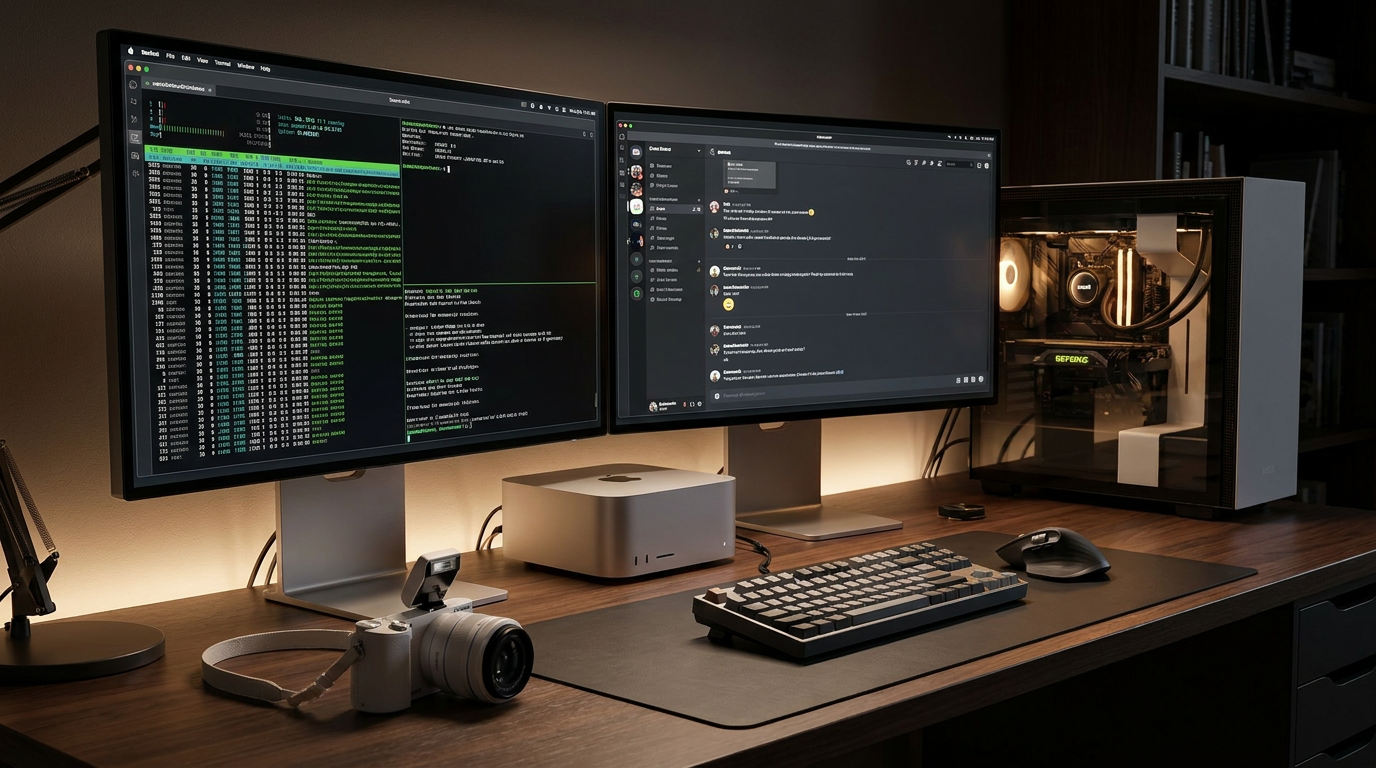
This VRAM requirement is exactly why Apple Silicon has become the unexpected champion of the local AI movement. Traditional PCs split memory between the CPU (system RAM) and the GPU (VRAM). Apple's M-series chips use a "Unified Memory" architecture, meaning the CPU and GPU share the same massive pool of high-bandwidth memory. A Mac Studio with 64GB or 128GB of unified memory can load massive 70-billion-parameter models that would otherwise require multiple expensive NVIDIA graphics cards to run on a PC.[2][6]
Apple has leaned heavily into this advantage with MLX, an open-source machine learning framework purpose-built for Apple Silicon. Released to production maturity over the last two years, MLX bypasses the overhead of adapting traditional PC code to Mac hardware. On the latest M4 and M5 chips, MLX delivers 30% to 60% faster inference speeds than older frameworks, utilizing the Neural Accelerators embedded in every GPU core to process prompts at blistering speeds.[2]
For PC and Linux users, dedicated NVIDIA RTX graphics cards remain the gold standard. The entry-level sweet spot in 2026 is a GPU with 8GB to 12GB of VRAM, which comfortably runs highly capable 7-billion to 12-billion parameter models. Mid-range setups with 16GB to 24GB of VRAM can handle 30-billion parameter models, which are widely considered the minimum threshold for complex, professional-grade coding and reasoning tasks.[6]

For PC and Linux users, dedicated NVIDIA RTX graphics cards remain the gold standard.
The secret weapon that makes all of this possible on consumer hardware is a mathematical compression technique called quantization. A raw 70-billion-parameter model requires roughly 140GB of memory to run. By quantizing the model—specifically using the industry-standard 4-bit (Q4) compression in the GGUF file format—developers can shrink the model's memory footprint by nearly 70%. This allows massive models to fit onto standard hardware while sacrificing only 1% to 2% of their overall accuracy.[1][6]
On the software side, the barrier to entry has been obliterated by tools like Ollama. Operating as a lightweight background service, Ollama allows users to download and run models with a single terminal command, such as `ollama run llama3.3`. It handles all the complex quantization and hardware routing automatically, making it the default standard for developers who want a frictionless local AI environment.[1][4]
For users who prefer a visual interface over a command line, LM Studio and GPT4All have become the go-to applications. LM Studio operates much like an app store for AI, allowing users to search for models, check if they will fit in their system's RAM, and chat with them in a familiar, ChatGPT-style window. GPT4All goes a step further in accessibility, offering highly optimized models that can run entirely on a laptop's CPU if a dedicated graphics card isn't available.[4][6]
The models themselves have seen a staggering leap in quality. As of mid-2026, the open-weight ecosystem is dominated by models like Meta's Llama 4 Scout, Alibaba's Qwen 3, and Google's Gemma 4. These models routinely match or beat the performance of last year's premium cloud APIs on standardized benchmarks, particularly in coding, logic, and multilingual translation.[4][6]

Much of this efficiency comes from the widespread adoption of the Mixture of Experts (MoE) architecture. Instead of activating every single parameter to generate a word, an MoE model routes the query to a specialized "expert" sub-network. This means a model might have 35 billion parameters in total, but only activates 3 billion parameters per token. The result is a highly intelligent model that runs incredibly fast and uses far less active memory.[4]
Perhaps the most powerful feature of modern local AI tools is their API compatibility. Tools like Ollama automatically expose a local server endpoint that perfectly mimics the OpenAI API structure. This means that any third-party application, coding copilot, or agentic workflow designed to plug into ChatGPT can be redirected to your local model simply by changing the URL in the settings. Your existing software ecosystem instantly becomes private and free.[1][4]
However, running your own AI infrastructure comes with new responsibilities. Security experts warn that local inference endpoints should never be exposed to the public internet without strict access controls and firewalls. Because these models can execute code and interact with your local file system, an unsecured API endpoint is a significant vulnerability. Practitioners must treat their local AI servers with the same security rigor as any other local database.[1][7]
Ultimately, the future of AI for most professionals is hybrid. High-volume, repetitive tasks, sensitive document analysis, and latency-critical UI interactions are moving to local hardware where they run securely and for free. Meanwhile, the heaviest reasoning tasks and massive multimodal queries are still routed to frontier cloud models. By mastering local LLMs, users gain the flexibility to choose exactly where their data goes and how much they are willing to pay for intelligence.[1][3][5]
How we got here
Early 2023
The release of llama.cpp proves that large language models can be run on consumer CPUs.
Late 2023
Apple releases the MLX framework, optimizing AI inference specifically for Apple Silicon.
2024
The GGUF format becomes the universal standard for model quantization, making file sharing seamless.
2025
Open-weight models reach performance parity with GPT-4, driving massive enterprise adoption of local AI.
Mid 2026
Mixture of Experts (MoE) architectures allow 70B+ parameter intelligence to run smoothly on 16GB laptops.
Viewpoints in depth
Enterprise Privacy Teams
View local AI as the only secure method for processing sensitive corporate data.
For industries bound by strict compliance frameworks like HIPAA or GDPR, sending data to a third-party cloud provider introduces unacceptable risk. Enterprise IT and security teams advocate for local AI because it creates a verifiable air-gap. By running models on internal, controlled hardware, companies can leverage the productivity boosts of AI without exposing proprietary code, patient records, or unreleased financial data to external servers or potential vendor breaches.
Open-Source Developers
Champion local AI as a bulwark against corporate censorship and vendor lock-in.
The open-source community views local AI as a democratization of intelligence. When a developer relies on a cloud API, they are subject to the provider's pricing changes, unexpected model deprecations, and opaque safety filters that can refuse perfectly benign requests. By running models locally, developers own their infrastructure. They can fine-tune the models for highly specific tasks, bypass corporate censorship, and build applications that function flawlessly without an internet connection.
Cloud Infrastructure Providers
Maintain that cloud APIs are essential for the heaviest, most complex reasoning tasks.
While acknowledging the rise of local inference, cloud providers argue that the absolute frontier of AI capability will always live in the data center. Training and running massive, multi-trillion parameter models requires compute clusters that consumer hardware simply cannot match. They advocate for a hybrid approach: using local models for routine, privacy-sensitive tasks, while routing complex, multi-step reasoning and heavy multimodal generation to the cloud where massive compute power is instantly available.
What we don't know
- Whether hardware manufacturers will begin shipping dedicated AI inference chips as standard in all budget laptops.
- How future regulations might attempt to restrict the distribution of powerful open-weight models.
- The exact ceiling of capability that can be squeezed into a 16GB RAM footprint using future compression techniques.
Key terms
- VRAM (Video RAM)
- The dedicated memory on a graphics card where AI models must be loaded to run quickly.
- Quantization
- A compression technique that reduces the precision of a model's weights (e.g., to 4-bit) to save memory with minimal quality loss.
- GGUF
- The standard file format for quantized local AI models, optimized for fast loading on consumer hardware.
- Unified Memory
- Apple's hardware architecture where the CPU and GPU share the same pool of high-speed RAM, allowing massive models to run on Mac laptops.
- Mixture of Experts (MoE)
- An AI architecture that only activates a small fraction of its total parameters for any given word, drastically reducing memory pressure and increasing speed.
Frequently asked
Can I run a local LLM on an older laptop without a GPU?
Yes. Tools like GPT4All and LM Studio can run smaller models entirely on your CPU, though generation speeds will be noticeably slower (around 3 to 8 words per second).
Are local models as smart as ChatGPT?
The best open-weight models of 2026, such as Llama 4 Scout and Qwen 3, match or exceed the performance of GPT-4o mini on most coding and reasoning benchmarks, though massive cloud models still win on extreme logic tasks.
Does running AI locally use a lot of electricity?
It temporarily spikes your computer's power draw while generating text—similar to playing a high-end video game—but uses minimal power when sitting idle.
Is it difficult to set up?
Not anymore. Using a tool like Ollama or LM Studio, you can download the software, select a model, and start chatting in under 10 minutes with no coding required.
Sources
Source coverage
7 outlets
3 viewpoints surfaced







[1]TechsyOpen-Source Advocates
How to Run LLMs Locally: Hardware, Tools, and Models [2026]
Read on Techsy →[2]Apple Machine Learning ResearchHardware Ecosystem
Running LLMs on Apple Silicon with MLX
Read on Apple Machine Learning Research →[3]MindStudioEnterprise Privacy Teams
Local AI vs Cloud APIs: The 2026 Cost and Privacy Breakdown
Read on MindStudio →[4]DualiteOpen-Source Advocates
The Best Local LLM Tools in 2026
Read on Dualite →[5]LM-KitEnterprise Privacy Teams
Local vs Cloud AI: Architecture and Trade-offs
Read on LM-Kit →[6]PromptQuorumOpen-Source Advocates
Best Local LLMs May 2026: Ollama, LM Studio, Hardware & VRAM Guide
Read on PromptQuorum →[7]Factlen Editorial Team
Synthesis by Factlen editorial team
Read on Factlen Editorial Team →

More in ai
See all 5 stories →

Every angle. Every day.
Get ai stories with full source coverage and perspective breakdowns delivered to your inbox.