
ARM vs. x86 Laptops: The 2026 Architecture Showdown
The laptop market has fractured into two distinct architectural paths, forcing buyers to choose between the unprecedented battery life of ARM and the universal software compatibility of x86.
By Factlen Editorial Team
- ARM Efficiency Advocates
- Argue that the future of computing lies in mobile-like endurance, silent operation, and integrated AI, making legacy x86 architecture obsolete for most users.
- Pragmatic Mainstream Reviewers
- Focus on the real-world trade-offs, noting that while ARM offers superior battery life, x86 has closed the efficiency gap enough to remain the safer choice for general compatibility.
- x86 Performance Traditionalists
- Emphasize that raw computational power, native software compatibility, and discrete GPU support remain non-negotiable for serious professional and gaming workloads.
What's not represented
- · Desktop PC Builders
- · Linux Open-Source Developers
Why this matters
Choosing the wrong laptop architecture in 2026 can leave you tethered to a wall outlet or entirely unable to run critical work software. Understanding this divide ensures you buy a machine that actually fits your daily workflow.
Key points
- ARM processors (Snapdragon, Apple M-series) prioritize extreme battery life and low heat, often achieving 20+ hours of use.
- x86 processors (Intel, AMD) prioritize raw performance and guarantee 100% compatibility with legacy Windows software and games.
- Running older x86 applications on an ARM laptop requires emulation, which can reduce performance by up to 25%.
- Intel and AMD have significantly improved x86 efficiency in 2026, narrowing the battery life gap for light office workloads.
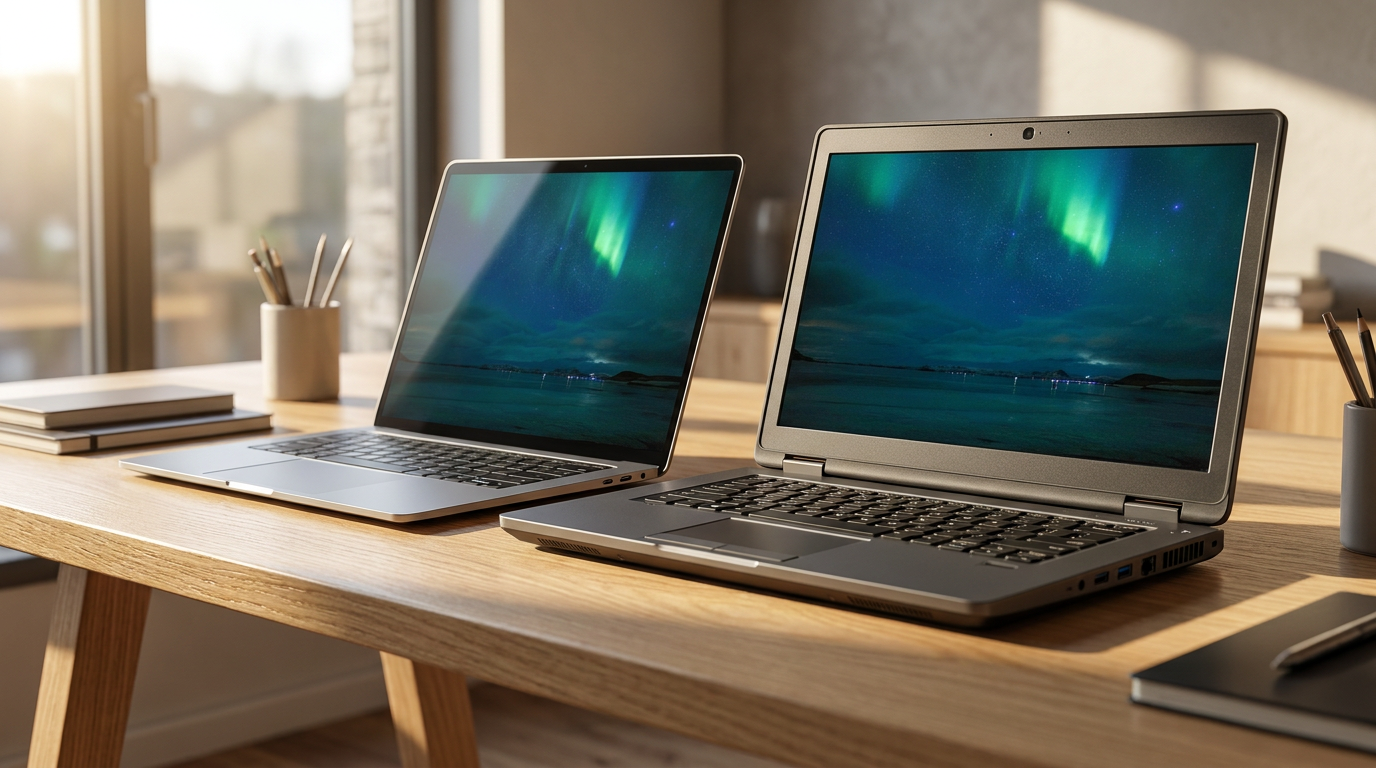
The era of simply choosing between an Intel or AMD sticker is over. Today, laptop buyers face a fundamental architectural divide: the traditional x86 framework versus the mobile-born ARM architecture. This shift has redefined what consumers can expect from a portable computer, turning battery life and software compatibility into the primary battlegrounds of the 2026 market.[1][4]
With the simultaneous rollout of Qualcomm's Snapdragon X2 Elite, Apple's M5, Intel's Core Ultra Series 3 (Panther Lake), and AMD's Ryzen AI 400, the market has forced a reckoning. Consumers and IT departments must now carefully weigh the unprecedented multi-day battery life of ARM against the guaranteed, out-of-the-box software compatibility of x86 systems.[1][4]
The case for ARM centers entirely on its revolutionary efficiency. Built on a Reduced Instruction Set Computing (RISC) philosophy, ARM processors are designed to do more with significantly less power. This translates to laptops that run silently, generate minimal heat, and deliver staggering endurance that traditional laptops have historically struggled to match.[5][6]
The evidence for ARM's efficiency is undeniable. Real-world testing of Snapdragon X2 Elite and Apple M5 systems consistently yields 20 to 25 hours of mixed office productivity. For road warriors, students, and remote workers, this means leaving the charger at home is no longer a calculated risk, but a standard expectation.[1][4]

However, the argument against ARM involves a significant hurdle: legacy software. Because decades of Windows applications were written natively for x86 processors, ARM systems must use a software translation layer, known as emulation, to run them. This extra step requires the computer to translate code in real-time, which can introduce friction into otherwise smooth workflows.[2][8]
The evidence of ARM's limitations is most visible in this emulation penalty. While Microsoft's translation layers have improved drastically, users still face a 15 to 25 percent performance drop when running unoptimized legacy applications. Furthermore, specialized enterprise tools, niche hardware drivers, and heavy gaming titles often suffer from glitches or fail to launch entirely on ARM machines.[3][4]
The evidence of ARM's limitations is most visible in this emulation penalty.
Conversely, the case for x86 rests on its brute-force power and universal reliability. Intel and AMD have not surrendered the laptop market; their Complex Instruction Set Computing (CISC) architecture remains the undisputed champion of raw computational throughput and guaranteed compatibility with every piece of Windows software ever written.[7]
The evidence for x86 performance shines in demanding professional environments. In heavy multi-core workloads, local virtual machine hosting, and complex 3D rendering, x86 processors maintain a distinct edge. Benchmarks show x86 dominating in AES-256 encryption tasks and delivering rock-solid frame rates in AAA gaming titles like Cyberpunk 2077, where ARM chips still struggle with optimization.[3][8]

The argument against x86 focuses on thermal constraints and standby power drain. The trade-off for raw power is higher energy consumption. Even with massive efficiency gains in 2026, x86 laptops still drain faster under heavy multitasking and often require active fan cooling to sustain their peak performance without overheating.[1][4]
The evidence of the x86 efficiency gap shows a narrowing, but persistent, divide. Intel's Panther Lake has impressively pushed x86 battery life to the 16-to-18-hour mark for light office work. However, when pushed with sustained creative workloads or heavy browser multitasking, the battery depletes noticeably faster than its ARM counterparts, and standby drain remains higher.[1][4]
Beyond battery and legacy apps, the architectures are clashing on the AI battleground. Both sides are heavily leaning into Neural Processing Units (NPUs) for on-device artificial intelligence. The Snapdragon X2 Elite currently leads the pack with 80 to 85 TOPS (Trillions of Operations Per Second), though Intel and AMD are close behind, making AI-accelerated tasks like live translation and background blur standard across the board.[4][5][6]
When analyzing the trade-offs through a cost lens, clear market segments emerge. ARM laptops have aggressively targeted the $800 to $1,000 sweet spot, offering flagship-level battery life at mid-range prices. Conversely, high-end x86 workstations command a premium, justified by their ability to run industry-standard plugins and discrete GPUs without a hitch.[3][4]

Ultimately, an ARM-based laptop fits well when users prioritize battery life, portability, and modern cloud-based workflows. It is the ideal choice for general office tasks, web browsing, media consumption, and lightweight content creation, especially for those who travel frequently and rely on modern SaaS applications.[2][4][5]
Conversely, a traditional x86 laptop fits well when users are anchored to legacy software, niche enterprise environments, or heavy local computing. It remains the necessary choice for hardcore gamers, software developers relying on Docker containers, and creative professionals who need the horsepower of a discrete GPU to render complex projects.[2][3][7]
How we got here
Late 2020
Apple introduces the M1 chip, proving ARM's viability for high-performance, efficient laptops.
Mid 2024
Qualcomm launches the first-generation Snapdragon X Elite, bringing competitive ARM performance to the Windows ecosystem.
Late 2025
Intel and AMD release Core Ultra Series 2 and Ryzen AI 300, significantly closing the battery life gap with ARM.
Spring 2026
The launch of Snapdragon X2 Elite and Intel Panther Lake forces a direct architectural showdown in the enterprise and consumer markets.
Viewpoints in depth
ARM Efficiency Advocates
Proponents of ARM argue that the era of hot, power-hungry laptops is over.
This camp, led by Qualcomm and Apple, asserts that the vast majority of modern computing happens in the browser or via cloud-based SaaS applications. Because these workflows do not require brute-force local processing, they argue that carrying a heavy, fan-cooled x86 laptop is an outdated compromise. By shifting to ARM, users gain mobile-phone-like reliability—instant wake times, constant connectivity, and a battery that genuinely lasts through a two-day business trip without needing a wall outlet.
x86 Performance Traditionalists
Defenders of x86 emphasize that true professional work requires uncompromised power and compatibility.
For this group, which includes heavy gamers, software developers, and video editors, the battery life of ARM is a secondary concern compared to raw throughput. They point to benchmarks where x86 processors still dominate in multi-core rendering, complex encryption, and discrete GPU integration. More importantly, they argue that the emulation penalty on ARM is unacceptable for enterprise environments that rely on bespoke, decades-old software that will never be rewritten for a new architecture.
Enterprise IT Pragmatists
Corporate buyers are weighing the total cost of ownership against potential deployment headaches.
IT departments are caught in the middle. On one hand, ARM laptops offer significant operational savings and are highly appealing to a mobile workforce that demands thin, light devices. On the other hand, IT pragmatists worry about the hidden costs of software incompatibility. If a single proprietary VPN client or legacy accounting tool fails to run smoothly through ARM emulation, the resulting IT support tickets can quickly erase the initial hardware savings, making x86 the safer, albeit less exciting, default choice.
What we don't know
- How quickly major video game developers will begin porting AAA titles natively to Windows on ARM.
- Whether Intel and AMD can eventually match ARM's standby power efficiency without fundamentally abandoning the x86 instruction set.
Key terms
- x86 Architecture
- The traditional processor design used by Intel and AMD, known for high performance and universal compatibility with decades of Windows software.
- ARM Architecture
- A highly efficient processor design originally used in smartphones, now powering laptops to deliver exceptional battery life and low heat.
- Emulation
- A software translation process that allows an ARM processor to run applications originally written for x86 processors, often at a slight performance cost.
- TOPS
- Trillions of Operations Per Second, a metric used to measure the speed and capability of a Neural Processing Unit (NPU) for AI tasks.
- SoC (System-on-a-Chip)
- A microchip that integrates all necessary electronic circuits and parts for a given system, such as the CPU, GPU, and NPU, onto a single piece of silicon.
Frequently asked
Are ARM laptops compatible with older Windows software?
Yes, through a process called emulation. However, running legacy x86 applications on an ARM laptop typically incurs a 15% to 25% performance penalty and can occasionally cause software glitches.
Which architecture is better for gaming?
x86 remains the undisputed champion for gaming. It offers native support for virtually all PC games and pairs seamlessly with powerful discrete GPUs from NVIDIA and AMD.
Do ARM laptops overheat?
Rarely. Their RISC architecture is highly power-efficient and generates significantly less heat than traditional processors, allowing many ARM laptops to operate completely without fans.
What is an NPU and why does it matter?
A Neural Processing Unit (NPU) is a dedicated chip designed to handle AI tasks—like live video translation or background noise removal—efficiently, saving battery life compared to using the main CPU.
Sources
Source coverage
8 outlets
3 viewpoints surfaced








[1]LiveMintPragmatic Mainstream Reviewers
Snapdragon vs Intel: What's the Real Difference in 2026?
Read on LiveMint →[2]Laptop OutletARM Efficiency Advocates
ARM vs x86 Laptops: Which Architecture is Right for You?
Read on Laptop Outlet →[3]Ordinary Techx86 Performance Traditionalists
ARM vs x86 PCs in 2026: Performance, Efficiency, and the Future
Read on Ordinary Tech →[4]iFeeltechPragmatic Mainstream Reviewers
The 2026 Laptop Market: ARM vs x86 Trade-offs
Read on iFeeltech →[5]ASUSARM Efficiency Advocates
Qualcomm vs Intel vs AMD – Which Windows Laptop SoC is Right for You?
Read on ASUS →[6]QualcommARM Efficiency Advocates
Snapdragon X2 Elite Extreme Performance Benchmarks
Read on Qualcomm →[7]HPx86 Performance Traditionalists
Comparing Snapdragon to Traditional Intel and AMD Processors
Read on HP →[8]Medium Tech BlogPragmatic Mainstream Reviewers
The Laptop Chip War: Snapdragon X Elite vs Intel Core Ultra
Read on Medium Tech Blog →


Every angle. Every day.
Get guides stories with full source coverage and perspective breakdowns delivered to your inbox.