
Apple introduces advanced AI photo editing tools in iOS 27
Apple's upcoming iOS 27 update brings a suite of powerful generative AI editing features to the iPhone Photos app, including spatial reframing, image extension, and an upgraded cleanup tool.
By Factlen Editorial Team
- Everyday Users
- Value the ability to easily rescue flawed photos without technical skills.
- Photography Purists
- Wary of generative AI altering the reality of captured moments.
- Industry Analysts
- See Apple's move as a necessary step to close the feature gap with Android rivals.
What's not represented
- · Professional photo editors whose entry-level retouching work may be automated
Why this matters
For millions of iPhone users, these tools democratize complex photo editing, allowing anyone to rescue near-miss photos by adjusting angles, expanding borders, or seamlessly removing unwanted objects without needing professional software.
Key points
- iOS 27 introduces Spatial Reframing, allowing users to change a photo's camera angle after it is taken.
- A new Extend tool uses generative AI to expand image borders by up to 25 percent.
- The Clean Up tool has been upgraded to handle complex object removal with realistic infills.
- Apple is using a hybrid processing model, offering both on-device and cloud-based editing.
- AI-edited images will include a hidden SynthID watermark to ensure transparency.
- The advanced AI features will require an iPhone 15 Pro or newer device.
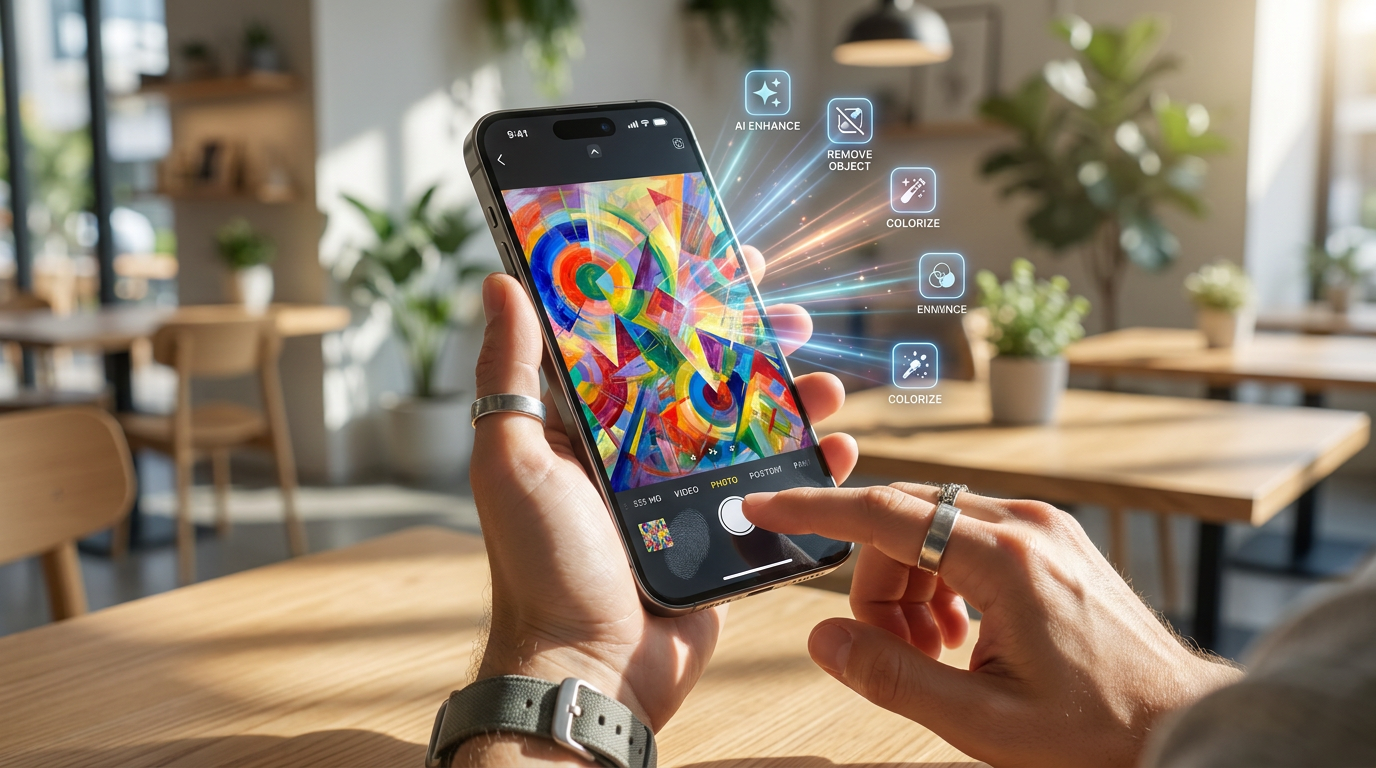
Apple has officially unveiled iOS 27, bringing a sweeping overhaul to the iPhone’s native Photos app powered by its Apple Intelligence framework. Announced at the company's annual Worldwide Developers Conference, the update introduces a suite of generative AI editing tools designed to rescue flawed images. The new features—Spatial Reframing, Extend, and an upgraded Clean Up tool—aim to democratize complex photo manipulation, allowing everyday users to perform edits that previously required desktop software and technical expertise.[1][2][3]
The standout addition is Spatial Reframing, a feature that essentially allows users to change the camera angle of a photo after the shutter has already clicked. By using multi-touch gestures, users can pan, zoom, or rotate the subject within the frame. As the perspective shifts, Apple’s generative AI models dynamically fill in the newly exposed background areas to sell the illusion of a repositioned camera. Reviewers have noted that the tool works on any photo in a user's library, including older images and those captured on non-Apple devices.[2][3][4]
Alongside reframing, Apple is introducing an "Extend" tool, which functions as a generative negative crop for images that feel too constrained. If a photo is framed too tightly or features a crooked horizon that would normally require zooming in to fix, users can instead expand the image borders by up to 25 percent. The AI analyzes the existing scene and synthesizes new surrounding pixels to match the original environment, giving subjects more breathing room without forcing the user to crop out essential details or compromise the original composition.[2][4][7]

The existing Clean Up tool is also receiving a substantial upgrade to make it more competitive with rival offerings. While previous iterations of Apple's object eraser were considered basic and sometimes struggled with complex backgrounds or lighting gradients, the iOS 27 version utilizes smarter AI models for significantly more realistic infills. The tool can now handle the seamless removal of larger unwanted objects, distracting background elements, or unexpected photobombers while carefully preserving the natural look, shadows, and lighting of the underlying scene.[3][5][7]
To power these features, Apple is employing a hybrid processing approach. Users will have the option to choose between different processing models depending on their needs. A "Fast" mode handles edits entirely on-device for maximum privacy, while a "High Quality" mode offloads the heavy lifting to Apple's secure cloud servers to process more complex generative tasks. This dual-path system ensures that users can balance speed and privacy against the need for advanced photorealistic rendering.[2]
To power these features, Apple is employing a hybrid processing approach.
Because generative AI requires massive computational resources, Apple has indicated that certain cloud-reliant features may be subject to daily usage limits. While the exact parameters remain unclear, the reliance on server-side processing means that users generating extensive edits or utilizing the Image Playground heavily might hit a cap. It remains to be seen whether Apple will offer expanded allowances for subscribers of its paid iCloud+ storage tiers, but the hybrid approach highlights the ongoing infrastructure costs associated with deploying generative AI at a global scale.[4][6]
The introduction of generative AI into the default camera roll of millions of users has inevitably raised questions about photographic authenticity and the ease of manipulating reality. To address these ethical concerns, Apple confirmed that any image altered using these new generative tools will be embedded with a hidden SynthID watermark. This invisible digital signature permanently marks the file as having been edited with artificial intelligence, a crucial step in maintaining transparency as synthetic media becomes increasingly indistinguishable from traditional photography.[4]

Beyond the core editing suite, Apple is also revamping its Image Playground application. Initially introduced in iOS 18, the app has been upgraded to generate highly photorealistic images rather than just stylized or cartoonish outputs. Users can now prompt the system using natural language to create entirely new visuals or modify existing photos by circling objects and requesting specific changes, further expanding the creative sandbox available on the iPhone.[3][6][7]
Despite the impressive capabilities, these advanced tools will not be available to all iPhone owners. Because they rely heavily on the Apple Intelligence framework, the new photo editing features are restricted to devices equipped with sufficient neural processing power—specifically, the iPhone 15 Pro and newer models. Older iPhones that update to iOS 27 will benefit from general performance improvements, such as faster app launches and quicker library loading times, but will miss out on the generative AI suite.[6][7]

Industry observers view Apple's latest push as a necessary maneuver to catch up with its primary rivals. Competitors like Google and Samsung have heavily marketed their own AI-powered editing tools, such as Magic Eraser and Generative Edit, for several hardware generations. While Apple is late to the generative photo editing party, its deep integration into the native iOS ecosystem and unique features like Spatial Reframing suggest the company is aiming to refine rather than simply replicate the Android experience.[4][5]
The iOS 27 update is currently available as a developer beta, allowing early adopters to test the stability and output quality of the new AI models. A public beta is expected to follow later in the summer, giving a broader audience access to the tools before the software officially launches in the fall. As users prepare to upgrade, the shift signals a broader industry trend: capturing the perfect shot is no longer strictly about timing and framing, but about knowing how to collaborate with AI after the fact.[1][7]
How we got here
June 2026
Apple announces iOS 27 and the new Apple Intelligence photo tools at WWDC.
Summer 2026
Developer and public beta versions of iOS 27 are released for testing.
Fall 2026
Expected public launch of iOS 27 alongside the new iPhone hardware lineup.
Viewpoints in depth
Everyday Users
Everyday iPhone owners value the ability to easily rescue flawed photos without technical skills.
For the average consumer, the appeal lies in the democratization of editing. Features that once required a subscription to desktop software and hours of tutorials are now accessible via a few taps. This camp views the AI tools as a practical way to save once-in-a-lifetime memories that were slightly ruined by a photobomber or a poor camera angle.
Photography Purists
Traditional photographers are wary of generative AI altering the reality of captured moments.
Purists argue that photography is fundamentally about capturing a specific moment in time. They express concern that tools like Spatial Reframing and Extend cross the line from photo correction into digital illustration. While they appreciate Apple's inclusion of SynthID watermarking, this camp worries that the proliferation of generative tools will erode public trust in the authenticity of everyday images.
Industry Analysts
Tech analysts see Apple's move as a necessary step to close the feature gap with Android rivals.
Market watchers note that Apple is playing catch-up in the generative AI space. With Google and Samsung having heavily marketed their own AI erasers and editors for years, Apple needed a native response to remain competitive. Analysts view the deep integration into the iOS ecosystem and the unique privacy-focused hybrid processing model as Apple's strategy to differentiate its late entry into the market.
What we don't know
- It is unclear exactly what the daily usage limits will be for cloud-processed AI edits.
- Apple has not detailed whether iCloud+ subscribers will receive higher allowances for generative features.
Key terms
- Apple Intelligence
- Apple's proprietary suite of generative AI features integrated natively into its operating systems.
- Spatial Reframing
- An AI-powered tool that allows users to change the camera angle or perspective of a photograph after it has been captured.
- SynthID
- A digital watermarking technology used to invisibly tag AI-generated or AI-modified content for authenticity tracking.
- Negative Crop
- The process of expanding the borders of an image outward, relying on AI to generate the new surrounding visual content.
Frequently asked
Which iPhones support the new AI photo tools?
The advanced Apple Intelligence editing features require an iPhone 15 Pro or a newer model due to high processing requirements.
Can I use Spatial Reframing on old photos?
Yes, the feature works on existing photos in your library, including those taken with non-Apple cameras.
Are my photos sent to the cloud for editing?
Users can choose a 'Fast' mode for on-device processing, or a 'High Quality' mode that utilizes Apple's secure cloud servers for complex edits.
Sources
Source coverage
7 outlets
3 viewpoints surfaced







[1]The VergeEveryday Users
Apple’s new AI photo editing tools mostly work, for better and worse
Read on The Verge →[2]9to5MacIndustry Analysts
AI photo editing in iOS 27: revamped Clean Up and two new AI tools for iPhone Photos app
Read on 9to5Mac →[3]EngadgetIndustry Analysts
iOS 27 gets new AI photo editing tools
Read on Engadget →[4]DPReviewPhotography Purists
Apple brings generative AI photo editing to iOS 27
Read on DPReview →[5]Android HeadlinesIndustry Analysts
Apple Photos Gets AI Editing Features in iOS 27
Read on Android Headlines →[6]MacRumorsIndustry Analysts
iOS 27: Apple Intelligence Photo Editing Tools
Read on MacRumors →[7]MacworldEveryday Users
iOS 27 features: What's coming to your iPhone
Read on Macworld →

Every angle. Every day.
Get technology stories with full source coverage and perspective breakdowns delivered to your inbox.