
How to Run AI Locally: A Complete Guide to Offline, Private Language Models
Running large language models directly on your own hardware offers complete data privacy, zero subscription fees, and offline capabilities. With tools like Ollama and LM Studio, deploying powerful AI locally is now accessible to anyone with a modern computer.
By Factlen Editorial Team
- Privacy & Compliance Advocates
- Focus on data sovereignty and eliminating third-party exposure.
- Open-Source Developers
- Focus on transparency, tinkering, and seamless API integration.
- Cost & Operations Analysts
- Focus on the financial shift from recurring operational expenses to upfront hardware investments.
What's not represented
- · Cloud AI Providers
- · Hardware Manufacturers
Why this matters
Cloud-based AI subscriptions cost hundreds of dollars a year and require sending your personal or corporate data to third-party servers. By running models locally, you take full ownership of your data privacy while unlocking unlimited, uncensored access to cutting-edge AI.
Key points
- Local AI allows users to run large language models entirely on their own devices without an internet connection.
- Processing data locally ensures complete privacy, making it ideal for sensitive personal documents and corporate compliance.
- Tools like Ollama and LM Studio have eliminated the need for complex coding, offering simple installations and graphical interfaces.
- Quantization techniques compress massive neural networks so they can run efficiently on standard consumer laptops.
- Running models locally eliminates the recurring monthly subscription fees associated with cloud-based AI services.
For years, interacting with a large language model meant opening a web browser and sending your thoughts, code, and sensitive data to a distant server owned by a tech giant. But a quiet revolution has shifted the center of gravity in artificial intelligence. Today, you can run cutting-edge AI models entirely on your own laptop or desktop computer.
This shift toward "local AI" is driven by a combination of open-weight models—like Meta's Llama, Alibaba's Qwen, and DeepSeek—and highly optimized software that allows these massive neural networks to run on consumer hardware. By severing the connection to the cloud, users are unlocking a new paradigm of privacy, cost savings, and control.[2][7]
The most immediate benefit of running a local large language model (LLM) is absolute data sovereignty. When you type a prompt into a cloud-based service, that data is transmitted over the internet, processed on external servers, and often logged for future model training. For individuals handling personal documents or developers working on proprietary code, this represents a significant security vulnerability.[1]

Local AI models process every token directly on your device's CPU or GPU. Because the data never leaves your machine, the risk of third-party breaches, network interception, or unauthorized data harvesting is entirely eliminated. "The safest data is the data that never leaves your hands," as privacy advocates frequently note, making local execution the gold standard for confidentiality.[1][5]
This offline architecture is particularly critical for businesses navigating strict regulatory environments. Healthcare providers bound by HIPAA, or European companies complying with GDPR, can use local LLMs to analyze patient records or customer data without violating data-sharing restrictions. The model acts as a closed-loop system, ensuring that sensitive information remains strictly within the organization's firewall.[5][6]
Beyond privacy, the financial incentives for local AI are compelling. Standard cloud AI subscriptions typically cost around $20 per month, translating to $240 annually per user. For heavy users or enterprise teams, these recurring operational expenses scale rapidly. Local AI, by contrast, requires zero subscription fees and imposes no hourly rate limits or usage quotas.[2][5]
The barrier to entry for local AI has been dramatically lowered by two dominant software tools: Ollama and LM Studio. Both platforms abstract away the complex Python environments and dependency management that previously made running local models a headache for non-engineers.[4][6]

The barrier to entry for local AI has been dramatically lowered by two dominant software tools: Ollama and LM Studio.
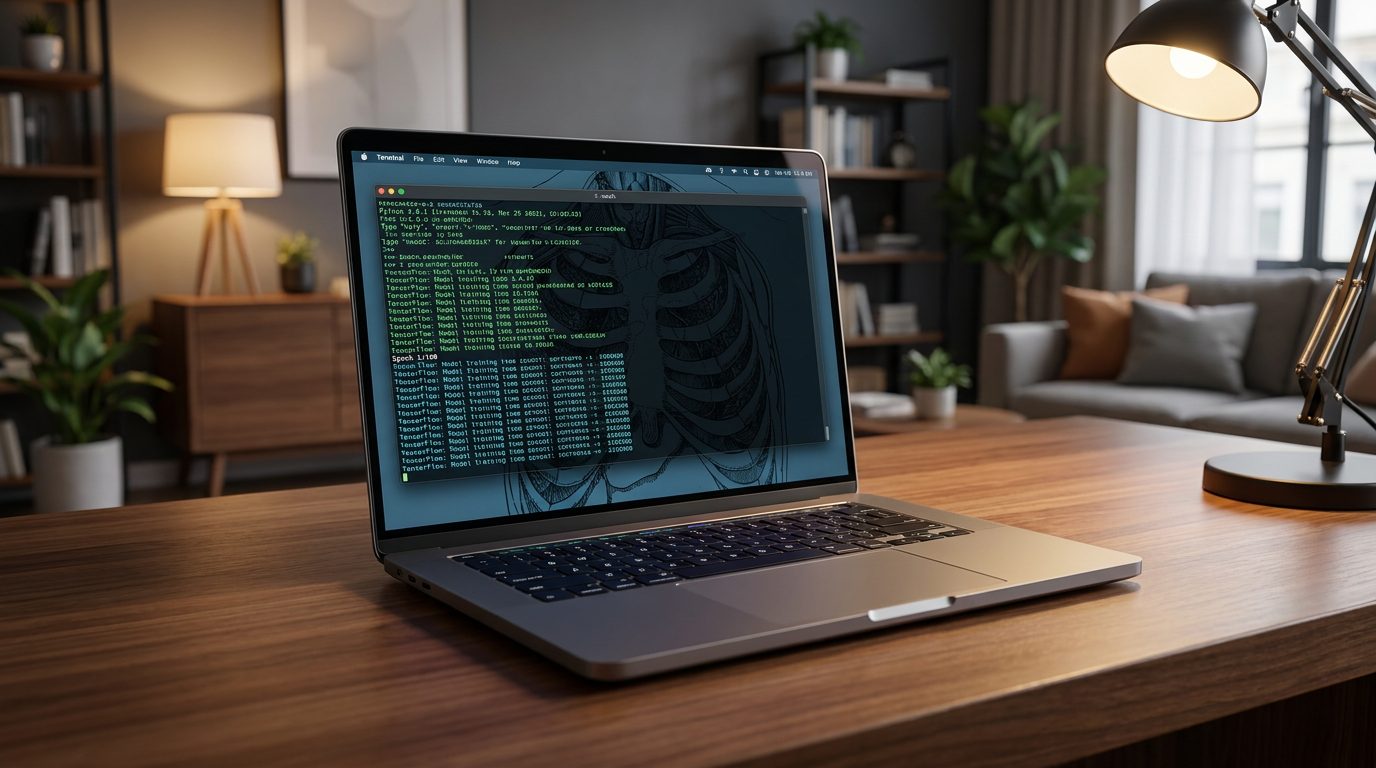
Ollama has emerged as the darling of the developer community. Operating primarily as a lightweight, command-line tool, it allows users to download and run models with a single terminal command, such as `ollama run llama3`. It runs quietly as a background service and automatically exposes an API that mimics OpenAI's standard, making it incredibly easy to plug local models into existing scripts or applications.[3][4][6]
For users who prefer a graphical interface, LM Studio offers a highly polished desktop application. It features a built-in search tab connected directly to Hugging Face, allowing users to browse, download, and chat with models using a familiar, ChatGPT-style window. LM Studio provides visual sliders for adjusting hardware usage and clearly displays how much memory a model will consume before you download it.[3][4][8]
The secret to running these massive models on standard computers is a technique called quantization. In simple terms, quantization compresses the neural network's weights—reducing their precision from 16-bit to 4-bit or 8-bit formats—so they consume significantly less memory. While this results in a microscopic drop in theoretical accuracy, the models remain remarkably capable for everyday tasks.[3][9]
Hardware requirements dictate which models you can run effectively. A system with 8 to 16 gigabytes of RAM is generally sufficient to run smaller 7-billion or 8-billion parameter models at conversational speeds. Apple Silicon Macs, with their unified memory architecture, are particularly well-suited for local AI, as they allow the GPU to access the system's entire pool of RAM.[3][5]

For more complex reasoning tasks, users often turn to larger models, which demand dedicated graphics cards (GPUs) with substantial Video RAM (VRAM). A 24GB GPU, such as an Nvidia RTX 4090, can comfortably run highly capable 30-billion parameter models optimized for agentic coding and complex logic.[8][9]
Once a local model is running, it can be integrated into a wider ecosystem of tools. Developers use local endpoints to power AI coding assistants like Claude Code or OpenHands, allowing the AI to read and write code directly within their local development environment without sending proprietary source code to the cloud.[8][9]
Non-developers can pair Ollama with front-end interfaces like Open WebUI, which provides a rich, browser-based chat experience complete with conversation history and document uploads, all hosted on `localhost`. This modularity allows users to build a customized, private AI stack tailored exactly to their workflow.[7]

Despite the advantages, local AI comes with trade-offs. Running intensive models consumes significant processing power, which can quickly drain laptop batteries and cause fans to spin loudly. Furthermore, while local models are highly capable, the absolute largest, state-of-the-art frontier models still require data center-scale hardware and remain exclusive to the cloud.[7]
Nevertheless, the gap between cloud and local capabilities is narrowing rapidly. As open-weight models become more efficient and consumer hardware continues to optimize for AI workloads, the ability to run a private, uncensored, and free intelligence engine on your own desk is becoming a standard computing capability.[3][6]
How we got here
Nov 2022
Cloud-based LLMs enter the mainstream, requiring users to send data to external servers.
Feb 2023
Early open-weight models are released, sparking interest in running AI on consumer hardware.
Mid 2023
Tools like Ollama and LM Studio launch, removing the need for complex coding to run local models.
2024–2025
Quantization techniques improve, allowing highly capable 8B and 30B models to run on standard laptops.
2026
Local AI becomes a standard workflow for developers and privacy-conscious enterprises.
Viewpoints in depth
Privacy & Compliance Advocates
Focus on data sovereignty and eliminating third-party exposure.
For industries bound by strict data regulations like HIPAA and GDPR, sending sensitive information to cloud AI providers is a non-starter. Privacy advocates argue that local AI is the only architecture that guarantees true zero-trust security. By keeping the processing loop entirely on-premises, organizations can leverage advanced AI capabilities without exposing themselves to network interception, third-party data breaches, or unauthorized model training.
Open-Source Developers
Focus on transparency, tinkering, and seamless API integration.
The developer community values local AI for the absolute control it provides over the software stack. Unlike closed cloud APIs that can change or deprecate models without warning, local models are immutable once downloaded. Developers appreciate tools like Ollama that expose local endpoints, allowing them to build custom applications, automate coding workflows, and experiment with quantization levels without hitting rate limits or paywalls.
Cost & Operations Analysts
Focus on the financial shift from recurring operational expenses to upfront hardware investments.
From a financial perspective, local AI represents a shift from OPEX (operating expenses) to CAPEX (capital expenditures). While outfitting a team with high-RAM laptops or dedicated GPUs requires a significant upfront investment, analysts note that it quickly pays for itself by eliminating $20-per-user monthly subscription fees. For heavy AI users, the unlimited, unmetered access of local models provides a vastly superior return on investment over time.
What we don't know
- How quickly consumer hardware manufacturers will increase base RAM configurations to natively support larger local models.
- Whether future regulatory frameworks will mandate local AI processing for specific types of highly sensitive enterprise data.
Key terms
- Local LLM
- A large language model that processes data directly on a user's personal computer or private server rather than in the cloud.
- Quantization
- A compression method that shrinks the memory footprint of an AI model so it can run efficiently on standard consumer hardware.
- VRAM (Video RAM)
- The dedicated memory on a graphics card, which is crucial for loading and running large AI models quickly.
- API Endpoint
- A local network address that allows other software applications on your computer to communicate with the running AI model.
- GGUF
- A popular file format designed specifically for running quantized language models efficiently on standard computer processors.
Frequently asked
Do I need an internet connection to use a local LLM?
No. Once the model files and software are downloaded to your device, the AI runs entirely offline without any network connection.
Can a local AI model write code as well as cloud-based tools?
Yes, specialized open-weight models like DeepSeek Coder or Qwen are highly capable at programming tasks and can be integrated directly into local development environments.
Is my laptop powerful enough to run these models?
Most modern computers with at least 8GB of RAM can run smaller models (like 8-billion parameter versions) at usable speeds, though Apple Silicon Macs and PCs with dedicated GPUs perform best.
What is quantization and why is it necessary?
Quantization is a compression technique that reduces the precision of a model's neural weights, allowing massive AI models to fit into the limited memory of consumer hardware.
Sources
Source coverage
9 outlets
3 viewpoints surfaced









[1]AI JournalPrivacy & Compliance Advocates
Privacy benefits of running local AI models
Read on AI Journal →[2]Local AI MasterCost & Operations Analysts
Why Run AI Locally? (Top 5 Reasons)
Read on Local AI Master →[3]MindStudioOpen-Source Developers
Run Qwen 3.6, Gemma, and DeepSeek locally with Ollama and LM Studio
Read on MindStudio →[4]DEV CommunityOpen-Source Developers
Ollama vs LM Studio
Read on DEV Community →[5]God of PromptPrivacy & Compliance Advocates
Local LLM Setup for Privacy-Conscious Businesses
Read on God of Prompt →[6]Artificial Intelligence NewsPrivacy & Compliance Advocates
Private AIs for business experimentation
Read on Artificial Intelligence News →[7]Factlen Editorial TeamCost & Operations Analysts
Synthesis by Factlen editorial team
Read on Factlen Editorial Team →[8]OpenHandsOpen-Source Developers
Running OpenHands with a Local LLM using LM Studio
Read on OpenHands →[9]UnslothOpen-Source Developers
How to Run Local LLMs with Claude Code
Read on Unsloth →

More in guides
See all 39 stories →E-Ink Productivity
Top E-Ink Tablets of 2026: Comparing reMarkable, Boox, and Kindle Scribe
6 sources

Home Electrification
The 2026 Guide to Home Heat Pumps: Air-Source vs. Ground-Source vs. Dual-Fuel
6 sources

Digital Security
How to Transition to Passkeys and Eliminate Passwords
7 sources
Clean Energy
How Next-Generation Geothermal Energy is Unlocking 24/7 Clean Power
7 sources

Every angle. Every day.
Get guides stories with full source coverage and perspective breakdowns delivered to your inbox.