
A Beginner's Guide to Running Local AI Models on Your Own Hardware
Running Large Language Models (LLMs) directly on your computer offers unparalleled privacy, zero subscription costs, and complete offline control. Here is everything you need to know to set up tools like Ollama and LM Studio in 2026.
By Factlen Editorial Team
- Open-Source Developers
- Builders who value the ability to tinker, customize, and integrate AI without vendor lock-in.
- Privacy & Security Advocates
- Users who prioritize keeping sensitive data off corporate cloud servers.
- Everyday AI Users
- General consumers looking for free, accessible AI tools without monthly subscription fees.
What's not represented
- · Cloud AI Providers
- · Hardware Manufacturers
Why this matters
Relying on cloud AI means paying monthly fees and surrendering your private data to tech giants. Learning to run models locally gives you a free, private, and uncensored digital assistant that works even when the internet is down.
Key points
- Local AI allows you to run Large Language Models directly on your own hardware without an internet connection.
- System memory (RAM or VRAM) is the primary bottleneck for running models locally.
- Quantization compresses massive AI models so they can fit onto standard consumer laptops.
- Tools like LM Studio provide a user-friendly graphical interface, while Ollama offers powerful command-line control.
- Running models locally guarantees absolute data privacy and eliminates monthly subscription fees.
For years, interacting with a Large Language Model (LLM) meant sending your private thoughts, code snippets, and data to a distant server farm owned by a massive tech company. But in 2026, a quiet revolution is happening on the desktops of developers, writers, and hobbyists. People are increasingly downloading AI models directly to their own hardware, running them entirely offline. The appeal is straightforward: zero subscription fees, absolute data privacy, and the freedom to tinker without vendor lock-in. The ecosystem has matured rapidly, with tools like Ollama seeing their GitHub stars skyrocket past 170,000 as the barrier to entry plummets. You no longer need a computer science degree to run a sophisticated AI; you just need the right software and a basic understanding of your computer's limits.[4][5]
To understand how local AI works, it helps to demystify what an LLM actually is. At its core, a model is simply a massive file containing billions of mathematical weights—the "parameters"—that determine how the AI predicts the next word in a sequence. When you use a cloud service, you are renting a fraction of a second on a multi-million-dollar server to perform those calculations. When you run a model locally, your own computer's processor and memory take on the heavy lifting. This process, known as "inference," requires the model's weights to be loaded directly into your system's active memory. Once loaded, the AI can chat, summarize, and code without ever pinging the internet, transforming your laptop into a self-contained intelligence node.[6]
The single most critical factor in running local AI is memory. Unlike standard software that relies heavily on your hard drive or CPU speed, an LLM must fit entirely into either your system RAM or your graphics card's Video RAM (VRAM) to function at a usable speed. If a model is too large for your memory, your computer will attempt to swap data back and forth to the hard drive, resulting in painfully slow generation speeds of less than one word per second. As a general rule of thumb in 2026, a compressed model requires roughly 0.5 to 1 gigabyte of memory for every billion parameters. This means an 8-billion parameter model—the current sweet spot for consumer hardware—needs at least 8 GB of available RAM to run comfortably.[4]

If an uncompressed 8-billion parameter model requires 16 GB of memory, how are people running them on standard laptops? The answer lies in a mathematical compression technique called "quantization." In their raw state, model weights are stored with high numerical precision, which takes up significant digital space. Quantization reduces that precision—rounding the numbers, essentially—to shrink the model's footprint. Formats like Q4 (4-bit quantization) cut the memory requirement in half with only a negligible drop in the AI's reasoning quality. This breakthrough is what makes local AI viable for the masses. Without quantization, running a highly capable AI would still be restricted to enterprise server racks; with it, a standard MacBook or Windows gaming PC becomes an AI powerhouse.[5][6]
Before you can run a model, you have to find it. The undisputed center of the open-weight AI universe is Hugging Face, a platform often described as the "Docker Hub of Machine Learning." Hugging Face hosts hundreds of thousands of models, ranging from massive corporate releases by Meta and Google to specialized, fine-tuned models created by solo developers. For local users, the key is looking for models packaged in the GGUF format. GGUF was specifically designed for efficient local inference, allowing models to be easily downloaded as a single file and loaded into consumer software. It has become the universal standard, ensuring that a model downloaded today will work seamlessly across almost any local AI application you choose to install.[1][3]
For beginners who want a visual, user-friendly experience, LM Studio is widely considered the best starting point. Available as a free desktop application, LM Studio looks and feels much like a standard chat interface, but it hides a powerful local engine underneath. Its standout feature is a built-in model browser that connects directly to Hugging Face, allowing users to search for models, check if they will fit in their computer's RAM, and download them with a single click. There is no command line required. You simply select a downloaded model from a dropdown menu, wait a few seconds for it to load into memory, and start typing. It is the lowest-friction way to experience local AI for the first time.[3][5]
For beginners who want a visual, user-friendly experience, LM Studio is widely considered the best starting point.
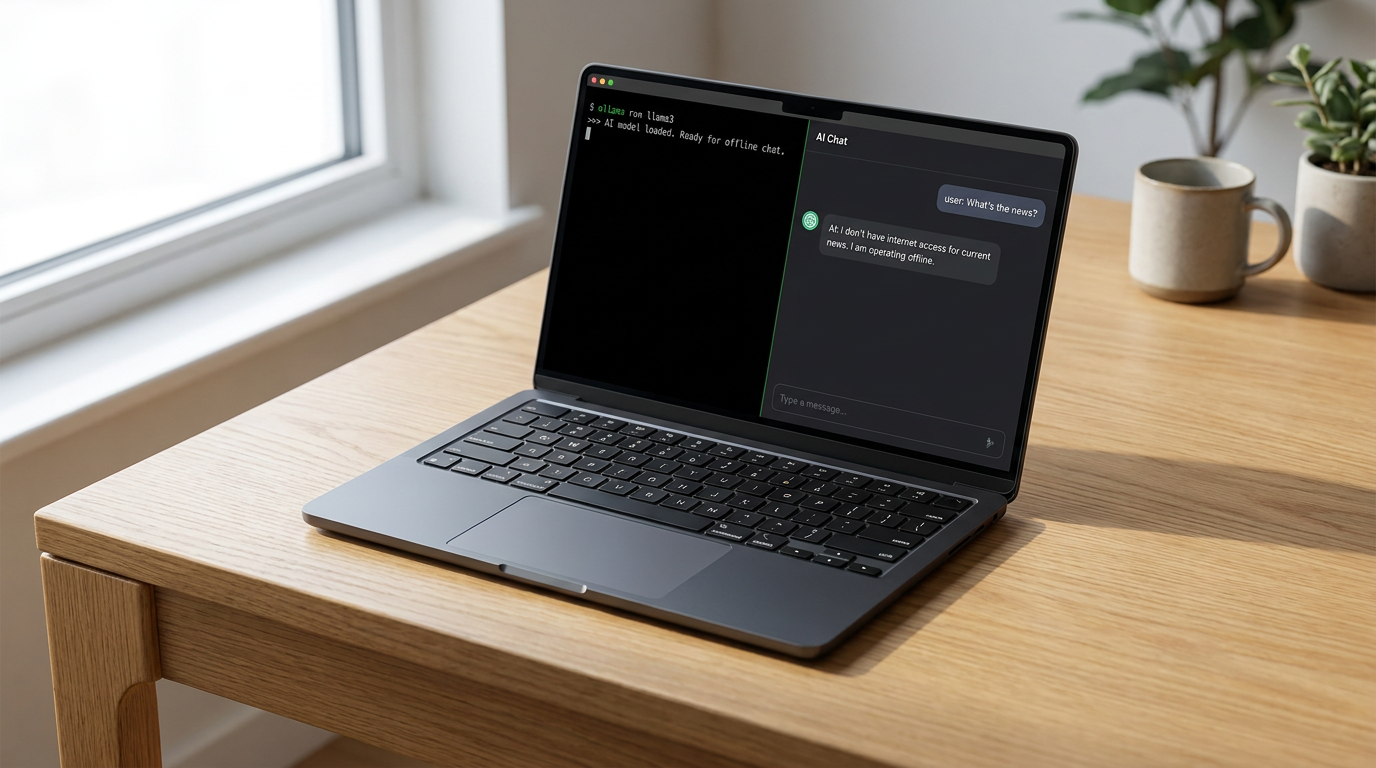
If LM Studio is the visual gateway, Ollama is the developer's workhorse. Ollama operates primarily as a command-line tool, bringing the simplicity of Docker-style commands to the AI world. By opening a terminal and typing a single command—like `ollama run llama3.2`—the software automatically downloads the model, configures the optimal hardware settings, and drops you into a chat prompt. Despite its lack of a native graphical interface, Ollama has become the backbone of the local AI movement. It runs quietly in the background as a service, allowing other applications, web interfaces, and custom scripts to tap into the models it manages. For anyone looking to build their own AI tools or automate workflows, Ollama is the foundational layer.[2][5]

Underneath the hood of many of these user-friendly tools are highly optimized inference engines designed to squeeze every drop of performance out of consumer hardware. The most famous is `llama.cpp`, a C/C++ library that revolutionized local AI by allowing models to run efficiently on standard CPUs rather than requiring expensive NVIDIA graphics cards. For Apple users, the landscape is even more optimized. Apple's MLX framework and the unified memory architecture of Apple Silicon (M-series chips) allow Macs to share their massive pools of RAM directly with the GPU. This unique hardware advantage means a standard Mac Studio or high-end MacBook Pro can run massive 70-billion parameter models that would otherwise require thousands of dollars in dedicated PC graphics cards.[1][5]
The models themselves have evolved dramatically, with 2026 offering an incredibly capable roster of open-weight options. The current "sweet spot" for local hardware sits in the 7-billion to 14-billion parameter range. Meta's Llama 3.2 and 3.3 (8B) serve as the default, highly capable all-rounders for general text and reasoning. For coding tasks, Qwen 2.5 Coder and DeepSeek-R1 have proven astonishingly proficient, often matching the capabilities of older cloud-based models. Google's Gemma 4 series offers highly efficient, smaller models that run lightning-fast even on older hardware. The beauty of the local ecosystem is that you are never locked into one provider; if a better model is released tomorrow, you can download it and be running it locally in minutes.[2][4]
Perhaps the most powerful feature of tools like Ollama and LM Studio is their ability to act as a local API server. Both applications can broadcast an "OpenAI-compatible" API directly from your computer. This means that any third-party software designed to plug into ChatGPT—whether it is a coding assistant in VS Code, a note-taking plugin in Obsidian, or a custom automation script—can be tricked into talking to your local model instead. You simply change the API URL in the software's settings to point to your "localhost." Suddenly, your entire digital workflow is powered by a private, free AI that you control, seamlessly replacing expensive cloud subscriptions with your own hardware.[2][3]

The privacy implications of this architecture cannot be overstated. When you use a cloud-based LLM, your prompts are transmitted over the internet, processed on remote servers, and often logged for safety monitoring or future model training. For corporate data, legal documents, proprietary code, or deeply personal journaling, this is a massive security risk. Local AI completely eliminates this vulnerability. Because the inference happens entirely on your machine's silicon, you can physically disconnect your computer from the internet and the AI will continue to function perfectly. This absolute data sovereignty is driving adoption among privacy advocates, healthcare professionals, and small businesses who want the benefits of AI without the compliance nightmares.[1][4]
Despite the rapid advancements, running AI locally does come with inherent limitations. Consumer hardware cannot match the raw compute power of a massive data center, meaning local models generate text slower than premium cloud services. Furthermore, local models are constrained by their "context window"—the amount of text they can remember in a single conversation. While cloud models can now ingest entire books at once, pushing a local model to read massive documents will quickly exhaust your computer's RAM. Finally, running these models is highly computationally intensive; if you are running an LLM on a laptop, expect your fans to spin up and your battery life to drain significantly faster than during normal web browsing.[6]
Ultimately, the rise of local LLMs represents a fundamental democratization of artificial intelligence. It shifts the locus of power away from a handful of massive tech conglomerates and places it directly onto the hard drives of everyday users. While cloud-based models will likely always hold the edge in absolute cutting-edge reasoning and massive data processing, the gap is narrowing. For the vast majority of daily tasks—drafting emails, summarizing articles, writing boilerplate code, and brainstorming ideas—a locally hosted model is more than sufficient. By taking the time to set up tools like LM Studio or Ollama, you are not just saving money on subscription fees; you are taking ownership of your own digital intelligence.[6]
How we got here
2023
Llama.cpp is released, proving large models can run efficiently on standard consumer CPUs.
Late 2023
The GGUF format is introduced, standardizing how local models are packaged and shared.
2024
Tools like Ollama and LM Studio launch, providing easy-to-use interfaces for non-developers.
2025
Open-weight models like Llama 3 and Qwen reach parity with older cloud models, making local AI highly capable.
2026
Local AI becomes mainstream, with millions of users running 8B parameter models on standard laptops.
Viewpoints in depth
Privacy & Security Advocates
Users who prioritize keeping sensitive data off corporate cloud servers.
For this camp, local AI is primarily a defensive measure. They argue that sending proprietary code, legal documents, or personal medical questions to cloud providers creates unacceptable security vulnerabilities and compliance risks. By running models entirely offline, they ensure absolute data sovereignty, viewing the slight drop in absolute model capability as a worthwhile trade-off for guaranteed privacy.
Open-Source Developers
Builders who value the ability to tinker, customize, and integrate AI without vendor lock-in.
This community views local AI as a sandbox for innovation. They champion tools like Ollama and llama.cpp because they allow deep customization of the inference stack. Rather than being beholden to the API rate limits and sudden deprecations of massive tech companies, these developers prefer to build resilient, self-hosted applications where they control the underlying model weights and the entire execution environment.
Everyday AI Users
General consumers looking for free, accessible AI tools without monthly subscription fees.
For the average user, the appeal of local AI is largely economic and practical. They are drawn to user-friendly interfaces like LM Studio that replicate the ChatGPT experience without the $20 monthly fee. While they may not care about the technical nuances of quantization or API endpoints, they value the ability to run capable assistants on their existing laptops for daily writing and brainstorming tasks.
What we don't know
- Whether future massive models (100B+ parameters) will ever be efficiently compressible enough to run on entry-level laptops.
- How cloud providers will adjust their pricing models as local AI becomes a more viable free alternative for consumers.
Key terms
- Quantization
- A mathematical compression technique that reduces the precision of an AI model's weights so it can fit into consumer computer memory.
- GGUF
- A standardized file format designed specifically for running AI models locally on consumer hardware.
- Inference
- The process of an AI model calculating and generating a response based on a user's prompt.
- VRAM (Video RAM)
- The dedicated memory on a graphics card, which is significantly faster than standard system RAM for running AI calculations.
- Parameters
- The billions of mathematical weights inside an AI model that determine its knowledge and reasoning capabilities.
Frequently asked
Do I need an internet connection to use local AI?
No. You only need the internet to download the model file and the software initially. Once downloaded, the AI runs entirely offline.
Will running an LLM damage my computer?
No, but it is computationally intensive. It will cause your computer's fans to spin up and will drain a laptop battery much faster than normal web browsing.
Can local models code as well as ChatGPT?
Top-tier local coding models like Qwen 2.5 Coder and DeepSeek-R1 are highly proficient and can match the coding capabilities of older cloud models, though massive cloud models still hold an edge for highly complex architectures.
Are local AI tools free?
Yes. The open-weight models on Hugging Face and the primary software tools like Ollama and LM Studio are completely free to download and use.
Sources
Source coverage
6 outlets
3 viewpoints surfaced






[1]Hugging FacePrivacy & Security Advocates
Local Apps and Model Hub Documentation
Read on Hugging Face →[2]OllamaOpen-Source Developers
Ollama Official Documentation and API Reference
Read on Ollama →[3]LM StudioEveryday AI Users
LM Studio: Local AI on your computer
Read on LM Studio →[4]OverchatPrivacy & Security Advocates
How to Run Your First LLM Locally (Step-by-Step)
Read on Overchat →[5]TechsyOpen-Source Developers
8 Best Tools to Run LLMs Locally in 2026
Read on Techsy →[6]Factlen Editorial TeamEveryday AI Users
Synthesis by Factlen editorial team
Read on Factlen Editorial Team →

Every angle. Every day.
Get guides stories with full source coverage and perspective breakdowns delivered to your inbox.