
How to Run Local AI Models on Your Own Hardware
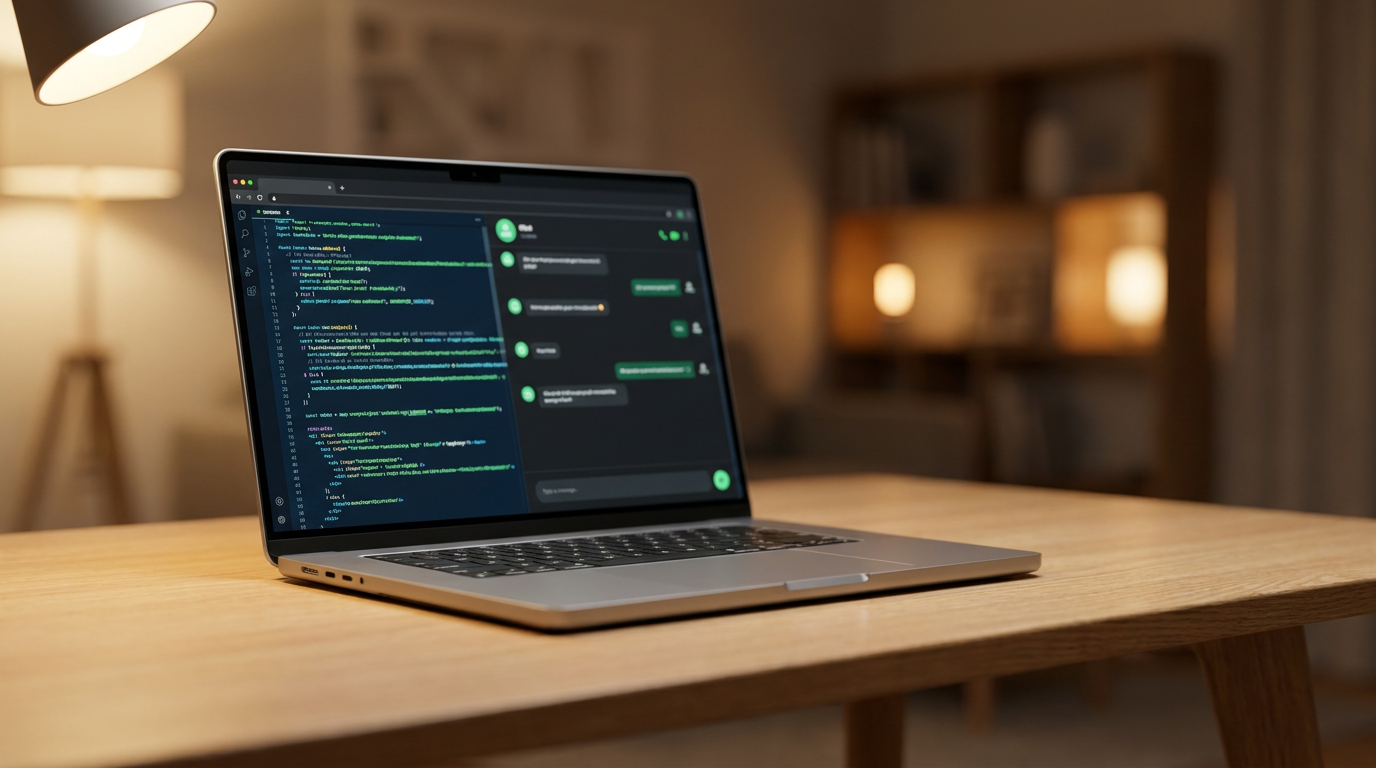
A quiet revolution is moving artificial intelligence out of the cloud and onto consumer laptops, offering users absolute privacy, zero subscription fees, and true offline capability.
By Factlen Editorial Team
- Open-Source Developers
- Values the flexibility, API access, and zero-cost experimentation of local models.
- Privacy & Security Advocates
- Prioritizes data sovereignty and regulatory compliance over raw model capability.
- Enterprise IT Managers
- Focuses on cost predictability, offline capability, and secure corporate deployment.
- Factlen Editorial
- Synthesizes the technical and practical implications of the local AI movement.
What's not represented
- · Cloud AI Providers
- · Hardware Manufacturers
Why this matters
Running AI locally shifts the balance of power from massive cloud providers back to the user. It allows professionals to use cutting-edge intelligence on sensitive documents without violating privacy laws, while saving hundreds of dollars a year in subscription fees.
Key points
- Local AI allows users to run Large Language Models directly on their own hardware, ensuring complete data privacy.
- Tools like Ollama and LM Studio have made downloading and running these models as easy as installing a standard desktop app.
- A process called quantization compresses massive AI models to fit within the 8GB to 16GB memory constraints of consumer laptops.
- Running AI locally eliminates monthly subscription fees and enables true offline functionality for remote work.
- While highly capable, local models still trail the complex reasoning abilities of massive, cloud-based frontier models like GPT-4.
The artificial intelligence boom of the last few years conditioned users to accept a fundamental, often uncomfortable trade-off: to access cutting-edge machine intelligence, you had to send your private data to a remote corporate server. Every creative prompt, sensitive financial document, and proprietary code snippet was packaged up and processed in the cloud, governed by opaque privacy policies and inherently vulnerable to network interception. For casual users asking for weekly dinner recipes or drafting generic emails, this exchange of data for convenience was entirely frictionless. But for professionals handling strictly confidential information, the cloud-first architecture presented an insurmountable security risk that kept them locked out of the AI revolution.[2]
In 2026, a quiet but massive revolution is taking place directly on consumer hardware. A rapidly growing cohort of privacy-conscious users and developers is downloading and running Large Language Models (LLMs) entirely on their own laptops and desktop workstations. This shift toward "local AI" fundamentally rewrites the rules of engagement with machine learning. It completely eliminates recurring monthly subscription fees, works flawlessly without an active internet connection, and guarantees absolute data privacy by ensuring that user prompts never leave the physical machine. By severing the cord to the cloud, users are reclaiming ownership over their digital workflows and their personal data.[1][2]
The mechanism driving this local migration relies on two major industry breakthroughs: highly efficient open-weight models and incredibly consumer-friendly runtime software. Previously, running a capable artificial intelligence required massive, specialized server farms equipped with hundreds of enterprise-grade graphics cards. Today, open-source models like Meta's Llama 3.1, Alibaba's Qwen 3, and DeepSeek R1 have been meticulously engineered to fit within the memory constraints of standard consumer computers. This rapid optimization has democratized access to enterprise-grade intelligence, allowing anyone with a modern laptop to run models that rival the capabilities of the best cloud services from just a year or two ago.[5]
This remarkable compression is achieved through a highly effective mathematical process called quantization. In simple terms, quantization reduces the precision of the model's internal neural weights—rounding off the long decimals that the AI uses to "think." This technique shrinks a massive 50-gigabyte model down to a highly manageable 8 or 10 gigabytes without significantly degrading its core reasoning capabilities or vocabulary. These compressed files, most commonly distributed in the highly optimized GGUF format, serve as the lightweight, portable engines powering the entire local AI movement across different operating systems.[5][7]

To execute these compressed files, users no longer need to be command-line experts, data scientists, or software engineers. Two dominant, highly accessible tools have emerged to manage the local AI stack: Ollama and LM Studio. Ollama operates much like Docker for language models; it runs quietly as a background service and allows developers to download, update, and execute various models with a single, simple terminal command. It seamlessly exposes a local API, allowing other applications on the computer to tap into the AI's processing power without any complex configuration.[1][7]
For users who prefer a graphical interface over a terminal window, LM Studio offers a polished desktop application that closely resembles a standard app store. Users can browse a vast, searchable library of open-source models, check their specific hardware compatibility in real-time, download them with one click, and immediately start interacting in a familiar, ChatGPT-style chat window. Both of these tools automatically detect the host system's hardware profile—allocating the exact right amount of memory—and optimize the model's execution to ensure smooth performance and prevent system crashes.[1][6]
The hardware requirements for running these models have also become surprisingly accessible to the general public over the last hardware generation. While a dedicated NVIDIA graphics card remains the absolute gold standard for blisteringly fast processing and complex workloads, it is no longer a strict prerequisite for entry into local AI. Modern unified memory architectures, which allow the central processor and graphics processor to share the same pool of high-speed memory, have completely leveled the playing field for standard, off-the-shelf laptops.[3][5]
The hardware requirements for running these models have also become surprisingly accessible to the general public over the last hardware generation.
A modern Apple Silicon Mac—such as an M1 Pro, M2, or newer—equipped with 16 gigabytes of unified memory can comfortably run highly capable 8-billion to 14-billion parameter models. On these machines, users typically see text generation speeds of 25 to 60 tokens per second, which matches or even exceeds the reading speed of a human and the output speed of free cloud AI tiers. Windows and Linux users generally achieve optimal performance using an NVIDIA GPU with at least 8 gigabytes of Video RAM, though newer integrated graphics are rapidly closing the gap.[5][7]

Beyond the impressive technical achievements, the primary driver for corporate and professional adoption is the absolute guarantee of data sovereignty. When a user queries a cloud-based AI, the prompt travels across the public internet, creating inherent vulnerabilities to data breaches, corporate surveillance, and third-party server compromises. Even if the cloud provider promises not to train on user data, the mere transmission of sensitive information violates many strict corporate compliance policies. Local AI physically eliminates these attack vectors by keeping the data entirely on the host machine.[2][4]
This "privacy by design" architecture is rapidly becoming essential for regulated industries that handle highly sensitive personal information. Healthcare professionals can use local models to summarize complex patient notes and medical histories without violating strict HIPAA regulations, while legal teams can analyze confidential case files and draft contracts without exposing sensitive client data to unauthorized third-party servers. Because the data remains entirely within the organization's physical control, IT departments can deploy generative AI tools without rewriting their entire security apparatus.[2][4]
Local AI also offers compelling, long-term economic advantages for heavy users, developers, and enterprise deployments. Cloud AI subscriptions typically cost between $20 and $100 per month per user, and API usage for custom applications can scale exponentially with volume, creating unpredictable monthly bills. Local models require only the initial hardware investment and the electricity to run them, providing unlimited, unmetered access to machine intelligence. For a small business deploying AI to dozens of employees, the return on investment for local hardware can be realized in a matter of months.[1][3]
This unmetered access is particularly valuable for a powerful, data-heavy technique known as Retrieval-Augmented Generation, or RAG. In a local RAG setup, users can point their AI at a secure folder containing thousands of personal PDFs, proprietary code files, or decades of financial records. The local model can instantly search, read, and synthesize answers from this massive private database without uploading a single byte to the internet. This allows users to build highly personalized, deeply knowledgeable AI assistants that understand their specific context and history.[3][8]

Furthermore, local AI unlocks true offline functionality for edge computing and remote work. Digital nomads, researchers stationed in remote locations, or employees operating on secure, air-gapped corporate networks can access advanced coding assistants and writing tools without needing a Wi-Fi connection. The intelligence is baked directly into the device, making it entirely resilient to network outages, server downtime, or travel. Tools like Claude Code and OpenHands can be configured to use these local models, providing AI-powered software development assistance anywhere in the world.[2][3]
However, the local AI ecosystem does come with necessary trade-offs that users must carefully consider. The largest, most capable "frontier" models—such as OpenAI's GPT-4 or Google's Gemini 1.5 Pro—are still proprietary and require massive, multi-million-dollar data centers to run effectively. Local models, while highly competent at coding, summarizing, and drafting standard documents, may occasionally struggle with the most complex, multi-step reasoning tasks or highly obscure trivia that the massive cloud giants handle effortlessly. Users pushing the boundaries of creative writing or complex mathematics will still find themselves occasionally reaching for a cloud-based API to double-check the local model's work.[6][8]
Managing local hardware also introduces new responsibilities and maintenance tasks for the end user. Running a large language model is a highly resource-intensive task that will cause a computer's cooling fans to spin up loudly and will drain a laptop's battery significantly faster than standard web browsing or video streaming. Users must also navigate the occasional software bug, dependency conflict, or compatibility issue as the open-source AI ecosystem rapidly evolves and new model formats are introduced to the community.[8]

Despite these minor friction points, the trajectory of the technology is overwhelmingly clear. As consumer hardware grows increasingly powerful and open-weight models become radically more efficient, the capability gap between cloud and local AI is steadily narrowing month by month. For a rapidly growing number of users, the profound peace of mind that comes with absolute privacy, zero recurring costs, and total control over their digital tools far outweighs the frictionless convenience of the cloud. The future of artificial intelligence is not just centralized in massive server farms; it is distributed, private, and running quietly on the desk right in front of you.[6][8]
How we got here
Early 2023
Meta leaks the original LLaMA model, sparking the open-source AI movement.
Late 2023
Tools like Ollama and LM Studio launch, making local AI accessible to non-developers.
Mid 2024
The GGUF format becomes the standard for compressing massive models onto consumer hardware.
2025-2026
Highly capable models like Llama 3.1 and DeepSeek R1 are released, rivaling proprietary cloud AI.
Viewpoints in depth
Privacy & Security Advocates
Focuses on data sovereignty and regulatory compliance.
For healthcare providers, legal teams, and privacy advocates, local AI is the only viable path forward. They argue that sending sensitive data to cloud providers—even those with strict privacy policies—creates unacceptable risks of breaches and surveillance. Their primary focus is ensuring that AI tools can be deployed without violating HIPAA, GDPR, or corporate confidentiality agreements.
Open-Source Developers
Focuses on rapid iteration, customization, and API integration.
The developer community values local AI for its flexibility and lack of rate limits. By running models through tools like Ollama, developers can seamlessly integrate AI into their coding environments, build custom applications, and experiment with new architectures without paying per-token API fees. They view local AI as a fundamental building block for the next generation of decentralized software.
Enterprise IT Managers
Focuses on cost predictability and secure corporate deployment.
For IT departments, the appeal of local AI lies in cost control and infrastructure security. Rather than managing hundreds of individual cloud subscriptions and worrying about employees leaking proprietary code, IT managers can deploy standardized, locally hosted models across the company's existing hardware. This approach provides predictable, one-time hardware costs and completely eliminates the risk of shadow IT data leaks.
What we don't know
- Whether future frontier models will become too large to ever be effectively quantized for consumer hardware.
- How Apple and Microsoft will integrate local open-source models directly into their operating systems long-term.
- The exact environmental impact of millions of users running power-intensive AI models on local machines versus centralized cloud servers.
Key terms
- LLM (Large Language Model)
- The core AI engine, trained on vast amounts of text, capable of understanding and generating human-like responses.
- Quantization
- A compression technique that reduces an AI model's file size and memory footprint without severely impacting its intelligence.
- GGUF
- A popular file format designed specifically for running compressed AI models efficiently on consumer hardware.
- VRAM (Video RAM)
- Dedicated memory on a graphics card, crucial for loading and running large AI models quickly.
- RAG (Retrieval-Augmented Generation)
- A technique that allows an AI to securely search and read your private documents before answering a question.
Frequently asked
Do I need an internet connection to use local AI?
No. Once you download the model and the runtime software, the AI operates entirely offline using your machine's hardware.
Is local AI as smart as ChatGPT?
Local models are highly capable for coding, writing, and summarizing, but they generally cannot match the complex reasoning of massive cloud models like GPT-4.
Will running AI locally damage my computer?
No, but it is a resource-intensive task. It will cause your computer's fans to spin up and drain a laptop's battery much faster than web browsing.
Is local AI truly private?
Yes. Because the processing happens entirely on your device's CPU or GPU, your prompts and data are never transmitted over the internet.
Sources
Source coverage
8 outlets
4 viewpoints surfaced








[1]YUV.AIOpen-Source Developers
Run AI Locally 2026: Ollama & LM Studio Guide
Read on YUV.AI →[2]Enclave AIPrivacy & Security Advocates
Why Local AI Matters: The Benefits of Offline Language Models
Read on Enclave AI →[3]PlugableEnterprise IT Managers
Why Local AI? The Case for Running Large Language Models at Home or in the Office
Read on Plugable →[4]The AI JournalPrivacy & Security Advocates
How To Use Local AI Models To Improve Data Privacy
Read on The AI Journal →[5]LocalLLM.inOpen-Source Developers
How to Run a Local LLM: A Comprehensive Guide for 2025
Read on LocalLLM.in →[6]MediumEnterprise IT Managers
LM Studio vs Ollama? Run AI models, locally and privately
Read on Medium →[7]Pasquale PillitteriOpen-Source Developers
What Is Ollama and How to Get Started: 2026 Local LLM Guide
Read on Pasquale Pillitteri →[8]Factlen Editorial TeamFactlen Editorial
Synthesis by Factlen editorial team
Read on Factlen Editorial Team →


Every angle. Every day.
Get guides stories with full source coverage and perspective breakdowns delivered to your inbox.