
The Rise of Local AI: How to Run Powerful LLMs on Your Own Machine
In 2026, running advanced AI models locally has shifted from a niche developer experiment to a mainstream productivity hack. Tools like Ollama and LM Studio now allow anyone to run powerful models offline, ensuring total data privacy and zero subscription fees.
By Factlen Editorial Team
- Privacy Advocates
- Value local AI because it ensures sensitive personal and corporate data never leaves the device.
- Open-Source Developers
- Focus on the flexibility, customization, and cost-savings of running open-weight models without API limits.
- Hardware Enthusiasts
- Emphasize the importance of GPU VRAM, Apple Silicon unified memory, and system optimization for running heavy models.
What's not represented
- · Cloud API Providers
- · Enterprise IT Security Teams
Why this matters
Relying on cloud AI means paying monthly fees and sending your private data, code, and documents to third-party servers. Local AI tools give you the same capabilities for free, completely offline, and with absolute privacy, shifting control of artificial intelligence back to the user.
Key points
- Local AI tools allow users to run advanced language models entirely offline on their own hardware.
- The primary benefits are absolute data privacy, zero subscription fees, and freedom from internet connectivity.
- Tools like Ollama and LM Studio have replaced complex coding setups with simple, user-friendly interfaces.
- Hardware constraints, specifically GPU VRAM or Apple Silicon unified memory, dictate the size of the model a user can run.
- Quantization techniques compress massive models to fit on consumer laptops without significantly degrading performance.
- Open-weight models like Llama 4 Scout and Qwen 3.5 now rival proprietary cloud models for many everyday tasks.
Just a few years ago, running a highly capable artificial intelligence model required massive server farms and expensive cloud subscriptions. In 2026, the landscape has fundamentally shifted. Advanced large language models have been optimized to run directly on consumer laptops and desktop computers. This transition from cloud-dependent APIs to local execution marks a turning point in how everyday users interact with artificial intelligence. Instead of relying on centralized tech giants to process every query, individuals can now host powerful assistants on their own hardware. The democratization of these tools has moved local AI from a niche weekend project for developers into a mainstream productivity hack used by researchers, writers, and engineers worldwide.[1][3]
The appeal of local AI rests on three core pillars: absolute data privacy, zero recurring costs, and offline functionality. When a user queries a cloud-based model, their prompts, documents, and code are transmitted to third-party servers. Local AI ensures that sensitive information never leaves the physical device. For developers handling proprietary corporate code, or professionals analyzing confidential legal and medical documents, this local-first approach completely eliminates the risk of data leaks and unauthorized training on user data.[1][2]
Furthermore, the financial model of artificial intelligence is changing for heavy users. Relying on cloud APIs often means facing steep monthly subscription fees or pay-per-token charges that scale rapidly with usage. Once a local AI environment is configured, inference is entirely free. Users can generate thousands of lines of code, summarize endless PDFs, and brainstorm ideas for hours without watching a meter tick upward. The only ongoing cost is the electricity required to power the computer.[2][4]
The engine driving this revolution is a new generation of highly efficient, open-weight models. Tech companies and open-source communities have released models that rival the performance of proprietary systems while requiring a fraction of the compute power. Meta's Llama 4 Scout, released in early 2026, utilizes a Mixture-of-Experts architecture. While it boasts 109 billion total parameters, it only activates 17 billion parameters per token. This selective activation allows it to run smoothly on consumer hardware while delivering the reasoning capabilities of a much larger system.[4][8]

Other standout models in the 2026 ecosystem include Alibaba's Qwen 3.5 and Google's Gemma 4. These models are natively multimodal, meaning they can process text, images, and even audio simultaneously without requiring separate specialized networks. DeepSeek's R1 and V3 models have also brought advanced chain-of-thought reasoning to the local ecosystem, enabling complex math and logic problem-solving that was previously the exclusive domain of massive, paywalled cloud models.[3][4]
Running these models locally is constrained primarily by one critical hardware metric: Video RAM. Unlike standard system RAM, Video RAM is the dedicated memory located on a graphics processing unit. An entire artificial intelligence model must be loaded into this specialized memory to function efficiently. If a model's size exceeds the available Video RAM, the system is forced to spill the data over into standard system memory, causing generation speeds to plummet to unusable levels.[5][7]
For most users diving into local AI, a graphics card with 12GB to 16GB of Video RAM is the recognized sweet spot in 2026. This capacity comfortably accommodates highly capable 7-billion to 14-billion parameter models, as well as efficient Mixture-of-Experts models. Hardware enthusiasts and researchers who invest in high-end 24GB graphics cards can run even larger, frontier-grade models, pushing the boundaries of what a single home workstation can achieve without cloud assistance.[4][5]
For most users diving into local AI, a graphics card with 12GB to 16GB of Video RAM is the recognized sweet spot in 2026.
Apple Silicon has inadvertently become a massive advantage for local AI enthusiasts. Unlike traditional PC architectures that strictly separate system RAM and GPU Video RAM, MacBooks equipped with M-series chips utilize a unified memory architecture. This design allows a MacBook with 32GB or 64GB of unified memory to allocate massive amounts of space directly to an AI model. As a result, Mac users can run massive models on a laptop that would otherwise require multiple expensive desktop graphics cards.[5][7]

However, Windows machines maintain a distinct advantage in raw generation speed and long-term upgradability. NVIDIA graphics cards leverage CUDA, a parallel computing platform that remains the deeply entrenched industry standard for AI acceleration. A Windows desktop equipped with a modern NVIDIA RTX graphics card will generally generate text significantly faster than a comparably priced Mac. Furthermore, Windows desktop users can easily swap in a more powerful graphics card as their workloads grow, whereas Mac hardware is permanently fixed at purchase.[5][8]
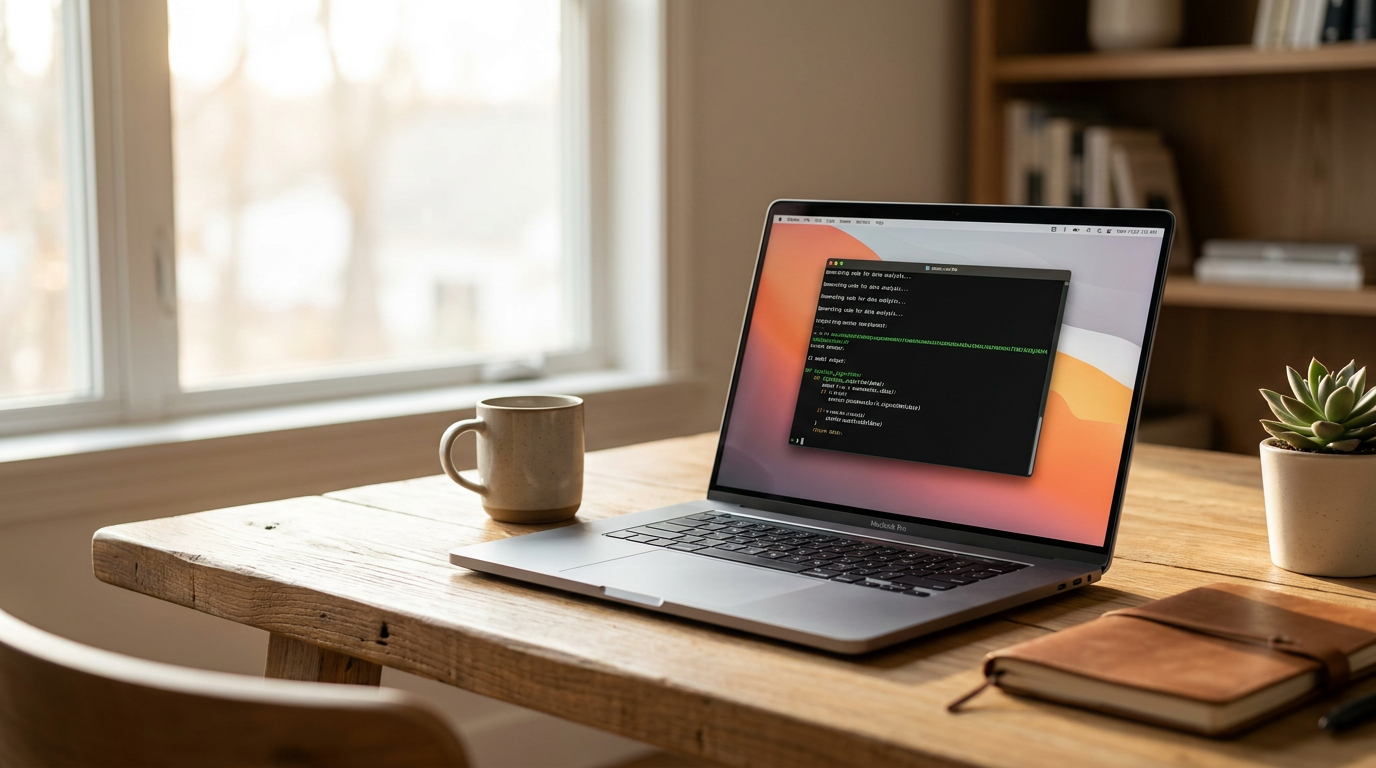
The software ecosystem has matured just as rapidly as the models themselves, removing the technical friction that once kept average users away. In the past, running a local model required navigating complex Python environments, managing dependencies, and compiling code from source. Today, tools like Ollama have reduced the entire setup process to a single terminal command. Users simply type a command, and the software automatically handles the downloading, hardware configuration, and execution in the background.[1][2]
For those who prefer a graphical interface over a command line, LM Studio has become the premier choice. It offers a polished, user-friendly dashboard that closely resembles popular cloud chatbots. Users can browse a built-in directory of models, download them with a single click, and adjust technical parameters through simple visual sliders. LM Studio also provides real-time metrics on memory usage and generation speed, helping users understand exactly how the AI is utilizing their hardware.[1][2]
A crucial underlying technology making all of this possible on consumer hardware is quantization. Quantization is essentially a sophisticated compression technique that reduces the mathematical precision of the model's internal weights—typically shrinking them from 16-bit floating-point numbers down to 4-bit integers. This process drastically reduces the model's file size and memory requirements while remarkably retaining the vast majority of its intelligence, vocabulary, and reasoning capabilities.[3][7]

The integration of local AI into daily professional workflows is expanding rapidly across industries. Software developers are increasingly pointing their code editors to local models instead of cloud APIs, creating private, offline alternatives to tools like GitHub Copilot. This localized approach allows for real-time code completion, bug detection, and refactoring without ever sending proprietary corporate code over the internet to a third-party server.[1][8]
Desktop automation represents another emerging frontier for local models. Because these models run directly on the host machine, they can interact with the operating system in ways that isolated cloud models cannot. On macOS, AI agents can leverage native accessibility APIs to read screen elements, click buttons, and automate repetitive tasks across different applications seamlessly, without relying on slow and error-prone screenshot analysis.[6]
Despite these massive leaps forward, running artificial intelligence locally is not without its physical trade-offs. Generating text with a large language model is a highly intensive computational task, akin to rendering high-resolution 4K video or playing a demanding video game. It consumes significant battery life on laptops, generates noticeable heat, and monopolizes system resources. Users must actively manage their background applications to ensure the AI has enough memory to function smoothly without freezing the system.[7]
Looking ahead, the industry trend is moving toward even smaller, highly optimized models. Small Language Models in the 1-billion to 3-billion parameter range are becoming increasingly sophisticated, capable of handling basic reasoning and formatting tasks with minimal hardware strain. As these compact models continue to improve, local AI will likely become a seamless, invisible layer of the operating system, empowering users with intelligent, private assistance that requires no internet connection and no monthly fee.[3][8]
How we got here
Early 2023
The release of LLaMA by Meta sparks the open-source AI movement, though running it requires complex technical setups.
Mid 2023
Tools like Llama.cpp emerge, allowing models to run on standard computer processors (CPUs) instead of requiring expensive server GPUs.
Late 2024
User-friendly applications like LM Studio and Ollama launch, bringing one-click local AI to mainstream users.
2025
Apple Silicon's unified memory architecture becomes widely recognized as a massive advantage for running large local models on laptops.
Early 2026
The release of highly optimized MoE models like Llama 4 Scout bridges the performance gap between local tools and premium cloud APIs.
Viewpoints in depth
Privacy and Security Advocates
Focus on the necessity of local models to protect sensitive personal and corporate data from third-party cloud providers.
This camp argues that sending proprietary code, financial documents, or personal health questions to cloud APIs is an unacceptable risk. They champion local AI as the only way to guarantee data sovereignty. By running models entirely offline, users eliminate the threat of data breaches, unauthorized training on user data, and sudden changes to a cloud provider's terms of service.
Open-Source Developers
Value the flexibility, customization, and cost-efficiency of running open-weight models without API restrictions.
For developers and researchers, local AI represents freedom from vendor lock-in. They emphasize the ability to fine-tune models for specific niche tasks, swap between different architectures instantly, and build complex agentic workflows without worrying about rate limits or spiraling API costs. This community actively contributes to tools like Ollama and Llama.cpp, driving the rapid optimization of consumer hardware inference.
Hardware and Performance Enthusiasts
Emphasize the technical challenges and hardware requirements necessary to achieve acceptable inference speeds.
This perspective focuses on the physical realities of running heavy computational workloads. They point out that while local AI is 'free' in terms of software subscriptions, it requires significant upfront investment in high-VRAM GPUs or unified-memory Apple Silicon. They are deeply invested in quantization techniques, memory bandwidth benchmarks, and system optimization, noting that a poorly configured local model can easily overwhelm a standard consumer laptop.
What we don't know
- Whether future operating systems will natively integrate these open-weight models or rely on proprietary vendor solutions.
- How quickly the hardware industry will adapt to make high-VRAM GPUs more affordable for everyday consumers.
Key terms
- Large Language Model (LLM)
- An artificial intelligence system trained on vast amounts of text to understand and generate human-like language.
- VRAM (Video RAM)
- Dedicated memory on a graphics card used to store the AI model's data for rapid processing.
- Quantization
- A compression technique that reduces an AI model's file size and memory requirements with minimal loss in intelligence.
- Open-Weight Model
- An AI model whose underlying architecture and parameters are publicly available for anyone to download and run.
- Mixture-of-Experts (MoE)
- An AI architecture that routes tasks to specific 'expert' sub-networks, allowing a large model to run efficiently by only activating a fraction of its parameters at a time.
Frequently asked
Do I need an internet connection to use local AI?
No. Once you have downloaded the model and the software (like Ollama or LM Studio), the AI runs entirely offline on your device's hardware.
What is the minimum hardware required to run a local LLM?
While small models can run on 8GB of RAM, a system with at least 16GB of RAM (or a GPU with 12GB+ of VRAM) is recommended for a smooth experience with highly capable models.
Are local AI models as smart as ChatGPT?
The largest cloud models still hold an edge in complex reasoning and creative writing. However, for everyday tasks like coding, summarizing documents, and answering questions, modern local models like Llama 4 Scout and Qwen 3.5 are highly competitive.
Is local AI completely free?
Yes. The software tools and open-weight models are free to download and use. Your only cost is the electricity required to run your computer's hardware.
Sources
Source coverage
8 outlets
3 viewpoints surfaced








[1]DualitePrivacy Advocates
Best Local LLM Tools (2026): Top 5 Picks to Run AI Models Locally
Read on Dualite →[2]PinggyPrivacy Advocates
Top 5 Local LLM Tools and Models in 2026
Read on Pinggy →[3]BentoMLOpen-Source Developers
The Best Open-Source Small Language Models (SLMs) in 2026
Read on BentoML →[4]Till FreitagOpen-Source Developers
Open-Source LLMs Compared 2026 – 25+ Models You Should Know
Read on Till Freitag →[5]RefurboHardware Enthusiasts
Windows vs Mac for AI in 2026: Which OS Fits Best?
Read on Refurbo →[6]FazmOpen-Source Developers
Mac vs Windows for AI Desktop Automation: Which Platform Is Better? (2026)
Read on Fazm →[7]CleanMyMacHardware Enthusiasts
Pros & cons of running AI tools locally on Mac
Read on CleanMyMac →[8]Factlen Editorial TeamHardware Enthusiasts
Synthesis by Factlen editorial team
Read on Factlen Editorial Team →

Every angle. Every day.
Get ai stories with full source coverage and perspective breakdowns delivered to your inbox.