
How to Run AI Models Locally: The 2026 Guide to Open-Source LLMs
Running powerful AI models on personal hardware has shifted from a complex developer experiment to a 10-minute setup. Here is how to deploy local, private, and free language models on your own machine in 2026.
By Factlen Editorial Team
- Open-Source Developers
- Value API compatibility, open weights, and the ability to build custom agentic workflows.
- Privacy Advocates
- Prioritize data sovereignty and keeping sensitive information off corporate cloud servers.
- Everyday Users
- Seek easy-to-use graphical interfaces and ways to avoid monthly AI subscription fees.
What's not represented
- · Cloud AI Providers
- · Hardware Manufacturers
Why this matters
As AI becomes integrated into daily workflows, relying solely on cloud providers introduces privacy risks and recurring costs. Running models locally gives you absolute control over your data, zero subscription fees, and the ability to use powerful AI tools completely offline.
Key points
- Local LLMs now run efficiently on standard consumer laptops and desktops.
- Tools like LM Studio and Ollama have reduced setup time to under 10 minutes.
- Running models locally ensures absolute data privacy and zero API costs.
- 8GB of RAM is sufficient for small models, while 16GB unlocks highly capable 8B-14B models.
- Local APIs allow developers to build complex AI workflows entirely offline.
A few years ago, running a large language model (LLM) on a personal computer was a frustrating science experiment that required complex Python environments, expensive graphics cards, and immense patience. By mid-2026, that reality has entirely vanished. Today, running a highly capable AI assistant locally on a standard laptop is as simple as downloading a desktop application. The hardware has caught up, the models have shrunk, and the tooling has matured to the point where local AI is no longer just a novelty—it is a practical daily driver for developers, researchers, and privacy-conscious users.[1][8]
The motivations for moving AI workloads off the cloud and onto local silicon are compelling. The primary driver is absolute data privacy. When an LLM runs locally, prompts, proprietary code, and sensitive documents never leave the machine, eliminating the risk of third-party data harvesting or accidental leaks. Furthermore, heavy AI users are increasingly motivated by cost. While cloud-based APIs charge per token and consumer subscriptions carry monthly fees, local inference is entirely free after the initial hardware investment. Add in the ability to work completely offline—on airplanes, in secure facilities, or during outages—and the appeal of local AI becomes clear.[1][5]
The technological breakthrough enabling this shift is a combination of optimized file formats and highly efficient inference engines. At the core of the local AI movement is llama.cpp, an open-source C++ port of the Llama architecture that allows models to run efficiently on standard consumer hardware, including Apple Silicon and standard CPUs, rather than requiring massive data-center GPUs. This engine relies heavily on a process called quantization, which compresses the massive neural network weights—often shrinking a model's memory footprint by 50% to 70%—with only a negligible drop in actual reasoning quality. These compressed models are packaged in the GGUF file format, which has become the universal standard for local deployment.[6][8]

For users who want a frictionless, visual experience, LM Studio has emerged as the premier choice in 2026. Designed to look and feel like a standard desktop application, LM Studio offers a polished graphical user interface available on Windows, Mac, and Linux. Users can search for models directly within the app, download them with a single click, and start chatting immediately in a familiar interface. It completely abstracts away the command line, making it the ideal entry point for non-technical users who simply want a private alternative to ChatGPT.[5][8]
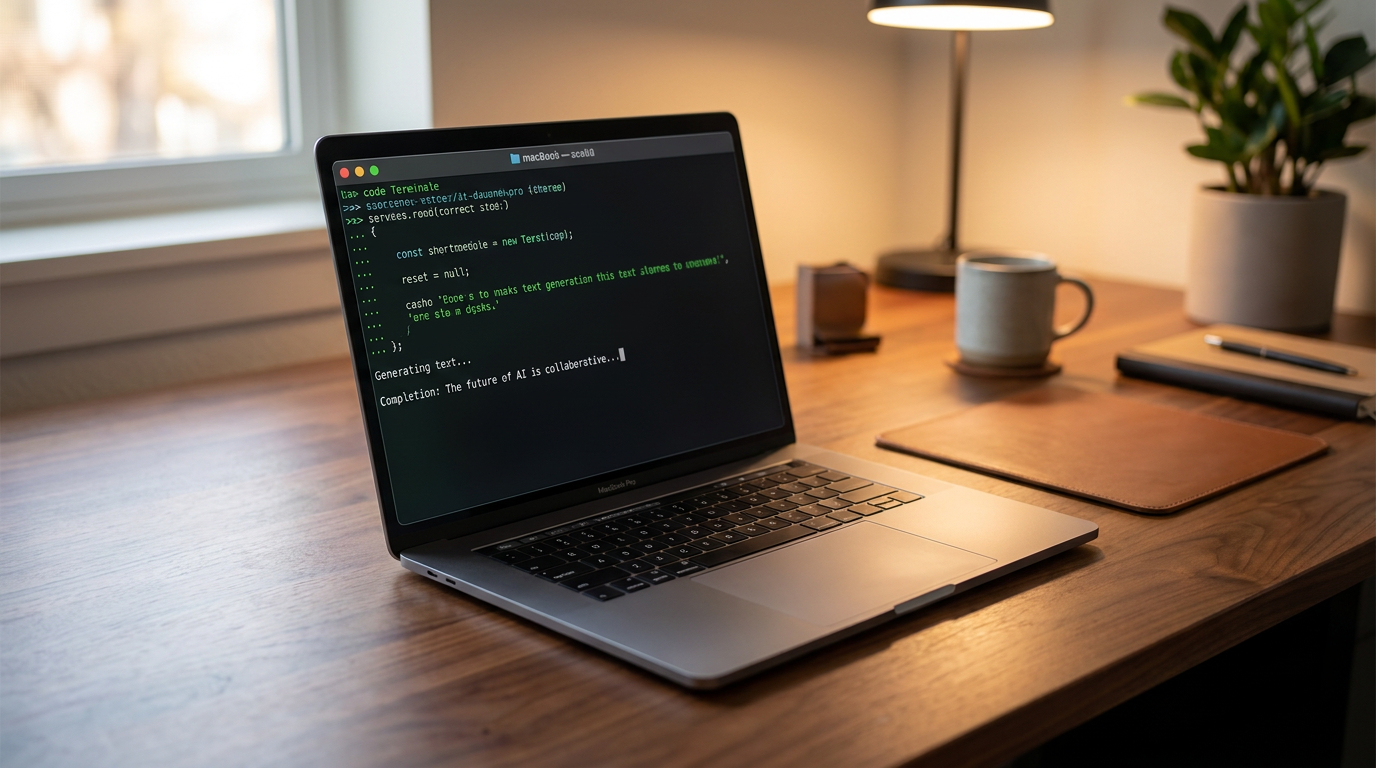
Conversely, developers and power users have overwhelmingly standardized on Ollama. Functioning much like Docker for language models, Ollama is a lightweight command-line tool that handles the complexities of model weights and configuration behind the scenes. With a single terminal command, the software automatically downloads the model, allocates the necessary memory, and launches an interactive chat session. Ollama's true power, however, lies in its background service, which silently manages models and serves them to other applications on the host machine.[1][4]
One of the most significant features of both Ollama and LM Studio is their built-in API compatibility. Both tools can expose a local server that perfectly mimics the OpenAI API structure. This means that any application, script, or framework built to talk to cloud-based AI can be instantly redirected to a local model simply by changing the base URL to localhost. Developers are using this capability to build complex, multi-agent workflows, integrate AI into their local code editors, and process massive datasets without incurring thousands of dollars in API fees.[3][6]
One of the most significant features of both Ollama and LM Studio is their built-in API compatibility.
Hardware requirements have also stratified into clear tiers, making local AI accessible across a wide range of budgets. At the entry level, a machine with just 8GB of RAM is now sufficient to run highly capable small models. Microsoft's Phi-4 Mini and Meta's Llama 3.2 3B are specifically designed for these constrained environments, running smoothly on older laptops or even Raspberry Pi clusters while still delivering coherent text generation and basic coding assistance.[5][7]

The sweet spot for local AI in 2026, however, requires 16GB of unified memory (such as an Apple M-series chip) or a dedicated GPU with at least 8GB of VRAM. This hardware tier unlocks the 7-to-14 billion parameter class of models, which currently dominate the open-source landscape. Models like Meta's Llama 3.3 8B, Alibaba's Qwen 3 14B, and Google's Gemma 4 12B can generate text at 25 to 60 tokens per second on this hardware—speeds that match or exceed the free tiers of commercial cloud chatbots.[2][4]
For enterprise-grade performance and models exceeding 70 billion parameters, the hardware demands scale up significantly. Running heavyweights like Llama 3.3 70B or DeepSeek's advanced reasoning models requires a workstation with 32GB to 64GB of RAM, or multiple high-end consumer GPUs like the NVIDIA RTX 4090. While this represents a substantial upfront investment of several thousand dollars, it provides organizations with capabilities approaching GPT-4 class intelligence, entirely in-house and free from recurring subscription costs.[4][7]
The ecosystem of open-weight models has expanded dramatically, offering specialized tools for different tasks. While Llama 3.3 remains the default recommendation for general instruction following, developers are increasingly turning to specialized models. Mistral's Codestral and Qwen's coder variants have become the standard for local programming assistants, outperforming larger generalist models on syntax and logic tasks. Meanwhile, models equipped with thinking modes are bringing advanced, step-by-step reasoning to local machines, allowing them to tackle complex math and logic puzzles.[2][3]

Despite these massive leaps, local AI still comes with inherent trade-offs. The most significant limitation is the quality ceiling. As of mid-2026, even the most optimized 70-billion-parameter local model running on a high-end workstation cannot fully match the nuanced reasoning, vast knowledge retrieval, and multimodal capabilities of frontier cloud models like GPT-5.1 or Claude Opus 4.8. For the absolute hardest cognitive tasks, the massive compute clusters of major tech companies still hold a distinct advantage.[8]
Furthermore, running LLMs locally is highly resource-intensive. On laptops, continuous inference will drain the battery rapidly and generate significant heat, as the processor and memory bandwidth are pushed to their absolute limits. Users must also manage their own storage carefully, as downloading multiple high-parameter models can quickly consume hundreds of gigabytes of solid-state drive space.[4][8]
Ultimately, the local AI ecosystem in 2026 represents a profound democratization of technology. The barrier to entry has collapsed from requiring a PhD and a server rack to simply downloading an app and clicking a button. Whether used by a developer building private automation pipelines, a lawyer summarizing confidential case files, or a hobbyist exploring the frontiers of machine learning, local LLMs have proven that powerful artificial intelligence does not have to live exclusively in the cloud.[1][8]
How we got here
2023
llama.cpp is released, proving large language models can run efficiently on consumer CPUs.
2024
Ollama and LM Studio launch, drastically simplifying the installation process for local models.
2025
Open-weight models like Llama 3 and Qwen 2 reach GPT-4 parity, making local inference highly practical.
Mid-2026
Highly optimized 3B to 14B parameter models become the standard for daily local use on 16GB machines.
Viewpoints in depth
Privacy Advocates
Focus on data sovereignty and keeping sensitive information off corporate servers.
For professionals handling sensitive data—such as lawyers, doctors, and financial analysts—uploading documents to a cloud-based AI provider is often a non-starter due to strict compliance regulations like HIPAA or GDPR. Local LLMs solve this by ensuring that prompts and files never leave the physical machine. This air-gapped approach allows organizations to leverage advanced AI summarization and analysis without exposing proprietary data to third-party servers or risking it being used to train future commercial models.
Open-Source Developers
Value API compatibility, open weights, and the ability to build custom agentic workflows.
The developer community views local LLMs not just as chatbots, but as foundational infrastructure. By utilizing tools like Ollama that expose OpenAI-compatible REST APIs, developers can seamlessly integrate local models into complex software pipelines. This enables the creation of agentic workflows—where AI systems autonomously use tools, search databases, and write code—without incurring massive API costs during the experimental phase. The open-weight nature of these models also allows for fine-tuning, giving developers the freedom to customize the AI's behavior for highly specific niche tasks.
Everyday Users
Seek easy-to-use graphical interfaces and ways to avoid monthly AI subscription fees.
For the general consumer, the appeal of local AI lies in cost savings and accessibility. With commercial AI subscriptions often costing $20 or more per month, heavy users are looking for alternatives. Tools like LM Studio have democratized access by providing polished, one-click interfaces that require zero coding knowledge. Everyday users can now run capable assistants for writing, brainstorming, and learning directly on their existing laptops, enjoying an unrestricted, offline-capable AI experience without recurring financial commitments.
What we don't know
- How quickly consumer hardware will scale to comfortably run 100B+ parameter models natively.
- Whether future open-weight models will match the reasoning capabilities of frontier cloud models like GPT-5.1.
Key terms
- LLM
- Large Language Model, the core AI technology that powers chatbots and text generators.
- Quantization
- A technique that compresses an AI model's file size and memory requirements with minimal loss in reasoning quality.
- GGUF
- The standard file format for local AI models, optimized for fast loading and efficient CPU/GPU execution.
- Inference
- The active process of an AI model generating text or predictions based on a user's prompt.
- VRAM
- Video RAM, the dedicated memory on a graphics card used to load and run AI models quickly.
Frequently asked
Do I need an internet connection to use a local LLM?
No. Once the model file and the software tools are downloaded, the AI runs entirely offline on your machine's hardware.
Is it free to run local AI models?
Yes. Both the software tools (like Ollama and LM Studio) and the open-weight models are free to download and use, with no per-message or subscription fees.
Can a local model see my personal files?
Only if you explicitly provide them. Local models run in isolated environments and do not scan your hard drive unless you use a specific tool to connect them to your files.
Will running an LLM damage my computer?
No, but it is computationally intensive. It will cause your fans to spin up, generate heat, and drain laptop batteries quickly during active generation.
Sources
Source coverage
8 outlets
3 viewpoints surfaced








[1]DEV CommunityOpen-Source Developers
Top 5 Local LLM Tools and Models in 2026
Read on DEV Community →[2]PinggyEveryday Users
Top 5 Local LLM Tools and Models in 2026
Read on Pinggy →[3]DualiteOpen-Source Developers
Best Local LLM Tools (2026): Top 5 Picks to Run AI Models Locally
Read on Dualite →[4]Pasquale PillitteriEveryday Users
What Is Ollama and How to Get Started: 2026 Local LLM Guide
Read on Pasquale Pillitteri →[5]PromptQuorumPrivacy Advocates
Easiest Local AI App for Windows, Mac, and Linux (2026)
Read on PromptQuorum →[6]Ethan CooperOpen-Source Developers
What Is llama.cpp? How to Run Local LLMs on a Laptop or Raspberry Pi
Read on Ethan Cooper →[7]LocalLLM.inEveryday Users
How to Run a Local LLM: A Comprehensive Guide for 2025
Read on LocalLLM.in →[8]Factlen Editorial TeamPrivacy Advocates
Synthesis by Factlen editorial team
Read on Factlen Editorial Team →

Every angle. Every day.
Get guides stories with full source coverage and perspective breakdowns delivered to your inbox.