
How to Run AI Locally on Your Own Computer (and Why You Should)
Running powerful AI models entirely offline on consumer laptops has shifted from a hobbyist experiment to a practical, privacy-first alternative to cloud subscriptions.
By Factlen Editorial Team
- Privacy & Security Advocates
- Argue that local execution is the only way to guarantee data sovereignty for proprietary code and regulated data.
- Open-Source Developers
- Value the flexibility, API compatibility, and zero-cost experimentation that local models provide.
- Consumer Accessibility Advocates
- Focus on democratizing AI by making it run smoothly on everyday laptops through GUIs and quantization.
What's not represented
- · Cloud Infrastructure Providers
- · Proprietary AI Labs
Why this matters
By running AI models directly on your own hardware, you eliminate monthly subscription fees, guarantee absolute data privacy for sensitive documents, and gain the ability to use powerful AI tools entirely offline.
Key points
- Running AI locally eliminates monthly subscription fees and API costs.
- Local execution guarantees absolute privacy, as data never leaves your device.
- Quantization allows powerful models to run on standard laptops with just 8GB of RAM.
- Tools like Ollama and LM Studio have made installation as simple as downloading an app.
- Local models can operate entirely offline, requiring no internet connection.
- Frontier cloud models still maintain a slight edge in highly complex reasoning tasks.
The era of paying $20 a month for cloud-based artificial intelligence subscriptions is facing a quiet, open-source revolution. For years, interacting with a highly capable large language model meant sending prompts to servers owned by OpenAI, Google, or Anthropic. But in 2026, the landscape has fundamentally shifted. A mature ecosystem of open-weight models and streamlined software has made it entirely feasible to run frontier-grade AI directly on a standard consumer laptop. This shift from cloud dependency to local execution is democratizing access to machine intelligence, turning what was once a complex hobbyist endeavor into a practical, everyday utility.[6]
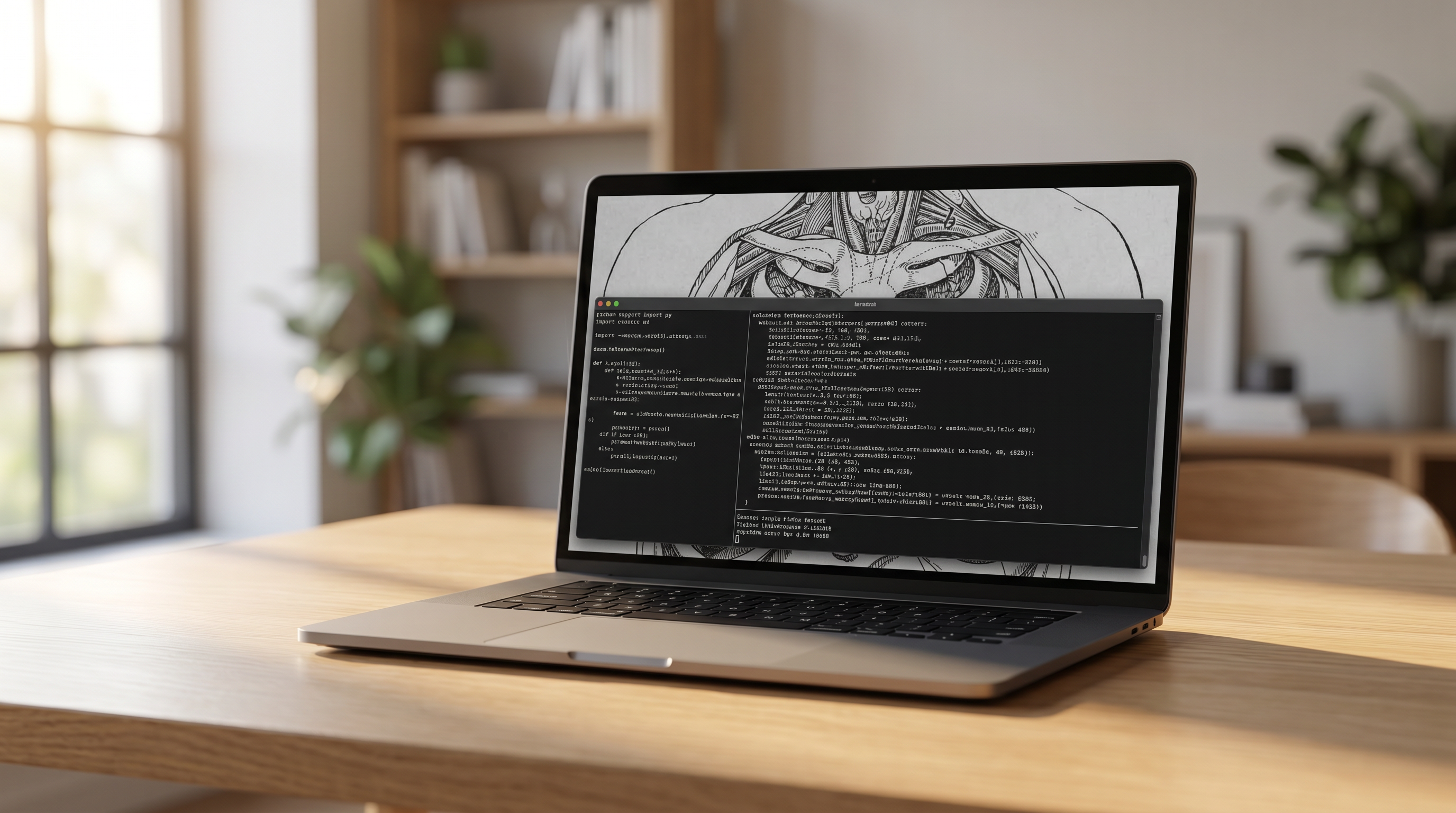
Running an AI model locally means that the neural network's weights—the massive matrices of numbers that dictate its behavior—are downloaded and stored on your own hard drive. When you type a prompt, the computational heavy lifting, known as inference, happens entirely on your machine's processor or graphics card. There are no API calls, no network latency, and no subscription paywalls. Once the model file is downloaded, the system functions completely offline, allowing users to generate code, summarize documents, or brainstorm ideas while sitting on an airplane or working in a remote location.[1][5]
The primary catalyst for this migration is the staggering improvement in open-weight models. Tech giants and independent research labs have released models that rival the capabilities of proprietary systems from just a year ago. Meta's Llama 3 family, Google's Gemma series, and Mistral's edge-optimized models have proven that you do not need a trillion-parameter behemoth to achieve excellent results. For daily tasks like drafting emails, refactoring Python code, or extracting data from messy text, these local models easily match the performance of popular cloud tiers, operating with remarkable coherence and speed.[3][6][7]
Beyond capability, the most urgent driver for local AI adoption is data privacy. When a user pastes a proprietary codebase, a patient's medical history, or a sensitive legal contract into a cloud-based chatbot, that data is transmitted to external servers. Corporate policies and regulatory frameworks often strictly prohibit this kind of data exposure. By running the model locally, the data physically never leaves the device. This provides an airtight compliance position for regulated industries and peace of mind for individual users who want to keep their personal journals or financial queries strictly confidential.[5][6]

The financial calculus has also changed. Heavy users of cloud APIs can easily rack up hundreds of dollars a month in token-generation fees. Local inference flips this model on its head: after the initial purchase of the hardware, the marginal cost of generating a token drops to exactly zero. Developers can build complex, multi-step agentic workflows that loop continuously without worrying about hitting a rate limit or draining a prepaid API budget. This zero-cost experimentation encourages developers to push the boundaries of what AI can do, integrating it into background tasks that would be prohibitively expensive in the cloud.[1][6]
Historically, the barrier to entry for local AI was hardware. Loading a 70-billion parameter model in its raw, uncompressed state requires massive amounts of Video RAM (VRAM), typically necessitating enterprise-grade server racks. However, the open-source community solved this through a mathematical compression technique known as quantization. Quantization reduces the precision of the model's numbers—shrinking them from 16-bit floating-point values down to 4-bit integers. This process drastically reduces the model's memory footprint by up to 75 percent, with only a negligible drop in the quality of its output.[4][6]
Because of quantization, the hardware requirements for local AI are now surprisingly accessible. A standard laptop with just 8 gigabytes of system RAM is perfectly capable of running smaller, highly efficient models like Meta's Llama 3.2 3B or Microsoft's Phi-4. These models load quickly, respond instantly, and are ideal for straightforward text generation and basic coding queries. For users with 16 gigabytes of RAM, the "sweet spot" opens up, allowing them to run 12- to 14-billion parameter models like Mistral Small or Qwen 2.5, which offer significantly deeper reasoning and better instruction-following.[3][7]
Because of quantization, the hardware requirements for local AI are now surprisingly accessible.
At the high end of consumer hardware, the performance becomes truly formidable. Desktop computers with 24 gigabytes of dedicated VRAM, or Apple Silicon Macs with unified memory architectures, can comfortably run massive 70-billion parameter models. Apple's M-series chips, in particular, have become highly sought after for local AI because their unified memory allows the GPU to access up to 128 gigabytes of system RAM directly, bypassing the traditional bottlenecks of PC architecture. On these machines, local models can generate text at 30 to 80 tokens per second, reading faster than the human eye can track.[6][8]

The software required to run these models has undergone a similar revolution in usability. Just a few years ago, running a local model required compiling C++ code, managing Python virtual environments, and troubleshooting obscure dependency errors. Today, tools like Ollama have reduced the entire process to a single command-line instruction. By typing a simple command like `ollama run llama3`, the software automatically downloads the correct model file, optimizes it for the host machine's specific hardware, and launches an interactive chat session in the terminal.[1][3]
For users who prefer a graphical interface over a command line, applications like LM Studio provide a polished, desktop-native experience. LM Studio offers a built-in model browser that connects directly to repositories like Hugging Face, allowing users to search for models, check their RAM compatibility, and download them with a single click. The application provides a familiar, ChatGPT-style chat window, complete with sliders to adjust inference parameters like "temperature" (which controls the model's creativity) and context length.[2][4]
Privacy-first desktop applications have also carved out a significant niche. Jan AI, for example, is designed specifically for users who want verifiable, airtight privacy. It operates entirely offline, requires no user account, and stores all conversation history locally on the hard drive. These tools are built with open-source code that can be independently audited, ensuring that no hidden telemetry or background data harvesting is taking place, making them the preferred choice for journalists, lawyers, and security researchers.[5][6]
One of the most powerful features of modern local AI tools is their ability to act as drop-in replacements for cloud services. Both Ollama and LM Studio can spin up a local server that perfectly mimics the OpenAI API structure. This means that any third-party application, browser extension, or coding assistant built to communicate with ChatGPT can be redirected to talk to the local model instead. Developers simply change the API URL to `localhost`, and their existing software ecosystem instantly becomes private and free to use.[1][2][6]

Despite these massive leaps forward, local AI does come with inherent limitations and uncertainties. Frontier cloud models—the massive, proprietary systems that cost billions of dollars to train—still maintain a measurable lead in highly complex reasoning, advanced mathematics, and multimodal tasks like analyzing complex video streams. The open-weight ecosystem generally trails the bleeding edge of cloud AI by roughly three to six months. For users trying to solve novel, highly complex logic problems, the cloud remains the ultimate authority.[6]
Furthermore, running heavy computational workloads locally has physical consequences. Pushing a laptop's processor and GPU to their maximum limits to generate text will drain the battery significantly faster than browsing the web, and the cooling fans will spin up to dissipate the heat. While the software is free, the electricity and the wear on the hardware are not. Users must balance the desire for privacy and independence with the practical realities of their device's thermal and power constraints.[6]
Looking ahead, the hardware industry is rapidly adapting to this new paradigm. Chipmakers are increasingly integrating Neural Processing Units (NPUs) directly into consumer processors. These dedicated AI accelerators are designed to handle the specific matrix math required by language models with incredible energy efficiency, offloading the work from the main CPU and GPU. As these NPUs become standard in everyday laptops and smartphones, running a local AI will soon require no more battery power than playing a high-definition video.[6][8]

Ultimately, the rise of local LLMs represents a fundamental shift in how we interact with artificial intelligence. It moves AI from being a rented service controlled by a handful of massive corporations to a piece of owned infrastructure that lives on your desk. By lowering the barriers to entry, simplifying the software, and optimizing the models for consumer hardware, the open-source community has ensured that the future of machine intelligence can be private, accessible, and entirely under the user's control.[6]
How we got here
Early 2023
The original LLaMA model leaks online, sparking the open-source local AI movement.
Late 2023
The llama.cpp project and GGUF formats standardize how models run efficiently on consumer CPUs.
2024
Tools like Ollama and LM Studio launch, removing the need for complex command-line setups.
Mid 2025
Open-weight models like Llama 3.3 and DeepSeek begin matching GPT-4 class performance.
2026
Massive context windows and agentic workflows become standard capabilities on consumer laptops.
Viewpoints in depth
Privacy & Security Advocates
Argue that local execution is the only way to guarantee data sovereignty for proprietary code and regulated data.
For professionals handling sensitive information, the cloud is fundamentally a liability. Privacy advocates point to high-profile incidents where proprietary source code or confidential patient data was inadvertently absorbed into the training sets of commercial AI providers. They argue that corporate promises of 'zero retention' are insufficient for true compliance with frameworks like HIPAA or GDPR. By running models locally via tools like Jan AI, the data physically never leaves the device, providing an airtight, mathematically verifiable guarantee of privacy that no cloud provider can match.
Open-Source Developers
Value the flexibility, API compatibility, and zero-cost experimentation that local models provide.
The developer community views local AI as a sandbox for unlimited innovation. When API calls cost money, developers are naturally hesitant to build applications that require thousands of continuous prompts, such as autonomous coding agents or massive document processors. Local inference drops the marginal cost of experimentation to zero. Furthermore, because tools like Ollama expose standard, OpenAI-compatible API endpoints, developers can seamlessly swap out expensive cloud models for free local ones in their existing codebases, retaining full control over the infrastructure.
Consumer Accessibility Advocates
Focus on democratizing AI by making it run smoothly on everyday laptops through GUIs and quantization.
This camp celebrates the fact that AI is no longer restricted to users with $3,000 graphics cards. Through the magic of quantization—which shrinks massive neural networks into manageable file sizes—and user-friendly graphical interfaces like LM Studio, the barrier to entry has been obliterated. Accessibility advocates emphasize that a student with a standard 8GB laptop can now run a highly capable 3-billion parameter model offline, ensuring that the benefits of artificial intelligence are distributed globally rather than hoarded by those who can afford premium cloud subscriptions.
What we don't know
- Whether open-weight models will ever fully close the 3-to-6 month capability gap with frontier cloud models.
- How quickly dedicated Neural Processing Units (NPUs) will replace GPUs as the standard hardware for local inference.
- Whether future regulatory frameworks will attempt to restrict the distribution of highly capable open-weight models.
Key terms
- Local Inference
- Running an AI model's calculations entirely on your own computer's processor, rather than sending data to a cloud server.
- Quantization
- A compression technique that reduces the precision of a model's numbers, drastically shrinking its memory requirements so it can fit on consumer hardware.
- GGUF
- A file format optimized for running large language models efficiently on consumer hardware, particularly CPUs and Apple Silicon.
- Open-Weight Model
- An AI model whose underlying neural network parameters are publicly available to download and run, though the training data may remain private.
- VRAM
- Video RAM. The dedicated memory on a graphics card, which is crucial for loading large AI models quickly.
Frequently asked
Do I need an expensive graphics card to run AI locally?
No. While a dedicated GPU speeds up text generation, modern tools use your computer's standard RAM and CPU to run smaller models smoothly.
Is a local AI as smart as ChatGPT?
It depends on the model and your hardware. Cloud models still lead in complex reasoning, but top local models easily match the performance of standard cloud tiers for daily tasks.
Can local AI see my private files?
Only if you explicitly feed them into the model. The software runs entirely offline, meaning no data is ever transmitted to external servers.
How much storage space does a model take?
A quantized 3-billion parameter model takes about 2.5 GB of disk space, while a highly capable 14-billion parameter model requires around 9 GB.
Sources
Source coverage
8 outlets
3 viewpoints surfaced








[1]OllamaOpen-Source Developers
Ollama: Get up and running with large language models locally
Read on Ollama →[2]LM StudioConsumer Accessibility Advocates
LM Studio: Discover, download, and run local LLMs
Read on LM Studio →[3]Meta AIOpen-Source Developers
Llama 3: Open foundational and fine-tuned models
Read on Meta AI →[4]Hugging FaceOpen-Source Developers
GGUF and Quantization Explained
Read on Hugging Face →[5]Jan AIPrivacy & Security Advocates
Jan: Open source ChatGPT alternative that runs 100% offline
Read on Jan AI →[6]Factlen Editorial TeamPrivacy & Security Advocates
Synthesis by Factlen editorial team
Read on Factlen Editorial Team →[7]Mistral AIConsumer Accessibility Advocates
Mistral Small: Optimized for edge devices
Read on Mistral AI →[8]Apple Machine Learning ResearchConsumer Accessibility Advocates
MLX: An array framework for Apple silicon
Read on Apple Machine Learning Research →

More in ai
See all 53 stories →Agentic AI
The Rise of Agentic Workflows: How Autonomous AI is Automating Everyday Knowledge Work
8 sources

Drug Discovery
New AI Model Accelerates Molecular Simulations 10,000 Times, Promising to Slash Drug Discovery Timelines
7 sources

Local AI
The Rise of Local AI: How Small Language Models Are Moving Offline
7 sources
EU AI Act
EU Reaches Agreement to Delay High-Risk AI Act Deadlines to 2027
8 sources

Every angle. Every day.
Get ai stories with full source coverage and perspective breakdowns delivered to your inbox.