
How to Run a Local AI on Your Own Hardware: The 2026 Guide
Running large language models locally offers complete privacy, zero subscription costs, and offline access. Here is how to turn your personal computer into a private AI server using tools like Ollama and LM Studio.
By Factlen Editorial Team
- Open-Source Developers
- Value the freedom to modify, fine-tune, and build upon unrestricted models.
- Privacy Advocates
- Focus on the elimination of corporate surveillance and data harvesting.
- Enterprise IT
- Prioritize security compliance, intellectual property protection, and cost control.
What's not represented
- · Cloud AI Providers
- · Hardware Manufacturers
Why this matters
By running AI models directly on your device, you eliminate monthly subscription fees and ensure your sensitive data never leaves your computer. This setup grants you complete digital privacy and offline access to state-of-the-art reasoning tools.
Key points
- Local AI allows users to run Large Language Models directly on their personal computers instead of cloud servers.
- The primary benefits include absolute data privacy, zero ongoing subscription costs, and the ability to work offline.
- Software tools like Ollama and LM Studio have made installation and model management accessible to non-technical users.
- Hardware memory (RAM and VRAM) remains the main bottleneck, though quantization techniques help compress massive models.
- Open-weight models from Meta, Google, and DeepSeek now rival the capabilities of proprietary cloud-based systems.
For years, the standard way to interact with artificial intelligence meant paying a monthly subscription fee and sending your private data to a remote server. Cloud-based services like ChatGPT and Claude normalized the idea that AI lives somewhere else, processing your prompts in massive data centers. But in 2026, a quiet revolution is taking place on personal computers. Advances in model efficiency and consumer hardware have made it entirely possible to run powerful Large Language Models (LLMs) directly on your own laptop or desktop. This shift from cloud dependency to local execution is fundamentally changing how developers, businesses, and privacy-conscious individuals interact with artificial intelligence.[1][5]
Running an AI locally means downloading the actual neural network weights—the "brain" of the model—directly to your hard drive. Instead of your computer acting as a thin client that simply sends text over the internet and waits for a response, your machine's own processor and memory handle the complex mathematics required to generate text. This decentralized approach mirrors the early days of personal computing, shifting power away from centralized mainframes and putting it directly into the hands of the user. The software ecosystem has matured rapidly, replacing complex Python scripts with user-friendly applications that make installation as simple as downloading a web browser.[2][3]
The most immediate and profound benefit of local AI is absolute data privacy. When you use a cloud-based LLM, your prompts, documents, and proprietary code are transmitted over the internet and processed on corporate servers. For enterprises handling sensitive customer data, lawyers reviewing confidential contracts, or individuals journaling personal thoughts, this represents a significant security vulnerability. Local AI eliminates this risk entirely. Because the model runs on your hardware, your data never leaves your device. There are no API calls, no telemetry, and no risk of your information being swept up in a third-party data breach or used to train future commercial models.[1][5]

Beyond privacy, local execution fundamentally changes the economics of using artificial intelligence. Cloud AI services typically charge either a flat monthly fee of around $20 or bill developers per token generated, which can quickly scale into thousands of dollars for heavy users. Once you have the hardware to run a local model, the marginal cost of every query drops to zero. Furthermore, because the entire system lives on your hard drive, it works flawlessly without an internet connection. Digital nomads, researchers in remote locations, and enterprise IT teams managing air-gapped security environments can access state-of-the-art reasoning and coding assistance completely offline.[1]
The primary barrier to running local AI has always been hardware, specifically memory. Large Language Models are incredibly memory-intensive, requiring massive amounts of Random Access Memory (RAM) to load their parameters before they can even begin generating text. For optimal performance, this memory needs to be fast, which is why Video RAM (VRAM) located on dedicated graphics cards is the gold standard for local inference. When a model cannot fit entirely into VRAM, the system must offload parts of it to standard system RAM or, worse, the hard drive, resulting in drastically slower generation speeds.[2][4]
In 2026, the hardware landscape is highly accommodating to local AI. Apple's M-series chips (M1 through M4) have a distinct architectural advantage: unified memory. Because the CPU and GPU share the same pool of high-speed memory, a Mac with 32GB or 64GB of RAM can load massive models that would otherwise require multiple expensive graphics cards on a PC. For Windows and Linux users, NVIDIA GPUs remain the dominant force. A consumer card like the RTX 3060 with 12GB of VRAM or an RTX 4090 with 24GB of VRAM can comfortably run highly capable mid-sized models at blistering speeds. Even without a dedicated GPU, modern CPUs can run smaller models, albeit at a slower pace of a few tokens per second.[2][4]

The technological breakthrough that made local AI viable for consumer hardware is known as quantization. In their raw, uncompressed state, neural networks store their parameters as high-precision 16-bit floating-point numbers, requiring hundreds of gigabytes of storage and memory. Quantization mathematically compresses these weights down to 8-bit or even 4-bit integers. While this slight loss of precision theoretically reduces the model's accuracy, the practical degradation is often imperceptible to the user. This compression, standardized in formats like GGUF, allows a highly capable 8-billion parameter model to shrink from 16 gigabytes down to just 4 or 5 gigabytes, fitting comfortably on a standard laptop.[3][4]
The technological breakthrough that made local AI viable for consumer hardware is known as quantization.
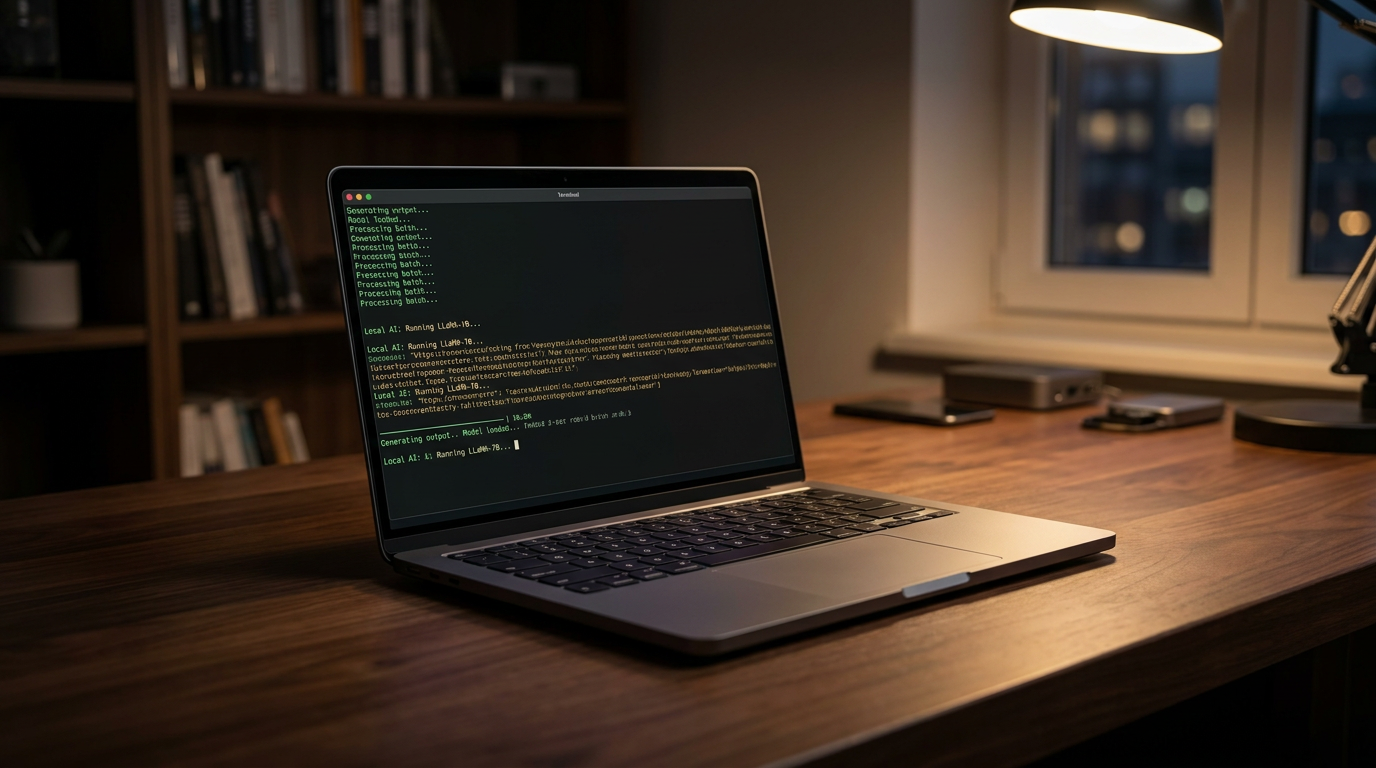
When it comes to actually running these models, a tool called Ollama has emerged as the industry standard for developers and power users. Often described as "Docker for AI," Ollama abstracts away the immense complexity of environment setup, dependencies, and hardware configuration. Available for macOS, Windows, and Linux, it installs with a single command or a standard executable. Once installed, downloading and running a model is as simple as opening a terminal and typing a command like 'ollama run llama3.2'. The software automatically handles the download, loads the model into the optimal memory configuration for your specific hardware, and drops you into an interactive chat interface.[2][3]
Ollama's true power lies beneath its command-line interface. When running, it silently hosts a local server on your machine that perfectly mimics the OpenAI API structure. This is a crucial feature because it means any application, browser extension, or coding tool designed to work with ChatGPT can be easily redirected to point at your local Ollama instance instead. By simply changing the API base URL to a local address, developers can build complex AI applications, automate workflows, and process vast amounts of text using their own hardware, completely bypassing cloud provider rate limits and subscription costs.[2]
For users who prefer a graphical interface over a command line, LM Studio offers a polished, user-friendly alternative. LM Studio provides a familiar, ChatGPT-like chat window, but its standout feature is its built-in model browser. It connects directly to Hugging Face—the central repository for open-source AI models—allowing users to search for models, read their descriptions, and download them with a single click. The software automatically detects your system's hardware and highlights which quantized versions of a model will fit in your available RAM, preventing out-of-memory errors before they happen.[4]

The open-weight model ecosystem in 2026 is staggeringly diverse, offering specialized models for almost any use case. Unlike proprietary cloud models, which are one-size-fits-all, local AI allows you to swap "brains" depending on the task at hand. If you need creative writing, you can load a model fine-tuned for storytelling. If you need to parse complex data, you can load a model optimized for logic and extraction. This modularity ensures that your local AI setup remains agile, allowing you to upgrade to the latest breakthroughs the moment researchers release the weights online.[2][4]
Several standout model families dominate the local landscape today. Meta's Llama 3.2 and 3.3 series remain the gold standard for general-purpose reasoning, offering an exceptional balance of speed and intelligence. Google's Gemma 3 provides highly efficient, lightweight models that run flawlessly on older hardware. For software developers, DeepSeek-R1 has become a favorite, specifically trained to understand complex codebases and output precise programming solutions. Microsoft's Phi-4 continues to push the boundaries of what is possible with smaller parameter counts, proving that high-quality training data can often beat sheer model size.[2]
Setting up a local coding assistant is one of the most popular use cases for this technology. By combining a local runner like Ollama with an IDE extension like Continue.dev in Visual Studio Code, developers can have an AI constantly reviewing their code, suggesting autocompletions, and answering architectural questions. Because the model runs locally, developers can feed it entire proprietary codebases without violating corporate security policies or non-disclosure agreements. The AI acts as a tireless pair-programmer that never requires an internet connection and never leaks intellectual property.[4]

Another powerful application is local Retrieval-Augmented Generation (RAG). This technique allows you to point your local AI at a folder of personal documents, PDFs, or financial records. The system indexes the text and allows you to "chat" with your own files. You can ask the AI to summarize a 100-page legal contract, find specific clauses, or synthesize research papers. Because the entire indexing and generation process happens on your local machine, it is the only secure way to use AI analysis on highly confidential documents, medical records, or unreleased business strategies.[3]
The transition to local AI represents a fundamental reclamation of digital autonomy. By running models on your own hardware, you combine the compounding benefits of absolute privacy, zero ongoing costs, zero latency from network round-trips, and immunity from corporate censorship or service outages. As open-source models continue to close the capability gap with their proprietary cloud counterparts, the justification for renting AI from massive tech companies diminishes. Local AI transforms the computer from a mere portal to cloud intelligence into a self-contained, sovereign engine of reasoning.[1][6]
How we got here
Feb 2023
Meta releases the weights for its first LLaMA model, inadvertently sparking the open-source AI movement.
Mar 2023
The Llama.cpp project is created, allowing complex models to run efficiently on standard consumer processors.
Mid 2024
User-friendly tools like Ollama and LM Studio launch, abstracting away the complex command-line setups for local inference.
Early 2026
Highly optimized models like DeepSeek-R1 and Llama 3.3 prove that local, quantized AI can match proprietary cloud capabilities.
Viewpoints in depth
Privacy Advocates
Focus on the elimination of corporate surveillance and data harvesting.
For privacy advocates, local AI is a necessary defense against the mass data collection inherent in cloud computing. They argue that sending personal thoughts, medical queries, or financial data to third-party servers creates unacceptable vulnerabilities. By processing everything on-device, local AI guarantees that sensitive information cannot be intercepted, monetized, or exposed in future corporate data breaches.
Open-Source Developers
Value the freedom to modify, fine-tune, and build upon unrestricted models.
The developer community views local AI as a sandbox for innovation, free from the rate limits and restrictive API changes imposed by massive tech companies. They prioritize the ability to inspect model weights, apply custom fine-tuning for niche tasks, and build offline-first applications. For this camp, open-weight models represent a democratization of technology, ensuring that AI capabilities are not monopolized by a few well-funded corporations.
Enterprise IT
Prioritize security compliance, intellectual property protection, and cost control.
Corporate IT departments are increasingly adopting local AI to solve the compliance nightmare created by cloud-based chatbots. Employees pasting proprietary code or confidential client data into public AI tools violates strict data governance policies like HIPAA or GDPR. Local AI allows enterprises to deploy powerful productivity tools internally while maintaining an air-gapped security posture, ensuring that intellectual property remains strictly within the company's firewall.
What we don't know
- It remains unclear how quickly consumer hardware manufacturers will increase base RAM configurations to natively support larger local models.
- The long-term commercial viability of companies releasing state-of-the-art open-weight models for free is still an open question in the industry.
Key terms
- LLM (Large Language Model)
- An artificial intelligence system trained on vast amounts of text, capable of understanding and generating human-like language.
- VRAM (Video RAM)
- The specialized memory located on a graphics card, crucial for loading and running AI models quickly.
- Quantization
- A compression technique that shrinks the file size of an AI model so it can fit into the memory of standard consumer computers.
- GGUF
- A popular file format designed specifically for running quantized AI models efficiently on local hardware.
- RAG (Retrieval-Augmented Generation)
- A technique that allows an AI to search through your personal documents or databases to answer questions based on your specific files.
Frequently asked
Is local AI completely private?
Yes. Because the model runs entirely on your own hardware, your prompts and data never leave your computer. There are no external API calls or cloud servers involved.
Do I need an internet connection to use it?
Only for the initial setup. Once you have downloaded the software and the model weights, the AI functions completely offline.
Can I run local AI without a dedicated GPU?
Yes, tools like Ollama can fall back to your computer's CPU. However, generation speeds will be significantly slower compared to running the model on a dedicated graphics card or an Apple Silicon Mac.
Is running local AI cheaper than ChatGPT Plus?
Yes. After the initial investment in your computer's hardware, running local models costs nothing. There are no monthly subscription fees or per-token API charges.
Sources
Source coverage
6 outlets
3 viewpoints surfaced






[1]Local AI MasterPrivacy Advocates
Why Run AI Locally? (Top 5 Reasons)
Read on Local AI Master →[2]MindStudioOpen-Source Developers
Ollama: The Complete Guide to Local AI Inference
Read on MindStudio →[3]DEV CommunityOpen-Source Developers
Introduction to Ollama: Running LLMs Locally
Read on DEV Community →[4]MediumOpen-Source Developers
Complete Guide to Local LLM for Developers
Read on Medium →[5]Enclave AIPrivacy Advocates
Cloud AI vs Local LLMs: Understanding the Privacy Gap
Read on Enclave AI →[6]Factlen Editorial TeamEnterprise IT
Synthesis by Factlen editorial team
Read on Factlen Editorial Team →


Every angle. Every day.
Get guides stories with full source coverage and perspective breakdowns delivered to your inbox.