
The 2026 Guide to Running AI Locally: How to Put Frontier Models on Your Laptop
Open-weight models and efficient software have made it possible to run powerful AI directly on consumer hardware. Here is how to bypass cloud subscriptions and run models locally for complete privacy.
By Factlen Editorial Team
- Open-Source Developers
- Values the flexibility, lack of API costs, and freedom to build autonomous systems locally.
- Privacy & Security Advocates
- Prioritizes data sovereignty and zero-trust environments, arguing that cloud AI is an unacceptable security risk.
- Hardware Optimizers
- Focuses on the technical realities of VRAM, NPUs, and the hardware required to run AI efficiently.
What's not represented
- · Cloud AI Providers
- · Non-technical general consumers
Why this matters
Cloud AI requires sending your private data, code, and documents to corporate servers, often with monthly fees. Running AI locally gives you the same capabilities for free, completely offline, ensuring your data never leaves your device.
Key points
- Local AI allows users to run large language models on their own hardware without an internet connection.
- Data privacy is guaranteed because prompts and documents never leave the user's device.
- Quantization techniques compress massive AI models to fit within standard 8GB or 16GB RAM laptops.
- Tools like Ollama (for developers) and LM Studio (for beginners) make installation and management simple.
- Open-weight models from Google, Alibaba, Mistral, and OpenAI rival the performance of recent cloud models.
A few years ago, running a large language model required a rack of servers, a PhD, and a massive electricity bill. Today, you can download a state-of-the-art AI model to a standard laptop and start chatting with it in under five minutes. The democratization of artificial intelligence has shifted the center of gravity from massive cloud data centers directly to consumer hardware, fundamentally changing who controls the technology.[2][7]
The shift toward local AI is driven by two primary catalysts: privacy and cost. When you type a prompt into a cloud-based service like ChatGPT or Claude, your data is transmitted to corporate servers where it is processed, logged, and potentially used to train future models. For everyday queries, this is a minor trade-off. But for small businesses handling confidential legal documents, developers writing proprietary code, or healthcare professionals bound by HIPAA, sending data to the cloud is a non-starter.[1][2]
Running AI locally solves this compliance nightmare instantly. Because the model weights live entirely on your computer's hard drive, the inference process—the actual generation of text or code—happens on your own CPU or GPU. Once the software is downloaded, the system can run completely offline. There are no API calls, no telemetry, and no usage logs. The data physically never leaves the device.[1][7]
The financial argument is equally compelling. Cloud AI providers charge either a flat monthly subscription fee or a per-token rate for API access. At scale, these costs compound rapidly. By contrast, a local AI setup costs exactly the electricity required to power your laptop. You can generate millions of tokens, experiment with massive agentic workflows, and build complex applications without ever watching a meter tick upward.[1][2]
This offline revolution is powered by "open-weight" models. Unlike closed systems where the underlying neural network is hidden behind an API, companies like Meta, Google, Alibaba, and Mistral release the actual mathematical weights of their models to the public. In a surprising move in late 2025, even OpenAI joined the fray, releasing the GPT-OSS family of open-weight models specifically optimized for local deployment.[4][5]
But how does a model trained on supercomputers fit onto a laptop? The secret is a mathematical compression technique called quantization, most commonly implemented via the GGUF file format. Quantization reduces the precision of the model's weights—for instance, dropping them from 16-bit floating-point numbers to 4-bit integers. This process shrinks the file size by 60% to 75% while preserving roughly 95% of the model's reasoning capabilities.[1][7]
Thanks to quantization, the hardware requirements for local AI are surprisingly accessible in 2026. The industry operates on a "RAM Ladder." A standard laptop with 8GB of RAM can comfortably run smaller, highly capable models like Microsoft's Phi-4-mini or Google's Gemma 4 E4B. Stepping up to 16GB of RAM unlocks mid-size powerhouses like Gemma 4 12B or Qwen 3.6, which rival the cloud models of just a year ago.[1][6]

Thanks to quantization, the hardware requirements for local AI are surprisingly accessible in 2026.
When it comes to hardware, Apple Silicon has a distinct architectural advantage. M-series Macs (M1 through M4) use "unified memory," meaning the CPU and GPU share the same pool of RAM. A Mac with 32GB or 64GB of RAM can load massive models that would otherwise require multiple expensive NVIDIA graphics cards on a PC. For Windows and Linux users, a dedicated NVIDIA RTX GPU with at least 8GB of VRAM remains the gold standard for fast inference speeds.[3][6]
To actually run these models, you need a software runtime—think of the model as the record, and the runtime as the record player. Almost all modern local AI tools are built on top of llama.cpp, a highly optimized C++ engine that executes inference across a wide variety of hardware. The choice of tool comes down to the user interface and workflow preferences.[1][3]
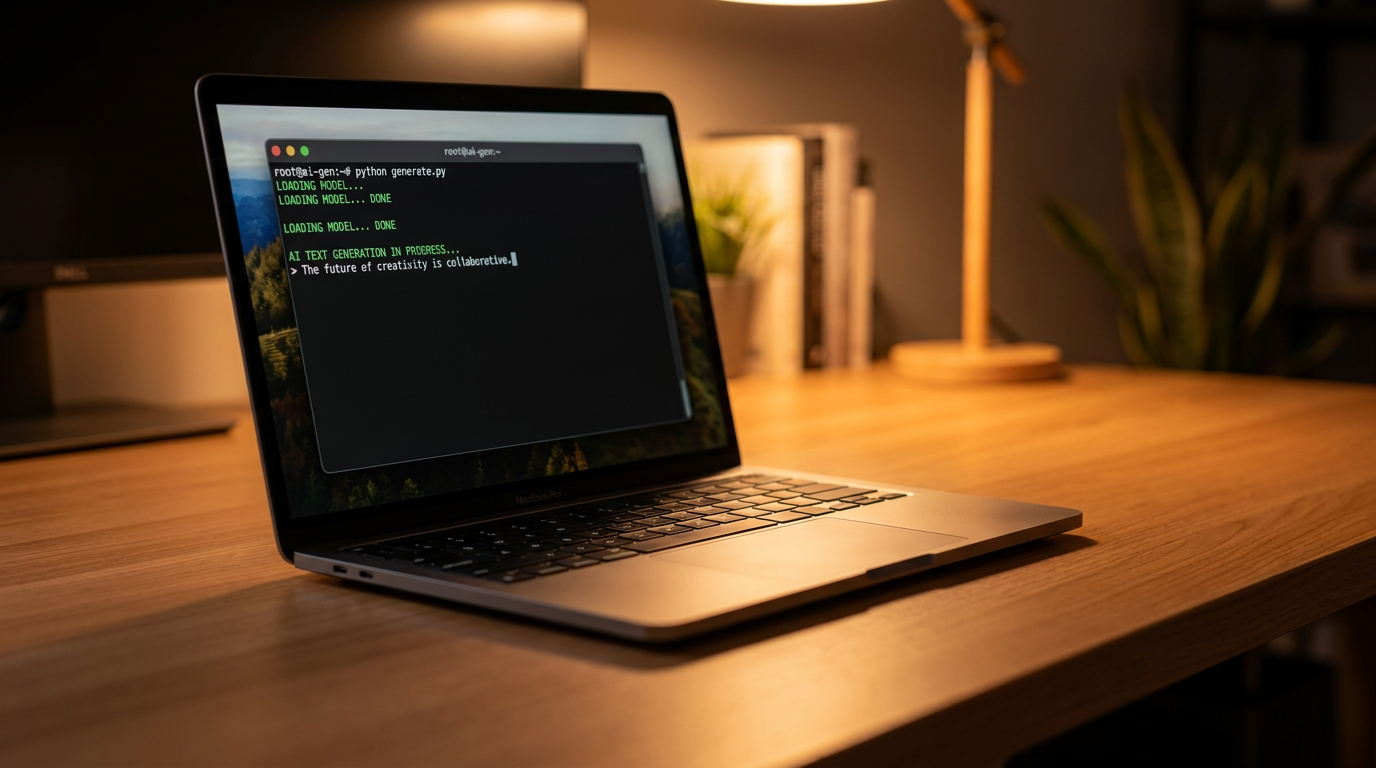
For developers and power users, Ollama is the undisputed champion. It operates primarily as a command-line tool and background service. With a single command, it downloads the model and starts an interactive terminal session. More importantly, Ollama exposes an OpenAI-compatible local API, allowing developers to point their existing applications, coding assistants, and agentic scripts to their local machine instead of the cloud.[2][3]
For users who prefer a graphical interface, LM Studio is the most popular alternative. It provides a polished, ChatGPT-style desktop application available on Windows, macOS, and Linux. LM Studio features a built-in browser that connects directly to Hugging Face, allowing users to search for models, check RAM compatibility, and download them with a single click. It is the lowest-friction entry point for anyone new to local AI.[1][3]

The ecosystem of available models in 2026 is staggering. Alibaba's Qwen 3.6 family has emerged as a top choice for agentic coding and multilingual tasks. Google's Gemma 4 series offers incredible density, packing multimodal capabilities into models small enough to run on 16GB of RAM. DeepSeek's V4 and R1 models continue to punch above their weight class in complex mathematical reasoning.[4][5]
Even specialized tasks are moving locally. Models like Qwen3-Coder and Mistral's Devstral are designed specifically for software engineering, capable of reading entire code repositories and suggesting complex architectural changes. When paired with local IDE extensions, these models provide real-time, privacy-first coding assistance that rivals GitHub Copilot, without sending a single line of proprietary code over the internet.[4][7]
There are, of course, trade-offs to abandoning the cloud. The absolute largest frontier models—those with hundreds of billions or trillions of parameters running in massive data centers—still hold an edge in deep, multi-step reasoning and highly complex creative tasks. A local 8B parameter model will occasionally hallucinate or lose the thread of a long conversation faster than a flagship cloud model.[1][7]
Furthermore, running AI locally is computationally intensive. When a model is generating text, it maxes out the CPU or GPU, causing fans to spin up and draining laptop batteries significantly faster than normal web browsing. Users planning to run local AI frequently while traveling need to account for the steep drop in battery life during active inference.[6][7]

Despite these limitations, the gap between local and cloud AI is closing faster than anyone predicted. The rise of Neural Processing Units (NPUs) built directly into the latest generation of Intel, AMD, and Qualcomm processors is beginning to offload AI inference from power-hungry GPUs to dedicated, efficient silicon, promising better battery life and faster speeds in the near future.[6][7]
The ability to run powerful AI locally represents a fundamental shift in digital ownership. For the first time since the dawn of the internet, users do not have to rely on a centralized corporate server to access cutting-edge computational intelligence. By downloading an open-weight model, you are no longer renting your AI—you own it.[2][7]
How we got here
Early 2023
The release of LLaMA weights sparks the open-source AI movement, leading to the creation of llama.cpp.
Mid 2023
Corporate data leaks via cloud AI prompt strict enterprise bans on public chatbots.
2024
Tools like Ollama and LM Studio launch, providing user-friendly interfaces for local inference.
Late 2025
OpenAI releases the GPT-OSS family, validating the demand for local, open-weight deployment.
Mid 2026
Highly efficient models like Gemma 4 and Qwen 3.6 make 16GB laptops viable for advanced agentic coding.
Viewpoints in depth
Privacy Advocates & Enterprise IT
Focuses on data sovereignty, compliance, and the risks of cloud-based AI.
For privacy advocates and corporate IT departments, local AI is not a novelty; it is a strict requirement. They argue that cloud AI providers' terms of service are subject to change, and sending proprietary code, patient records, or legal documents to external servers violates zero-trust security architectures. By running models locally, enterprises bypass GDPR compliance headaches and eliminate the risk of accidental data leaks, ensuring that sensitive information never traverses the public internet.
Open-Source Developers
Values the freedom to tinker, build, and integrate AI without API restrictions.
The developer community views local AI as a canvas for innovation. Without the constraints of API rate limits, subscription costs, or corporate censorship filters, developers can fine-tune models for highly specific tasks, build autonomous agent swarms, and integrate AI deeply into local operating systems. For this camp, tools like Ollama provide the ultimate sandbox, allowing them to iterate rapidly and build resilient applications that do not break when a cloud provider experiences an outage.
Cloud AI Proponents
Maintains that frontier cloud models will always offer superior reasoning and convenience.
Proponents of cloud-based AI argue that while local models are impressive, they will perpetually lag behind the bleeding edge. They point out that training and running trillion-parameter models requires data center-scale compute that cannot be replicated on consumer hardware. For users who need the absolute highest level of logical reasoning, complex multi-step planning, or massive context windows, cloud APIs remain the most practical and powerful choice, offsetting the monthly cost with unmatched capability.
What we don't know
- How quickly dedicated Neural Processing Units (NPUs) will replace GPUs for local AI inference.
- Whether future frontier models will become too massive to effectively compress for consumer hardware.
- How cloud providers will adjust pricing to compete with the rise of free, highly capable local alternatives.
Key terms
- Open Weights
- AI models where the underlying mathematical parameters are made publicly available, allowing anyone to download and run them.
- Quantization
- A compression technique that reduces the precision of an AI model's numbers, drastically shrinking its file size and memory requirements with minimal quality loss.
- Inference
- The actual process of an AI model generating text, code, or images based on a user's prompt.
- GGUF
- A popular file format specifically designed for storing quantized AI models so they can be loaded quickly on standard CPUs and GPUs.
- NPU (Neural Processing Unit)
- A specialized computer chip designed specifically to accelerate artificial intelligence tasks efficiently, saving battery life.
Frequently asked
Do I need an internet connection to use local AI?
No. You only need the internet to initially download the software and the model file. Once downloaded, the AI runs completely offline.
Is local AI as smart as ChatGPT?
For most everyday tasks, coding, and writing, modern local models perform remarkably close to cloud-based AI. However, the absolute largest cloud models still hold an edge in highly complex reasoning.
Will running AI damage my laptop?
No, but it is computationally intensive. It will cause your laptop's fans to spin up and drain the battery much faster while the AI is actively generating a response.
What is the difference between Ollama and LM Studio?
Ollama is a command-line tool favored by developers for building apps and running background services. LM Studio is a desktop application with a graphical interface, making it easier for beginners.
Sources
Source coverage
7 outlets
3 viewpoints surfaced






[1]AI Thinker LabPrivacy & Security Advocates
Why run AI models locally? The privacy and cost case
Read on AI Thinker Lab →[2]Will It Run AIPrivacy & Security Advocates
Running AI on your own hardware in 2026
Read on Will It Run AI →[3]ContaboOpen-Source Developers
Ollama vs LM Studio — Feature Comparison (2026)
Read on Contabo →[4]Kilo AIOpen-Source Developers
Best Open-Source & Open-Weight AI Coding Models in 2026
Read on Kilo AI →[5]SiliconFlowOpen-Source Developers
Our comprehensive guide to the best OpenAI open source models of 2026
Read on SiliconFlow →[6]Vision ComputersHardware Optimizers
AI PC Requirements 2026: What You Need to Run AI Locally
Read on Vision Computers →[7]Factlen Editorial Team
Synthesis by Factlen editorial team
Read on Factlen Editorial Team →

Every angle. Every day.
Get ai stories with full source coverage and perspective breakdowns delivered to your inbox.