
How to Replace Your Passwords With Passkeys
Passkeys are rapidly replacing traditional passwords across the internet, offering a faster, phishing-resistant login experience powered by the biometrics already on your phone.
By Factlen Editorial Team
- Security Advocates
- Prioritize the elimination of human error and the cryptographic resistance to phishing and server breaches.
- Everyday Users
- Value the speed, convenience, and reduction of password fatigue that biometric logins provide.
- Enterprise IT
- Focus on the logistical challenges of deploying passwordless solutions across shared devices and frontline workforces.
What's not represented
- · Legacy System Administrators managing infrastructure that cannot easily be upgraded to support WebAuthn standards.
- · Privacy Advocates concerned about the increasing reliance on biometric hardware tied to major tech monopolies.
Why this matters
Passwords are the weakest link in personal cybersecurity, responsible for the vast majority of account breaches. Transitioning to passkeys eliminates the need to memorize complex credentials while rendering your accounts virtually immune to phishing attacks.
Key points
- Passkeys replace traditional passwords with the biometric sensors already built into your devices.
- They use public key cryptography, meaning your private key never leaves your phone or computer.
- Passkeys are inherently resistant to phishing because they are cryptographically bound to specific website domains.
- Cloud synchronization ensures you do not lose your accounts if your device is lost or broken.
- While adoption is growing rapidly, traditional passwords will remain a necessary fallback during the transition.
For decades, the internet has relied on a fundamentally flawed security system: asking humans to memorize complex strings of characters. The result is a landscape where 81 percent of data breaches are caused by stolen, weak, or reused passwords. We write them on sticky notes, use the names of our pets, or append a simple "123" to the end of a familiar word. Even when managed through enterprise-level software, passwords remain susceptible to phishing, brute-force attacks, and server-side breaches. But a fundamental shift is now underway across the digital ecosystem, promising to eliminate the password entirely.[5][7]
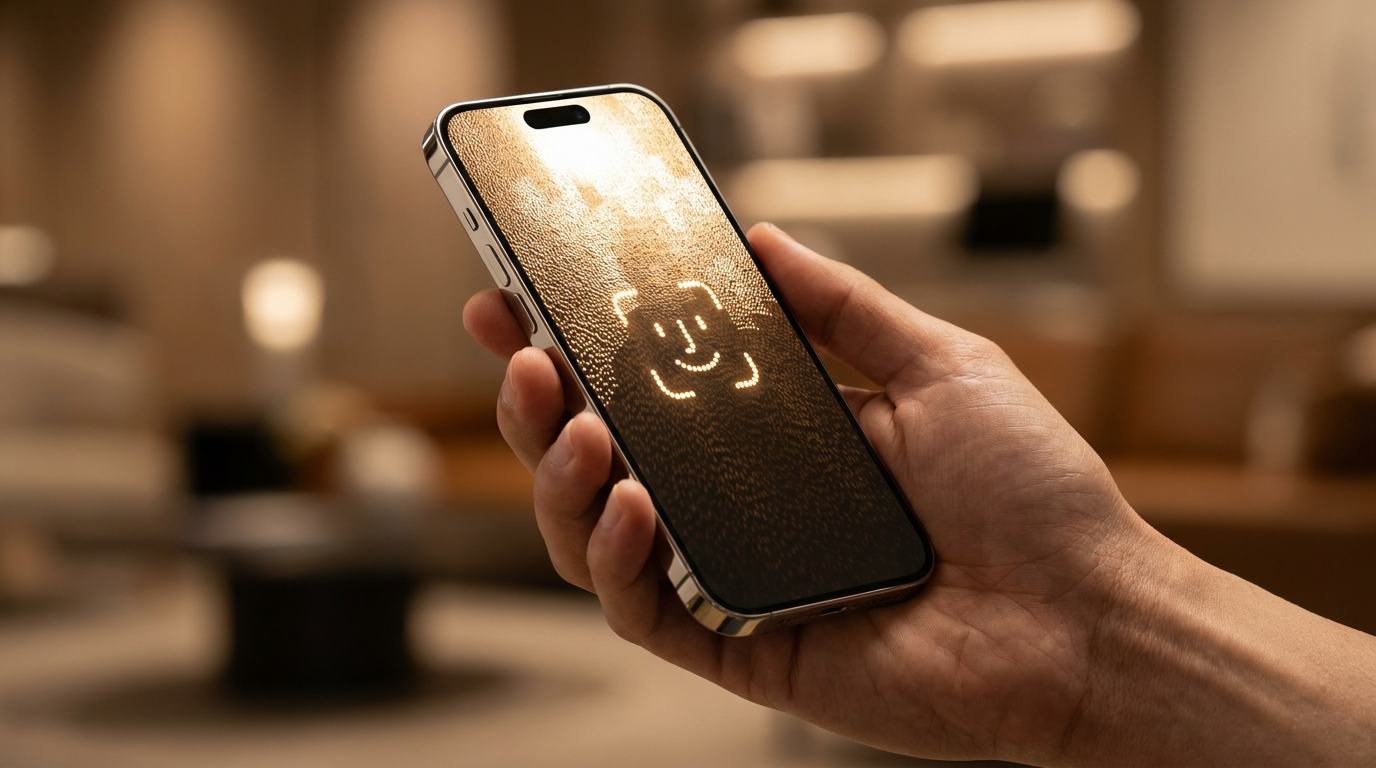
The solution is the "passkey," a modern cryptographic credential built on the FIDO2 and WebAuthn standards. Backed by a rare consensus among tech giants—including Apple, Google, and Microsoft—passkeys allow users to sign into websites and applications using the exact same method they use to unlock their phones or laptops. Instead of typing a password, a user simply looks at their screen for Face ID, taps a fingerprint sensor, or enters a local device PIN.[1][2]
The transition is already reaching massive scale. As of early 2026, the FIDO Alliance reports that over 5 billion passkeys are in active use globally. Google has rolled out passkey support across all major platforms for its accounts, making it a primary option alongside traditional two-step verification. The appeal is twofold: passkeys are drastically faster for the user, and they close the most common vulnerabilities exploited by cybercriminals.[2][5]
To understand why passkeys represent a generational leap in security, it helps to look at the underlying mechanism. Passkeys rely on public key cryptography. When a user creates a passkey for a new website, their device—known as the authenticator—generates two mathematically linked keys. One is a public key, which is sent to and stored by the website's server. The other is a private key, which never leaves the user's device and is stored in a highly secure hardware enclave.[1][3]

When the user returns to log in, the website sends a digital "challenge" to the device. The device uses its private key to solve the challenge and sends the signature back to the server. The server then uses the public key to verify the signature. Because the private key is never transmitted across the internet, there is nothing for a hacker to intercept in transit.[4][7]
This split-key architecture neutralizes the threat of server breaches. If a cybercriminal hacks into a company's database, they will only find a list of public keys. Without the corresponding private keys safely locked on users' personal devices, those public keys are entirely useless. There are no password hashes to crack and no shared secrets to steal.[1][5]
More importantly, passkeys are inherently resistant to phishing—the tactic responsible for a massive portion of modern account takeovers. A password is just a string of text; if a user is tricked into typing it into a convincing fake website, the attacker has the credential. A passkey, however, is cryptographically bound to the specific domain where it was created. If a user clicks a malicious link that looks like their bank but has a slightly different URL, the device will simply refuse to offer the passkey, because the domain does not match.[5][7]
More importantly, passkeys are inherently resistant to phishing—the tactic responsible for a massive portion of modern account takeovers.
Beyond the invisible security benefits, the daily user experience is significantly improved. Industry benchmarks show that the average passkey sign-in takes just 8.5 seconds, compared to the 31.2 seconds required for a traditional password-plus-code routine. There is nothing to memorize, nothing to type, and nothing to paste from a secondary app. The friction of the login box is reduced to a single biometric confirmation.[3][5]

Setting up a passkey is designed to be intuitive. When logging into a supported service, the website will prompt the user to "Create a passkey." On an iPhone or Mac, this prompt integrates directly with Apple's iCloud Keychain. The user authenticates with Face ID or Touch ID, and the passkey is generated and saved. From that point on, selecting the username field on that website will instantly trigger the biometric prompt, bypassing the password field entirely.[4][7]
The ecosystem is equally robust on Android and Windows. Google Password Manager synchronizes passkeys across Android devices and the Chrome browser, allowing seamless logins across a user's hardware. Microsoft offers similar integration through Windows Hello, utilizing the computer's webcam or fingerprint reader to authorize the local private key.[2][4]
For users who operate across multiple ecosystems—such as an Android phone paired with a Mac laptop—third-party password managers have adapted to bridge the gap. Services like 1Password and Dashlane now function as passkey authenticators. By storing passkeys in an independent vault, these managers allow users to create a passkey on a Windows desktop and use it seamlessly on an iPad, freeing the credential from being locked to a single operating system's cloud.[3][4]
The most common hesitation users have regarding passkeys is the fear of losing their device. If the private key lives on the phone, what happens if the phone falls into a lake? The industry anticipated this problem by implementing cloud synchronization. When a passkey is saved to iCloud Keychain, Google Password Manager, or a third-party vault, it is securely synced across the user's trusted devices.[1][4]

If a user loses their only device, they do not lose their accounts. By purchasing a replacement phone and logging back into their primary cloud account or password manager—which still requires a traditional master password or recovery phrase—their entire library of passkeys is restored to the new hardware. The private keys are end-to-end encrypted during this sync, meaning neither Apple, Google, nor the password manager company can access them.[4][7]
While the consumer transition is accelerating, enterprise environments face unique challenges, particularly regarding shared devices. Traditional passkeys are designed for a one-to-one relationship between a user and their personal phone or laptop. This model breaks down in hospitals, retail stores, and manufacturing floors, where multiple frontline workers might share a single terminal during a shift, and personal phones are often banned for safety or hygiene reasons.[6]
To solve this, cybersecurity firms are developing multi-tenant credential stores for shared workstations. In these setups, each worker receives their own unique public and private key pair. The private keys are stored in isolated partitions within the shared device's trusted security module. When a nurse or factory operator steps up to the terminal, enterprise identity systems ensure they can only access their specific passkey, bringing phishing-resistant security to environments that previously relied on weak, easily shared passwords.[6][7]

We are currently in a hybrid era. Passkeys are not yet supported by every website, meaning passwords will remain a necessary fallback for the foreseeable future. Security experts advise users to adopt passkeys wherever they are offered—especially for high-value targets like email, banking, and primary cloud accounts—while maintaining a password manager to generate strong, unique passwords for the long tail of legacy sites.[2][5]
The shift away from passwords represents one of the most significant upgrades to consumer cybersecurity in the history of the internet. By removing the human element from the authentication process, passkeys eliminate the anxiety of forgotten credentials and the persistent threat of phishing. The internet is finally moving toward a model where proving who you are is as simple, and as secure, as looking at your screen.[1][7]
How we got here
2013
The FIDO Alliance is founded to develop open standards that solve the world's password problem.
2022
Apple, Google, and Microsoft announce expanded support for the FIDO standard, paving the way for mainstream passkeys.
May 2023
Google begins rolling out passkeys as a primary authentication option for all Google Accounts.
2026
The FIDO Alliance reports that over 5 billion passkeys are now in active use globally.
Viewpoints in depth
Security Advocates
Focus on the structural elimination of human error and phishing vulnerabilities.
For cybersecurity professionals, the primary value of passkeys is that they remove the user's ability to make bad security decisions. Because passkeys are generated by the system rather than the human mind, they cannot be weak, reused, or easily guessed. Furthermore, the domain-binding feature of the WebAuthn standard means that even if a user is completely fooled by a phishing email, the underlying cryptography will refuse to hand over the credential to a fake website.
Everyday Users
Prioritize the reduction of daily friction and password fatigue.
From a consumer perspective, the technical cryptography is secondary to the massive improvement in user experience. The average internet user manages dozens, if not hundreds, of online accounts. Passkeys eliminate the frustrating cycle of forgetting a password, requesting a reset email, and creating a new credential that meets arbitrary complexity requirements. By reducing the login process to a simple Face ID or fingerprint scan, passkeys save time and significantly lower the daily stress associated with digital security.
Enterprise IT
Navigate the logistical hurdles of deploying passwordless systems across complex workforces.
While consumer adoption is relatively straightforward, enterprise IT departments face significant hurdles in moving away from passwords. In environments like hospitals, retail floors, and manufacturing plants, workers frequently share terminals and are often prohibited from carrying personal smartphones. IT leaders are tasked with implementing specialized multi-tenant credential stores and enterprise identity management systems to ensure that frontline workers can benefit from phishing-resistant passkeys without violating operational protocols.
What we don't know
- How quickly the 'long tail' of smaller websites and legacy enterprise software will adopt the WebAuthn standard.
- Whether regulatory bodies will eventually mandate passkey support for critical infrastructure and financial services.
Key terms
- Passkey
- A digital credential that replaces a password, allowing users to log in using their device's screen lock or biometrics.
- Public Key Cryptography
- A security system that uses two mathematically linked keys—one public and one private—to encrypt and verify data without sharing secrets.
- Phishing
- A cyberattack where criminals impersonate legitimate organizations to trick users into revealing sensitive information like passwords.
- Authenticator
- The device or software (like a smartphone or password manager) that generates and securely stores the private cryptographic keys.
Frequently asked
What happens if I lose my phone?
If your passkeys are synced to a cloud service like iCloud, Google Password Manager, or a third-party app, you can recover them by logging into your account on a new device.
Can a website steal my fingerprint or face scan?
No. Your biometric data never leaves your device. It is only used locally to unlock the private key, which then authenticates you to the website.
Do I still need a password manager?
Yes, for now. While passkey adoption is growing rapidly, many websites still require traditional passwords, which a manager can generate and store securely.
Can I use a passkey on a shared computer?
Yes, but it requires specific enterprise software that partitions credentials, or you can use your smartphone to scan a QR code on the shared screen to log in securely.
Sources
Source coverage
7 outlets
3 viewpoints surfaced







[1]FIDO AllianceSecurity Advocates
Passkeys: The passwordless future
Read on FIDO Alliance →[2]GoogleEveryday Users
The beginning of the end of the password
Read on Google →[3]1PasswordEveryday Users
Save and sign in with passkeys
Read on 1Password →[4]DashlaneEveryday Users
How to use passkeys
Read on Dashlane →[5]Shattered.ioSecurity Advocates
Passkeys vs Passwords: 8.5s vs 31s Sign-In
Read on Shattered.io →[6]OloidEnterprise IT
How to Use a Passkey Solution for Shared Devices
Read on Oloid →[7]Factlen Editorial Team
Synthesis by Factlen editorial team
Read on Factlen Editorial Team →

More in guides
See all 7 stories →Vehicle Powertrains
EV vs. PHEV in 2026: The Complete Trade-Off Analysis
8 sources

Battery Tech
How Solid-State Batteries Work: The Tech Reshaping the EV Industry in 2026
8 sources

Longevity Science
The Science of Zone 2 Training and Its Impact on Metabolic Health and Longevity
8 sources

Energy Efficiency
The Ultimate DIY Home Energy Audit Checklist
7 sources

Every angle. Every day.
Get guides stories with full source coverage and perspective breakdowns delivered to your inbox.