
How Passkeys Work: The Complete Guide to a Passwordless Digital Life
Passkeys are rapidly replacing traditional passwords across the internet. Here is how the cryptographic technology works, why it is immune to phishing, and how to set it up on your devices.
By Factlen Editorial Team
- Passwordless Advocates
- Tech giants and standards bodies pushing for rapid adoption to eliminate phishing.
- Security Traditionalists
- Security professionals who emphasize the need for hardware-bound keys over cloud convenience.
- Ecosystem Providers
- Operating system developers focused on seamless integration and user retention.
What's not represented
- · Elderly users struggling with biometric tech
- · Users without modern smartphones
Why this matters
Passwords are the weakest link in digital security, responsible for the vast majority of account takeovers and data breaches. Transitioning to passkeys not only streamlines your daily logins but fundamentally protects your digital identity from phishing and server hacks.
Key points
- Passkeys replace traditional passwords with cryptographic key pairs, eliminating the need to memorize complex strings.
- The private key remains securely on your device, while the public key is stored on the website's server.
- Because no shared secret is transmitted, passkeys are virtually immune to phishing and server data breaches.
- Major operating systems from Apple, Google, and Microsoft now natively support and sync passkeys across devices.
- Users authenticate using familiar methods like Face ID, Touch ID, or a device PIN.
For decades, the internet has relied on a fundamentally flawed security model: asking humans to memorize complex strings of characters. Passwords are easily forgotten, frequently reused, and constantly stolen in data breaches. But in 2026, the tech industry's long-promised alternative has finally reached critical mass. Over 15 billion online accounts now support a technology that eliminates passwords entirely, replacing them with a simple biometric scan or device PIN.[5][8]
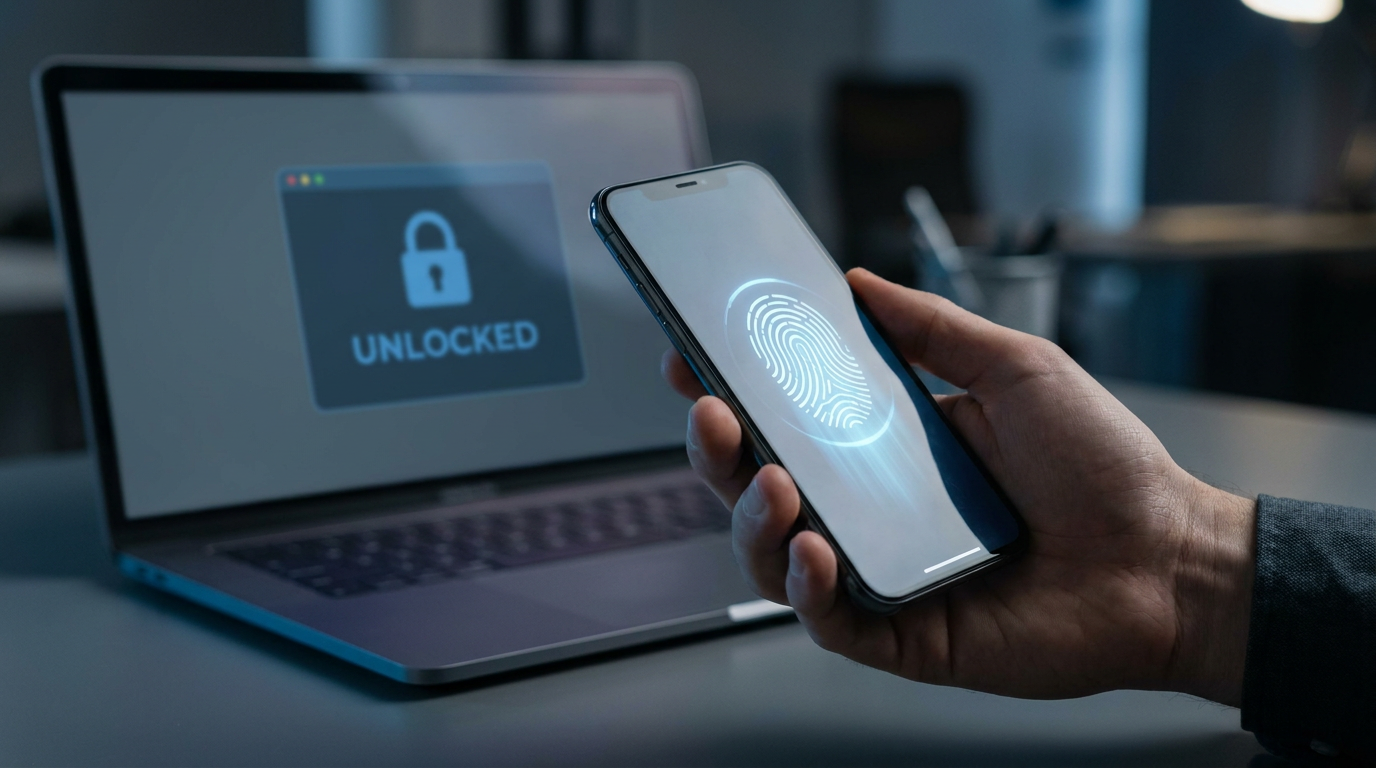
This technology is called a passkey. Backed by major tech companies like Apple, Google, and Microsoft, passkeys are cryptographic credentials that allow you to sign into websites and apps exactly the way you unlock your phone. Instead of typing a secret password, you simply use Face ID, Touch ID, Windows Hello, or your device's screen lock to authenticate.[2][6][9]
To understand why passkeys are a massive upgrade, you have to look under the hood at how they work. Passkeys are built on a concept called public key cryptography. When you create a passkey for a website, your device actually generates two mathematically linked keys: a public key and a private key.[3][4]
The public key is sent to the website's server and stored in its database. It acts like a digital padlock. The private key, however, never leaves your device. It is stored deep within your device's secure hardware enclave, such as Apple's Secure Enclave or a Windows TPM chip. The website never sees your private key, and it is never transmitted across the internet.[5][7][9]

When you attempt to log in, the website sends a cryptographic "challenge" to your browser. Your device then prompts you to verify your identity using your biometric data or PIN. Once verified, your device uses the hidden private key to mathematically sign the challenge and sends the signature back to the server. The server uses your public key to verify the signature, granting you access.[1][2][3]
This architecture solves the two biggest security vulnerabilities of the modern web: server breaches and phishing. If a hacker breaches a company's database, they only steal public keys. Because a public key is useless without its corresponding private key, there is no password to leak, crack, or sell on the dark web.[5][8]
Passkeys are also inherently phishing-resistant. The cryptographic signature generated by your device is strictly bound to the specific website domain where the passkey was created. If a scammer tricks you into visiting a fake website—like a misspelled version of your bank's URL—your device will simply refuse to sign the challenge, stopping the attack in its tracks.[6][7][9]
The cryptographic signature generated by your device is strictly bound to the specific website domain where the passkey was created.
The standardization of this technology is driven by the FIDO Alliance and the World Wide Web Consortium through an API called WebAuthn. WebAuthn is the universal language that allows your browser to communicate securely with your device's authenticator, ensuring that a passkey created on a smartphone can seamlessly log you into a website on a laptop.[1][2][4]

Setting up a passkey is remarkably straightforward across all major ecosystems. On Apple devices running modern versions of iOS and macOS, passkeys are integrated directly into iCloud Keychain. When a supported site prompts you to create a passkey, you simply authenticate with Face ID or Touch ID, and the credential is saved and synced across all your Apple devices.[9][10]
For Android and Chrome users, Google Password Manager handles the heavy lifting. Navigating to your Google Account security settings allows you to create a passkey bound to your device. Because these passkeys sync to your Google account, upgrading to a new Android phone means your passkeys automatically travel with you, eliminating the friction of setting up new credentials.[1][9][10]
Windows users are equally supported through Windows Hello. By navigating to the account sign-in options in Windows settings, users can register a passkey using their device PIN, facial recognition, or fingerprint. This cross-platform support means that regardless of your preferred hardware, the passwordless transition is fully supported at the operating system level.[3][10]
A common question is what happens if you lose your device. Because Apple, Google, and Microsoft utilize synced passkeys, your private keys are securely backed up to their respective cloud keychains. If you drop your smartphone in a lake, logging into your new device with your primary cloud account restores all your passkeys automatically.[5][10]

For users with extreme security needs, such as journalists or enterprise administrators, device-bound passkeys offer an alternative. These are stored on physical hardware security keys, like a YubiKey, rather than synced to the cloud. While less convenient for the average consumer, hardware keys ensure that the private key physically cannot be extracted or copied by any remote attacker.[4][8][9]
Despite their rapid adoption, passkeys are not without transition pains. The user experience can still feel fragmented when trying to use an Apple passkey to log into a Windows computer, though cross-device authentication using QR codes is bridging this gap. Furthermore, if a user loses access to their entire cloud ecosystem—such as being locked out of their Apple ID or Google Account—recovering passkeys can be difficult.[2][5]
For now, most services that support passkeys still offer traditional passwords or email-based reset links as a fallback mechanism. However, as the technology matures and users become more comfortable with biometric logins, the industry is steadily moving toward a future where the password is entirely obsolete, making the internet fundamentally safer for everyone.[7][8][11]
How we got here
2012
The FIDO Alliance is founded to solve the internet's password problem.
2019
The W3C declares WebAuthn an official web standard, laying the groundwork for passkeys.
2022
Apple, Google, and Microsoft announce expanded support for the FIDO standard, introducing the concept of synced passkeys.
2023
Major platforms like Google Accounts, Amazon, and GitHub begin rolling out passkey support to the general public.
2026
Passkey adoption reaches mainstream status, with over 15 billion online accounts capable of passwordless authentication.
Viewpoints in depth
Passwordless Advocates
Tech giants and standards bodies pushing for rapid adoption to eliminate phishing.
This camp, led by the FIDO Alliance and major platform providers, views passwords as the internet's original sin. They argue that human memory is fundamentally incompatible with modern security needs. By shifting to public key cryptography, they believe we can eradicate entire categories of cybercrime, such as credential stuffing and phishing, while simultaneously making the login process faster and more intuitive for everyday users.
Security Traditionalists
Security professionals who emphasize the need for hardware-bound keys over cloud convenience.
While supportive of the shift away from passwords, this group cautions against the widespread use of "synced passkeys" stored in cloud ecosystems like iCloud or Google Password Manager. They argue that syncing private keys across the internet introduces new attack vectors if a user's primary cloud account is compromised. For high-risk individuals, they advocate strictly for device-bound passkeys stored on physical hardware tokens like YubiKeys, ensuring the key can never be extracted remotely.
Ecosystem Providers
Operating system developers focused on seamless integration and user retention.
Companies like Apple, Google, and Microsoft are heavily invested in making passkeys the default authentication method within their respective walled gardens. Their primary focus is on user experience and account recovery, ensuring that consumers don't lose access to their digital lives when they upgrade or lose a device. However, this approach also subtly reinforces ecosystem lock-in, as migrating passkeys between competing platforms remains a friction point in the current landscape.
What we don't know
- How quickly legacy websites and smaller platforms will adopt the WebAuthn standard to support passkeys.
- Whether cross-ecosystem syncing (e.g., sharing a passkey natively between an Apple iCloud account and a Google account) will ever become seamless.
- How the industry will standardize account recovery for users who lose access to their primary cloud ecosystem and all associated devices.
Key terms
- Passkey
- A digital credential that replaces a password with a cryptographic key pair, unlocked via biometrics or a device PIN.
- Public Key Cryptography
- A security system that uses two mathematically linked keys—one public and one private—to authenticate identity without sharing a secret.
- WebAuthn
- The web standard API that allows browsers and websites to communicate securely with your device's authenticator.
- FIDO Alliance
- An open industry association whose mission is to develop and promote authentication standards that reduce reliance on passwords.
- Credential Stuffing
- A cyberattack where hackers use stolen passwords from one breach to try and log into a user's other accounts.
Frequently asked
What happens if I lose my phone?
If you use synced passkeys (like Apple iCloud or Google Password Manager), your passkeys are backed up to the cloud. Logging into your new device with your account will restore them automatically.
Can a website steal my biometric data?
No. Your fingerprint or face scan never leaves your device. It is only used locally to unlock the private key, which then signs the login challenge.
Are passkeys the same as a password manager?
Password managers store and autofill traditional passwords. Passkeys replace the password entirely with cryptographic keys, though many modern password managers now store passkeys as well.
Do I need a physical security key to use passkeys?
No. While hardware keys like YubiKeys support passkeys, most users rely on software passkeys built into their smartphones and computers for everyday convenience.
Sources
Source coverage
11 outlets
3 viewpoints surfaced











[1]HYPRPasswordless Advocates
A User's Guide to Passkeys
Read on HYPR →[2]Passkeys.comEcosystem Providers
WebAuthn vs Passkeys
Read on Passkeys.com →[3]OloidPasswordless Advocates
How Passkey Authentication Works
Read on Oloid →[4]ZDNetSecurity Traditionalists
How passkeys work: The complete guide to your inevitable passwordless future
Read on ZDNet →[5]AuthgearPasswordless Advocates
Passkey vs Password: Are Passkeys Safer Than Passwords?
Read on Authgear →[6]Specops SoftwareSecurity Traditionalists
Difference between passkeys and passwords
Read on Specops Software →[7]BitwardenSecurity Traditionalists
Passwords vs passkeys
Read on Bitwarden →[8]FIDO AlliancePasswordless Advocates
Passkeys FAQ
Read on FIDO Alliance →[9]PwdfortressEcosystem Providers
How to set up passkeys
Read on Pwdfortress →[10]DescopeEcosystem Providers
Step-by-step guide to passkeys
Read on Descope →[11]Factlen Editorial TeamEcosystem Providers
Synthesis by Factlen editorial team
Read on Factlen Editorial Team →



Every angle. Every day.
Get guides stories with full source coverage and perspective breakdowns delivered to your inbox.