
How E-Ink Tablets and Traditional iPads Compare for Office Productivity
As digital eye strain rises, professionals are weighing distraction-free E-Ink tablets against the versatile power of the iPad. We compare the trade-offs in battery longevity, deep focus, and visual health.
By Factlen Editorial Team
- E-Ink Purists
- Advocates who prioritize deep focus, eye health, and the tactile feel of analog writing.
- Versatility Advocates
- Professionals who value having a single, powerful device that can handle any task.
- Ergonomic Researchers
- Scientists and health professionals focused on the physiological impact of screen technology.
What's not represented
- · Environmental advocates analyzing the e-waste impact of owning multiple specialized devices versus one versatile tablet.
- · Educators evaluating the cost-effectiveness of deploying E-Ink versus iPads in public school systems.
Why this matters
With the average adult spending over 13 hours a day looking at screens, choosing the right digital tool can significantly reduce eye strain and cognitive fatigue. Understanding the specific trade-offs between E-Ink and LCD displays helps professionals build healthier, more focused workflows.
Key points
- E-Ink tablets provide a distraction-free environment by eliminating apps and notifications.
- Harvard research shows E-Ink displays are up to three times less stressful on retinal cells than LCDs.
- iPads offer unmatched versatility, color displays, and access to a massive app ecosystem.
- E-Ink devices can last 2 to 4 weeks on a single charge, compared to the iPad's 10 to 12 hours.
- The textured surface of E-Ink screens closely mimics the physical friction of writing on paper.
- Professionals increasingly use E-Ink for focused drafting and iPads for connected multitasking.
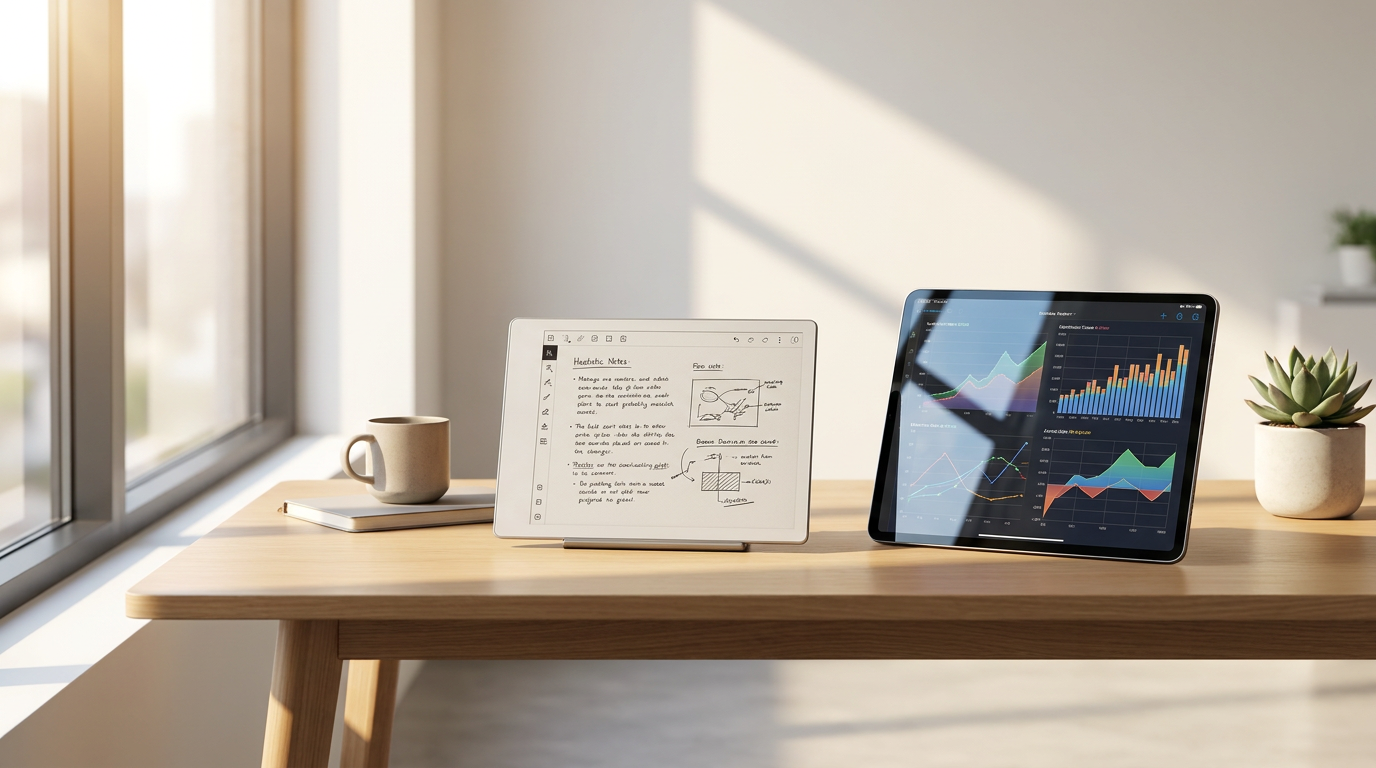
The modern professional's desk in 2026 is a battleground between productivity and digital fatigue. With the average adult spending more than thirteen hours a day staring at backlit screens, the quest for healthier, more focused workflows has intensified. This has sparked a direct competition between two fundamentally different philosophies of digital work: the versatile, do-everything Apple iPad and the minimalist, single-purpose E-Ink tablet. Devices like the reMarkable 2, Supernote Nomad, and BOOX Note Air have carved out a massive niche among executives, writers, and students who are desperate to escape the glare of traditional displays.[1][4]
The case for the iPad rests entirely on its unmatched versatility and raw computing power. As a traditional tablet, it functions as a vibrant, full-color pane of glass that can handle almost any task a laptop can. Users can seamlessly jump from a Zoom video call to editing a complex Microsoft Excel spreadsheet, and then to annotating a full-color PDF presentation. With access to the massive App Store ecosystem, the iPad integrates flawlessly with enterprise tools like Notion, Slack, and Evernote, making it a true all-in-one device for the modern office.[2][3]
However, the argument against the iPad centers on cognitive overload and battery anxiety. The very features that make it powerful—constant connectivity, background app refreshing, and push notifications—actively work against deep, reflective focus. Furthermore, powering a Liquid Retina display with a high refresh rate requires immense energy. Even the most efficient iPad models max out at roughly ten to twelve hours of battery life under normal use, tethering the user to a charging cable on a daily basis.[2][5]
The physiological evidence against prolonged LCD screen use is also mounting. A peer-reviewed study commissioned through the Harvard T.H. Chan School of Public Health found that the high-energy blue light emitted by standard backlit LCD and LED screens causes significant stress on human retinal cells. This blue light produces reactive oxidative species that accumulate during prolonged viewing, leading to photo-oxidative damage and disrupting the body's natural circadian rhythms when used near bedtime.[4][7]

Conversely, the case for E-Ink tablets is built on distraction-free focus and physiological comfort. These devices intentionally strip away the app store, web browsers, and social media feeds, leaving users with a dedicated digital canvas. By eliminating the temptation of "just one more app," E-Ink tablets preserve the low-cognitive-load rhythm of analog journaling. When a user opens a device like the reMarkable 2, the only available action is to read or write, forcing a level of deep work that is increasingly rare in corporate environments.[1][2][5]
The physiological evidence strongly supports the E-Ink approach. The same Harvard study demonstrated that E-Ink displays equipped with ComfortGaze front lights are up to three times less stressful for retinal cells than traditional LCD devices. Because E-Ink technology relies on reflecting ambient light rather than pushing a backlight directly into the user's eyes, it produces zero blue light when the front illumination is turned off. This makes it vastly superior for marathon reading sessions and late-night document reviews.[4][7]
The physiological evidence strongly supports the E-Ink approach.
The argument against E-Ink tablets highlights their severe functional limitations. These devices are strictly complementary tools, not laptop replacements. The displays are predominantly monochrome, making them useless for reviewing color-coded charts, photographs, or video content. Furthermore, the inherent technology of electronic ink results in a much slower screen refresh rate. While perfectly fine for static text and handwriting, this latency makes web browsing or rapid scrolling a frustrating, stuttering experience.[1][2][3]
When comparing the physical writing experience, E-Ink devices hold a distinct advantage. Tablets like the reMarkable 2 feature a textured, matte surface that provides physical friction against the stylus, closely mimicking the sound and feel of a gel pen scratching across real paper. The iPad's glass screen, by contrast, is notoriously slippery. While users can apply aftermarket matte screen protectors to the iPad to simulate this friction, doing so permanently degrades the crispness and color accuracy of the expensive Liquid Retina display.[2][5]

Battery life presents another stark contrast in this trade-off analysis. Because E-Ink displays only draw power when the screen is actively refreshing—such as when turning a page or drawing a new stroke—they are incredibly energy efficient. A standard E-Ink tablet can easily last between two and four weeks on a single charge, even with daily use. This transforms the device from a gadget that needs constant management into a reliable, always-ready notebook that can survive a month of business travel without a charger.[2][5]
Eye-tracking research further validates the reading efficiency of electronic ink. Studies have shown that reading rates on E-Ink devices closely mirror those of traditional printed books, whereas backlit tablets often induce squinting and partial eye closure due to glare and reflections. By removing the harsh luminance flicker and spectral imbalance of an LCD screen, E-Ink provides a visual experience that the human brain processes almost identically to physical paper.[6][7]
Ultimately, the iPad fits well when a professional's workflow demands rapid app switching, multimedia presentations, and a single, unified device for travel. It is the correct choice for users who need to manipulate complex, colorful data, participate in video conferences, and rely heavily on a broad ecosystem of third-party productivity software. If you can only afford to carry one piece of glass in your bag, the iPad remains the undisputed king of versatility.[1][2][3]
However, the iPad does not fit when the primary goal is extended, deep-focus reading, distraction-free drafting, or reducing daily eye strain. For users who find themselves constantly derailed by incoming emails or suffering from tension headaches after a long day of screen time, the iPad's glowing display and notification infrastructure will only exacerbate the problem.[1][4]

An E-Ink tablet fits well when a workday consists of marathon meetings, deep document review, and focused writing sessions where an analog feel is paramount. It is the ideal secondary device for executives and creatives who want to separate their "thinking and drafting" phase from their "editing and communicating" phase. It provides a quiet, dedicated space to breathe and process information without digital noise.[1][5][7]
Conversely, an E-Ink tablet does not fit when a user expects it to manage their entire digital life. It will fail anyone who needs to quickly browse the web, edit multimedia, or run proprietary enterprise software. In 2026, the most effective productivity setup is rarely a choice between the two, but rather a deliberate pairing: a laptop or iPad for the heavy, connected lifting, and an E-Ink tablet for the quiet, focused work.[1][2]
How we got here
2010
Apple releases the first iPad, establishing the modern standard for versatile, backlit touchscreen tablets.
2017
The original reMarkable tablet launches, pioneering the market for premium, distraction-free digital paper.
2020
The reMarkable 2 is released, featuring a dramatically thinner design and improved writing latency, popularizing E-Ink for executives.
2023
Harvard School of Public Health publishes research confirming that E-Ink displays cause significantly less retinal stress than LCDs.
2026
E-Ink devices become standard secondary tools in corporate workflows as professionals actively combat digital eye strain.
Viewpoints in depth
E-Ink Purists
Advocates who prioritize deep focus, eye health, and the tactile feel of analog writing.
This camp argues that the modern digital environment is actively hostile to deep, reflective thought. By stripping away web browsers, app stores, and notifications, E-Ink purists believe that devices like the reMarkable 2 force a necessary cognitive constraint. They point to physiological data showing reduced retinal stress and argue that the tactile friction of a stylus on a matte screen provides a grounding, sensory experience that glass screens simply cannot replicate. For them, the lack of features is the primary feature.
Versatility Advocates
Professionals who value having a single, powerful device that can handle any task.
Versatility advocates view single-purpose devices as an unnecessary expense and a hassle to carry. They argue that an iPad, equipped with the right software disciplines (like 'Do Not Disturb' modes and screen time limits), can replicate the focus of an E-Ink tablet while still offering the power to edit a video, join a conference call, or render a full-color presentation. They believe that buying a $400 monochrome tablet that cannot even check email is an inefficient use of resources when a standard tablet can do it all.
Ergonomic Researchers
Scientists and health professionals focused on the physiological impact of screen technology.
This perspective focuses strictly on the biological toll of modern workflows. Ergonomic researchers highlight studies from institutions like Harvard, noting that the high-energy blue light and constant flicker of backlit LCDs disrupt circadian rhythms and cause photo-oxidative retinal damage. They advocate for E-Ink technology not necessarily for its productivity benefits, but as a vital public health intervention to combat the rising epidemic of digital eye strain and chronic screen fatigue among office workers.
What we don't know
- Whether color E-Ink technology will advance enough to match the vibrancy and refresh rates of LCD screens in the near future.
- How long-term adoption of E-Ink devices in corporate environments will impact overall employee mental health metrics.
- If Apple or other major tablet manufacturers will eventually release hybrid screens that combine LCD and E-Ink technologies.
Key terms
- E-Ink (Electronic Ink)
- A display technology that mimics the appearance of ordinary ink on paper by reflecting ambient light rather than emitting a backlight.
- LCD (Liquid Crystal Display)
- A standard screen technology used in most tablets and laptops that relies on a bright backlight to push images through the display.
- Retinal Stress
- Physiological fatigue and potential damage to the cells in the eye caused by prolonged exposure to high-energy blue light.
- Refresh Rate
- The speed at which a screen updates its image; LCDs have high refresh rates for smooth video, while E-Ink has low refresh rates suited for static text.
- Cognitive Load
- The amount of mental effort required to process information; multi-app tablets generally impose a higher cognitive load than single-purpose devices.
Frequently asked
Can an E-Ink tablet completely replace my iPad?
For most professionals, no. E-Ink tablets are specialized tools for reading, writing, and deep focus. They lack the color displays, fast refresh rates, and app ecosystems required for video calls, multimedia editing, and complex multitasking.
Do E-Ink screens really reduce eye strain?
Yes. Research from the Harvard School of Public Health indicates that E-Ink displays are up to three times less stressful on retinal cells than backlit LCDs, largely because they reflect ambient light rather than emitting high-energy blue light.
How long does the battery last on an E-Ink tablet?
Because electronic ink only draws power when the screen image changes, most E-Ink tablets can last between two and four weeks on a single charge, compared to the 10 to 12 hours typical of an iPad.
Is the writing experience better on E-Ink than on an iPad?
Most users find E-Ink superior for writing. The screens have a matte, textured surface that provides physical friction against the stylus, closely mimicking the feel of a pen on paper, whereas the iPad's glass screen is naturally slippery.
Sources
Source coverage
7 outlets
3 viewpoints surfaced







[1]Factlen Editorial TeamE-Ink Purists
Synthesis by Factlen editorial team
Read on Factlen Editorial Team →[2]ZDNETVersatility Advocates
reMarkable 2 vs iPad: Which tablet is better for note-taking?
Read on ZDNET →[3]Trusted ReviewsVersatility Advocates
Remarkable 2 vs iPad Pro: Which tablet is best?
Read on Trusted Reviews →[4]Harvard T.H. Chan School of Public HealthErgonomic Researchers
Study finds displays with brighter, bluer light cause higher levels of stress on retinal cells
Read on Harvard T.H. Chan School of Public Health →[5]RadioTimesVersatility Advocates
reMarkable 2 vs Apple iPad: Which tablet is best for note-taking?
Read on RadioTimes →[6]ResearchGateErgonomic Researchers
Reading on E-ink vs LCD displays: Eye tracking and visual strain
Read on ResearchGate →[7]BOOXE-Ink Purists
Why E Ink Devices Are Better for Your Eyes
Read on BOOX →

Every angle. Every day.
Get shopping stories with full source coverage and perspective breakdowns delivered to your inbox.