
The 2026 Guide to Copilot+ PCs: What Laptop Buyers Actually Need to Know
The arrival of Copilot+ PCs and Neural Processing Units (NPUs) has fundamentally rewritten the rules of laptop shopping, delivering massive leaps in battery life and efficiency.
By Factlen Editorial Team
- Everyday Consumers
- Prioritize battery life, portability, and simplicity over raw benchmark scores.
- Creative Professionals
- Require massive NPU and GPU headroom to accelerate local rendering and design workflows.
- Software Developers
- Care about architecture compatibility, local LLMs, and the x86 vs ARM debate.
- Hardware Enthusiasts
- Skeptical of AI marketing and fiercely protective of x86 compatibility and gaming performance.
What's not represented
- · Enterprise IT Managers
- · Budget Shoppers under $500
Why this matters
Buying a laptop without a modern NPU in 2026 means missing out on massive battery life improvements and future software updates. Understanding the new 'TOPS' metric ensures you invest in a machine that won't be obsolete in a year.
Key points
- The defining metric for buying a laptop in 2026 is TOPS (Trillions of Operations Per Second), which measures AI processing speed.
- Microsoft requires a minimum of 40 NPU TOPS and 16GB of RAM for a laptop to earn the Copilot+ PC certification.
- The Neural Processing Unit (NPU) handles background tasks with extreme efficiency, allowing modern laptops to achieve 15 to 20 hours of battery life.
- Qualcomm's ARM-based Snapdragon chips lead in battery life, while Intel and AMD's x86 chips offer guaranteed compatibility with legacy software and games.
- Buyers should beware of misleading 'Total System TOPS' marketing and focus exclusively on the NPU's dedicated TOPS rating.
For the last decade, buying a laptop required a painful compromise. You could choose a thin, light machine with excellent battery life that struggled under heavy workloads, or a thick, loud powerhouse that needed to be plugged into a wall every three hours. In 2026, that compromise is officially dead. A fundamental shift in processor architecture has rewritten the rules of mobile computing, delivering machines that run heavy creative software without breaking a sweat, all while lasting through a 15-hour flight on a single charge.[1][2]
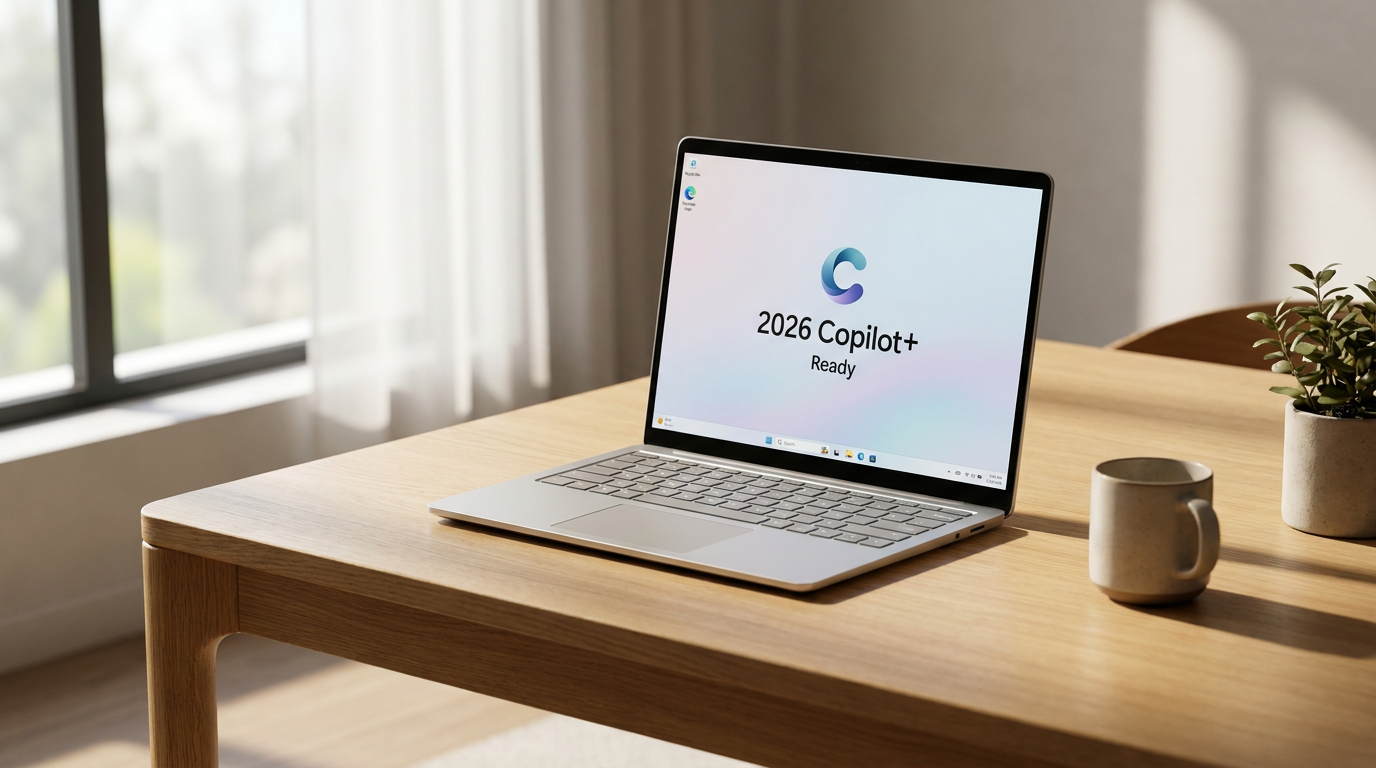
The catalyst for this leap forward is a new category of devices that Microsoft has dubbed "Copilot+ PCs." While the marketing heavily emphasizes artificial intelligence, the actual hardware changes under the hood are what make these laptops a generational leap. To earn the Copilot+ badge, a laptop must meet strict hardware requirements, most notably featuring a dedicated AI processor capable of hitting a specific performance threshold.[4][7]
For years, consumers obsessed over CPU clock speeds measured in gigahertz and the amount of video RAM on a graphics card. Today, the kingmaker metric on any laptop spec sheet is TOPS, which stands for Trillions of Operations Per Second. Microsoft has mandated that any Copilot+ PC must feature a chip capable of at least 40 NPU TOPS. If a laptop falls short of this number, it is locked out of Windows 11's advanced on-device features, regardless of how much it costs.[4][6]
To understand why this matters, it helps to look at the anatomy of a modern processor. Historically, laptops relied on a Central Processing Unit (CPU) and a Graphics Processing Unit (GPU). Hardware engineers often compare the CPU to a restaurant's executive chef: highly skilled, logical, and capable of executing complex recipes, but easily overwhelmed if asked to chop a thousand onions at once.[6]
The GPU, by contrast, is like an industrial deep fryer. It possesses massive brute-force power and can process thousands of pixels simultaneously for gaming or video rendering, but it runs hot, gets loud, and consumes a massive amount of energy. You wouldn't turn on a commercial deep fryer just to toast a single slice of bread, which is why relying on a GPU for light background tasks destroys battery life.[6]

Enter the Neural Processing Unit, or NPU. In the kitchen analogy, the NPU is the specialized sous-chef. It is purpose-built to handle the specific matrix math required by machine learning algorithms. It executes these tasks incredibly fast and with almost zero power draw. By offloading these specific workloads to the NPU, the power-hungry CPU and GPU can stay asleep, drastically reducing the laptop's overall energy consumption.[4][6]
This architectural shift is the secret behind the massive battery life gains seen in 2026 laptops. Even if a user never types a prompt into an AI chatbot or generates an image, they are still using AI. Everyday tasks like blurring a messy background on a Zoom call, filtering out dog barks on a microphone, or organizing a photo library rely heavily on machine learning. When the NPU handles these tasks, laptops can routinely achieve 15 to 20 hours of real-world uptime.[4][5]
This architectural shift is the secret behind the massive battery life gains seen in 2026 laptops.
The race to dominate this new era has triggered a fierce architecture war between the major chipmakers. Qualcomm fired the first shot with its ARM-based Snapdragon X Elite and the newer Snapdragon X2 series. By utilizing the highly efficient ARM architecture—similar to what powers smartphones—Qualcomm delivered laptops that run cool, stay completely silent, and offer multi-day battery life for light workloads, boasting NPU speeds up to 80 TOPS.[3][5]
Intel, long the dominant force in the laptop market, responded aggressively with its Lunar Lake and Panther Lake processors. These chips proved that the traditional x86 architecture could still compete on efficiency. Intel's latest silicon matches the battery life of Qualcomm's ARM chips while maintaining guaranteed, native compatibility with decades of legacy Windows software and PC games, offering up to 48 NPU TOPS.[1][3]
AMD has carved out its own territory with the Ryzen AI 300 and 400 series, code-named Strix Point and Gorgon Point. AMD's strategy focuses heavily on raw multi-core performance and massive NPU headroom, pushing up to 60 TOPS. These chips have become the go-to choice for power users, developers, and creative professionals who need to run heavy local workloads, compile code, or multitask heavily without sacrificing portability.[6][7]

Apple, meanwhile, continues to refine its own path with the M5 series of Apple Silicon. While Apple rarely engages in the TOPS marketing war—the M5's Neural Engine is rated around 38 TOPS—the company's tight integration between macOS and its custom hardware means that AI tasks run with incredible efficiency. In benchmark testing, the M5 often matches or beats Windows rivals in real-world creative applications despite the lower theoretical TOPS count.[2][5]
Beyond the processor, the Copilot+ era has fundamentally changed baseline hardware requirements. Microsoft now mandates a minimum of 16 gigabytes of RAM for any Copilot+ PC. Because local AI models need fast memory to load into, the old standard of 8GB is completely obsolete. For buyers in 2026, 16GB is the absolute floor, and 32GB is highly recommended for anyone planning to keep their machine for more than three years.[7]
Shoppers must also navigate deceptive marketing tactics. Some manufacturers have started advertising "Total System TOPS" or "Platform TOPS," a figure calculated by adding the theoretical maximum speeds of the CPU, GPU, and NPU together. This can result in impressive-sounding numbers well over 100 TOPS, but it is highly misleading. The NPU TOPS figure is the only metric that determines Copilot+ certification and true background efficiency.[4][6]
Software compatibility remains a crucial decision point. While Windows on ARM has matured significantly, and most popular apps like Google Chrome, Adobe Photoshop, and Microsoft Office run flawlessly on Snapdragon chips, niche legacy software and heavy PC gaming still heavily favor the x86 architecture of Intel and AMD. Buyers must verify that their specific essential tools are ARM-compatible before opting for a Qualcomm-powered machine.[3][7]

Ultimately, buying a laptop without a 40-TOPS NPU in 2026 is akin to buying a 3G smartphone right as 4G networks took over. Even if the advanced features don't appeal immediately, the hardware is foundational for where software is heading. Laptops lacking a capable NPU will not only miss out on future operating system updates, but they will also depreciate in resale value much faster than their Copilot+ peers.[6][7]
The AI PC revolution is less about talking to a computer and more about fundamental efficiency. By adding a specialized brain to handle the heavy lifting of modern software, manufacturers have accidentally solved the laptop's oldest problem. The result is a generation of computers that are faster, quieter, and longer-lasting than anything that came before them, empowering users to work and create from anywhere without constantly hunting for an outlet.[1][4]
How we got here
Mid-2024
Microsoft introduces the Copilot+ PC standard, requiring 40 NPU TOPS.
Late 2024
Qualcomm launches the Snapdragon X Elite, proving ARM's battery life dominance on Windows.
Early 2025
Intel and AMD release Lunar Lake and Strix Point, bringing x86 efficiency up to par.
Mid-2026
Second-generation chips like the Snapdragon X2 push NPU performance to 80 TOPS.
Viewpoints in depth
Everyday Consumers
Prioritize battery life, portability, and simplicity over raw benchmark scores.
For the average user, the AI PC revolution is entirely about battery life. This camp doesn't care about running local language models or rendering 4K video; they care that they can leave their charger at home for a weekend trip. For these buyers, the Qualcomm Snapdragon X series and Intel Lunar Lake chips are revelatory, offering iPad-like standby times in a full Windows environment.
Creative Professionals
Require massive NPU and GPU headroom to accelerate local rendering and design workflows.
Creatives are the first group to truly stress-test the NPU. As software suites like Adobe Creative Cloud increasingly offload smart masking, generative fill, and noise reduction to the NPU, having a chip with 60 to 80 TOPS translates directly to time saved. This camp heavily favors AMD's Ryzen AI 300 series or Apple's M5 MacBook Pro, which offer the thermal headroom to sustain heavy workloads for hours.
Hardware Enthusiasts
Skeptical of AI marketing and fiercely protective of x86 compatibility and gaming performance.
Traditional PC enthusiasts view the 'Copilot+' marketing with a healthy dose of skepticism, warning buyers about misleading 'Total System TOPS' metrics. This group emphasizes that while ARM chips offer great battery life, the x86 architecture from Intel and AMD remains the only safe bet for legacy software compatibility, heavy virtualization, and native PC gaming without translation layers.
What we don't know
- How quickly third-party software developers will fully optimize their legacy applications to take advantage of the NPU.
- Whether Microsoft will eventually raise the Copilot+ certification threshold above 40 TOPS for future Windows updates.
- The long-term durability and thermal degradation of running sustained, heavy AI workloads on ultra-thin, fanless laptop designs.
Key terms
- NPU (Neural Processing Unit)
- A specialized chip designed specifically to handle the matrix math required by AI tasks with extreme energy efficiency.
- TOPS (Trillions of Operations Per Second)
- The standard measurement of an NPU's processing speed and the new benchmark for laptop performance.
- Copilot+ PC
- Microsoft's certification for Windows laptops that feature at least 16GB of RAM and an NPU capable of 40 TOPS.
- x86 Architecture
- The traditional processor design used by Intel and AMD, known for absolute compatibility with decades of PC software.
- ARM Architecture
- The highly efficient processor design used by Qualcomm and Apple, originally developed for smartphones and now powering premium laptops.
Frequently asked
Do I need an AI PC if I don't use AI chatbots?
Yes. The NPU handles background tasks like video call blurring and noise cancellation, which drastically improves your battery life even if you never use generative AI.
What happens if I buy a laptop with less than 40 TOPS?
It will not receive Microsoft's Copilot+ certification, meaning it will be locked out of advanced on-device Windows features and will likely depreciate faster.
Can I still play PC games on a Copilot+ laptop?
Yes, but you should opt for an Intel or AMD x86 processor rather than a Qualcomm ARM chip, as many traditional games are not yet optimized for ARM architecture.
Why is 16GB of RAM suddenly the minimum?
Local AI models require fast memory to load into. 16GB provides enough headroom to run these models in the background while you multitask with other applications.
Sources
Source coverage
7 outlets
4 viewpoints surfaced







[1]PCMagEveryday Consumers
Buying Guide: The Best Copilot+ Laptops for 2026
Read on PCMag →[2]Tom's HardwareHardware Enthusiasts
Best Laptops You Can Buy Today
Read on Tom's Hardware →[3]NotebookcheckHardware Enthusiasts
Asus ZenBook A16 UX3607 Review
Read on Notebookcheck →[4]EFTMHardware Enthusiasts
What is an AI PC, and do you actually need one?
Read on EFTM →[5]Creative BloqCreative Professionals
The best AI laptops: Future-proof your creative work with an onboard NPU
Read on Creative Bloq →[6]AI Dev Day IndiaSoftware Developers
The NPU Revolution: A visual guide to the 'Kitchen Analogy' and the new 40 TOPS standard
Read on AI Dev Day India →[7]Vision ComputersEveryday Consumers
Copilot+ PCs Buying Guide
Read on Vision Computers →
Every angle. Every day.
Get shopping stories with full source coverage and perspective breakdowns delivered to your inbox.