
Comparing E-Ink Notebooks and Multipurpose Tablets for Office Productivity
As screen fatigue rises, professionals are weighing the distraction-free focus of e-ink devices against the versatile power of traditional tablets.
By Factlen Editorial Team
- Focus & Deep Work Advocates
- Argue that distraction-free environments and paper-like tactile feedback are essential for cognitive focus and reducing screen fatigue.
- Workflow Integration Pragmatists
- Argue that a device must integrate seamlessly with existing enterprise tools, handle multimedia, and support rapid app-switching.
- Vision Health Researchers
- Focus on the physiological benefits of reflective screens, zero blue light, and reduced blink-rate disruption during prolonged use.
What's not represented
- · Environmental impact analysts
- · Public school educators
Why this matters
Choosing the right digital note-taking tool directly impacts your daily cognitive load, eye health, and workflow efficiency. The right device can eliminate hours of screen fatigue, while the wrong one can introduce constant distractions and disrupt deep work.
Key points
- E-ink tablets prioritize distraction-free focus and weeks-long battery life.
- Traditional tablets offer unmatched versatility and seamless enterprise app integration.
- Reflective e-ink screens significantly reduce visual fatigue and blue light exposure.
- The choice depends entirely on whether a user needs deep focus or rapid multitasking.
In the modern corporate environment, the greatest threat to productivity is rarely a lack of skill; it is the relentless barrage of the notification tray. As remote and hybrid work models have solidified, professionals find themselves tethered to screens that constantly demand their attention with emails, Slack messages, and calendar alerts. This digital noise has sparked a counter-movement among knowledge workers who are actively seeking ways to disconnect from the internet while remaining productive. Enter the digital notebook—a device designed to bridge the gap between the tactile focus of physical paper and the organizational benefits of cloud storage. The debate over how best to achieve this balance has fractured the market into two distinct camps: those who advocate for specialized, distraction-free e-ink tablets, and those who prefer the sheer versatility of traditional multipurpose tablets.[7]
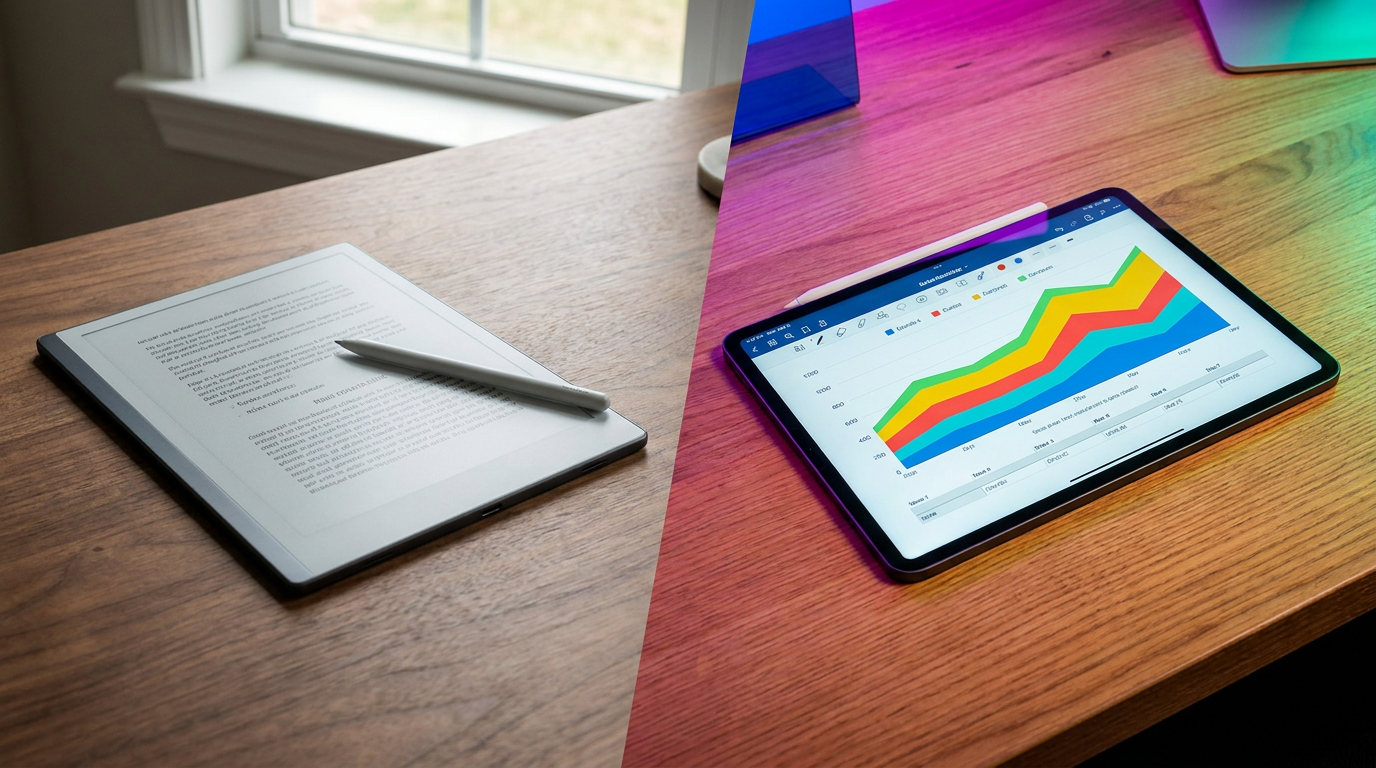
By 2026, the digital note-taking market has matured significantly, offering highly refined hardware on both sides of the divide. On one end of the spectrum are premium e-ink devices like the reMarkable Paper Pro, the Supernote Manta, and the Boox Note Air 4C. These devices utilize electrophoretic ink technology to mimic the physical properties of paper, prioritizing a singular, focused user experience. On the opposite end are multipurpose powerhouses like the Apple iPad Pro and the Samsung Galaxy Tab. These devices leverage high-resolution OLED and LCD screens, powerful processors, and massive app ecosystems to serve as complete laptop replacements. Choosing between these two philosophies is no longer a question of which device is objectively better, but rather a strategic decision about how a user wants to structure their cognitive workflow and manage their daily screen time.[1][2]
**E-Ink Tablets: The Case For.** For professionals seeking a distraction-free environment, dedicated e-ink devices offer unparalleled focus. These tablets intentionally strip away the notification tray, web browsers, and social media applications, leaving only a digital canvas for deep thought. The tactile experience is a major draw; micro-textured screens paired with Wacom EMR styluses closely mimic the physical friction of pen dragging across paper, a satisfying sensation that smooth glass screens struggle to replicate. Furthermore, because e-ink displays only draw electrical power when actively refreshing the screen, their battery life is measured in weeks rather than hours. This extreme energy efficiency eliminates the daily charging anxiety associated with traditional electronics, allowing the device to live permanently on a desk like a traditional notepad, always ready for immediate use.[1][2][7]
**E-Ink Tablets: The Case Against.** The singular focus of e-ink devices is simultaneously their greatest limitation. They are inherently isolated from modern, fast-paced enterprise workflows. Users cannot easily drop a screenshot from an email into their notes, join a spontaneous Zoom call, or natively edit a shared Microsoft Word document with full formatting. The underlying technology relies on a slow refresh rate, which makes fast typing, web browsing, or viewing any form of multimedia practically impossible. Additionally, these devices carry a premium price tag—often exceeding $500 for the tablet and stylus combination—for a tool that only performs one specific function. Some manufacturers also gate their most useful cloud synchronization and handwriting-to-text features behind ongoing monthly subscription fees, adding to the long-term cost of ownership.[3][4]

**E-Ink Tablets: The Evidence.** The physiological benefits of e-ink technology are well-documented and heavily support its use for prolonged reading and writing. A 2023 study by researchers at Harvard University found that e-ink screens equipped with adaptive frontlights are two to three times safer for the eyes than backlit LCDs, significantly reducing the accumulation of reactive oxidative species in retinal cells. Similarly, foundational research from Université Paris demonstrated that users reading on LCD screens experienced a measurable drop in their blink rates and reported a 70% higher subjective visual fatigue score compared to those using e-ink or physical paper. The lack of harsh blue light emission from e-ink displays also protects circadian rhythms, making them vastly superior for evening work or late-night document review.[5][6][8]
**E-Ink Tablets: The Evidence.** The physiological benefits of e-ink technology are well-documented and heavily support its use for prolonged reading and writing.
**Traditional Tablets: The Case For.** Multipurpose devices like the Apple iPad Pro are the ultimate Swiss Army knives for the modern office. They integrate seamlessly into complex enterprise ecosystems, allowing users to run full, native versions of Microsoft OneNote, Slack, Teams, and heavy CAD software. The workflow is entirely frictionless: a user can utilize split-screen multitasking to read a dense PDF on one side while dragging and dropping reference images into a presentation on the other. The hardware itself is stunning, featuring high-resolution, full-color OLED and LCD screens with 120Hz ProMotion refresh rates. This provides a buttery-smooth interface with virtually zero latency when writing with an active stylus like the Apple Pencil, handling everything from basic note-taking to professional video editing with absolute ease.[3][4]
**Traditional Tablets: The Case Against.** The boundless versatility of an iPad is precisely what makes it a cognitive minefield for focused work. The constant barrage of incoming emails, calendar reminders, and easily accessible entertainment apps creates a high-distraction environment that actively fractures sustained attention spans. Ergonomically, writing on a hard glass screen with a plastic stylus tip can feel slippery, loud, and unnatural; while matte screen protectors can add friction, they simultaneously degrade the visual clarity of the expensive display. Furthermore, the powerful internal processors and bright backlit screens drain the battery rapidly. Heavy users will find themselves tethered to a power outlet, requiring daily or even twice-daily charging sessions to keep the device operational through a busy workday.[7][8]

**Traditional Tablets: The Evidence.** While traditional tablets dominate in raw computational capability, their impact on user focus and physical fatigue represents a documented trade-off. Productivity audits consistently indicate that the cognitive load required to manage app-switching and resist digital temptations significantly reduces the capacity for deep, uninterrupted work. Physiologically, the constant backlighting and blue light emission inherent to LCD and OLED screens are directly linked to digital eye strain, clinically referred to as Visual Fatigue Syndrome. Users frequently report higher instances of dry eyes, blurred vision, and tension headaches after prolonged note-taking or reading sessions on traditional tablets, symptoms that are notably absent or vastly reduced when using reflective e-ink alternatives.[6][8]
**The Verdict: When E-Ink Fits Well.** A dedicated e-ink tablet is the optimal choice for professionals whose primary daily tasks involve deep reading, long-form writing, and strategic brainstorming. It is the perfect tool for the executive who needs to review lengthy legal contracts without eye strain, or the project architect who requires a distraction-free zone to map out complex ideas. If your workflow relies heavily on handwritten notes, and you place a high premium on the tactile sensation of pen on paper, the investment in a single-use e-ink device pays massive dividends in both cognitive focus and long-term visual comfort.[1][7]

**The Verdict: When E-Ink Does Not Fit.** Conversely, an e-ink device will quickly become a frustrating bottleneck if your daily work requires rapid app-switching, multimedia consumption, or heavy, real-time integration with enterprise software suites like Microsoft 365 or Google Workspace. It is absolutely not a laptop replacement. If you frequently need to annotate full-color slide decks, attend video conferences while referencing notes, or quickly search the web for data during a meeting, the slow refresh rate and isolated ecosystem of an e-ink tablet will actively hinder your productivity and slow you down.[3][4]
**The Verdict: When Traditional Tablets Fit Well.** The iPad Pro or Galaxy Tab is the right choice for the versatile professional who needs a single, powerful device to handle a multitude of dynamic tasks. It fits perfectly into the workflow of a manager who needs to jump seamlessly from a Zoom call to a shared OneNote notebook, or a designer who requires perfect color rendering and immediate cloud synchronization. If you view a tablet as a lightweight, highly capable laptop alternative that can also handle digital note-taking and multimedia presentations, a traditional tablet offers the best overall return on your hardware investment.[3][4]
**The Verdict: When Traditional Tablets Do Not Fit.** A multipurpose tablet is a poor choice if you already struggle with digital distractions or suffer from chronic screen fatigue by the middle of the afternoon. If your primary goal is to disconnect from the constant ping of emails and Slack messages to engage in deep, uninterrupted thought, the iPad will constantly tempt you away from your work. Additionally, if you are highly particular about the tactile feel of your writing instruments and demand an authentic paper-like experience, the glass-on-plastic sensation of a traditional stylus may never feel quite right, regardless of the expensive accessories you add.[6][7]
How we got here
April 2010
Apple releases the first iPad, establishing the modern multipurpose tablet market and setting the standard for backlit LCD reading.
December 2013
Université Paris publishes a landmark study demonstrating significantly higher visual fatigue and reduced blink rates when reading on LCDs compared to e-ink.
August 2020
reMarkable launches the reMarkable 2, popularizing the ultra-thin, distraction-free digital notebook for professionals.
December 2023
Harvard researchers publish findings showing e-ink screens are two to three times safer for retinal cells than traditional backlit displays.
Early 2026
A new generation of color e-ink tablets bridges the gap between monochrome focus and document annotation.
Viewpoints in depth
Focus & Deep Work Advocates
Professionals who prioritize distraction-free environments to maximize cognitive output.
This camp argues that the modern office is fundamentally hostile to deep thought, constantly interrupting workers with notifications and multitasking demands. For these users, the value of an e-ink tablet lies precisely in what it cannot do. By removing web browsers, email clients, and instant messaging, the device forces the user to focus entirely on the document or blank page in front of them. They cite the tactile feedback of micro-textured screens as a crucial element that grounds the user in the physical act of writing, which studies suggest improves memory retention and conceptual understanding compared to typing on a glass screen.
Workflow Integration Pragmatists
Power users who demand seamless synchronization with enterprise software ecosystems.
Pragmatists view single-use devices as an inefficient bottleneck in a fast-paced corporate environment. This group argues that a note-taking tool is only as useful as its ability to share information with a broader team. They favor multipurpose tablets like the iPad Pro because these devices run native applications for Microsoft Teams, Slack, and OneNote, allowing notes to be instantly synced, formatted, and distributed. For this camp, the cognitive cost of occasional distractions is vastly outweighed by the friction of having to manually export PDFs from an isolated e-ink ecosystem into a company's primary workflow.
Vision Health Researchers
Medical and ergonomic experts focused on the physiological impact of prolonged screen time.
Researchers emphasize the biological toll of staring at light-emitting diodes for eight to ten hours a day. This perspective highlights clinical data showing that backlit LCD and OLED screens disrupt natural blink rates, leading to dry eyes and Visual Fatigue Syndrome. They advocate for e-ink technology because its reflective nature mimics physical paper, relying on ambient room light rather than shining a backlight directly into the retina. Furthermore, they point to the complete absence of blue light emission in e-ink displays as a critical factor in preserving healthy circadian rhythms for professionals who work late into the evening.
What we don't know
- How quickly color e-ink technology will advance to match the refresh rates of traditional LCD screens.
- Whether major enterprise software providers will develop native, optimized apps for niche e-ink operating systems.
Key terms
- E-ink (Electrophoretic Ink)
- A display technology that mimics the appearance of ordinary ink on paper by reflecting ambient light rather than emitting its own.
- Wacom EMR
- Electromagnetic Resonance technology used in styluses that allows for highly accurate, battery-free pens with a natural writing feel.
- Reactive Oxidative Species (ROS)
- Molecules that can cause damage to retinal cells when accumulated, often accelerated by exposure to harsh blue light from digital screens.
- Visual Fatigue Syndrome
- A condition characterized by eye strain, dryness, and headaches caused by prolonged exposure to backlit digital displays and reduced blink rates.
- Refresh Rate
- The number of times per second a display updates its image, with higher rates (like 120Hz on an iPad) providing smoother motion.
Frequently asked
Can I use Microsoft OneNote on an e-ink tablet?
Some e-ink devices running Android, like the Boox Note Air, support OneNote. However, the experience is often laggy due to the slow screen refresh rates compared to an iPad.
Do e-ink tablets require a monthly subscription?
It depends on the brand. The reMarkable 2 offers an optional subscription for extended cloud sync, while brands like Supernote and Boox do not require ongoing fees.
Is writing on an iPad really that different from e-ink?
Yes. The iPad's glass screen feels slippery with a hard plastic Apple Pencil, whereas e-ink tablets use micro-textured screens and softer nibs to closely mimic the friction of real paper.
Can an e-ink tablet completely replace my laptop?
No. E-ink tablets are specialized tools for reading, writing, and focused thought. They lack the processing power, app ecosystem, and color displays needed for general computing tasks.
Sources
Source coverage
8 outlets
3 viewpoints surfaced








[1]ForbesFocus & Deep Work Advocates
The 6 Best Writing Tablets, Tested With Hundreds Of Digital Pages
Read on Forbes →[2]IGNWorkflow Integration Pragmatists
These Are the Best E-Ink Tablets in 2026
Read on IGN →[3]Trusted ReviewsWorkflow Integration Pragmatists
Remarkable 2 vs iPad Pro: Which tablet is best for you?
Read on Trusted Reviews →[4]ArchiSoupWorkflow Integration Pragmatists
reMarkable 2 vs. iPad Pro: What's the difference between the two?
Read on ArchiSoup →[5]Harvard T.H. Chan School of Public HealthVision Health Researchers
Study: E-readers with E Ink screens are 2-3 times safer for eyes than LCDs
Read on Harvard T.H. Chan School of Public Health →[6]Université ParisVision Health Researchers
Results from objective and subjective measures of visual fatigue on LCD vs E-ink
Read on Université Paris →[7]iFLYTEKFocus & Deep Work Advocates
Is an E-Ink Tablet Worth It for Business Professionals?
Read on iFLYTEK →[8]Popular ScienceFocus & Deep Work Advocates
Do e-ink screens really reduce eye strain?
Read on Popular Science →

More in shopping
See all 5 stories →


Every angle. Every day.
Get shopping stories with full source coverage and perspective breakdowns delivered to your inbox.