
How to Choose an AI PC in 2026: The Complete Explainer
As Neural Processing Units (NPUs) become standard in 2026 laptops, understanding the difference between marketing hype and genuine hardware acceleration is crucial for buyers.
By Factlen Editorial Team
- Mobile Productivity Users
- Focus on battery life, silent operation, and seamless background AI features.
- Creative Professionals
- Prioritize raw graphical compute power and discrete GPUs over NPU efficiency.
- Privacy & Security Advocates
- Value the ability to run AI models locally without transmitting data to cloud servers.
What's not represented
- · Cloud Computing Providers
- · Legacy Software Developers
Why this matters
The integration of dedicated AI hardware into everyday laptops fundamentally changes battery life and privacy expectations. Understanding this shift ensures you don't overpay for marketing buzz or miss out on multi-day battery efficiency.
Key points
- An AI PC features a dedicated Neural Processing Unit (NPU) to handle machine learning tasks efficiently.
- Microsoft's Copilot+ certification requires an NPU capable of at least 40 TOPS and a minimum of 16GB of RAM.
- Running AI models locally improves user privacy, reduces latency, and allows for offline functionality.
- Qualcomm's ARM-based Snapdragon chips offer exceptional battery life, while Intel and AMD provide deep x86 software compatibility.
- Gamers and heavy content creators still require traditional discrete GPUs, as NPUs cannot replace raw graphical rendering power.
- Budget-friendly Copilot+ laptops are now available in 2026, making local AI acceleration accessible under $1,000.
In 2026, shopping for a new laptop means navigating a relentless wave of marketing centered around a single, ubiquitous term: the "AI PC." Nearly every major manufacturer has slapped the artificial intelligence label onto their latest hardware, promising revolutionary speed and smarter software. However, beneath the buzzwords lies a genuine architectural shift in how personal computers are built. The difference between a true AI laptop and a conventional machine with a chatbot pre-installed comes down to a specific piece of silicon that is reshaping the industry's approach to power and performance.[1][2][6]
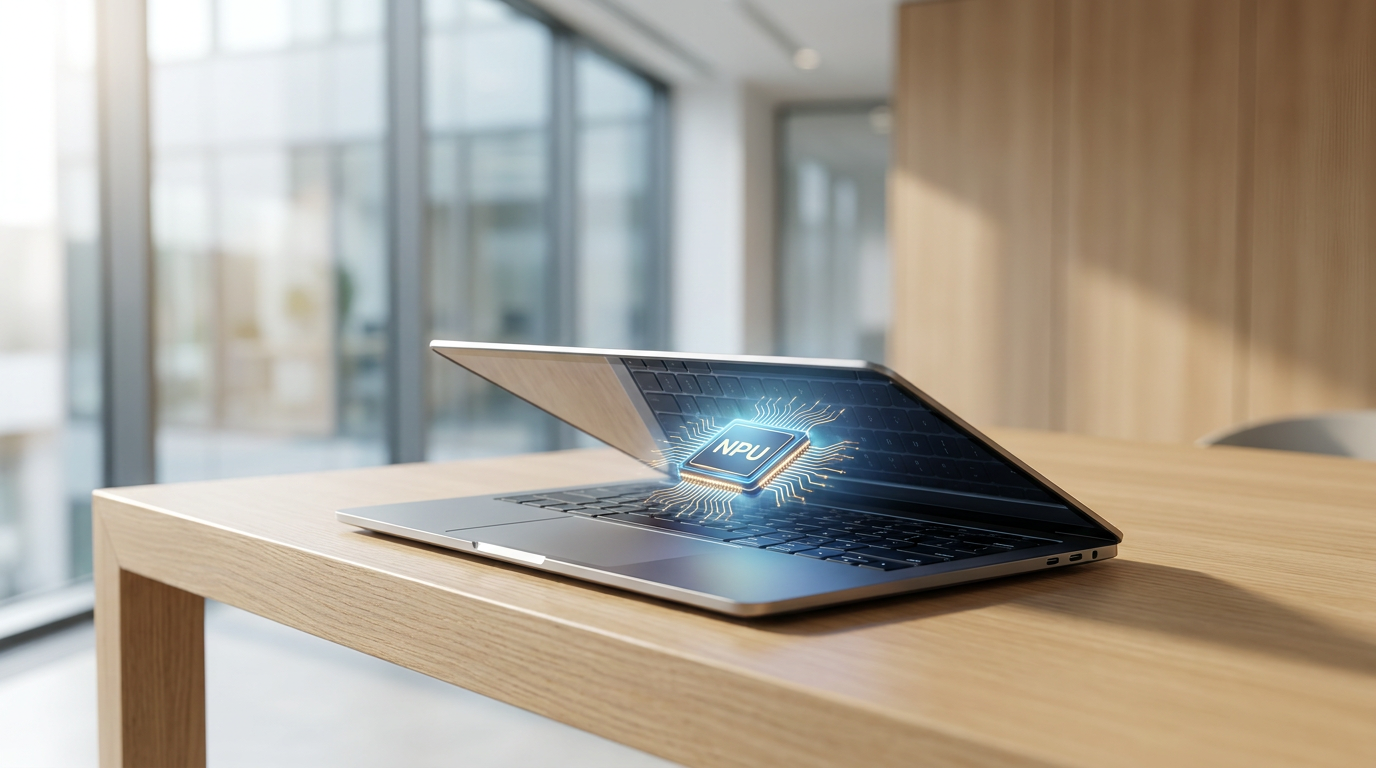
For decades, laptops relied on a binary division of labor. The Central Processing Unit (CPU) acted as the general manager for everyday tasks, while the Graphics Processing Unit (GPU) handled visual rendering and heavy creative workloads. The defining feature of a 2026 AI PC is the addition of a third engine: the Neural Processing Unit, or NPU. This dedicated chip is purpose-built to handle the complex matrix mathematics required by machine learning algorithms, fundamentally changing how a laptop delegates its processing power.[1][2][3]
The primary advantage of an NPU is not necessarily raw speed, but extreme efficiency. When a user runs a background blur on a video call, generates live captions, or asks an AI to summarize a document, a traditional laptop forces the power-hungry CPU or GPU to wake up and handle the math. An NPU, by contrast, can execute these specific neural network tasks using a fraction of the electricity. This architectural offloading is the secret behind the silent, fanless operation and drastically reduced heat generation that characterizes the latest generation of premium laptops.[2][8]
To separate meaningful hardware from empty marketing, Microsoft established the "Copilot+ PC" certification. For a Windows laptop to earn this badge in 2026, it must feature an NPU capable of performing at least 40 TOPS—Tera Operations Per Second. This metric measures the sheer volume of mathematical operations the chip can execute in one second. While TOPS is not the only indicator of a computer's quality, hitting the 40-TOPS threshold guarantees the machine has the hardware necessary to run advanced Windows 11 features locally, without relying on an internet connection.[1][2][5][6][7]

Running AI models locally on the device, rather than sending prompts to a distant cloud server, introduces massive benefits for user privacy and latency. For students, researchers, and corporate professionals, this means sensitive documents, proprietary code, and private meeting audio never leave the physical laptop. Because the processing happens on the motherboard, these AI tools respond instantly and remain fully functional even when the user is working offline on an airplane or in a remote location.[2][3][7]
Running AI models locally on the device, rather than sending prompts to a distant cloud server, introduces massive benefits for user privacy and latency.
The race to dominate this new hardware standard has triggered a fierce silicon war among the industry's top chipmakers. Qualcomm's Snapdragon X Elite and X Plus processors, built on ARM architecture, were early pioneers of the Copilot+ standard. These chips boast NPUs pushing 45 TOPS and are celebrated for their exceptional battery efficiency, often delivering 15 to 22 hours of real-world use on a single charge. Because ARM chips run so cool, many of these laptops operate entirely without internal cooling fans.[4][7][8]

However, traditional x86 processor giants have aggressively closed the gap. Intel's Core Ultra 200V series, code-named Lunar Lake, and AMD's Ryzen AI 300 series, known as Strix Point, both feature NPUs that comfortably exceed the 40-TOPS requirement. AMD's XDNA 2 architecture, for instance, pushes up to 50 TOPS. For power users who rely on legacy Windows applications or niche enterprise software that might struggle with ARM emulation, these Intel and AMD platforms offer the new AI capabilities without sacrificing deep x86 compatibility.[1][4][8]
Beyond the processor, the shift toward on-device AI has forced a baseline increase in other critical specifications. Because local AI models must be loaded directly into the computer's short-term memory to function quickly, 16GB of RAM is now the absolute minimum requirement for any Copilot+ PC. For professionals planning to run larger, more complex local language models or heavy multitasking workflows, experts strongly recommend configuring the machine with 32GB of RAM. Storage requirements have similarly increased, with 512GB solid-state drives becoming the new floor to accommodate the larger file sizes of AI-powered software.[1][3][5]
Despite the impressive capabilities of modern NPUs, they are not a universal replacement for heavy graphical horsepower. For content creators, 3D animators, and gamers, the NPU's efficiency cannot match the brute-force compute power of a dedicated graphics card. Tasks like generating high-resolution images via Stable Diffusion, rendering 4K video, or playing modern AAA games still demand a discrete GPU, such as an NVIDIA RTX 4070 or 4080. Buyers must choose between the ultra-thin, battery-sipping efficiency of an NPU-focused machine and the heavier, power-hungry performance of a discrete GPU laptop.[1][2]

For the vast majority of consumers, however, the thin-and-light AI PC represents the ideal balance of portability and capability. The practical, day-to-day benefits of these machines are most evident in productivity workflows. Features like intelligent file search, real-time language translation, and AI-assisted drafting are seamlessly integrated into the operating system, making the computer feel more like a proactive assistant than a passive tool.[1][2][6][7]
The financial barrier to entry for this technology has also begun to drop. While the first wave of Copilot+ PCs carried steep premium price tags, the 2026 market offers a much wider range of options. Budget-friendly models, such as the Acer Aspire 16 AI, now deliver the required 40-TOPS Snapdragon processors and high-refresh-rate displays for under $1,000, proving that buyers no longer need to empty their wallets to access local AI acceleration.[6][8]
Ultimately, deciding whether to invest in an AI PC depends entirely on a user's upgrade cycle and daily workflow. If a consumer only occasionally uses cloud-based chatbots in a web browser, a traditional laptop will still serve them perfectly well. But for anyone purchasing a machine they intend to use daily for the next four to five years, opting for a Copilot+ certified device offers crucial future-proofing. As software developers increasingly design their applications to leverage the NPU, having dedicated AI hardware ensures the laptop will remain fast, efficient, and capable long into the future.[2][7][8]
How we got here
Late 2023
Intel and AMD introduce their first generation of laptop processors featuring integrated NPUs, though performance remains below 20 TOPS.
May 2024
Microsoft officially announces the Copilot+ PC standard, setting a strict 40-TOPS hardware requirement for next-generation Windows AI features.
Mid 2024
Qualcomm launches the Snapdragon X Elite, becoming the first processor to meet the Copilot+ standard and delivering unprecedented battery life for Windows laptops.
Late 2024
Intel and AMD release their Lunar Lake and Strix Point architectures, bringing x86 processors up to the 40-TOPS Copilot+ requirement.
2026
AI PCs become the mainstream standard across all price points, with budget models offering 40-TOPS NPUs and 16GB of RAM for under $1,000.
Viewpoints in depth
Productivity & Mobile Users
Prioritize battery life and silent operation over raw graphical power.
For students, remote workers, and business professionals, the NPU is a revelation. By offloading background tasks like video call blurring and document indexing to the NPU, these users enjoy laptops that remain cool to the touch and deliver multi-day battery life. They view the AI PC primarily as an efficiency upgrade rather than a computational powerhouse.
Creative Professionals & Gamers
Require discrete GPUs for heavy rendering and gaming.
This camp remains skeptical of the 'AI PC' marketing blitz. While they acknowledge the NPU's efficiency for light tasks, they argue that serious local AI generation, 3D rendering, and gaming still require the brute force of a discrete graphics card. For them, a 40-TOPS NPU is a nice bonus, but an NVIDIA RTX GPU remains the non-negotiable core of their hardware setup.
Privacy & Security Advocates
Value local processing to keep sensitive data off the cloud.
For corporate IT departments and privacy-conscious consumers, the true value of the Copilot+ standard is data sovereignty. Because the NPU allows complex language models and transcription services to run entirely on-device, sensitive information never has to be transmitted to third-party cloud servers. This camp views the AI PC as a critical tool for maintaining confidentiality in an increasingly AI-driven workflow.
What we don't know
- How quickly third-party software developers will fully optimize their legacy applications to take advantage of the new NPU hardware.
- Whether future iterations of the Copilot+ standard will increase the minimum TOPS requirement, potentially rendering early 40-TOPS machines obsolete.
- How the long-term durability and battery degradation of ARM-based Windows laptops will compare to traditional x86 machines over a five-year lifespan.
Key terms
- NPU (Neural Processing Unit)
- A specialized hardware chip designed specifically to handle the complex matrix math required by artificial intelligence and machine learning tasks.
- Copilot+ PC
- A certification standard created by Microsoft for Windows laptops that feature an NPU capable of at least 40 TOPS and a minimum of 16GB of RAM.
- TOPS (Tera Operations Per Second)
- A performance metric used to measure the processing speed of an NPU, representing trillions of mathematical operations per second.
- Local Inference
- The process of running an artificial intelligence model directly on your physical device's hardware, rather than sending data to a cloud server.
- x86 Architecture
- The traditional processor design used by Intel and AMD, known for its deep compatibility with decades of legacy Windows software and PC games.
- ARM Architecture
- A highly efficient processor design, used by Qualcomm's Snapdragon chips and Apple Silicon, that prioritizes low power consumption and long battery life.
Frequently asked
Can I use AI features on a normal laptop?
Yes, but you will mostly rely on cloud-based AI tools accessed through a web browser. A normal laptop lacks the dedicated NPU required to run advanced AI models locally and efficiently.
What does TOPS mean when buying a laptop?
TOPS stands for Tera Operations Per Second. It is a measurement of how many mathematical operations the NPU can handle, indicating how fast the laptop can process local AI tasks.
Do I need an AI PC for gaming?
No. While NPUs handle AI efficiency, gaming still relies heavily on the GPU. Gamers should prioritize laptops with dedicated graphics cards over high-TOPS NPUs.
Why do AI PCs require 16GB of RAM?
Running AI models directly on your device requires loading large datasets into the system's short-term memory. 16GB is the minimum needed to keep the computer running smoothly while these models operate.
Sources
Source coverage
8 outlets
3 viewpoints surfaced








[1]NeweggCreative Professionals
AI PC Buying Guide: What to Look for in 2026
Read on Newegg →[2]AI HardwarePrivacy & Security Advocates
AI Laptop vs Normal Laptop: Do You Really Need One in 2026?
Read on AI Hardware →[3]HP Tech TakesMobile Productivity Users
AI PCs for Students: Why AI-Ready Laptops Matter in 2026
Read on HP Tech Takes →[4]MyAIHardwarePrivacy & Security Advocates
Best Copilot+ PC (2026)
Read on MyAIHardware →[5]MicrosoftPrivacy & Security Advocates
AI PC Features in 2026: Beginner's Guide
Read on Microsoft →[6]PCMagMobile Productivity Users
The Best Copilot+ Laptops for 2026
Read on PCMag →[7]PCWorldCreative Professionals
Best laptops 2026: Premium, budget, gaming, 2-in-1, and more
Read on PCWorld →[8]Gadget SalvationMobile Productivity Users
Should I Buy a Copilot+ PC? The 2026 Upgrade Debate
Read on Gadget Salvation →

Every angle. Every day.
Get shopping stories with full source coverage and perspective breakdowns delivered to your inbox.