
How to Choose a Next-Generation AI Laptop in 2026
With Neural Processing Units (NPUs) now standard in mid-range and premium laptops, buyers face a confusing array of 'AI PC' marketing claims. This guide breaks down the hardware thresholds, battery benefits, and software ecosystems that actually matter for students, professionals, and creators.
By Factlen Editorial Team
- Productivity & Enterprise Users
- Focus on battery life, transcription, and Microsoft 365 integration for daily workflows.
- Creative Professionals & Developers
- Focus on raw compute power, discrete GPUs, and local LLM inference capabilities.
- Hardware & Architecture Experts
- Focus on the technical efficiency of matrix math processing and thermal management.
- Consumer Advocates
- Focus on cutting through marketing jargon to find actual value for everyday buyers.
What's not represented
- · Budget-conscious consumers who only need basic web browsing and do not benefit from local AI inference.
- · Environmental advocates concerned about the e-waste generated by accelerated hardware refresh cycles driven by AI marketing.
Why this matters
As artificial intelligence shifts from cloud servers to local hardware, buying a laptop without a dedicated Neural Processing Unit (NPU) means missing out on the next decade of software optimization. Understanding these new specifications ensures you invest in a machine that delivers better battery life and privacy, rather than overpaying for empty marketing buzzwords.
Key points
- Neural Processing Units (NPUs) are now standard in 2026 laptops, designed specifically to handle AI matrix math efficiently.
- Offloading AI tasks to an NPU can improve a laptop's battery life by 15 to 20 percent by reducing the burden on the CPU.
- Microsoft's Copilot+ certification requires a minimum of 40 TOPS of NPU performance and 16 gigabytes of RAM.
- Apple's M-series chips utilize a built-in Neural Engine to perform similar local AI tasks within the macOS ecosystem.
- Heavy creative tasks, such as local image generation and 3D rendering, still require a dedicated discrete GPU.
If you are shopping for a new laptop in 2026, you have likely noticed a new acronym crowding the specification sheets alongside the familiar CPU and GPU: the NPU. After years of incremental hardware updates, the personal computing industry has undergone a massive shift, pivoting entirely toward artificial intelligence. Devices branded as "AI PCs" or "Copilot+ PCs" are dominating store shelves, promising everything from smarter video calls to offline language translation. But beneath the marketing buzzwords and glowing holographic stickers, a genuine architectural evolution has taken place. Understanding how this new hardware works is essential to avoiding overpriced marketing gimmicks and finding a machine that actually improves your daily workflow.[7]
The defining feature of a 2026 laptop is the Neural Processing Unit, or NPU. To understand why this chip is necessary, it helps to look at how computers have traditionally handled tasks. The Central Processing Unit (CPU) acts as the computer's brain, executing a wide variety of general instructions sequentially. The Graphics Processing Unit (GPU) is a specialist, designed to render high-resolution visual data and push frame rates for gaming and video editing. For years, when software developers introduced AI features, they forced either the CPU or the GPU to handle the underlying calculations.[2][8]
That brute-force approach came with severe drawbacks. Artificial intelligence models—whether they are blurring your background on a Zoom call or transcribing a lecture in real time—rely heavily on complex matrix and tensor mathematics. When a standard CPU attempts to process these massive grids of numbers, it consumes an enormous amount of power, generating excess heat and rapidly draining the laptop's battery. While a GPU can handle matrix math more efficiently than a CPU, firing up a high-wattage graphics card just to run a background noise-cancellation filter is incredibly inefficient.[2][4]

This is exactly the problem the NPU was engineered to solve. According to computer architecture experts, an NPU is a dedicated microprocessor built from the ground up to execute the specific layered calculations required by neural networks. Because it deals with vectors and matrices of values all at once, rather than processing them individually, an NPU can run AI workloads at a brisk pace while drawing a fraction of the wattage. It acts as a silent, highly efficient assistant, handling pattern-matching applications in the background so the CPU can focus on running the operating system.[2][8]
For the everyday user, the primary benefit of an NPU is not necessarily the ability to run complex coding algorithms; it is battery life and thermal management. By offloading continuous AI tasks to the NPU, modern laptops can maintain cool operating temperatures and extend battery life by 15 to 20 percent during active workloads. A machine that would have spun up its fans and died in three hours while running live transcription and video enhancements can now easily survive a full workday on a single charge.[2][3]
As NPUs have become standard, a new metric has emerged to measure their speed: TOPS, or Tera Operations Per Second. This number indicates how many trillions of math operations the chip can perform in one second. In 2026, TOPS is the critical threshold that separates entry-level machines from true next-generation AI laptops. While budget laptops might feature an NPU capable of 10 to 15 TOPS, the industry standard for a premium experience has settled much higher.[3][4]
Microsoft has formalized this threshold with its "Copilot+ PC" certification. To earn this badge, a Windows laptop must feature an NPU capable of at least 40 TOPS, alongside a minimum of 16 gigabytes of RAM and a 256-gigabyte solid-state drive. This hardware floor ensures that the device can run Microsoft’s advanced local AI features—such as real-time translation, intelligent search, and system-level Copilot agents—smoothly and without relying on cloud servers.[3][5]

Microsoft has formalized this threshold with its "Copilot+ PC" certification.
The push for 40 TOPS has sparked a fierce silicon arms race. Qualcomm's Snapdragon X Elite processors initially led the charge with highly efficient ARM-based chips that delivered exceptional battery life and 45 TOPS of NPU performance. Intel quickly responded with its Core Ultra 200V series, while AMD introduced the Ryzen AI 300 lineup, both integrating powerful NPUs directly into their traditional x86 architectures. This competition has flooded the market with capable Windows machines that cater to enterprise users and students alike.[4][6]
Apple, meanwhile, has taken a different approach with its Apple Intelligence ecosystem. Rather than adopting the Copilot+ moniker or focusing heavily on TOPS marketing, Apple relies on the Neural Engine integrated into its M-series Apple Silicon. The latest M4 and M5 chips boast effective NPU performance that rivals or exceeds the 40 TOPS Windows threshold, seamlessly powering local writing tools, photo cleanup, and notification prioritization across MacBooks. Because Apple controls both the hardware and the macOS software, its local AI integration is often lauded for its efficiency and privacy protections.[4][7]
Privacy is perhaps the most compelling reason to invest in a laptop with a powerful NPU. Before the advent of on-device AI, utilizing tools like ChatGPT or automated transcription required sending your personal data, audio recordings, and proprietary documents to a remote cloud server. With a capable NPU, laptops can now run Small Language Models (SLMs) entirely offline. This local inference ensures that sensitive enterprise data or personal communications never leave the physical device, virtually eliminating the latency of cloud roundtrips and significantly reducing security risks.[4][5]
However, a powerful NPU alone is not enough to guarantee a smooth AI experience; system memory is equally critical. When an on-device AI model is executed, it must be loaded directly into the laptop's RAM. If a machine only has 8 gigabytes of memory, the operating system will constantly swap data to the storage drive, resulting in sluggish performance regardless of the NPU's speed. This is why 16 gigabytes of RAM has become the absolute minimum recommendation for any laptop purchase in 2026, with 32 gigabytes strongly advised for developers and power users.[3][4]

It is also vital to understand the limitations of the NPU, particularly for creative professionals and gamers. While an NPU is brilliant at running language models and background audio filters, it is not designed to handle heavy, sustained graphical workloads. If your workflow involves generating high-resolution AI images locally, rendering complex 3D environments, or playing modern AAA video games, an NPU will not replace the need for a discrete graphics card. For those intensive tasks, a laptop equipped with a dedicated Nvidia RTX or AMD Radeon GPU remains strictly necessary.[3][4]
Shoppers must also be wary of "AI-washing" in the budget laptop segment. Many manufacturers slap "AI-ready" stickers on entry-level machines that feature weak NPUs or rely entirely on cloud-based processing to deliver AI features. These laptops often struggle to perform local inference, leading to thermal throttling and rapid battery drain when pushed. If a manufacturer refuses to list the specific TOPS rating of the NPU, it is usually a sign that the hardware is not equipped for serious on-device AI workloads.[4][7]
When navigating the 2026 market, the smartest approach is to align the hardware with your specific daily use case. For students and office workers who prioritize battery life, web browsing, and real-time meeting transcription, a thin-and-light Copilot+ PC or an Apple MacBook Air offers the perfect balance of efficiency and local AI capability. Conversely, software developers and video editors should look toward thicker workstation laptops that pair a 40+ TOPS NPU with a discrete GPU, ensuring they have the raw compute power required for heavy local model training.[3][4]

Ultimately, the transition to NPU-equipped laptops represents a permanent shift in personal computing. While you can still accomplish basic tasks without one, buying a machine without a dedicated AI processor in 2026 means missing out on the next decade of software optimization. As developers increasingly build applications that assume the presence of local AI hardware, a laptop with a robust NPU, ample RAM, and efficient thermal management is the most reliable way to future-proof your investment.[5][7]
How we got here
Late 2023
Intel and AMD begin integrating early-generation NPUs into consumer laptop processors.
May 2024
Microsoft announces the Copilot+ PC standard, setting a strict 40 TOPS hardware requirement for advanced Windows AI features.
June 2024
Apple unveils Apple Intelligence, deeply integrating local AI processing into macOS via its M-series Neural Engines.
Late 2025
Windows 10 approaches its end-of-support date, triggering a massive enterprise refresh cycle toward NPU-equipped laptops.
Mid 2026
NPUs become a standard, non-negotiable component in nearly all mid-range and premium laptops.
Viewpoints in depth
Productivity Users
Value battery life, real-time transcription, and smart search above raw compute power.
For office workers, students, and enterprise fleets, the primary appeal of the 2026 laptop market is efficiency rather than raw power. This camp heavily favors thin-and-light Copilot+ PCs or Apple Silicon MacBooks that seamlessly handle background AI tasks. By offloading features like live meeting transcription, background blur, and document summarization to the NPU, these users enjoy significantly extended battery life and cooler operating temperatures, allowing them to work through long flights or back-to-back lectures without hunting for an outlet.
Creative Professionals
Require raw compute power for local image generation and video rendering.
While the industry heavily markets the NPU, creative professionals and software developers recognize its limitations. This camp argues that an NPU is insufficient for heavy, sustained graphical workloads like generating high-resolution AI images locally or rendering complex 3D environments. Consequently, they prioritize thicker workstation laptops that pair a capable NPU with a high-wattage discrete GPU (such as an Nvidia RTX card), accepting the trade-off of reduced battery life in exchange for the raw compute power necessary for their demanding workflows.
Privacy Advocates
Emphasize the importance of local inference to keep sensitive data off cloud servers.
For privacy advocates and enterprise security teams, the true value of the NPU lies in local inference. Before on-device AI, utilizing tools like ChatGPT required sending proprietary documents, personal communications, and audio recordings to remote cloud servers. This camp champions NPU-equipped laptops because they enable Small Language Models (SLMs) to run entirely offline. By processing data directly on the physical device, these machines virtually eliminate the risk of data interception, making them essential for industries handling sensitive or classified information.
What we don't know
- How quickly third-party software developers will fully optimize their legacy applications to take advantage of local NPU hardware.
- Whether the 40 TOPS threshold will remain sufficient for advanced local AI models as they grow more complex in the coming years.
Key terms
- NPU (Neural Processing Unit)
- A specialized processor designed to efficiently handle the complex matrix math required for artificial intelligence tasks without rapidly draining the battery.
- TOPS (Tera Operations Per Second)
- A metric used to measure an NPU's processing power, indicating how many trillions of math operations it can perform in a single second.
- Copilot+ PC
- Microsoft's certification for Windows laptops that meet specific hardware requirements, including a 40+ TOPS NPU, to run advanced local AI features.
- Local Inference
- The process of running an artificial intelligence model directly on your device's hardware rather than sending data over the internet to a cloud server.
- SLM (Small Language Model)
- A compact version of an AI model, similar to ChatGPT, that is designed to run efficiently on personal devices without requiring an internet connection.
Frequently asked
Do I really need an AI laptop in 2026?
If you are buying a mid-range or premium laptop, it will likely include an NPU by default. While not strictly necessary for basic web browsing, an NPU is highly recommended for productivity, video calls, and significantly improved battery efficiency.
Can I use an NPU for gaming?
No. NPUs are specifically designed for AI inference and matrix math, not for rendering 3D graphics. Gamers and heavy video editors still require a laptop with a dedicated Graphics Processing Unit (GPU).
Does Apple make Copilot+ PCs?
No. Apple uses its own ecosystem called Apple Intelligence, which is powered by the Neural Engine built into its M-series chips. This hardware performs similar local AI tasks without using Microsoft's Copilot+ branding.
Will an AI laptop drain my battery faster?
Actually, the opposite is true. By offloading complex AI tasks from the power-hungry CPU to the highly efficient NPU, these laptops often experience a 15 to 20 percent improvement in battery life during active workloads.
Sources
Source coverage
8 outlets
4 viewpoints surfaced








[1]PCMagConsumer Advocates
The Best Laptops of Computex 2026: RTX Spark and AI Dominate
Read on PCMag →[2]HP Tech TakesHardware & Architecture Experts
What Is an NPU? (Simple Definition)
Read on HP Tech Takes →[3]Newegg InsiderCreative Professionals & Developers
AI PC Buying Guide: What to Look for in 2026
Read on Newegg Insider →[4]Dev.toCreative Professionals & Developers
The current AI laptop landscape
Read on Dev.to →[5]Windows ForumProductivity & Enterprise Users
Microsoft's 2026 primer on the 'AI PC'
Read on Windows Forum →[6]CRNProductivity & Enterprise Users
Explore 10 top AI PCs for 2026
Read on CRN →[7]Factlen Editorial TeamConsumer Advocates
Synthesis by Factlen editorial team
Read on Factlen Editorial Team →[8]University of PennsylvaniaHardware & Architecture Experts
A Penn expert explains what a neural processing unit (NPU) is
Read on University of Pennsylvania →
More in shopping
See all 6 stories →Wearable Tech
The Rise of Open-Ear Audio: Air Conduction vs. Bone Conduction Explained
7 sources

Laptop Hardware
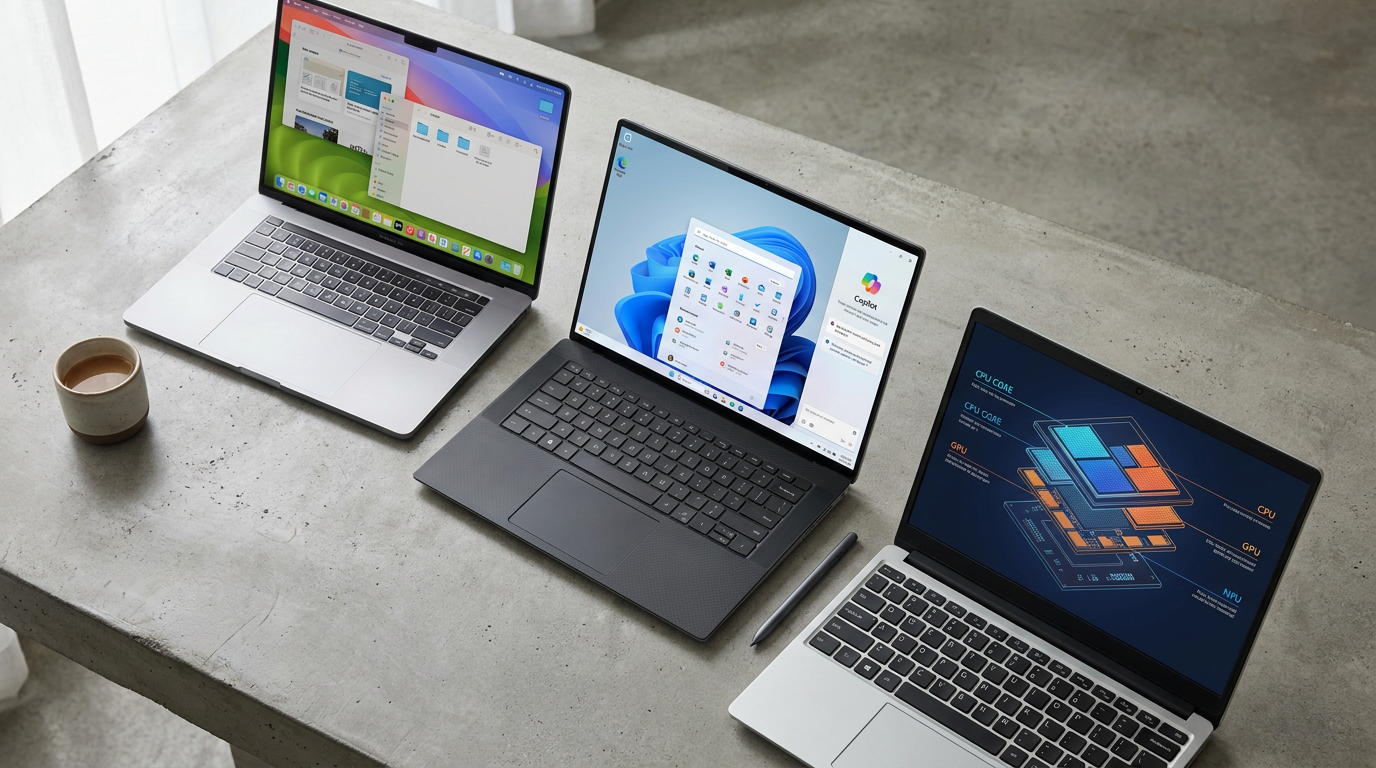
How to Choose a Laptop in 2026: ARM, x86, and the Rise of the NPU
9 sources
Display Tech
OLED vs. Mini-LED: The 2026 Gaming Monitor Trade-Off
6 sources
Consumer Deals
Amazon Sets Prime Day 2026 for Mid-July as Rival Retailers Launch Competing Summer Sales
7 sources

Every angle. Every day.
Get shopping stories with full source coverage and perspective breakdowns delivered to your inbox.