
How to Run AI Models Locally on Your Own Hardware
Running powerful large language models entirely on your own computer is now accessible to anyone with a modern PC or Mac. This guide explains how to set up tools like Ollama and LM Studio to run private, offline AI without subscription fees.
By Factlen Editorial Team
- Open-Source Developers
- Value the ability to tinker, customize, and integrate AI into local workflows without paying per-token API fees.
- Privacy Advocates
- Argue that local execution is the only way to guarantee data sovereignty and protect sensitive information from cloud surveillance.
- Hardware Enthusiasts
- Focus on optimizing consumer GPUs and Apple Silicon to push the boundaries of what consumer hardware can compute.
What's not represented
- · Cloud AI Providers
- · Enterprise Hardware Vendors
Why this matters
Cloud AI services send your prompts to external servers and charge per token. Running models locally guarantees absolute privacy for sensitive data, eliminates API costs, and works completely offline.
Key points
- Local AI tools like Ollama and LM Studio allow users to run large language models entirely offline.
- Running models locally ensures absolute data privacy and eliminates recurring API subscription costs.
- Hardware capabilities, specifically Video RAM (VRAM), dictate the maximum size of the model a computer can run.
- Quantization techniques compress massive models to fit onto standard consumer hardware with minimal quality loss.
- Localhost APIs allow offline models to act as drop-in replacements for cloud AI in developer tools like Cursor and Claude Code.
The era of sending every keystroke to a cloud server is no longer the only way to use artificial intelligence. In 2026, running large language models (LLMs) directly on consumer hardware has transitioned from a niche hacker hobby to a mainstream, accessible workflow. For years, the assumption was that AI required massive, centralized data centers to function, leaving users dependent on tech giants for every query. Today, highly optimized software runtimes and incredibly efficient open-weight models have flipped that dynamic, allowing anyone with a modern computer to host their own AI.[7]
The appeal of this local-first approach is straightforward: absolute privacy, zero subscription fees, and complete offline availability. When an LLM runs locally, the prompt data never leaves the physical machine. It is never transmitted over the internet, never stored on a remote server, and never used to train future commercial models. This makes local AI an ideal, uncompromising solution for analyzing sensitive corporate codebases, processing personal financial documents, or handling proprietary medical data that strict compliance laws prohibit from touching the cloud.[5]
Until recently, the sheer mathematical size of these models made local execution impossible for anyone without a dedicated server rack. Today, a combination of community-driven software optimization and smaller, smarter open-weight models—like Meta’s Llama 3.2, Google’s Gemma 3, and Microsoft’s Phi-4—has democratized access. These models have been engineered to punch far above their weight class, delivering reasoning capabilities that rival the massive cloud models of just a few years ago, but packaged into files small enough to fit on a standard laptop hard drive.[3]
For users looking to build their own local AI stack, the ecosystem is currently dominated by two primary tools: Ollama and LM Studio. Both serve the exact same fundamental purpose—downloading, managing, and running AI models on consumer hardware—but they cater to entirely different types of users and workflows. Choosing between them is simply a matter of deciding whether you prefer the automated, scriptable efficiency of a command-line interface or the visual, exploratory feedback of a traditional desktop application. Both are completely free to use and actively maintained by large open-source communities.[7]

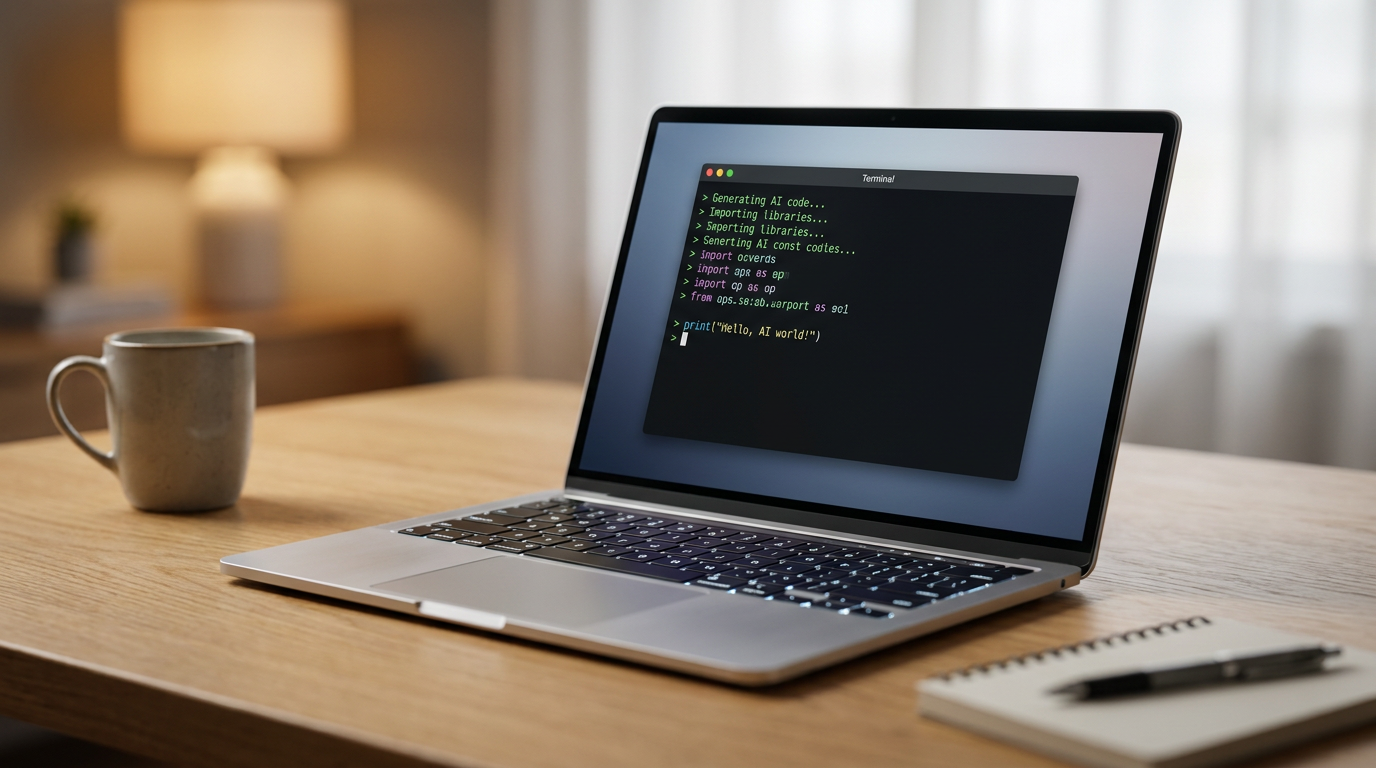
Ollama operates much like Docker for artificial intelligence. It is a command-line-first tool designed to run quietly as a background service on Mac, Windows, or Linux. With a single terminal command, such as `ollama run llama3.2`, the software automatically reaches out to its registry, downloads the necessary model weights, configures the hardware environment, and drops the user directly into an interactive chat prompt. Its frictionless, developer-centric design has made it the default engine for users who want to integrate AI into their existing terminal workflows or automated scripts.[1]
For users who prefer a graphical interface, LM Studio offers a comprehensive visual desktop application that requires zero terminal experience. It features a built-in model browser that connects directly to repositories like Hugging Face, allowing users to search for specific models, read their descriptions, and download them with a single click. Crucially, LM Studio automatically analyzes the user's system hardware and highlights which models will actually run smoothly on their machine, preventing the frustration of downloading massive files only to find they crash upon loading.[2]
LM Studio also supports advanced workflow features like multi-model loading, which allows users to keep multiple specialized AIs active in their system memory simultaneously. A developer could load a coding-specific model alongside a creative writing model, switching between them instantly without incurring the time penalty of unloading and reloading massive files from the hard drive. This visual, modular approach makes it an excellent sandbox for experimenting with the rapidly expanding universe of open-source AI, giving users a clear dashboard of their CPU, RAM, and GPU usage in real-time.[2]
Regardless of the software chosen, the primary bottleneck for running local AI is hardware—specifically, Video RAM (VRAM). Unlike standard system RAM, VRAM is the dedicated, ultra-fast memory built directly into a graphics card (GPU). Large language models require massive amounts of this high-speed memory to hold their neural networks active during inference. While a powerful CPU is helpful, the GPU's VRAM capacity dictates the absolute ceiling of how large and capable a model you can run on your machine.[4]
Regardless of the software chosen, the primary bottleneck for running local AI is hardware—specifically, Video RAM (VRAM).
A reliable rule of thumb in 2026 is that a model requires roughly 0.5 to 0.7 gigabytes of VRAM per billion parameters. Therefore, a 7-billion-parameter (7B) model—the current sweet spot for daily tasks—comfortably fits inside an 8GB GPU, such as an NVIDIA RTX 3060 or 4060. Paired with 16GB of standard system RAM, this mid-range hardware configuration can generate text at a blistering 25 to 60 tokens per second, matching or exceeding the speed of premium cloud services.[3][4]

To run larger, enterprise-grade models in the 30B to 70B parameter range, hardware requirements scale dramatically. These massive models demand 24GB to 48GB of VRAM to function efficiently. This pushes the requirements firmly into the high-end consumer or workstation tier, often necessitating flagship graphics cards like the NVIDIA RTX 3090 or RTX 4090, or even complex dual-GPU setups. For most casual users, these massive models remain out of reach, but for professionals, the one-time hardware investment easily offsets the recurring costs of enterprise API access.[3]
Apple Silicon has emerged as a unique and powerful wildcard in this hardware landscape. Because Apple's M-series chips (M3, M4, M5) utilize a 'unified memory' architecture, the integrated GPU can access the entire pool of system RAM as if it were VRAM. A Mac Studio or MacBook Pro configured with 64GB or 128GB of unified memory can comfortably run massive 70B models that would otherwise require multiple expensive NVIDIA workstation cards, making high-end Macs uniquely suited for local AI inference.[4]

If a user's hardware falls slightly short of a model's requirements, the community relies on a mathematical compression technique called 'quantization.' Quantization shrinks the model's precision—often reducing the weights from 16-bit floating-point numbers down to 4-bit or 8-bit formats (commonly labeled as Q4 or Q8). This drastically reduces the VRAM footprint and significantly increases generation speed, all while incurring only a marginal, often imperceptible loss in the AI's actual reasoning quality and factual accuracy. Almost all models downloaded through Ollama or LM Studio are pre-quantized by default to ensure maximum compatibility.[3][4]
When a model still exceeds the available GPU memory even after quantization, both Ollama and LM Studio can perform a fallback process known as 'partial offloading.' The software intelligently loads as many layers of the neural network as possible into the fast GPU VRAM, and spills the remaining layers into the slower system CPU and standard RAM. While this keeps the model functional and prevents outright crashes, it significantly reduces the generation speed, serving as a compromise for users pushing their hardware to the limit.[1][2]
Beyond simple chat interfaces, the true superpower of local LLMs is their ability to act as a silent backend engine for other applications. Both Ollama and LM Studio are designed to expose a local REST API that perfectly mimics the industry-standard OpenAI API structure. By running a local server on port 11434 or 1234, these tools trick other software into thinking they are communicating with ChatGPT, when in reality, they are talking directly to the local graphics card sitting under the user's desk.[1][6]
This API compatibility unlocks massive potential for developers. Any software tool designed to integrate with cloud AI—such as the coding assistants Cursor, Continue.dev, or Claude Code—can be seamlessly redirected to the local endpoint. The developer simply changes the endpoint URL in their settings and inputs a dummy API key. Instantly, their existing AI coding assistants are powered by a free, private, local model, completely air-gapped from the internet and immune to rate limits. This allows developers to utilize AI for auto-completing proprietary enterprise code without violating strict corporate data-sharing policies.[6]

As cloud AI providers continue to face intense regulatory scrutiny over data scraping, copyright infringement, and privacy violations, the local AI stack offers a compelling, future-proof alternative. It transforms artificial intelligence from a rented, opaque service into a permanent, owned capability that sits directly on the user's hard drive. For businesses, it represents a way to leverage cutting-edge technology without compromising trade secrets; for individuals, it represents digital sovereignty in an increasingly cloud-dependent world. The ability to run these models offline ensures that even if a cloud provider changes their pricing, alters their terms of service, or goes offline entirely, the user's workflow remains completely uninterrupted.[5][6]
The future of artificial intelligence is undoubtedly hybrid. While massive, trillion-parameter cloud models will continue to push the absolute boundaries of scientific reasoning and complex problem-solving, local models have firmly established themselves as the daily drivers of the AI ecosystem. By mastering tools like Ollama and LM Studio today, users are equipping themselves with a powerful, private, and entirely free digital assistant that operates entirely on their own terms. As consumer hardware continues to evolve and open-weight models become even more efficient, the gap between the cloud and the local machine will only continue to narrow, putting unprecedented computational power directly into the hands of the public.[5][7]
How we got here
Feb 2023
Meta's original LLaMA model weights leak online, sparking the open-source local AI movement.
Aug 2023
Ollama launches, bringing Docker-like simplicity to local model management and execution.
Apr 2024
Meta releases Llama 3, proving that open-weight models can rival proprietary cloud systems in reasoning capability.
Early 2026
Local API standards mature, allowing seamless drop-in replacement for cloud AI in major developer tools.
Viewpoints in depth
Privacy Advocates
Focus on data sovereignty and avoiding cloud surveillance.
For privacy advocates, local AI is the only acceptable path forward for sensitive data. They argue that sending personal journals, proprietary corporate code, or medical records to cloud providers introduces unacceptable risks of data breaches or silent model training. By running models locally, the physical hardware acts as an ultimate air-gap, ensuring that data sovereignty is maintained and regulatory compliance is never compromised.
Open-Source Developers
Value the ability to tinker, customize, and avoid API costs.
The developer community views local AI as a sandbox for innovation. Without the friction of per-token API costs, developers can run massive automated testing suites, build complex multi-agent systems, and experiment with fine-tuning models for highly specific tasks. They champion tools like Ollama for adhering to open standards, allowing local models to act as seamless, drop-in replacements for cloud APIs in existing software pipelines.
Hardware Enthusiasts
Focus on optimizing consumer hardware to push computational limits.
Hardware enthusiasts treat local LLM inference as the ultimate benchmarking challenge, similar to high-end PC gaming. This camp is focused on maximizing tokens-per-second through precise hardware configurations, debating the merits of NVIDIA's CUDA cores against Apple Silicon's unified memory architecture. They actively develop and test new quantization methods to squeeze massive 70B parameter models into consumer-grade VRAM, proving that data-center performance can be replicated at home.
What we don't know
- Whether future open-weight models will continue to shrink in size or if hardware requirements will eventually outpace consumer budgets.
- How cloud providers will adjust their pricing models to compete with the rising capability of free local alternatives.
Key terms
- VRAM (Video RAM)
- Dedicated memory on a graphics card, which serves as the primary bottleneck for running large AI models.
- Quantization
- A mathematical compression technique that reduces a model's memory footprint (e.g., from 16-bit to 4-bit) with minimal loss in reasoning quality.
- Unified Memory
- Apple's hardware architecture where the CPU and GPU share the same pool of RAM, highly advantageous for running large AI models.
- Parameters
- The neural connections within an AI model; a rough measure of its size and capability (e.g., an 8B model has 8 billion parameters).
- Localhost API
- A network interface that allows software on your computer to communicate with your local AI model as if it were a remote cloud service.
Frequently asked
Do I need an internet connection to use local AI?
Only initially to download the software and the model files. Once downloaded, the models run entirely offline with zero internet connection required.
Can my standard laptop run these models?
Yes, if it has at least 8GB of RAM, you can run smaller 3B to 4B parameter models. For standard 8B models, 16GB of RAM is highly recommended for smooth performance.
Are local models as smart as ChatGPT?
While massive cloud models still hold the edge in complex reasoning, modern local models like Llama 3.1 8B are highly capable and often match the performance of GPT-3.5 or early GPT-4 for everyday tasks.
What happens if I don't have a dedicated GPU?
Tools like Ollama will automatically fall back to using your computer's CPU. The model will still work, but it will generate text significantly slower than it would on a dedicated graphics card.
Sources
Source coverage
7 outlets
3 viewpoints surfaced







[1]Ollama Official DocumentationOpen-Source Developers
Ollama: Get up and running with large language models locally
Read on Ollama Official Documentation →[2]LM Studio DocumentationOpen-Source Developers
Discover, download, and run local LLMs
Read on LM Studio Documentation →[3]Local AI MasterHardware Enthusiasts
Local AI Hardware Requirements (2026): Complete Guide
Read on Local AI Master →[4]Overchat AIHardware Enthusiasts
Local LLM Hardware Requirements: GPU, VRAM & RAM Guide
Read on Overchat AI →[5]Canadian Compliance InstitutePrivacy Advocates
Running LLMs Locally: Privacy and Security Fundamentals
Read on Canadian Compliance Institute →[6]Unsloth AIOpen-Source Developers
How to Run Local LLMs with Claude Code and Open Models
Read on Unsloth AI →[7]Factlen Editorial TeamPrivacy Advocates
Synthesis by Factlen editorial team
Read on Factlen Editorial Team →

More in guides
See all 5 stories →

Every angle. Every day.
Get guides stories with full source coverage and perspective breakdowns delivered to your inbox.