
How to Run Local LLMs on Your Own Hardware: A Complete Guide
Tools like Ollama and LM Studio have democratized artificial intelligence, allowing users to run powerful, private language models entirely offline on consumer hardware.
By Factlen Editorial Team
- Privacy Advocates
- Argue that local AI is essential for protecting sensitive personal and corporate data from cloud providers.
- Open-Source Developers
- Value the ability to tinker, fine-tune, and build custom applications without being locked into proprietary APIs.
- Enterprise IT Teams
- Focus on compliance and security, utilizing local models to deploy AI tools without violating data exfiltration policies.
What's not represented
- · Cloud AI Providers
- · Hardware Manufacturers
Why this matters
Running AI locally guarantees absolute data privacy and eliminates recurring subscription fees. It empowers developers, researchers, and everyday users to leverage frontier-grade reasoning capabilities offline, without relying on cloud providers or risking the exposure of sensitive information.
Key points
- Local AI tools like Ollama and LM Studio allow users to run language models entirely offline.
- Quantization compresses massive AI models so they can fit into consumer graphics cards.
- Running models locally guarantees absolute data privacy and eliminates recurring API costs.
- Major coding assistants now support routing agentic workflows through local, private models.
The era of cloud-only artificial intelligence is quietly giving way to a decentralized alternative. While millions of users rely on hosted services like ChatGPT or Claude for their daily tasks, a growing movement of developers, researchers, and enthusiasts are running frontier-grade Large Language Models (LLMs) directly on their own laptops and desktop PCs. This shift represents a fundamental change in how computing power is distributed, moving AI inference away from massive, centralized data centers and into the hands of individual users. The tools enabling this transition have matured rapidly, transforming what was once a complex, command-line ordeal into a seamless, point-and-click experience accessible to anyone with a modern computer.[7]
The appeal of local AI is rooted in three non-negotiable benefits: absolute privacy, zero recurring subscription costs, and offline availability. For enterprise developers handling proprietary code, or users analyzing sensitive financial documents, sending data to a remote server is often a non-starter due to compliance risks and data exfiltration concerns. By running an LLM locally, the user guarantees that their prompts, documents, and generated responses never leave their physical machine. Furthermore, because the processing happens on the user's own hardware, there are no API fees or monthly subscription tiers, allowing for unlimited experimentation and usage without a ticking meter.[1][7]
Until recently, running a capable AI required enterprise-grade server racks packed with specialized hardware. Today, the barrier to entry has collapsed thanks to a breakthrough mathematical technique known as quantization. In a standard neural network, the "weights"—the parameters that dictate how the model thinks—are typically stored as highly precise 16-bit floating-point numbers. Quantization compresses these weights down to 4-bit or 8-bit formats, drastically shrinking the file size of the model. This compression allows massive AI models to fit into the limited memory pools of consumer hardware, democratizing access to advanced reasoning.[1][4]
This compression dramatically reduces the memory footprint of a model with remarkably minimal loss in its actual reasoning capability. A language model that once required 32 gigabytes of memory to operate can now fit snugly into just 8 gigabytes of space. This means that an AI capable of writing complex Python scripts or summarizing lengthy legal documents can run smoothly on standard consumer graphics cards, or even within the unified memory architecture of modern Apple Silicon MacBooks. The efficiency gains from quantization have effectively bridged the gap between research laboratories and home offices.[4][6]

The engine powering this local revolution is often Llama.cpp, a highly optimized C and C++ library designed specifically to run these quantized models. Developed by the open-source community, Llama.cpp supports the GGUF file format, which has become the industry standard for distributing compressed AI models. The library is engineered to squeeze every ounce of performance out of whatever hardware is available, dynamically splitting the computational workload between a computer's central processor (CPU) and its graphics card (GPU). It acts as the invisible bedrock for almost all user-friendly local AI applications on the market today.[1][4]
For users who prefer a polished, point-and-click experience, LM Studio has emerged as the premier desktop application for local AI. Operating much like a web browser or an app store for artificial intelligence, LM Studio allows users to search the Hugging Face model hub, download quantized models, and chat with them through a clean, intuitive graphical interface. There is no need to open a terminal or write a single line of code; users simply select a model, click download, and begin typing their prompts into a familiar chat window.[3]
Beyond its user-friendly chat interface, LM Studio features a built-in local server that perfectly mimics the OpenAI API. This is a crucial feature for developers and tinkerers, as it means any third-party application, browser extension, or coding tool designed to talk to ChatGPT can be easily tricked into talking to a local, private model instead. By simply changing the server address in the application's settings to "localhost," users can route all their AI requests through their own hardware, enabling complex automated workflows without paying a cent to cloud providers.[3]
Beyond its user-friendly chat interface, LM Studio features a built-in local server that perfectly mimics the OpenAI API.
On the other end of the software spectrum is Ollama, a tool heavily favored by developers for its simplicity, speed, and command-line elegance. Installing Ollama requires just a single terminal command, after which users can download and run models by typing a simple phrase like "ollama run llama3." Despite its minimalist interface, Ollama handles all the complex backend configuration automatically, allocating memory and optimizing the model for the specific hardware it detects on the host machine.[2]
Ollama operates as a lightweight background service, silently managing system resources while exposing a robust local API. This architecture has made it the default backend for a sprawling ecosystem of open-source tools. Users can connect Ollama to browser-based chat interfaces like Open WebUI, which provides a ChatGPT-like experience for entire teams on a local network, or integrate it directly into terminal-based coding assistants. Its flexibility and reliability have cemented its status as a foundational pillar of the local AI movement.[2][5]
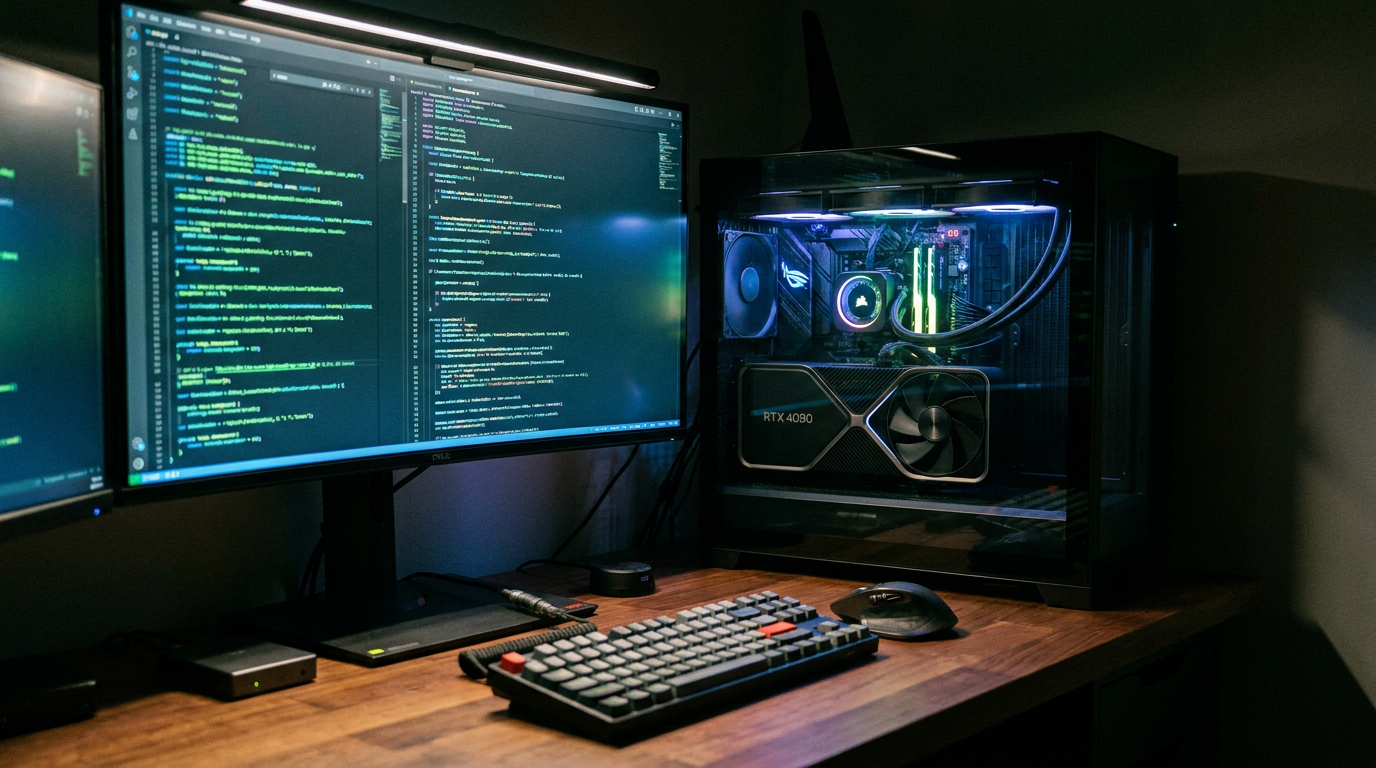
The hardware reality, however, dictates exactly what users can actually achieve with these software tools. In the world of local AI, Video RAM (VRAM) is the ultimate currency. The graphics processing unit (GPU) handles the intense matrix math required for AI inference, and for the model to run at acceptable, human-reading speeds, the entire model must fit into the GPU's memory. If a model is too large for the VRAM, the system is forced to offload the excess data to the computer's standard system RAM, which results in a severe and often unusable drop in generation speed.[6]

A standard consumer GPU with 8 gigabytes of VRAM can comfortably run 8-billion-parameter models, such as Meta's Llama 3 8B or Google's Gemma. These lightweight models punch well above their weight class, proving remarkably capable at general writing, document summarization, and basic coding tasks. On a modern graphics card, these 8-billion-parameter models can generate text at speeds exceeding 50 tokens per second—significantly faster than a human can read, making them perfect for real-time chat and rapid brainstorming sessions.[6]
For more complex reasoning, advanced mathematics, or intricate software architecture, users must look to larger 14-billion to 32-billion-parameter models, such as Qwen 2.5 or DeepSeek. Running these heavier models requires 16 to 24 gigabytes of VRAM, pushing users toward higher-end consumer hardware like the Nvidia RTX 4080 or 5090 series. Alternatively, Apple's Mac Studio and high-end MacBook Pro models, which utilize massive pools of unified memory shared between the CPU and GPU, have become highly sought-after machines for running these massive local models efficiently.[6]
The integration of local models into professional software development workflows is accelerating rapidly. In 2026, major tools like GitHub Copilot and various Visual Studio Code extensions have added native support for routing agentic workflows through local instances of Ollama or LM Studio. This allows the AI to read a developer's codebase, suggest edits, and execute terminal commands entirely on the local machine, bridging the gap between simple chat interfaces and fully autonomous coding assistants.[5]
This shift allows developers to use cutting-edge AI for code completion and refactoring without transmitting their proprietary intellectual property to external cloud providers. It represents a structural change in how enterprise software is written, bypassing strict corporate compliance hurdles regarding data exfiltration. Defense contractors, financial institutions, and security researchers who were previously blocked from using AI due to strict non-disclosure agreements can now leverage agentic workflows safely behind their own firewalls.[5][7]

Despite the rapid progress and undeniable benefits, local AI is not without its limitations. Cloud models still hold a decisive advantage in maximum context window size—the amount of text the AI can "remember" and process in a single session. While hosted models can easily ingest entire books or massive code repositories containing hundreds of thousands of tokens, local hardware often chokes when context windows exceed 32,000 tokens due to the exponential memory demands of processing long contexts.[6][7]
Ultimately, the local AI ecosystem is not about completely replacing cloud giants, but rather offering a sovereign, private alternative. By democratizing access to frontier-level reasoning, tools like Ollama, LM Studio, and Llama.cpp ensure that the future of artificial intelligence remains accessible and firmly in the hands of the user. As open-weight models continue to improve and consumer hardware grows more powerful, the line between what requires a massive data center and what can run on a laptop will continue to blur.[7]
How we got here
2023
Llama.cpp releases, enabling efficient CPU and GPU inference for local models.
2024
Ollama and LM Studio launch, providing user-friendly interfaces for local AI.
2025
Quantized models like Llama 3 and Qwen match the performance of early cloud-based GPT-4.
2026
Major IDEs and coding assistants add native support for local agentic workflows.
Viewpoints in depth
Privacy Advocates
For privacy-conscious users and security researchers, local AI is a non-negotiable requirement.
Privacy advocates argue that transmitting proprietary code, financial documents, or personal journals to cloud servers controlled by tech giants introduces unacceptable risks. By running models locally, these users ensure that their prompts and data never leave their physical machine, completely eliminating the threat of data breaches or unauthorized model training. They view local AI as a necessary safeguard against the surveillance capitalism inherent in cloud-based services.
Open-Source Developers
The developer community views local AI as a canvas for unrestricted innovation.
Without the constraints of API rate limits or subscription costs, developers can experiment freely with new agentic workflows, custom system prompts, and novel user interfaces. They champion tools like Ollama and Llama.cpp because these open ecosystems prevent vendor lock-in and democratize access to frontier-level reasoning capabilities. For this camp, the ability to fine-tune and modify the underlying models is just as important as running them.
Enterprise IT Teams
Corporate IT departments are adopting local AI to solve compliance and data governance headaches.
Enterprise IT teams face a constant struggle with employees using unauthorized cloud AI tools for work, risking data leaks. By deploying local models on company hardware, IT teams can provide staff with powerful AI assistance while strictly adhering to internal data governance and compliance frameworks. This ensures that intellectual property remains within the corporate firewall, satisfying both the developers' need for AI tools and the legal department's security requirements.
What we don't know
- How quickly consumer hardware will scale memory capacity to support massive 100B+ parameter models locally.
- Whether future regulatory frameworks will attempt to restrict the distribution of powerful open-weight models.
Key terms
- Quantization
- A technique that compresses an AI model's memory footprint by reducing the precision of its internal numbers.
- VRAM
- Video RAM; the dedicated memory on a graphics card used to load and run AI models.
- GGUF
- A file format optimized for running quantized language models efficiently on consumer hardware.
- Inference
- The process of an AI model generating a response or prediction based on a user's prompt.
Frequently asked
Do I need an internet connection to use a local LLM?
No. Once the model file is downloaded to your machine via tools like Ollama or LM Studio, it runs entirely offline.
Can a local model write code as well as ChatGPT?
Yes, specialized open-weight models like Qwen Coder or DeepSeek can match or exceed cloud models for specific coding tasks, provided you have the hardware to run them.
Is it free to use local AI?
Yes. The software tools and the open-weight models are entirely free, though you must provide the computing hardware and pay for the electricity to run it.
Sources
Source coverage
7 outlets
3 viewpoints surfaced







[1]Hugging FaceOpen-Source Developers
Run AI models locally and privately
Read on Hugging Face →[2]OllamaOpen-Source Developers
Get up and running with large language models locally
Read on Ollama →[3]LM StudioEnterprise IT Teams
Discover, download, and run local LLMs
Read on LM Studio →[4]MediumOpen-Source Developers
Running Hugging Face Models Locally with Ollama and GGUF
Read on Medium →[5]Dev.toEnterprise IT Teams
GitHub Copilot now runs agentic workflows through Ollama
Read on Dev.to →[6]LocalLLM.inPrivacy Advocates
Complete 2026 Guide to GPU Memory for Local LLMs
Read on LocalLLM.in →[7]Factlen Editorial TeamPrivacy Advocates
Synthesis by Factlen editorial team
Read on Factlen Editorial Team →
Every angle. Every day.
Get guides stories with full source coverage and perspective breakdowns delivered to your inbox.