
The Ultimate Guide to Digital Travel Safety: Protecting Your Data on Public Wi-Fi and at the Border
As international travel exposes devices to unsecured networks and warrantless border searches, understanding digital hygiene is essential. Here is how to secure your data, use public Wi-Fi safely, and navigate electronic device inspections at customs.
By Lan Xu

In short
- Public Wi-Fi networks are vulnerable to eavesdropping and rogue hotspots, making a VPN essential for encrypting your internet traffic.
- U.S. Customs and Border Protection (CBP) can conduct warrantless 'basic searches' of electronic devices at ports of entry.
- CBP policy strictly prohibits agents from searching data stored in the cloud; they may only examine files physically resident on the device.
The modern international traveler packs far more than clothing and toiletries; they carry their entire digital life in their pocket. Smartphones and laptops hold banking details, corporate secrets, intimate communications, and years of personal photos.
Yet, the moment a traveler steps into an international airport or connects to a foreign hotel's wireless network, the rules governing digital privacy fundamentally change. Navigating this landscape requires a shift in mindset from convenience to active defense, ensuring that a relaxing vacation or productive business trip does not end in a compromised identity or seized hardware.[3]
The most immediate and pervasive threat to digital travel safety is public Wi-Fi. Airports, cafes, and hotels offer free connectivity, but these networks are inherently untrusted environments. Because public networks often lack robust encryption, they are prime hunting grounds for cybercriminals utilizing "packet sniffing" or "eavesdropping" techniques. The National Institute of Standards and Technology (NIST) warns that adversaries can easily intercept unencrypted data-in-transit, capturing login credentials, financial information, and session cookies simply by monitoring the local wireless traffic.[1]
Beyond passive eavesdropping, travelers frequently fall victim to "rogue hotspots" or Man-in-the-Middle (MitM) attacks. In these scenarios, a hacker sets up a fraudulent Wi-Fi network with a legitimate-sounding name—such as "Hotel_Guest_Free" or "Airport_WiFi_5G." When a traveler connects, all their internet traffic is routed directly through the attacker's machine. The attacker can then view unencrypted traffic, redirect the user to fake login pages, or inject malware directly into the connected device.
The primary defense against these network-level attacks is a Virtual Private Network (VPN). Cybersecurity experts universally recommend using a reputable VPN whenever connecting to a network outside the home or office. A VPN acts as a secure, encrypted tunnel between the traveler's device and the internet. Even if a hacker successfully intercepts the Wi-Fi traffic, they will only see a stream of scrambled, indecipherable data. This encryption ensures that sensitive requests—from checking a bank balance to sending a corporate email—remain shielded from local surveillance.
However, a VPN is only one layer of a comprehensive defense strategy. Travelers should also actively manage their device's connection settings. Disabling "auto-connect" prevents a smartphone or laptop from silently joining familiar-sounding but potentially malicious networks while walking through a city. Furthermore, turning off file-sharing features—such as AirDrop or Windows Network Discovery—closes off direct avenues that local network peers might use to access the device's hard drive.
When handling highly sensitive transactions, the safest approach is to bypass public Wi-Fi entirely. Tethering a laptop to a smartphone's cellular data connection creates a private hotspot that is significantly harder for local attackers to compromise. For international travel, utilizing an eSIM from a reputable provider ensures secure cellular connectivity without relying on the unpredictable security standards of local cafes or transit hubs.
While public Wi-Fi poses risks from malicious actors, the physical border crossing introduces a completely different legal and privacy paradigm involving state actors. In the United States, the Fourth Amendment protects citizens from unreasonable searches and seizures, generally requiring law enforcement to obtain a warrant based on probable cause. However, the courts have long recognized a "border search exception," which grants the government broad authority to conduct warrantless searches of luggage and merchandise to protect national sovereignty.
In recent years, this exception has been applied to electronic devices. U.S. Customs and Border Protection (CBP) maintains the authority to search smartphones, laptops, and tablets without a warrant. According to CBP directives, there are two tiers of electronic device searches. A "basic search" involves an officer manually scrolling through the device's contents, such as text messages, photos, and emails. CBP officers do not need any individualized suspicion to conduct a basic search; it can be performed entirely at random.[2]
The second tier is an "advanced search," which occurs when CBP connects external equipment to the device to review, copy, or analyze its contents forensically. Under current Department of Homeland Security policy, an advanced search requires "reasonable suspicion" of activity in violation of the laws CBP enforces, or a national security concern. While these searches are statistically rare—affecting less than 0.01 percent of arriving international travelers in recent fiscal years—they carry profound implications for those selected for secondary screening.[2]
A critical limitation on CBP's search authority provides a vital safeguard for travelers: the "cloud rule." CBP policy explicitly dictates that officers may only examine information that is physically resident on the device at the time of the search. They are strictly prohibited from accessing data stored remotely in the cloud. To enforce this, CBP guidelines instruct officers to ask travelers to place their devices in "Airplane Mode" before the search begins, severing the connection to remote servers.
This cloud restriction forms the basis of modern border digital hygiene. Cybersecurity and legal experts advise travelers to minimize the data stored locally on their hardware before reaching the customs hall. By logging out of social media applications, removing local copies of sensitive corporate documents, and relying on cloud storage, travelers can significantly reduce the surface area exposed during a basic search. If the data is not physically on the phone's flash memory, it is generally outside the scope of a warrantless border inspection.[3]
The issue of device passwords and biometric unlocks—such as FaceID or fingerprint scanners—adds another layer of complexity. Travelers are legally obligated to present their belongings in a condition that allows for inspection. If a CBP officer requests a device passcode, refusing to provide it triggers different consequences depending on the traveler's immigration status.
A U.S. citizen cannot be denied entry into the country for refusing to unlock a phone. However, CBP can seize the locked device, hold it for weeks to attempt a forensic bypass, and subject the traveler to hours of delayed processing.[2]
For non-citizens, including visa holders and tourists, the stakes are considerably higher. Refusing to unlock a device or cooperate with a border search can be construed as failing to establish admissibility. In these cases, CBP has the authority to deny entry, cancel the visa, and place the individual on a return flight. Consequently, foreign nationals must carefully weigh the privacy of their data against the absolute necessity of entering the country.
To mitigate the risk of forced biometric unlocking, security professionals recommend powering down devices completely before entering the customs area. When a modern smartphone is rebooted, it requires the alphanumeric passcode to unlock for the first time, temporarily disabling FaceID or fingerprint sensors. While an officer can still demand the passcode, this simple step prevents a device from being unlocked simply by being held up to the traveler's face against their will.[3]
For corporate executives, journalists, and legal professionals carrying privileged information, the standard advice is to travel with "burner" devices. These are clean, temporary smartphones or laptops provisioned specifically for the trip, containing only the minimal data required for travel. Once the traveler clears customs and reaches their destination, they can securely connect to their corporate cloud infrastructure via a VPN to access their necessary files, leaving no sensitive data vulnerable at the border checkpoint.[3]
The legal landscape surrounding these border searches remains highly dynamic and contested. Privacy advocacy groups argue that modern smartphones, which contain vast repositories of deeply personal information, should not be treated the same as a physical suitcase. This argument is gaining traction in some jurisdictions.
Notably, a 2024 ruling by a federal judge in the Eastern District of New York held that the border search exception does not apply to cell phones, requiring agents at JFK Airport to obtain a warrant based on probable cause. While this ruling currently applies only to a specific jurisdiction, it signals a potential future shift in constitutional interpretations of digital privacy.
While this ruling currently applies only to a specific jurisdiction, it signals a potential future shift in constitutional interpretations of digital privacy.
Ultimately, maintaining digital safety while traveling requires proactive preparation rather than reactive panic. By understanding the mechanics of public Wi-Fi vulnerabilities and the specific legal parameters of border searches, individuals can take control of their digital footprint. Encrypting traffic, minimizing local data, and treating every foreign network with skepticism transforms cybersecurity from a complex burden into a simple, empowering travel routine.[3]
Jargon, explained
- Man-in-the-Middle (MitM) Attack
- A cyberattack where a hacker secretly intercepts and relays communications between two parties who believe they are directly communicating with each other.
- Virtual Private Network (VPN)
- A service that creates a secure, encrypted connection between your device and the internet, protecting your data from local network surveillance.
- Basic Border Search
- A manual inspection of an electronic device by a border agent, such as scrolling through photos or texts, which requires no warrant or suspicion.
- Advanced Border Search
- A forensic inspection where border agents connect external equipment to copy or analyze a device's contents, requiring reasonable suspicion.
- Packet Sniffing
- The practice of gathering, collecting, and logging some or all packets that pass through a computer network, often used maliciously on unsecured Wi-Fi.
Common questions
Can I be denied entry to the US for refusing to unlock my phone?
U.S. citizens cannot be denied entry, but their devices can be seized and held for weeks. Non-citizens and visa holders, however, can be denied entry and deported for failing to cooperate.
Can border agents read my cloud data, like my Google Drive?
No. CBP policy strictly limits searches to data physically resident on the device, which is why devices are placed in Airplane Mode during a search.
Is it safe to use hotel Wi-Fi if it requires a room number to log in?
Not necessarily. While it restricts access to guests, the network itself may still lack encryption, leaving your data vulnerable to other guests on the same network.
What happens if CBP seizes my laptop?
The device may be held for an initial period of up to five days for forensic analysis, though this can be extended. Data containing evidence of a crime can be retained for up to 15 years.
Competing readings
Cybersecurity Experts
Advocate for zero-trust approaches, VPNs, and minimizing local data to prevent corporate espionage and identity theft.
Security professionals view travel as a high-risk activity where the standard corporate perimeter no longer applies. They operate on a 'zero-trust' model, assuming that every hotel Wi-Fi network is compromised and every border crossing is a potential data breach. Their primary advice centers on encryption—using VPNs to shield data in transit—and data minimization, such as traveling with 'burner' devices that contain no sensitive local files. For this camp, the goal is to ensure that even if a device is seized or a network is monitored, the adversary gains nothing of value.
Border Enforcement Agencies
Emphasize that electronic device searches are rare but necessary tools to combat smuggling, human trafficking, and national security threats.
Agencies like U.S. Customs and Border Protection argue that their mandate to protect national sovereignty must extend to the digital realm. They point out that electronic device searches are statistically incredibly rare, affecting less than 0.01% of arriving travelers. However, when utilized, these searches are critical for uncovering digital contraband, such as child exploitation materials, or evidence of visa fraud and international smuggling rings. From their perspective, the 'border search exception' is a long-standing legal principle that must adapt to modern technology to keep the country safe.
Privacy Advocates
Argue that warrantless border searches of smartphones violate constitutional rights, pushing for legal reforms to require probable cause.
Civil liberties organizations and defense attorneys argue that the 'border search exception' was designed for physical luggage, not modern smartphones that contain a person's entire life history. They contend that allowing border agents to scroll through years of emails, photos, and location data without a warrant constitutes a severe violation of the Fourth Amendment. This camp is actively fighting in federal courts to establish that the sheer volume and deeply personal nature of digital data requires law enforcement to obtain a warrant based on probable cause before conducting any device search.
- Cybersecurity Experts
- Advocate for zero-trust approaches, VPNs, and minimizing local data to prevent corporate espionage and identity theft.
- Border Enforcement Agencies
- Emphasize that electronic device searches are rare but necessary tools to combat smuggling, human trafficking, and national security threats.
- Privacy Advocates
- Argue that warrantless border searches of smartphones violate constitutional rights, pushing for legal reforms to require probable cause.
Perspectives this story doesn't cover
- International Business Travelers
- Digital Nomads
Sources
Source coverage
3 outlets
3 viewpoints surfaced



- [1]NISTCybersecurity Experts
Mobile Device Security: Bring Your Own Device
Read on NIST → - [2]U.S. Customs and Border ProtectionBorder Enforcement Agencies
Border Search of Electronic Devices
Read on U.S. Customs and Border Protection → - [3]Factlen Editorial Team
Synthesis by Factlen editorial team
Read on Factlen Editorial Team →

More in Travel
See all →Biometric Security
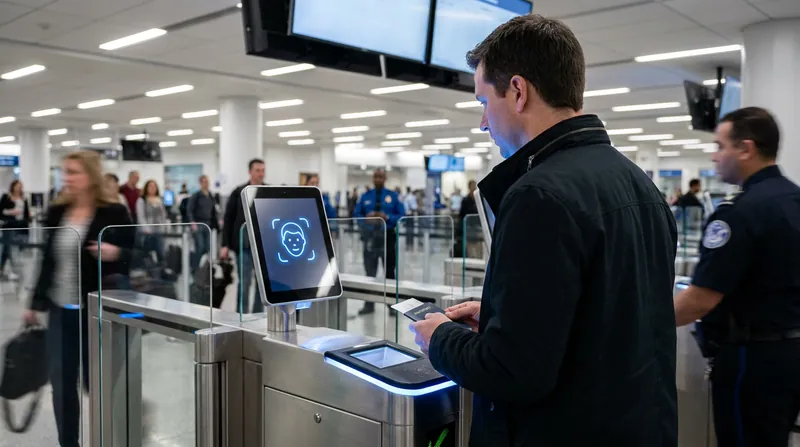
The Mechanics of TSA's Biometric E-Gates: How the Facial Recognition Rollout Works and How to Opt Out
5 sources
Aviation Security
CDC and DHS Implement Enhanced Ebola Screening at US Airports Following May 2026 Outbreak
3 sources

Aviation Safety
Aviation Authorities Declare Lithium Batteries Top Aircraft Safety Risk, Mandate Carry-On for Power Banks
3 sources
Luggage Tech
How Smart Trackers and Airline RFID Tech Are Eliminating Lost Luggage
4 sources
Comments
Every angle. Every day.
Get Travel stories with full source coverage and perspective breakdowns, free every day.