
E-Ink vs. Traditional Tablets: Which Digital Note-Taking Tool Wins the Office?
As digital note-taking replaces paper in the workplace, professionals face a stark choice between the distraction-free focus of e-ink devices and the versatile power of traditional tablets.
By Factlen Editorial Team
- E-Ink Purists
- Advocates who believe the tactile feel and lack of distractions make e-ink the only true replacement for paper.
- Ecosystem Power Users
- Users who believe a tablet must offer versatile utility, color, and seamless app integration to justify its cost.
- Neutral Analysts
- Reviewers weighing the objective hardware trade-offs and total cost of ownership without ecosystem bias.
- Ergonomic & Health Advocates
- Experts and users focused on the physiological benefits of non-emissive screens.
What's not represented
- · Digital Artists & Illustrators
- · IT Procurement Managers
Why this matters
As professionals spend increasingly more hours looking at screens, choosing the right digital note-taking tool directly impacts daily focus, productivity, and long-term eye health. Understanding the stark trade-offs between e-ink and traditional tablets ensures buyers invest in a device that genuinely supports their workflow rather than adding to their digital fatigue.
Key points
- E-ink tablets prioritize distraction-free focus and tactile writing, mimicking the feel of real paper.
- Traditional tablets offer unmatched versatility, color displays, and seamless integration with complex software ecosystems.
- E-ink devices boast battery life measured in weeks, as their screens only draw power when refreshing.
- Traditional tablets feature 120Hz refresh rates for zero-latency writing but require daily charging.
- Non-emissive e-ink screens reflect ambient light, significantly reducing digital eye strain during long sessions.
- Buyers must weigh the need for a dedicated cognitive sanctuary against the utility of a multimedia hub.
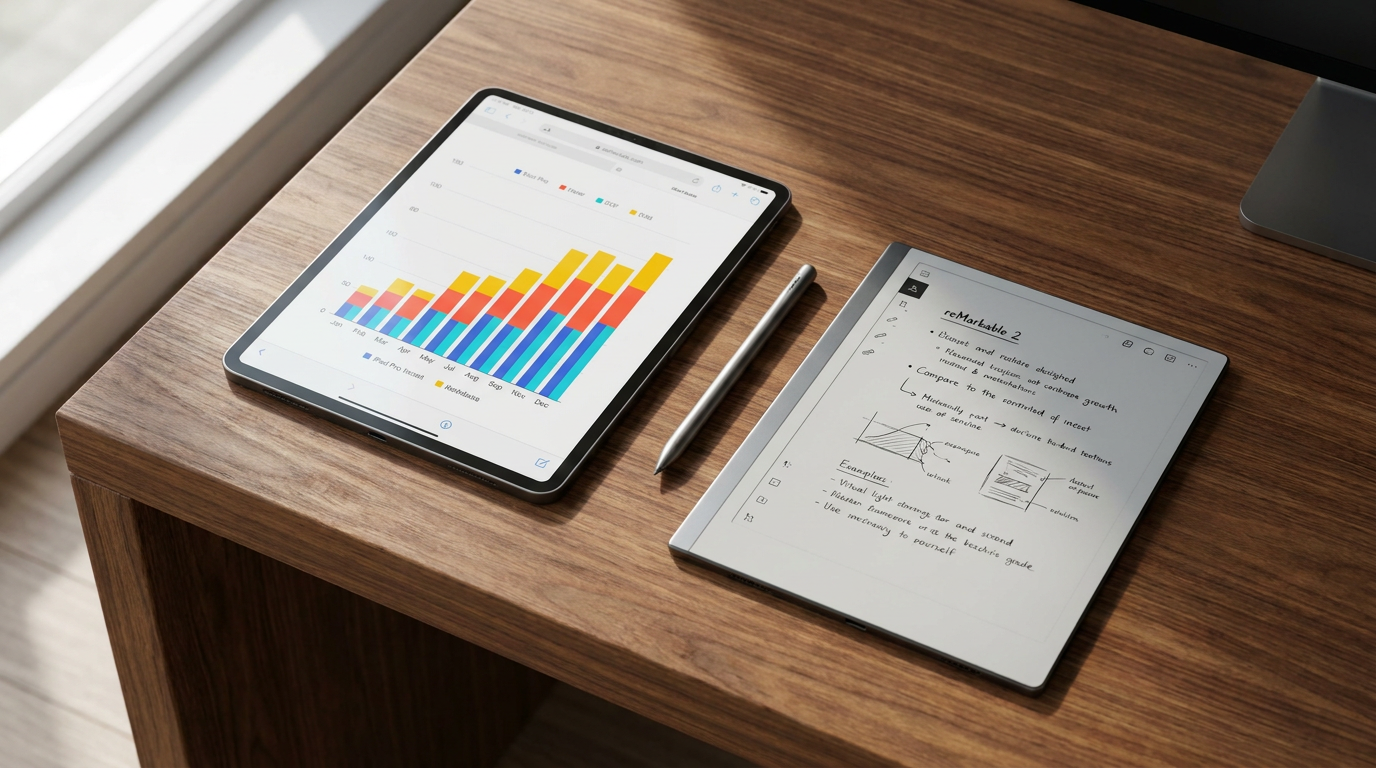
The humble paper notepad is rapidly disappearing from conference rooms and home offices, replaced by a new generation of digital writing tools. For professionals seeking to digitize their workflow without losing the tactile satisfaction of handwriting, the market has bifurcated into two distinct philosophies. On one side are traditional, full-featured tablets like the Apple iPad and Samsung Galaxy Tab, which offer boundless versatility and vibrant color displays. On the other side is a growing class of e-ink devices, such as the reMarkable 2, Onyx Boox, and Amazon Kindle Scribe, which strip away the noise of the modern internet to focus entirely on the act of reading and writing. This divergence leaves buyers with a complex purchasing decision, as the choice between the two architectures fundamentally alters how a person works, thinks, and interacts with their daily tasks.[1][2]
The argument for e-ink tablets centers heavily on cognitive fidelity and the physical sensation of writing. Manufacturers of e-ink devices utilize matte, textured screens that provide physical resistance against the stylus, closely mimicking the friction and subtle scratching sound of a pen on paper. This tactile feedback is crucial for many users who find the experience of writing on the smooth glass of a traditional tablet to be slippery and unnatural. Furthermore, the minimalist interface of an e-ink device is intentionally designed to be a walled garden. By omitting web browsers, social media applications, and push notifications, these tablets force the user into a state of deep work. The evidence supporting this approach is largely behavioral; users frequently report that the inability to multitask prevents the context-switching that typically derails complex thought processes.[2][4][6]
Conversely, the argument against e-ink devices highlights their inherent technical limitations. Because electronic ink relies on the physical movement of microscopic charged particles to form images, the screen refresh rate is drastically slower than that of a conventional display. This makes e-ink entirely unsuitable for watching video, playing games, or smoothly scrolling through long web pages. Additionally, most e-ink tablets operate strictly in grayscale, which can be a significant drawback for professionals who need to highlight documents in multiple colors, review complex charts, or sketch vibrant diagrams. For users accustomed to the lightning-fast responsiveness of modern smartphones, the deliberate pacing and monochrome palette of an e-ink tablet can initially feel like a technological regression rather than an upgrade.[3][4][8]

The case for traditional tablets like the iPad Pro is built on raw processing power and unmatched versatility. Equipped with high-resolution Liquid Retina or OLED displays and refresh rates up to 120 hertz, these devices render digital ink with virtually zero latency. When paired with advanced styluses like the Apple Pencil, the digital ink flows from the tip with pixel-perfect precision, supporting tilt and pressure sensitivity that digital artists and heavy note-takers demand. The evidence for the iPad's superiority lies in its software ecosystem. Users have access to millions of applications, allowing them to seamlessly transition from taking handwritten notes in GoodNotes to editing a spreadsheet, joining a video call, or managing their inbox—all on a single device that can effectively replace a laptop for many office tasks.[3][4][7]
However, the argument against traditional tablets is rooted in the very versatility that makes them so popular: the constant threat of distraction. A device capable of doing everything is also a device capable of interrupting anything. The presence of email alerts, messaging apps, and the broader internet means that a focused note-taking session can easily be derailed by a single notification. Furthermore, writing on a backlit glass screen introduces ergonomic and physiological challenges. The smooth surface requires users to exert more muscle control to write neatly, and the emissive nature of the display means that users are staring directly into a light source. This fundamental hardware difference brings the conversation to one of the most hotly debated topics in the tablet market: digital eye strain.[2][5][8]
However, the argument against traditional tablets is rooted in the very versatility that makes them so popular: the constant threat of distraction.
The health and ergonomic evidence heavily favors e-ink technology for prolonged reading and writing sessions. Traditional LCD and OLED screens emit blue light and utilize backlighting that can cause accommodative stress, luminance flicker, and disrupted circadian rhythms if used late into the evening. In contrast, e-ink displays are non-emissive; they reflect ambient light just like a physical piece of paper. Studies, including research cited by the Harvard School of Public Health, indicate that reading on reflective displays causes significantly less stress on retinal cells compared to staring at brighter, bluer LCD screens. For professionals who already spend eight hours a day staring at a computer monitor, adding another backlit screen to their workflow for note-taking can exacerbate headaches and visual fatigue.[5][6][7]

Battery life presents another stark contrast where the evidence is entirely quantifiable. Because traditional tablets must constantly power a bright backlight and a high-refresh-rate display, their battery life is typically measured in hours. An iPad Pro under heavy use will generally require a charge every ten to sixteen hours, meaning it must be plugged in almost daily. E-ink displays, however, only consume power when the screen is actively refreshing or changing state. Once an image or page of text is rendered, it requires zero electricity to remain visible. As a result, the battery life of an e-ink tablet is measured in weeks. Devices like the reMarkable 2 or Boox Note Air can easily last two to four weeks on a single charge, eliminating the daily battery anxiety that plagues modern office workers.[3][4][7]
When evaluating the total cost of ownership, buyers must look beyond the base price of the tablet. High-end e-ink devices often command premium prices—frequently matching or exceeding the cost of an entry-level iPad—which can seem counterintuitive for a device that does so much less. However, traditional tablets often require expensive first-party styluses, protective cases, and matte screen protectors to replicate a fraction of the e-ink writing experience. Ultimately, the decision requires a clear-eyed assessment of daily habits. An e-ink tablet fits well when a user's primary goal is deep, distraction-free reflection, when they suffer from screen-induced eye strain, or when they need a reliable device that can survive a week of business travel without a charger. It serves as a dedicated cognitive sanctuary rather than a multimedia hub.[1][2][8]
Conversely, an e-ink device does not fit when a user relies on a fast-paced, multi-app workflow that requires constant switching between reference materials, email, and note-taking. It is also a poor choice for anyone who needs to annotate documents in color or relies on complex cloud-based productivity suites that lack native e-ink support. A traditional tablet fits well when the user needs an all-in-one powerhouse that can handle creative illustration, dynamic presentations, and seamless integration with broader tech ecosystems like Apple's iCloud or Google Workspace. It does not fit when the user lacks the discipline to ignore digital distractions or when their primary objective is to escape the glowing screens that dominate the rest of their working day.[1][3][4]

The software ecosystems powering these two categories of devices further illustrate their divergent philosophies. Traditional tablets benefit from decades of operating system refinement, offering robust file management, seamless cloud synchronization, and universal compatibility with enterprise software like Microsoft Office and Google Workspace. If a professional needs to pull a chart from a live dashboard and paste it into a handwritten note, an iPad handles the task effortlessly. E-ink tablets, by contrast, often run on heavily modified, proprietary versions of Android or custom Linux distributions. While they have improved significantly in recent years—offering integrations with Dropbox, Google Drive, and OneDrive—the process of moving files on and off an e-ink device can still feel clunky compared to the frictionless sharing features found on mainstream consumer tablets.[2][7][8]
Weight and physical portability also play a crucial role in the daily office commute. E-ink tablets are remarkably thin and light, with devices like the reMarkable 2 weighing just over 400 grams and measuring less than 5 millimeters thick. This makes them effortless to slip into a folio or carry around the office all day, much like a standard legal pad. Traditional tablets, burdened by larger batteries, complex camera arrays, and heavier glass, are noticeably bulkier. An iPad Pro can weigh anywhere from 468 to nearly 700 grams depending on the size, and that footprint expands significantly once a keyboard folio or heavy-duty case is attached. For the professional who spends their day moving between conference rooms, the featherweight nature of an e-ink slate offers a distinct ergonomic advantage.[4][8]

Ultimately, the choice between an e-ink tablet and a traditional LCD tablet is not a question of which hardware is objectively superior, but rather which cognitive environment best supports the user's specific workflow. The market has proven that there is immense value in technology that intentionally limits its own capabilities to foster human focus. For those who view their notes as a dynamic, interconnected web of multimedia data, the traditional tablet remains the undisputed king of the office. But for those who view writing as a quiet, linear process of thought refinement, the e-ink tablet offers a modern return to the analog ideal—a digital piece of paper that never runs out of pages and never interrupts a good idea.[1][2][5]
How we got here
2010
Apple launches the first iPad, establishing the modern standard for versatile, full-color touchscreen tablets.
2017
reMarkable launches its first paper tablet, carving out a niche for dedicated, distraction-free e-ink writing devices.
2022
Amazon introduces the Kindle Scribe, bringing mainstream consumer attention to the e-ink note-taking category.
2024
Apple releases the M4 iPad Pro with a tandem OLED display, pushing traditional tablet screen technology to new heights.
2026
E-ink devices see widespread adoption in corporate environments as professionals seek remedies for digital eye strain.
Viewpoints in depth
E-Ink Purists
Advocates who believe the tactile feel and lack of distractions make e-ink the only true replacement for paper.
For this camp, the value of a device is defined by what it prevents you from doing. E-ink purists argue that the modern professional is overwhelmed by notifications, context-switching, and digital noise. By stripping away web browsers and app stores, e-ink tablets enforce a state of deep work. They point to the tactile friction of a matte screen and the weeks-long battery life as evidence that these devices are specialized tools for thought, rather than compromised computers.
Ecosystem Power Users
Users who believe a tablet must offer versatile utility, color, and seamless app integration to justify its cost.
Ecosystem power users view single-purpose devices as inefficient and overpriced. They argue that a premium tablet should be able to replace a laptop in a pinch. For this group, the iPad Pro's ability to seamlessly switch from taking handwritten notes to editing a 4K video, managing a complex spreadsheet, or joining a Zoom call makes it the undisputed champion. They emphasize that cloud synchronization and the ability to annotate full-color PDFs are non-negotiable requirements for modern office work.
Ergonomic & Health Advocates
Experts and users focused on the physiological benefits of non-emissive screens.
This perspective centers entirely on human biology. Health advocates point to rising rates of digital eye strain, accommodative stress, and sleep disruption caused by staring at backlit LCD and OLED screens for eight to twelve hours a day. They champion e-ink technology because it reflects ambient light, eliminating the harsh blue light and luminance flicker associated with traditional tablets. For this camp, choosing e-ink is a preventative health measure designed to protect long-term visual comfort and circadian rhythms.
What we don't know
- Whether future advancements in color e-ink technology will eventually bridge the gap between the two device categories.
- How long-term adoption of e-ink devices in corporate environments will impact overall employee productivity metrics.
- If mainstream tablet manufacturers like Apple will ever introduce a dedicated low-power, e-ink reading mode.
Key terms
- E-Ink (Electronic Ink)
- A display technology that uses charged pigment particles to reflect ambient light, mimicking the appearance of physical paper.
- LCD (Liquid Crystal Display)
- A standard screen technology that uses a bright backlight to illuminate pixels, commonly found in traditional tablets.
- Refresh Rate
- The speed at which a screen updates its image per second, measured in hertz (Hz); higher rates result in smoother motion.
- Walled Garden
- A closed technology ecosystem where the manufacturer tightly controls the available apps and features to ensure a specific user experience.
- Accommodative Stress
- Eye fatigue caused by the continuous effort of focusing on a close, light-emitting digital screen for extended periods.
Frequently asked
Can I read Kindle books on an iPad?
Yes, you can read Kindle books on an iPad via the official Kindle app, though you will be reading on a backlit LCD or OLED screen rather than an e-ink display.
Do e-ink tablets require a monthly subscription?
It depends on the manufacturer. Some devices, like the reMarkable 2, offer optional cloud subscriptions for advanced syncing features, while others provide all software features out of the box.
Can e-ink tablets convert handwriting to text?
Yes, most modern e-ink devices feature built-in optical character recognition (OCR) to convert handwritten notes into typed, searchable text.
Does the Apple Pencil work on e-ink tablets?
No, e-ink tablets use different digitizer technologies—typically Wacom EMR—which require their own specific styluses and are not compatible with the Apple Pencil.
Sources
Source coverage
8 outlets
4 viewpoints surfaced








[1]Factlen Editorial TeamNeutral Analysts
Synthesis by Factlen editorial team
Read on Factlen Editorial Team →[2]MakeUseOfE-Ink Purists
E-Ink vs. iPad: Why E-Ink is Better for Note-Taking
Read on MakeUseOf →[3]T3Ecosystem Power Users
Kindle Scribe vs iPad: Which is the better buy?
Read on T3 →[4]Trusted ReviewsEcosystem Power Users
Remarkable 2 vs iPad Pro: Which tablet is right for you?
Read on Trusted Reviews →[5]LifehackerNeutral Analysts
Are E-Ink Screens Really Better for Your Eyes Than LCDs?
Read on Lifehacker →[6]reMarkable OfficialE-Ink Purists
How E Ink devices like reMarkable paper tablets protect your eyes
Read on reMarkable Official →[7]iFlytekErgonomic & Health Advocates
E Ink Tablets vs Traditional Tablets: Which is Better for Your Eyes?
Read on iFlytek →[8]MediumErgonomic & Health Advocates
E-Ink vs iPad Air M3: A Note-Taking Comparison
Read on Medium →
Every angle. Every day.
Get shopping stories with full source coverage and perspective breakdowns delivered to your inbox.