
E-Ink Tablets vs. iPads: The 2026 Buyer's Guide for Deep Work
As color e-ink technology matures, professionals are increasingly trading their versatile iPads for dedicated digital paper devices to combat screen fatigue and reclaim their focus.

The 2026 tablet market has fractured into two distinct philosophies of productivity. On one side, Apple's iPad lineup continues to push the boundaries of do-everything computing, offering desktop-level power in a portable pane of glass. On the other, a surging market of premium e-ink tablets—led by devices like the reMarkable Paper Pro and Boox Note Air 4 Pro—is selling the exact opposite: intentional limitation.
For professionals looking to upgrade their workflow, the choice between these two ecosystems is no longer just about hardware specifications. It is a fundamental decision about how to manage attention, combat screen fatigue, and optimize for deep work in an increasingly noisy digital landscape.
The primary argument for adopting an e-ink tablet is cognitive preservation. In a high-pressure environment, a device must solve specific frustrations, and for many, the biggest threat to productivity is the notification tray. E-ink devices strip away the digital noise, creating a sanctuary where users can think and write without the temptation of social media, email, or algorithmic video recommendations.[1]
The underlying technology of e-ink is fundamentally different from traditional tablets, providing a massive advantage for physical health. Instead of emitting blue light directly into the user's eyes, e-ink displays reflect ambient light, mimicking physical paper. This drastically reduces eye strain during long reading sessions and prevents the disruption of circadian rhythms, allowing users to work late into the evening without sabotaging their sleep.[1]
Furthermore, e-ink hardware has matured significantly by 2026. The latest Carta 1300 panels have achieved 30% better contrast and 15-millisecond response times, effectively eliminating the sluggish "ghosting" that plagued earlier generations. Battery life remains a massive advantage; while an iPad requires daily charging, e-ink tablets sip power so efficiently that they can last for weeks on a single charge.
However, the intentional friction of e-ink can sometimes become an unintentional bottleneck. While the writing experience is superb, file management and ecosystem integration often lag behind. Sharing handwritten notes to a laptop or collaborating on a live document can be a clunky process, sometimes requiring proprietary cloud services or cumbersome workarounds that interrupt a seamless workflow.[2]
Additionally, buyers are paying premium prices—often between $500 and $800—for a single-purpose tool. For users who occasionally need to watch a training video, join a quick Zoom call, or reference a full-color interactive chart, the low refresh rates and muted colors of e-ink make these tasks virtually impossible.[3]
This is where the iPad's case becomes undeniable. Apple's ecosystem remains the gold standard for sheer versatility and power. Equipped with desktop-class M-series processors, the latest iPads can handle everything from complex spreadsheet management to heavy media editing without a single stutter, effectively replacing a laptop for many users.[2]
The iPad's OLED and Liquid Retina displays offer perfect color accuracy and 120Hz refresh rates, which are indispensable for visual artists, designers, and medical professionals reviewing detailed scans. Furthermore, the seamless synchronization via iCloud means that a document started on a MacBook can be instantly annotated on an iPad and reviewed on an iPhone.[2][3]
Yet, that same versatility is the iPad's Achilles' heel for focused productivity. It is inherently a distraction machine. Even with focus modes enabled, the underlying operating system is designed to keep users engaged with a broad ecosystem of apps, making it difficult to maintain the sustained concentration required for deep, analytical work.[1]
The tactile experience also falls short for purists. Writing on an iPad natively feels like tapping hard plastic against glass. While users can apply matte, paper-like screen protectors to add friction, these accessories inevitably degrade the display's visual clarity and vibrancy, forcing a compromise between writing feel and media consumption.
When making a purchasing decision, an e-ink tablet fits perfectly for academics, executives, and writers whose daily grind involves reading endless PDFs, drafting long-form documents, and strategizing. It is the ideal tool for workflows that prioritize focused, distraction-free environments and for users who suffer from severe screen fatigue.[1]
Conversely, e-ink does not fit well for professionals who rely on heavy multitasking, rapid app-switching, or vibrant media consumption. If your job requires constant communication via Slack, video conferencing, or analyzing color-critical visual data, an e-ink device will feel deeply frustrating and inadequate.[3]
The iPad remains the undisputed champion for digital artists, students who need a true laptop replacement, and professionals who require a single, versatile pane of glass to manage their entire digital life. It fits seamlessly into workflows that demand speed, color accuracy, and robust third-party app support.[2]
However, the iPad does not fit well for users who struggle with digital distractions or those who want a pure, paper-like writing experience. If your primary goal is to disconnect from the internet and focus solely on your thoughts, the iPad's glowing screen will constantly work against you.[1][2]
Key points
- The 2026 tablet market forces a choice between the iPad's limitless versatility and the intentional limitations of e-ink devices.
- E-ink tablets drastically reduce eye strain and preserve battery life for weeks, making them ideal for long reading and writing sessions.
- iPads remain the undisputed choice for multitasking, media consumption, and color-critical creative work.
- Advancements in Carta 1300 and Kaleido 3 displays have largely eliminated the sluggish refresh rates that previously plagued e-ink devices.
What we don’t know
- Whether Apple will ever release an iPad with a hybrid display that can switch between OLED and e-ink modes.
- How quickly color e-ink refresh rates will reach the 60Hz standard required for smooth video playback.
How we got here
2010
Apple launches the first iPad, establishing the modern standard for versatile, backlit tablet computing.
2017
reMarkable releases its first 'paper tablet,' carving out a niche for distraction-free digital writing.
2024
Color e-ink technology reaches mainstream devices, allowing users to color-code notes without sacrificing battery life.
2025
Apple introduces the M4 iPad Pro with a tandem OLED display, pushing the boundaries of tablet brightness and color accuracy.
2026
E-ink manufacturers deploy Carta 1300 panels with 15ms response times, largely eliminating the lag that previously deterred buyers.
- Focus Purists
- Advocates who believe the friction and limitations of e-ink are its greatest features for deep work.
- Ecosystem Power Users
- Professionals who rely on the iPad's unmatched versatility and seamless cloud integration.
- Hybrid Adopters
- Users who integrate both devices into their workflow for different specific tasks.
Perspectives this story doesn't cover
- Budget-constrained students
- Digital artists requiring high refresh rates
Sources
Source coverage
3 outlets
3 viewpoints surfaced



- [1]TurbulenceGainsFocus Purists
The Physiology of Focus: E-Ink vs iPad Pro in the Cockpit
Read on TurbulenceGains → - [2]MediumEcosystem Power Users
A Deep Dive into the reMarkable Pro and iPad for Writers
Read on Medium → - [3]Reddit Community DiscussionsHybrid Adopters
Boox Tab X vs iPad Pro for Academic Reading
Read on Reddit Community Discussions →

More in Content Types
See all →Mixed Reality
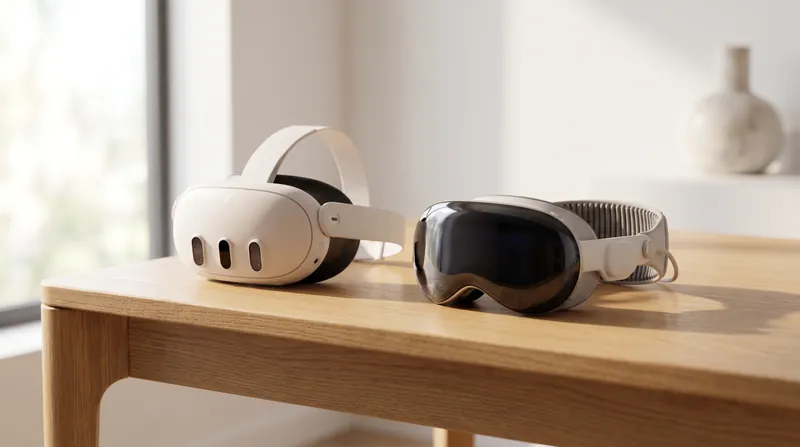
Meta Quest 3 vs. Apple Vision Pro: The 2026 Spatial Computing Buyer's Guide
3 sources
CMS Architecture
Evaluating Headless CMS Against Managed Monolithic Architectures for Independent Publishers
6 sources
Publishing Platforms
Evaluating Ghost Against Substack: The Revenue Crossover Point for Independent Publishers
6 sources

Display Technology
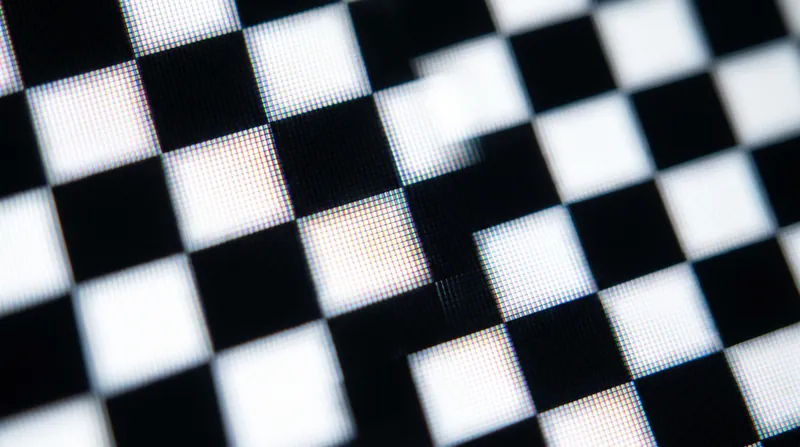
Evaluating Display Contrast Standards: How the ANSI Checkerboard Separates True Performance from Marketing
7 sources
Comments
Every angle. Every day.
Get Content Types stories with full source coverage and perspective breakdowns, free every day.