
How to Run a Local AI Model on Your Own Hardware in 2026
Running large language models locally offers complete privacy, zero subscription fees, and offline capabilities. Here is how to turn your personal computer into a private AI server.
By Factlen Editorial Team
- Privacy Advocates
- Users and organizations prioritizing absolute data sovereignty.
- Open-Source Developers
- Builders who value flexibility, customization, and avoiding vendor lock-in.
- Hardware Enthusiasts
- Technologists focused on maximizing computational efficiency on consumer budgets.
What's not represented
- · Cloud AI Providers
- · Hardware Manufacturers
Why this matters
Cloud-based AI services require sending your private data, documents, and code to third-party servers. Running an AI model locally ensures total data sovereignty, eliminates monthly subscription fees, and allows you to work entirely offline.
Key points
- Local AI allows users to run large language models on their own hardware without an internet connection.
- This approach guarantees absolute data privacy, making it ideal for healthcare, finance, and proprietary code.
- Performance is heavily dependent on the computer's GPU, specifically the amount of Video RAM (VRAM) available.
- Quantization techniques compress massive models so they can run efficiently on consumer-grade graphics cards.
- Tools like LM Studio and Ollama have made installing and running local models as easy as downloading standard software.
For the past few years, interacting with artificial intelligence meant renting a brain housed in a distant data center. Users typed prompts into a browser, and companies processed the data on massive server farms. But in 2026, a quiet revolution is shifting the center of gravity back to the personal computer. A growing ecosystem of open-source tools now allows anyone to download a Large Language Model (LLM) and run it entirely on their own hardware. This movement, known as local AI, is transforming how professionals, developers, and privacy-conscious users interact with machine learning.[1]
The appeal of local AI stems from three distinct advantages: absolute privacy, zero recurring costs, and offline capability. When you use a cloud-based AI, every line of code, medical symptom, or corporate strategy you paste into the chat box is transmitted over the internet to a third-party server. For industries bound by strict confidentiality rules, such as healthcare or finance, this data transmission is often a non-starter. Local AI severs this connection completely. Once the model is downloaded, the internet cable can be unplugged, and the AI will continue to function with zero data leaving the machine.[4][6]
Understanding how this works requires demystifying what an AI model actually is. At its core, an LLM is not a software program in the traditional sense; it is a massive file containing billions of mathematical weights that determine how words relate to one another. When you run a model locally, your computer loads these weights into its memory and performs the mathematical calculations—a process called inference—right on your desk. Because the model is just a file, often ending in formats like .gguf, it can be swapped, deleted, or upgraded just like a movie or a text document.[1][2]
However, bringing this computational power home requires specific hardware. While traditional software relies heavily on a computer's Central Processing Unit (CPU) and system RAM, local AI is overwhelmingly dependent on the Graphics Processing Unit (GPU). GPUs are designed to perform thousands of simple mathematical operations simultaneously, which is exactly what rendering a video game or generating a sentence requires. Attempting to run a modern LLM solely on a CPU is technically possible, but the text generation will be painfully slow, often outputting only a few words per second.[5]
The most critical specification for a local AI machine is Video RAM, or VRAM. VRAM is the dedicated memory built directly into the graphics card. In order for an AI model to generate text quickly, its entire file size must fit inside this VRAM. If a model is larger than the available VRAM, the system is forced to offload the excess data to the slower system RAM, which severely bottlenecks performance. Therefore, the size of the model you can run is directly dictated by the size of your graphics card's memory.[5]

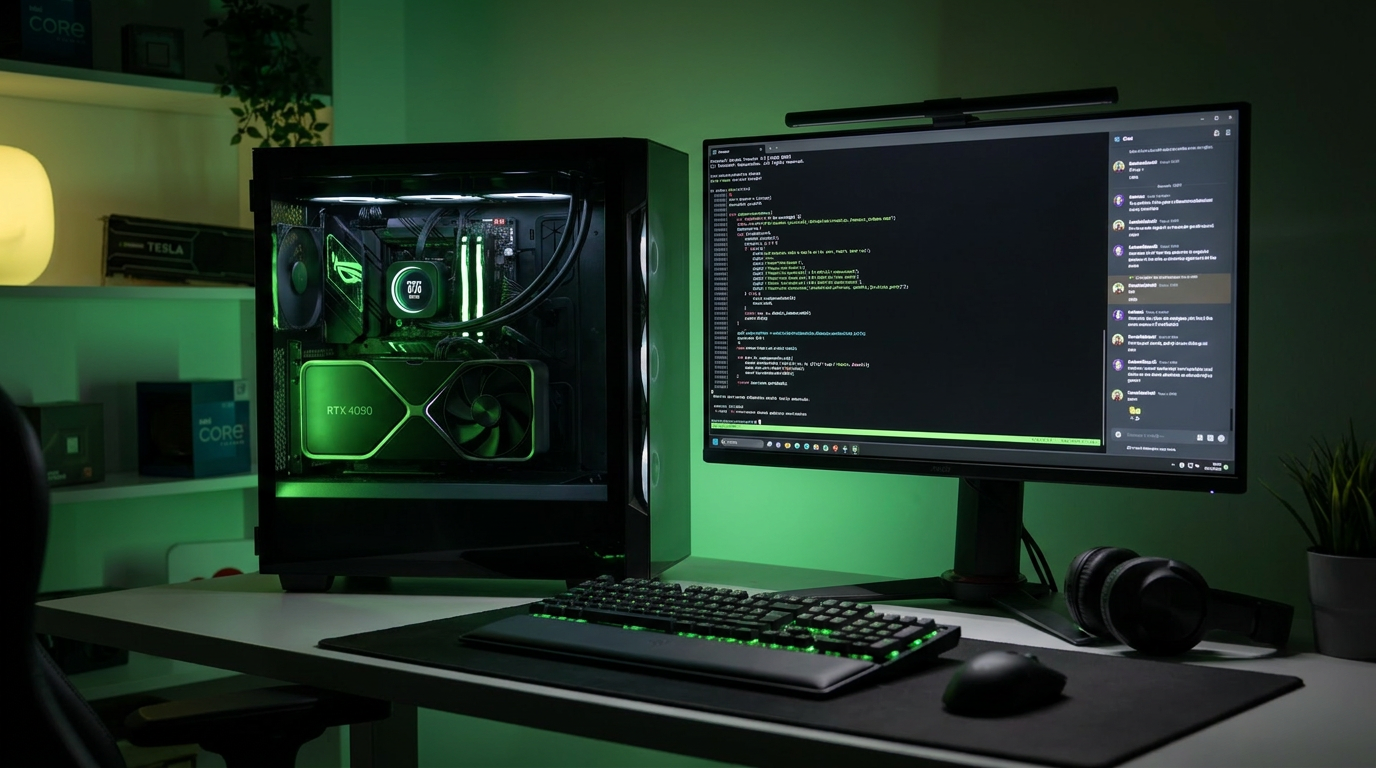
In 2026, hardware requirements generally fall into two tiers. For entry-level users, a GPU with 8 gigabytes of VRAM—such as an NVIDIA RTX 3060 or 4060—is sufficient to run highly capable 7-billion to 8-billion parameter models. These smaller models are excellent for general writing, coding assistance, and summarization. For power users and dedicated home servers, 24 gigabytes of VRAM is considered the gold standard. Cards like the RTX 3090 or 4090 can comfortably load massive 30-billion to 70-billion parameter models, which offer reasoning capabilities that rival premium cloud services.[5]
Fitting these massive models onto consumer hardware is made possible by a mathematical technique called quantization. A standard, full-precision AI model uses 16 bits of data to store each of its billions of parameters, resulting in massive file sizes. Quantization compresses these parameters down to 8 bits, 4 bits, or even lower. While this compression discards a tiny fraction of the model's precision, the loss in actual intelligence is remarkably small. A large model compressed to 4-bit quantization will almost always outperform a smaller model running at full precision, making quantization the secret engine of the local AI boom.[5]

Fitting these massive models onto consumer hardware is made possible by a mathematical technique called quantization.
On the software side, the barrier to entry has plummeted thanks to user-friendly applications. One of the most popular is LM Studio, a desktop program available for Windows, Mac, and Linux. LM Studio acts as a graphical interface and a search engine for open-source models. Users can search for a model, check if it will fit in their system's RAM, and download it with a single click. The interface looks and feels exactly like popular cloud chatbots, complete with conversation threads and adjustable settings.[2]
LM Studio also simplifies one of the most highly sought-after AI features: chatting with private documents. Through a process called Retrieval-Augmented Generation (RAG), users can drag and drop PDFs, text files, or code repositories directly into the local chat window. The software automatically chunks the documents and converts them into searchable embeddings. When the user asks a question, the local AI scans the documents and generates an answer based strictly on the provided text, all without a single byte of data ever touching the internet.[2]
For developers and users who prefer automation, a command-line tool called Ollama has become the industry standard. Often described as Docker for AI, Ollama allows users to download and run models using simple terminal commands. It runs quietly in the background as a system service, managing the complex memory allocation and hardware acceleration automatically. This headless approach is ideal for users building dedicated home AI servers or integrating AI into custom scripts.[3]
Ollama's most powerful feature is its API compatibility. Once running, Ollama hosts a local server on the user's machine that perfectly mimics the API structure used by OpenAI. This means that a developer who has built an application relying on ChatGPT can simply change the web address in their code from OpenAI's servers to a local host address. Instantly, the application switches from a paid, cloud-based service to a free, fully private local model, requiring zero changes to the underlying code logic.[3]
The ecosystem of available models in 2026 is vast and highly competitive. Users are no longer locked into a single provider's ecosystem. Models like Meta's Llama series, Alibaba's Qwen, and Mistral's open-weights releases are freely available to download. Because these models are open-source, the community frequently fine-tunes them for specific tasks. A user can download one model optimized specifically for writing Python code, another trained to write creative fiction, and a third designed for medical research, swapping between them in seconds.[2]
This absolute control over the model and the data is driving enterprise adoption. For legal firms, healthcare providers, and financial institutions, regulatory frameworks like HIPAA and GDPR make cloud AI a compliance nightmare. By deploying local LLMs on internal company hardware, these organizations achieve automatic compliance. The data residency question is solved by design, as the proprietary code, patient records, or financial forecasts never leave the physical building.[6]

Despite the rapid advancements, local AI is not without its limitations. A model running on a consumer graphics card cannot match the sheer encyclopedic knowledge or complex multi-step reasoning of a trillion-parameter cloud behemoth running on thousands of enterprise GPUs. If a user needs to solve highly complex logic puzzles or generate code for an entire application architecture in one shot, cloud models still hold a distinct advantage. Local models are best viewed as highly capable assistants rather than omniscient oracles.
Furthermore, running inference is incredibly power-intensive. When a local model generates text, the GPU runs at maximum capacity, drawing significant electricity and generating substantial heat. For desktop users, this is merely a matter of fan noise. But for laptop users, running a local LLM will drain the battery rapidly, often reducing a full charge to zero in a matter of hours. Users must balance their desire for privacy with the physical realities of mobile hardware.[5]
Ultimately, the rise of local LLMs represents a fundamental shift in computing philosophy. It returns control of the most powerful technology of the decade to the individual user. By eliminating subscription fees, ensuring absolute privacy, and providing offline access, tools like LM Studio and Ollama are turning AI from a rented service into a permanent, personal utility. As hardware continues to improve and models become more efficient, the private AI server is poised to become as ubiquitous as the home Wi-Fi router.
How we got here
2023
Cloud AI dominates the landscape following the widespread adoption of web-based chatbots.
2024
Highly capable open-source models are released, closing the performance gap with proprietary cloud models.
2025
User-friendly tools like LM Studio and Ollama mature, making local installation accessible to non-developers.
2026
Local AI becomes a standard privacy solution for enterprises, developers, and power users.
Viewpoints in depth
Privacy Advocates
Users and organizations prioritizing absolute data sovereignty.
For privacy advocates, the shift to local AI is a necessary correction to the cloud era. They argue that sending proprietary code, personal journals, or sensitive client data to third-party servers is an unacceptable security risk. By running models locally, they ensure that their data is never used to train future commercial models and remains immune to corporate data breaches.
Open-Source Developers
Builders who value flexibility, customization, and avoiding vendor lock-in.
Developers champion local AI because it allows them to look under the hood. Unlike closed cloud APIs, local tools like Ollama let developers fine-tune models, adjust system prompts at the core level, and build applications without worrying about sudden price hikes or API deprecations from major tech companies.
Hardware Enthusiasts
Technologists focused on maximizing computational efficiency on consumer budgets.
This camp treats local AI as the ultimate hardware optimization challenge. They focus heavily on quantization techniques and VRAM management, proving that a carefully configured home server can run 30-billion parameter models that rival the performance of multi-million dollar data centers.
What we don't know
- How quickly consumer hardware manufacturers will increase baseline VRAM to accommodate even larger local models.
- Whether future open-source models will be able to match the complex reasoning capabilities of the largest proprietary cloud models.
Key terms
- LLM (Large Language Model)
- An artificial intelligence system trained on massive amounts of text to understand and generate human language.
- Inference
- The computational process where an AI model calculates and generates its response to a user's prompt.
- VRAM (Video RAM)
- Dedicated memory located on a computer's graphics card, essential for loading and running AI models quickly.
- Quantization
- A mathematical compression technique that shrinks the file size of an AI model so it can fit on consumer hardware.
- RAG (Retrieval-Augmented Generation)
- A method that allows an AI to search through a user's private documents to find answers before generating text.
Frequently asked
Do I need an internet connection to use a local LLM?
No. Once the model file and the software are downloaded to your computer, the AI functions entirely offline.
Can I run a local AI on a standard laptop?
Yes, but performance depends heavily on your hardware. Modern laptops with unified memory or dedicated GPUs perform best, while older laptops may struggle.
Is running a local AI model free?
Yes. The open-source models and tools like Ollama and LM Studio are free to download, meaning you pay zero subscription or API fees.
Sources
Source coverage
6 outlets
3 viewpoints surfaced






[1]Factlen Editorial TeamHardware Enthusiasts
Synthesis by Factlen editorial team
Read on Factlen Editorial Team →[2]LM StudioOpen-Source Developers
Discover, download, and run local LLMs
Read on LM Studio →[3]OllamaOpen-Source Developers
Get up and running with large language models locally
Read on Ollama →[4]Local AI MasterPrivacy Advocates
Is Local AI Private? (Privacy Benefits)
Read on Local AI Master →[5]ZimaSpaceHardware Enthusiasts
Finding affordable hardware for local ai server
Read on ZimaSpace →[6]Digital AppliedPrivacy Advocates
Enterprise integration patterns for privacy-first AI deployment
Read on Digital Applied →



Every angle. Every day.
Get guides stories with full source coverage and perspective breakdowns delivered to your inbox.