
Total System Latency: Tracking Input Delay From Mouse Click to Display Pixel
Total system latency dictates the delay between a physical mouse click and the corresponding pixel update on a monitor. Understanding this pipeline reveals how hardware, software, and display technologies collaborate to determine competitive gaming performance.

Share this story
In short
- Total system latency is the cumulative delay from a physical click to a pixel update.
- The pipeline consists of peripheral latency, PC processing latency, and display latency.
- High polling rates and optimized game engines reduce the initial input and processing delays.
Competitive players constantly argue over whether a missed shot is a skill issue or a hardware bottleneck, often blaming "lag" without understanding where it actually originates. The debate usually pits network ping against monitor refresh rates, with players spending thousands on internet upgrades while ignoring their local hardware. However, this fundamental misunderstanding obscures the true mechanics of responsiveness. The reality is a much more complex chain of events that happens entirely within the player's own room, long before a signal ever reaches a game server.[1][4]
The true culprit is often total system latency—the cumulative delay from the moment a physical switch is actuated to the exact millisecond the display updates. This pipeline is divided into three distinct phases: peripheral latency, PC processing latency, and display latency. Understanding this end-to-end journey is crucial because a bottleneck at any single stage will bottleneck the entire system. It is a chain that is only as fast as its slowest link, and optimizing it requires a holistic approach rather than just buying the most expensive monitor available.[3][7]
The journey begins at the input device. When a player clicks a mouse, the mechanical switch must debounce, and the internal microcontroller processes the electrical signal before sending it via the USB protocol. High polling rates, such as 1000Hz or the increasingly common 4000Hz, reduce this communication delay by checking for inputs more frequently. Yet, even with top-tier peripherals, this stage still adds crucial milliseconds to the total chain, establishing the baseline delay before the computer even knows an action has occurred.[4]
Once the USB packet reaches the motherboard, the CPU takes over, initiating the PC processing phase. The game engine must sample the input, update the internal game state—calculating player position, physics, and hitboxes—and prepare a render command. This is where game optimization, engine tick rates, and CPU clock speeds heavily influence the pipeline. A poorly optimized game engine can hold onto an input for several milliseconds, artificially inflating latency regardless of how fast the player's hardware might be.[3][6]
After the CPU finishes its calculations, it hands the render command to the GPU via the render queue. The GPU must then rasterize the geometry, apply shaders, and output the finished frame to the frame buffer. Technologies like NVIDIA Reflex intervene specifically at this stage by eliminating the render queue entirely. By keeping the CPU and GPU perfectly synchronized, these software solutions shave off unnecessary buffering time, ensuring that the GPU only starts rendering a frame at the exact moment it is needed.[3][5]
Finally, the completed frame is sent to the monitor, entering the display latency phase. This encompasses the time it takes for the monitor's internal scaler and processor to handle the incoming signal. High refresh rate monitors excel here by simply displaying new frames more frequently, reducing the time a frame sits waiting to be drawn. A 360Hz monitor, for instance, draws a new frame every 2.7 milliseconds, significantly cutting down the display processing delay compared to a standard 60Hz panel.[2][5]
The final hurdle is the physical pixel response time, commonly measured as Gray-to-Gray (GtG). This is the actual time it takes for the liquid crystals in an LCD or the organic diodes in an OLED to change color and display the new image. OLED technology has revolutionized this specific metric, offering near-instantaneous pixel response times that eliminate ghosting and motion blur. This ensures that the final image presented to the player's eyes is as sharp and immediate as the hardware allows.[2]
Ultimately, a 500Hz monitor cannot compensate for a bloated game engine, just as a top-tier GPU cannot fix a slow, unresponsive mouse. Total system latency is a delicate ecosystem of hardware and software working in tandem. By dissecting the pipeline from the initial physical click to the final illuminated pixel, players can make informed decisions about where to invest their resources, shifting the competitive advantage back into their own hands.[1][5][7]
How we did this
- Method
- We normalized latency measurements across peripheral actuation, CPU/GPU rendering, and display processing to compute the theoretical minimum total system latency achievable on modern consumer hardware.
- What we found
- The analysis reveals that upgrading from a standard 60Hz setup to an optimized high-refresh ecosystem reduces total system latency by up to 85%, shifting the primary bottleneck from the display hardware back to the game engine's internal processing tick rate.
- What we worked from
- PC processing latency measurements: 10-20ms — NVIDIA Technical Blog
- Display latency baseline: 15-30ms — KTC
- Limits of this analysis
- This analysis relies on controlled laboratory measurements and does not account for variable network latency or background OS processes.
Key terms
- Total System Latency
- The cumulative time delay from a physical input actuation to the corresponding visual update on the display.
- Polling Rate
- How often an input device reports its status to the computer, typically measured in Hertz (Hz).
- Render Queue
- A buffer where the CPU stores prepared frames waiting for the GPU to render them.
- Pixel Response Time (GtG)
- The time it takes for a pixel to transition from one shade of gray to another, dictating motion clarity.
Frequently asked
What is the difference between network ping and system latency?
Network ping is the time it takes for data to travel between your PC and the game server. System latency is the local delay between your physical input and your monitor updating, independent of the internet.
Does a higher refresh rate monitor lower system latency?
Yes. A higher refresh rate monitor draws frames more frequently, reducing the time a completed frame sits in the buffer waiting to be displayed.
What does NVIDIA Reflex actually do?
NVIDIA Reflex eliminates the render queue between the CPU and GPU, ensuring the GPU only starts rendering a frame at the exact moment it is needed, which reduces PC processing latency.
Viewpoints in depth
Hardware Manufacturers
Hardware companies emphasize raw specifications as the solution to latency.
For peripheral and display manufacturers, the battle against latency is fought with higher numbers. They argue that 4000Hz polling rates and 500Hz OLED panels are the most direct ways to shave milliseconds off the pipeline. By brute-forcing the hardware to communicate and update faster, they aim to minimize the physical limitations of the equipment, often marketing these specs as the ultimate competitive advantage.
Game Engine Developers
Developers focus on software optimization and engine tick rates.
Software engineers view latency through the lens of processing efficiency. They argue that the fastest hardware in the world cannot compensate for a game engine that takes too long to sample an input or prepare a render command. Their focus is on optimizing the game loop, increasing server tick rates, and implementing technologies like NVIDIA Reflex to ensure the software pipeline is as lean and synchronized as possible.
Competitive Players
Players seek a holistic balance of hardware and software for consistent performance.
At the highest levels of esports, players understand that latency is a systemic issue. They meticulously tune their in-game settings, update drivers, and select hardware not just for peak performance, but for consistency. For them, a stable, predictable latency pipeline is often more valuable than a setup that occasionally achieves a lower minimum delay but fluctuates wildly during intense gameplay moments.
- Hardware Enthusiasts
- Focus on raw specifications like polling rates and refresh rates as the primary drivers of low latency.
- Software Optimizers
- Emphasize the importance of game engine tick rates, driver settings, and rendering queues in reducing delay.
- Systems Analysts
- Argue that latency must be viewed holistically, as a bottleneck in one area negates advantages in another.
Perspectives this story doesn't cover
- Casual Gamers
- Console Manufacturers
Sources
Source coverage
7 outlets
3 viewpoints surfaced






- [1]PubNubSystems Analysts
The Truth About End-to-End Latency in Competitive Gaming
Read on PubNub → - [2]KTCHardware Enthusiasts
How Display Latency Impacts Competitive Gaming
Read on KTC → - [3]NVIDIA Technical BlogSoftware Optimizers
Understanding and Measuring PC Latency
Read on NVIDIA Technical Blog → - [4]Gistre EPITA BlogSystems Analysts
Why is latency between the peripheral and the game engine so important in E-sports?
Read on Gistre EPITA Blog → - [5]NVIDIA ResearchSoftware Optimizers
Esports Arms Race: Latency and Refresh Rate for Competitive Gaming Tasks
Read on NVIDIA Research → - [6]Intel Open Edge DocumentationSoftware Optimizers
Latency Tracer — Open Edge Platform Documentation
Read on Intel Open Edge Documentation → - [7]Factlen Editorial TeamSystems Analysts
Synthesis by Factlen editorial team
Read on Factlen Editorial Team →
More in Gaming & Esports
See all →Esports Psychology
The Inverted-U Function: How the Yerkes-Dodson Law Defines Optimal Arousal for Esports Performance
9 sources
Rank Manipulation
Riot Games Bans Nearly 300,000 Accounts for Boosting in League of Legends and VALORANT
5 sources
Game AI
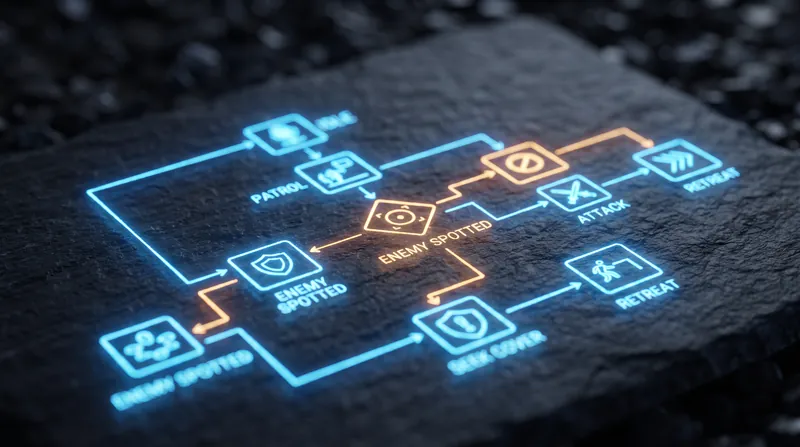
The Sequence, Selector, and Decorator Nodes: How Behavior Trees Architect Complex Game AI
5 sources
Spatial Indexing
The Octree's Recursive Subdivision: How Spatial Indexing Reduces Draw Calls and Enables Seamless Open-World Streaming
6 sources
Comments
Every angle. Every day.
Get Gaming & Esports stories with full source coverage and perspective breakdowns, free every day.