
Local AI vs. Cloud AI: How to Choose the Right Model for Sensitive Documents
As local AI models reach new capability milestones, the choice between local and cloud inference now hinges entirely on data privacy and hardware trade-offs.
By Nabil Faris

Share this story
In short
- Local AI models process documents entirely on the user's hardware, ensuring zero data leaves the network.
- Cloud AI services offer superior reasoning capabilities but require transmitting sensitive files to third-party servers.
- Consumer cloud tiers often retain conversation data for at least 30 days to monitor for abuse and policy violations.
If your documents contain financial records, medical history, or proprietary code, run a local AI model on your own hardware. If you are brainstorming, writing public content, or need the absolute frontier of reasoning capability, use a cloud service like Claude or ChatGPT. The decision is no longer about whether local models are smart enough, but about where your data boundary needs to be drawn.[4]
The landscape shifted fundamentally in 2026. Early local AI models struggled to string together coherent sentences, but the release of dense, 27-billion-parameter models changed the math. As Nick Lewis wrote for How-To Geek on September 5, "If you don't need to upload sensitive files to the internet, you shouldn't." He noted that modern local models "would put the first public release of ChatGPT to shame."[1]
The primary catalyst for this shift is Alibaba's Qwen3.6-27B, released in April 2026 and heavily adopted throughout the summer. It features a 262,144-token context window and native image handling, allowing users to feed it scanned PDFs without a separate optical character recognition step. Because it runs entirely on the user's machine, the data never traverses a network.[3]
Network isolation is the ultimate privacy guarantee. When running a local model, users can employ tools like Portmaster to monitor and restrict outbound traffic. As a recent MakeUseOf guide on firewall configurations demonstrated, seeing exactly what your machine is transmitting is illuminating: "Portmaster showed me the block. I still had to find the reason." With local AI, you can simply sever the application's internet access entirely, creating an air-gapped workflow for sensitive files.[2]
Cloud AI services operate on a fundamentally different architecture. When you upload a document to Anthropic's Claude or OpenAI's ChatGPT, the file leaves your perimeter. While enterprise agreements explicitly disable training on customer data, consumer tiers—which many professionals use for work—often default to using prompts to improve future models.[4]
Even if you manually opt out of data training in a cloud service's settings, the privacy risk is not eliminated. Cloud providers still retain conversations for a minimum of 30 days to monitor for abuse and policy violations. If a user accidentally pastes a client's Social Security number or a proprietary API key into a prompt, that data is transmitted, processed, and stored on a third-party server.[4]
The trade-off for that privacy risk is raw capability. Cloud models still hold a measurable advantage in complex reasoning and broad knowledge retrieval. "The local model is excellent at reading your document, but cloud models still excel when it comes to knowledge," Lewis observed. For tasks that require synthesizing information across multiple obscure domains, frontier cloud models remain unmatched.[1]
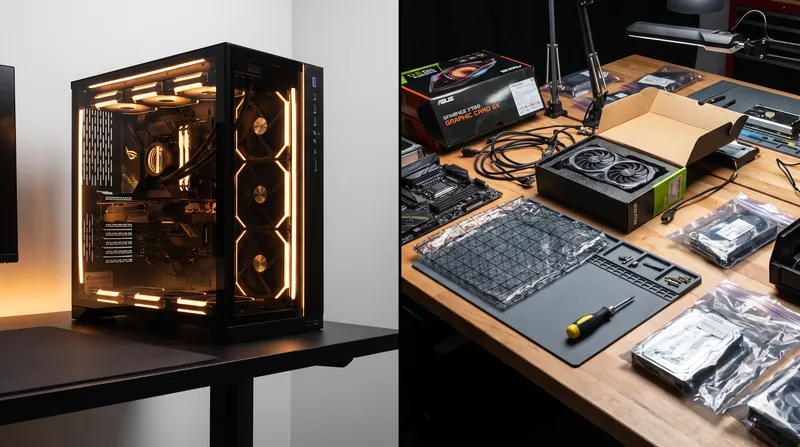
Hardware requirements also dictate the choice. Running a 27-billion-parameter model locally requires significant compute power—typically a dedicated graphics card with 16 to 24 gigabytes of VRAM, such as an NVIDIA RTX 3090. While some enthusiasts repurpose old hardware for lightweight smart home tasks, as noted in a recent How-To Geek guide on Home Assistant projects, serious local AI document processing demands modern unified memory or high-end GPUs.[1][5]
Cloud services offload this computational burden entirely, delivering answers in 100 to 300 milliseconds regardless of the user's local hardware. This makes them highly accessible, but it reinforces the reality that you are renting someone else's computer to process your thoughts.[4]
The most effective workflow in 2026 relies on drawing a strict boundary around confidential files. Users are keeping their raw tax returns, medical notes, and private journals strictly local, processing them with models like Qwen3.6-27B. They then reserve their $20 monthly cloud subscriptions for coding assistance, creative writing, and tasks where the prompt contains no sensitive information. The deciding factor is no longer the capability of the AI, but the classification of the data.[1][3][4]
Analysis by camp
Local AI Models
Self-hosted inference running entirely on user hardware for maximum data sovereignty.
For: Absolute data sovereignty, zero recurring API costs, and immunity to vendor policy changes. Against: High upfront hardware costs and a capability ceiling that trails frontier cloud models. Evidence: A 27-billion parameter model like Qwen3.6-27B requires 16 to 24 GB of VRAM but processes up to 262,144 tokens locally without internet access, ensuring compliance with strict privacy needs. Fits well when: Handling financial records, medical data, or proprietary code where data leaks are catastrophic. Does not fit when: Complex, multi-step reasoning is required on low-end hardware.
Cloud AI Services
Frontier models hosted on third-party infrastructure delivering maximum reasoning capability.
For: Best-in-class reasoning, zero hardware maintenance, and immediate access to the latest multimodal capabilities. Against: Data leaves your perimeter, consumer tiers often default to training on your prompts, and recurring $20 monthly costs accumulate. Evidence: Cloud models respond in 100 to 300 milliseconds and excel at broad knowledge retrieval, but consumer policies retain data for at least 30 days for abuse monitoring. Fits well when: Brainstorming, writing public content, or requiring the highest possible intelligence for non-sensitive tasks. Does not fit when: Processing regulated, confidential, or personally identifiable information.
- Hybrid Workflow Pragmatists
- Believe in matching the tool to the data classification, using local AI for private documents and cloud AI for general tasks.
- Local-First Adopters
- Argue that sensitive data should never leave the user's hardware, favoring local models despite hardware costs.
Perspectives this story doesn't cover
- Enterprise IT Administrators
- Cloud AI Providers
Sources
Source coverage
5 outlets
2 viewpoints surfaced




- [1]How-To GeekLocal-First Adopters
I stopped using Claude to process sensitive files and switched to a local model instead
Read on How-To Geek → - [2]MakeUseOfLocal-First Adopters
I installed a free firewall, and one blocked connection led me somewhere I didn't expect
Read on MakeUseOf → - [3]Qwen TeamHybrid Workflow Pragmatists
Qwen3.6-27B: Flagship-Level Coding in a 27B Dense Model
- [4]Factlen Editorial TeamHybrid Workflow Pragmatists
Synthesis by Factlen editorial team
Read on Factlen Editorial Team → - [5]How-To GeekLocal-First Adopters
3 Home Assistant projects to repurpose old hardware this weekend (Sep 4-6)
Read on How-To Geek →
More in Guides
See all →HVAC Upgrades
Smart vs. Programmable Thermostats: The True ROI and Energy Savings Comparison
3 sources

File Archiving
Windows 11 Native Archiving vs. 7-Zip and WinRAR: Which Extraction Tool Wins in 2026?
6 sources

Office Software
Evaluating Office Suite Replacements Ahead of the October 2026 Office 2021 Support Deadline
7 sources

Battery Chemistry
How Sodium-Ion Batteries Are Challenging LFP's Lead in Home Energy Storage
6 sources

Comments
Every angle. Every day.
Get Guides stories with full source coverage and perspective breakdowns, free every day.